
Table of Contents
Daily Pricing (Calendar Beta)
Daily rates allow you to override seasonal rates with custom prices for specific dates directly inside the calendar timeline.
What Daily Pricing Does
– Overrides standard seasonal pricing for selected dates
– Works independently from seasons
– Applies date-specific pricing directly in the calendar
– Supports flexible pricing adjustments (events, weekends, discounts, surcharges).
How to Access Daily Pricing
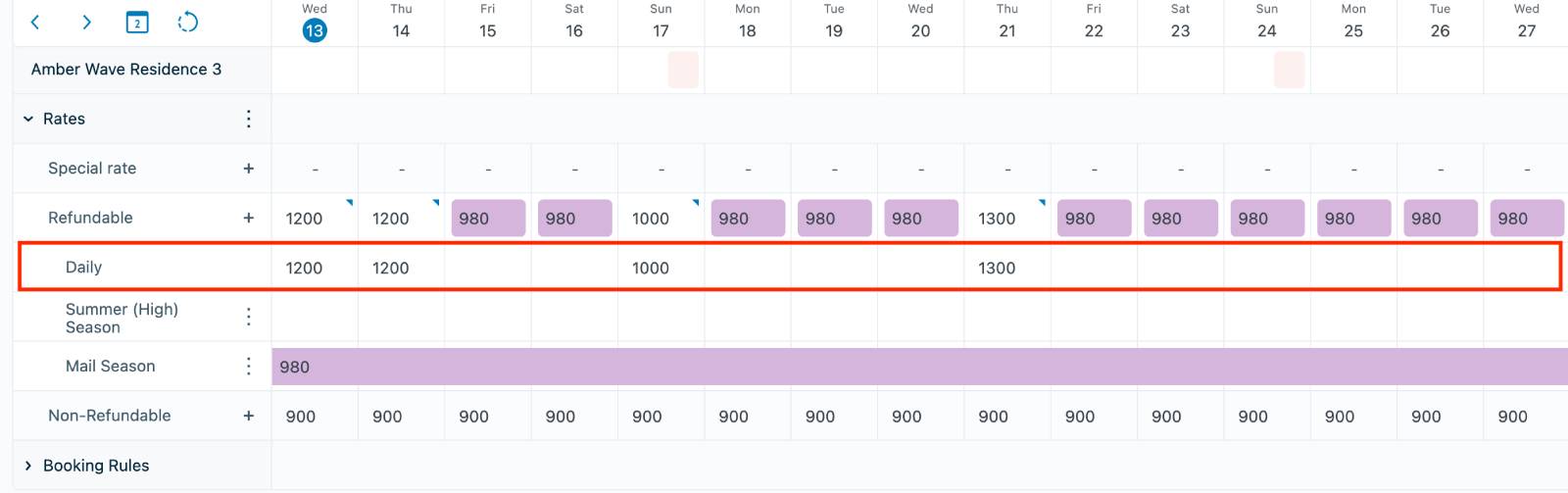
- Open Bookings → Calendar (Beta).
- Expand the Rates section under a property.
- Select the rate you want to modify.
- Open the automatically generated Daily Pricing row.
How to Set a Daily Rate
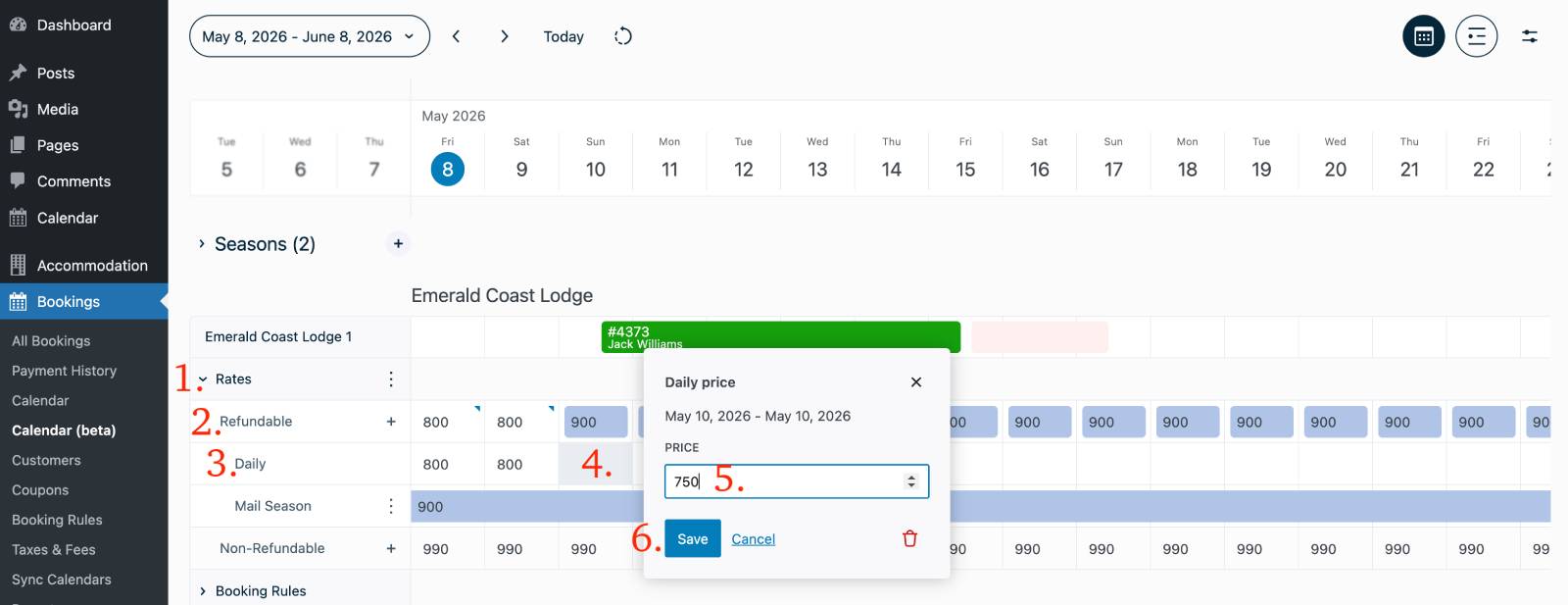
- Click on a specific date in the Daily Pricing row.
- Enter a custom price for that date.
- Or click and drag across multiple dates to apply the same price.
- Save your changes.
Important Notes
– Daily Pricing is only available in the Calendar (Beta) interface
– Daily Pricing overrides both seasonal rates and default pricing
– It can be used even if no seasons are configured
– If integrated with PriceLabs, imported prices will override manual daily pricing
– Each property and rate automatically includes a Daily Pricing row.
Best Practice
Use Daily Pricing for short-term or exceptional pricing changes, while using Seasons for structured long-term pricing periods.