
How to Send a Digital Guidebook with MotoPress Hotel Booking?
Table of Contents
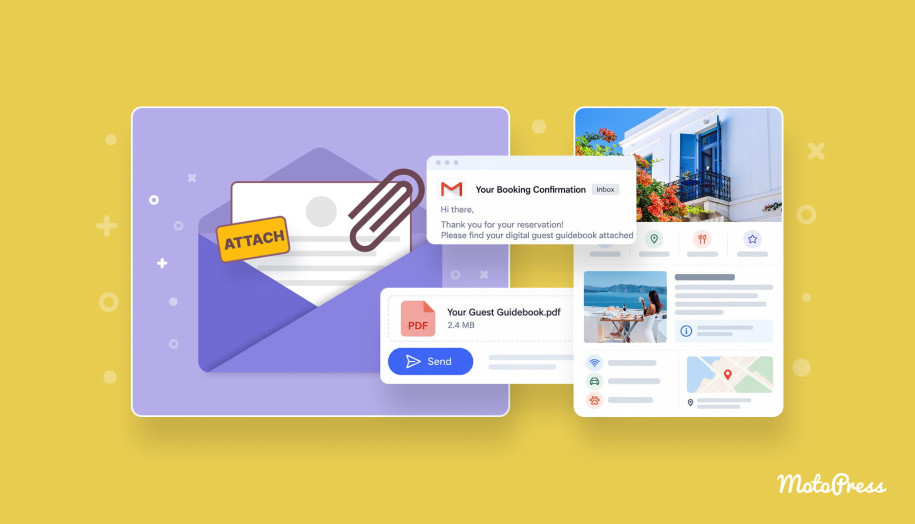
Digital guidebooks can save a lot of the small back-and-forth that comes with every booking. You can answer all questions about check-in details, parking, Wi-Fi, house rules, local tips, and other details with just one document. And guests can come back to it when they need it. In this guide, we’ll create that guide from scratch and then set up MotoPress Hotel Booking to send it automatically!
With its new Email Attachments add-on, you can make a digital guidebook part of the booking flow on your property website and send different files depending on the accommodation booked. Read further to see how it works in practice!
What Is a Digital Guest Guidebook?
A digital guest guidebook is a document that gives travelers the information they may need before arrival and during their stay.
Years ago, it was a printed folder left somewhere in the property (and still, many properties use them). Now it can be a PDF, a web page, or a dedicated online guide that guests open on their phone.
Why Send Guest Guidebooks to Guests?
The idea itself hasn’t changed much. Guests need practical answers.
- So, the first benefit is easy to spot: fewer repeated questions. For example, if every second guest asks “How to enter the property after 8 PM?” (or replace it with any other question from your threads), that information probably deserves a place in your communication.
- In digital guidebooks, hosts can explain things that don’t fit into a confirmation email. For instance, recommend a restaurant nearby or explain what guests should do before checkout.
- For properties without a front desk, part of the host’s work can be done before the guest arrives. Also, include self-check-in stays, late arrivals, or properties where the host isn’t on site in this list of benefits.
How to Create and Send a Digital Guest Guidebook with MotoPress Hotel Booking: Step-by-Step Guide
Now, it’s time to create a vacation rental guidebook and integrate it into your booking process.
Step 1. Gather the Information Your Guests Need
Before asking AI to write anything, collect the details about your property. You may already have most of this somewhere. Check your old emails, website FAQ, and existing guest manual if you use one:
- Property name;
- Address;
- Contact number or reception details;
- Check-in and check-out times;
- Entry instructions;
- Parking information;
- Wi-Fi details;
- House rules;
- Amenity instructions;
- Emergency contacts;
- Local recommendations;
- Checkout procedure.
Also, here are a few property-specific examples:
- For digital guidebooks for Airbnb properties, self-check-in details usually deserve extra attention.
- The content may look slightly different in digital guidebooks for holiday home guests staying for a week or two. They are more likely to need practical information about laundry, waste collection, kitchen equipment, supermarkets, family activities, or other longer-stay routines.
Step 2. Generate Guidebook and Convert it into PDF with AI
Luckily, now AI can take a lot of the boring part off your plate. So, drop your notes into one of the dedicated tools like ChatGPT or Gemini (btw, which one do you prefer?), and it will create clear, customizable digital guidebooks.
Here is the prompt template you can start with:
| Create a practical guest guide for [property name], a [property type] in [location]. Organize the information below in the order a guest is most likely to need it. Use clear headings, short paragraphs, and lists where useful. Keep the tone friendly and natural. Do not make the text promotional. Do not invent, change, or assume any factual details. If something important is missing, mark it as [information needed]. Put arrival, entry, parking, Wi-Fi, contact information, and house rules before local recommendations. Property information: [Paste your information here] |
Of course, you can use the received info or ask AI to “make it perfect” in one go. But I’d spend a few more prompts to improve it. For example:
| Make the [Name of Section] section shorter and easier to scan on a phone. Do not remove any steps. |
Or:
| Rewrite these [Name of Section] recommendations in a warmer tone, but keep every name, address, and detail unchanged. |
Bonus Tip: You can reuse the same source material for an online welcome book, a shorter arrival email, or a web page.
If the tool you’re using supports file creation, you can ask it to turn the finished guidebook into a PDF:
Create a clean, guest-friendly PDF from this guidebook. Use clear headings, short sections, and a simple layout suitable for reading on a phone.
|
In case this option isn’t available, move the finished text into Google Docs, Word, Canva, or another editor and export it as a PDF.
Step 3. Send Digital Guidebooks with MotoPress Hotel Booking
Once the file is ready, you can automate its delivery with the Hotel Booking Email Attachments addon.
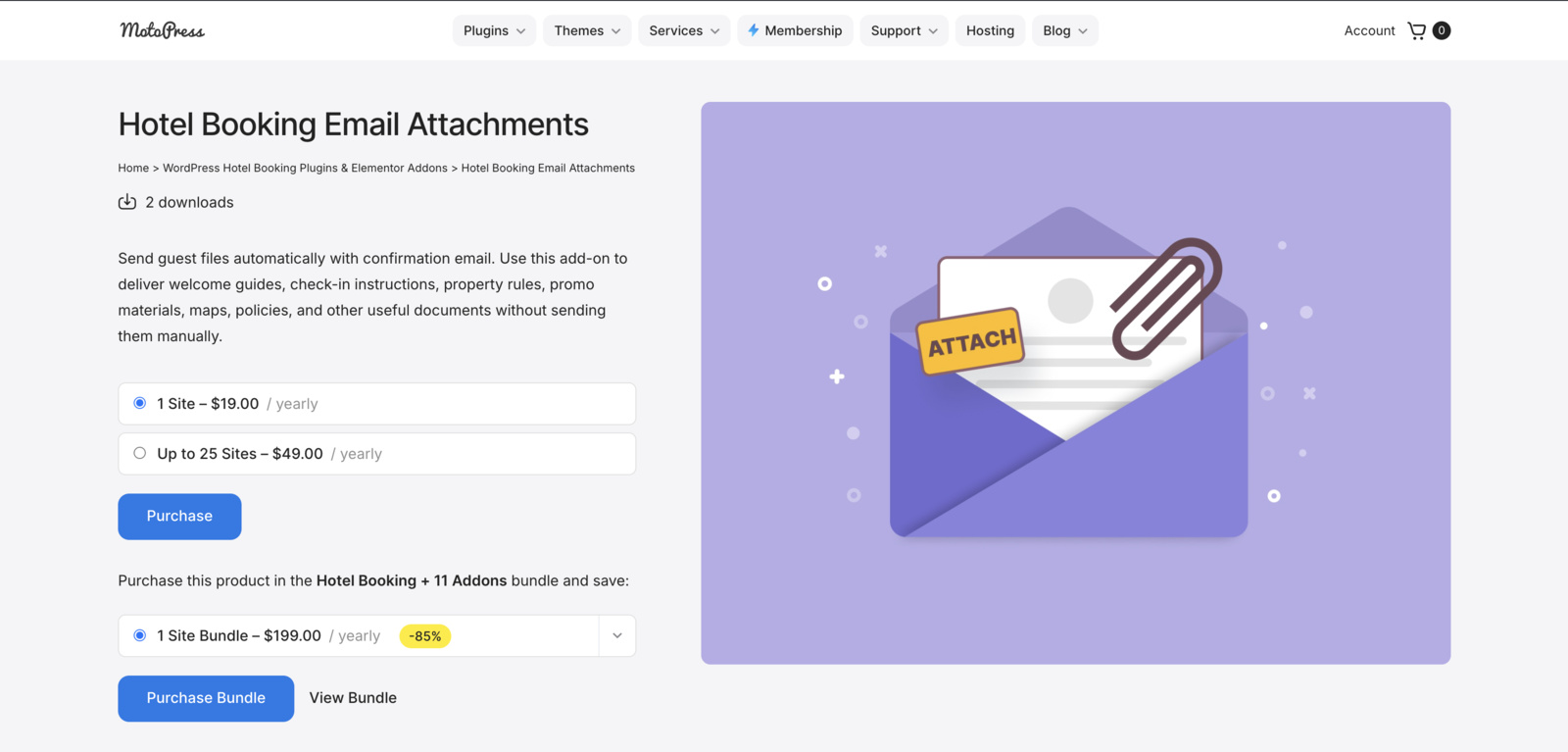
It enables you to attach files to booking emails and connect those files with specific Accommodation Types. Instead of uploading and sending the same document manually after every reservation, you prepare it once and reuse it in the booking workflow.
Its main features include:
- Accommodation-specific attachments;
- Several files per Accommodation Type;
- A reusable attachment library;
- WPML support for translated files;
- Hassle-free attachment management, which is available from the Accommodation Type screen or directly from the Email Attachments screen.
The Email Attachments add-on can be purchased separately and as part of the Hotel Booking Bundle.
More Details Hotel Booking + 11 Addons (Discounted Price)

Add Your Guidebook as an Email Attachment
Follow these steps to attach files with short term rentals digital guidebooks to the emails sent with MotoPress Hotel Booking:
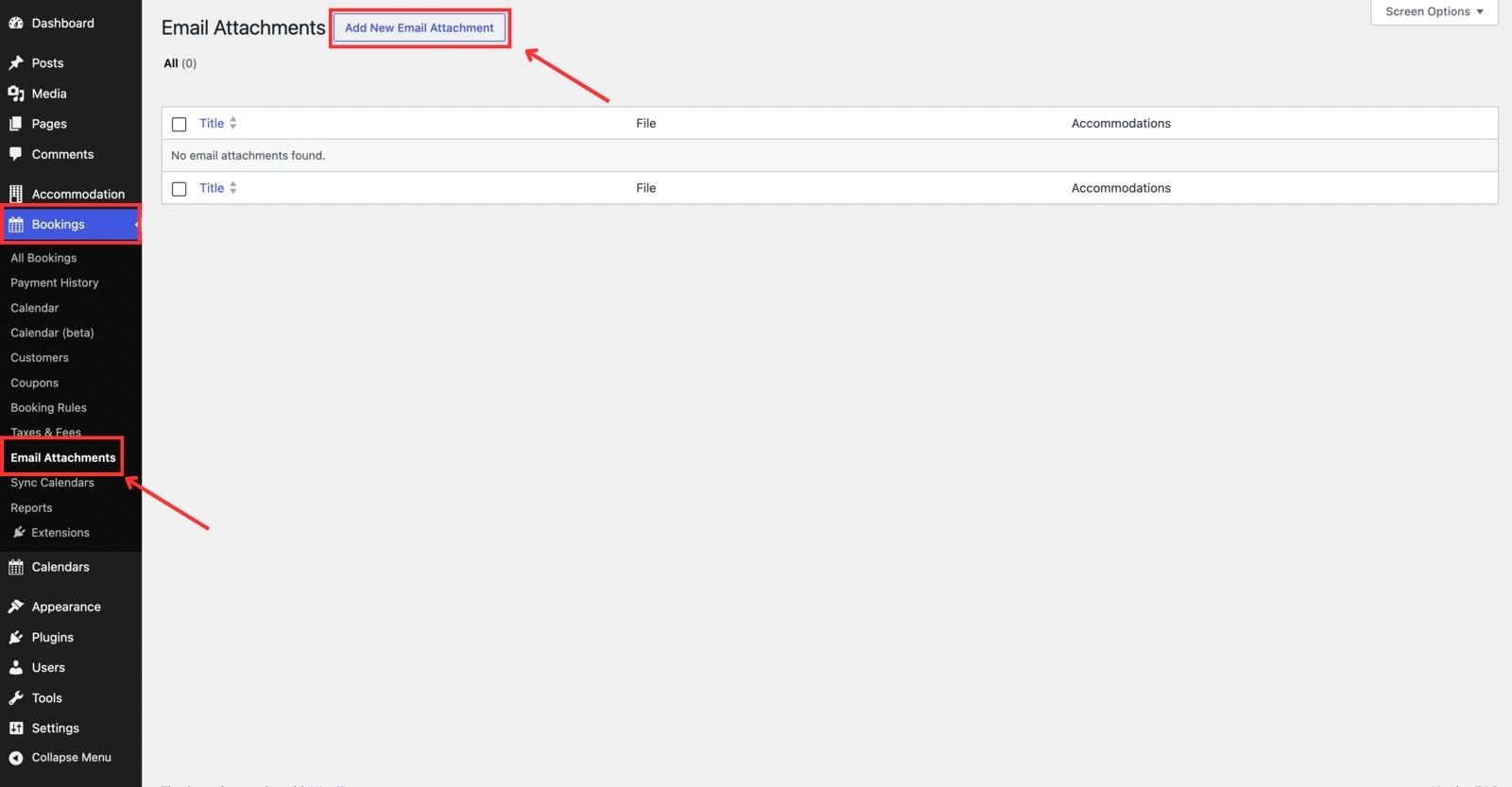
- Go to Bookings > Email Attachments > Add New.
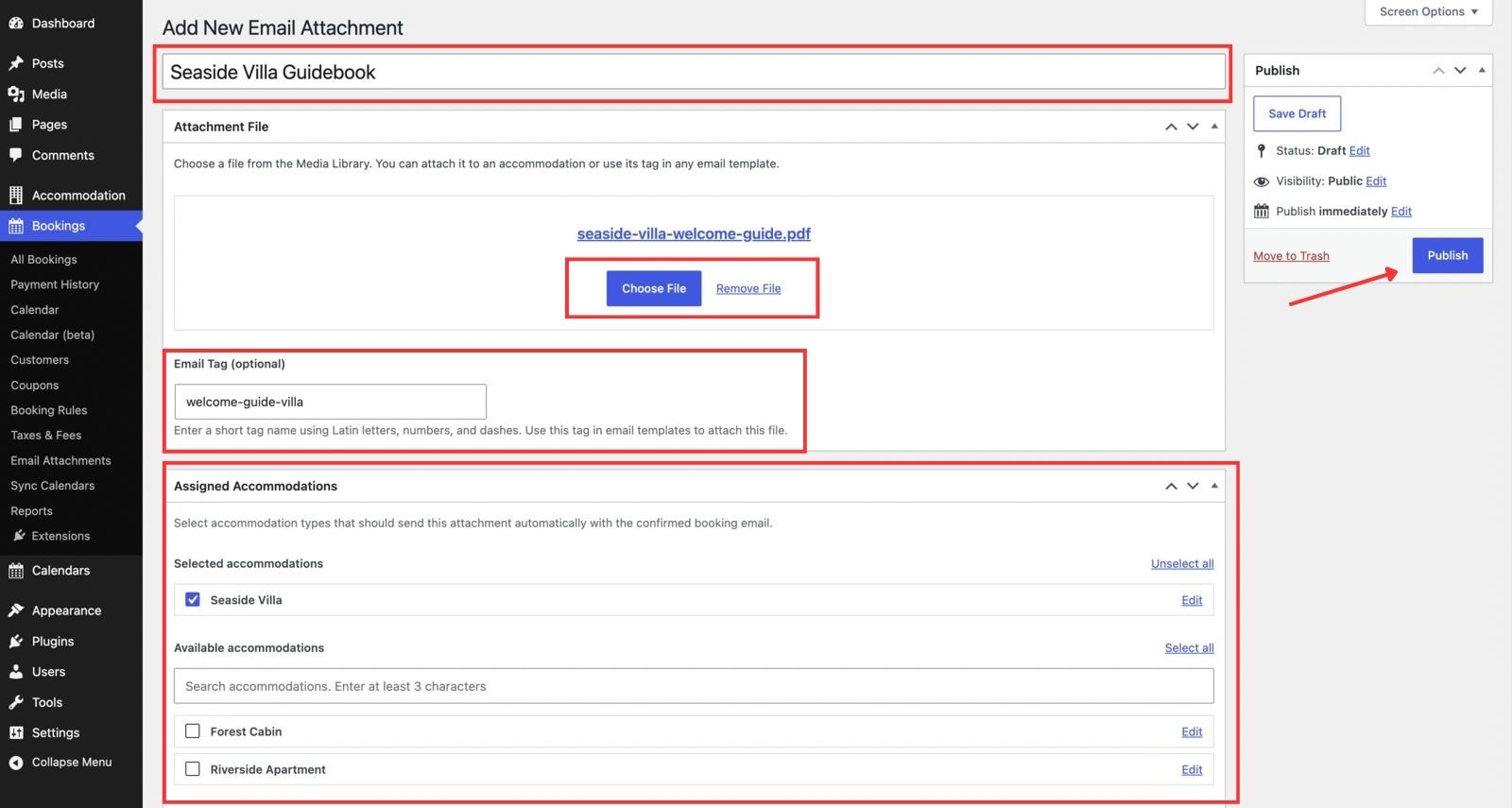
- In this area, you can add a title, upload a file, add an email tag (optional), and select the Accommodation Type that should send this attachment automatically with the confirmed booking email.
- Now, you can publish the attachment.
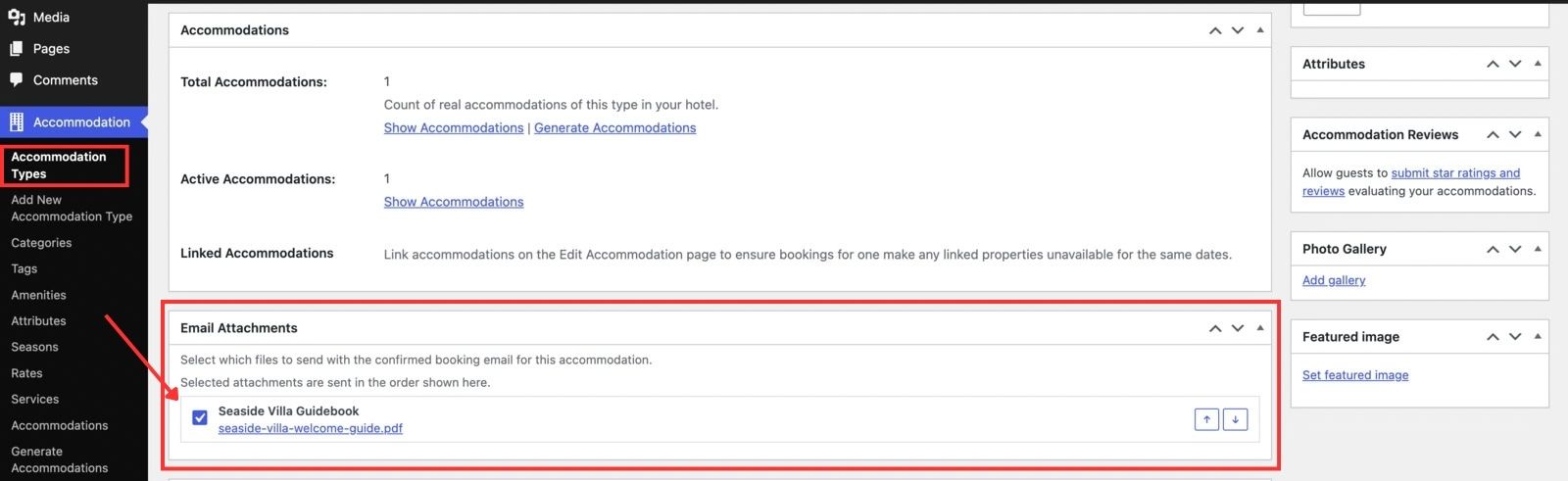
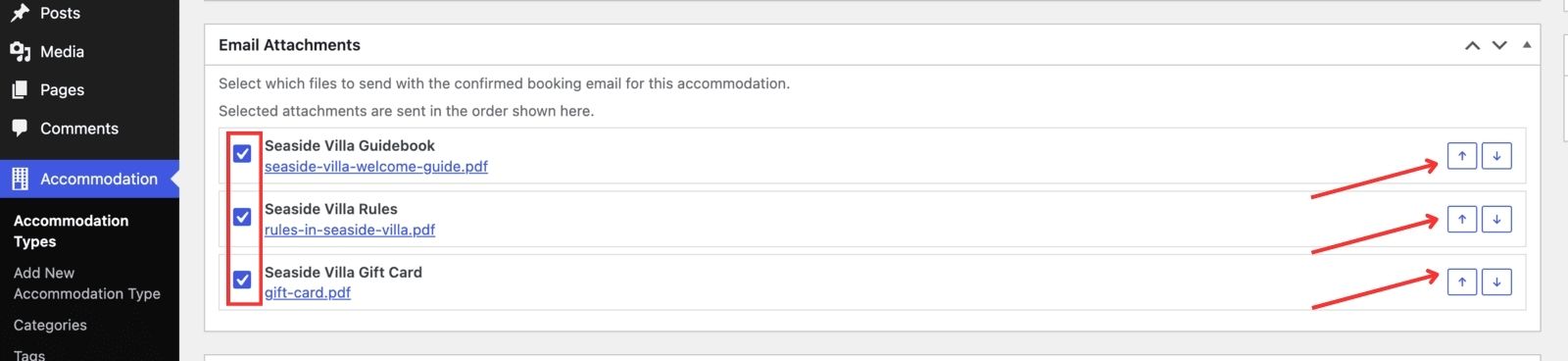
- Once you create the email attachment, you can also attach it from the Accommodation Type screen. To do that, navigate to Accommodation > Accommodation Types. Then, select the required Accommodation Type and scroll to the Email Attachments menu to select the file.
It was a general guide. Now, let’s discuss some of the features in more detail.
Send Different Guidebooks for Different Accommodations
This is probably the most practical feature for a multi-property website. Imagine you rent out:
- Riverside Apartment, which may have underground parking.
- Forest Cabin, which uses a lockbox and wood-burning stove.
- Seaside Villa, which has a gate code and pool rules.
There is little sense in putting all three into one giant PDF. Instead, create a separate guide for each property and assign the right attachment to the corresponding Accommodation Type.
Send Several Files in One Email
Not every piece of information has to live inside the same document. Use cases of the Email Attachments addon go beyond one PDF with a vacation rental guidebook.
You can send:
- Welcome guides;
- House rules;
- Rental agreements;
- Restaurant menus;
- Vouchers;
- Seasonal offers;
- Upsell packages;
- Partner discounts.
The add-on supports several attachments per Accommodation Type, and you can arrange their order.
Add Attachments Directly to Hotel Booking Emails
You can also attach a file directly through a Hotel Booking email template.
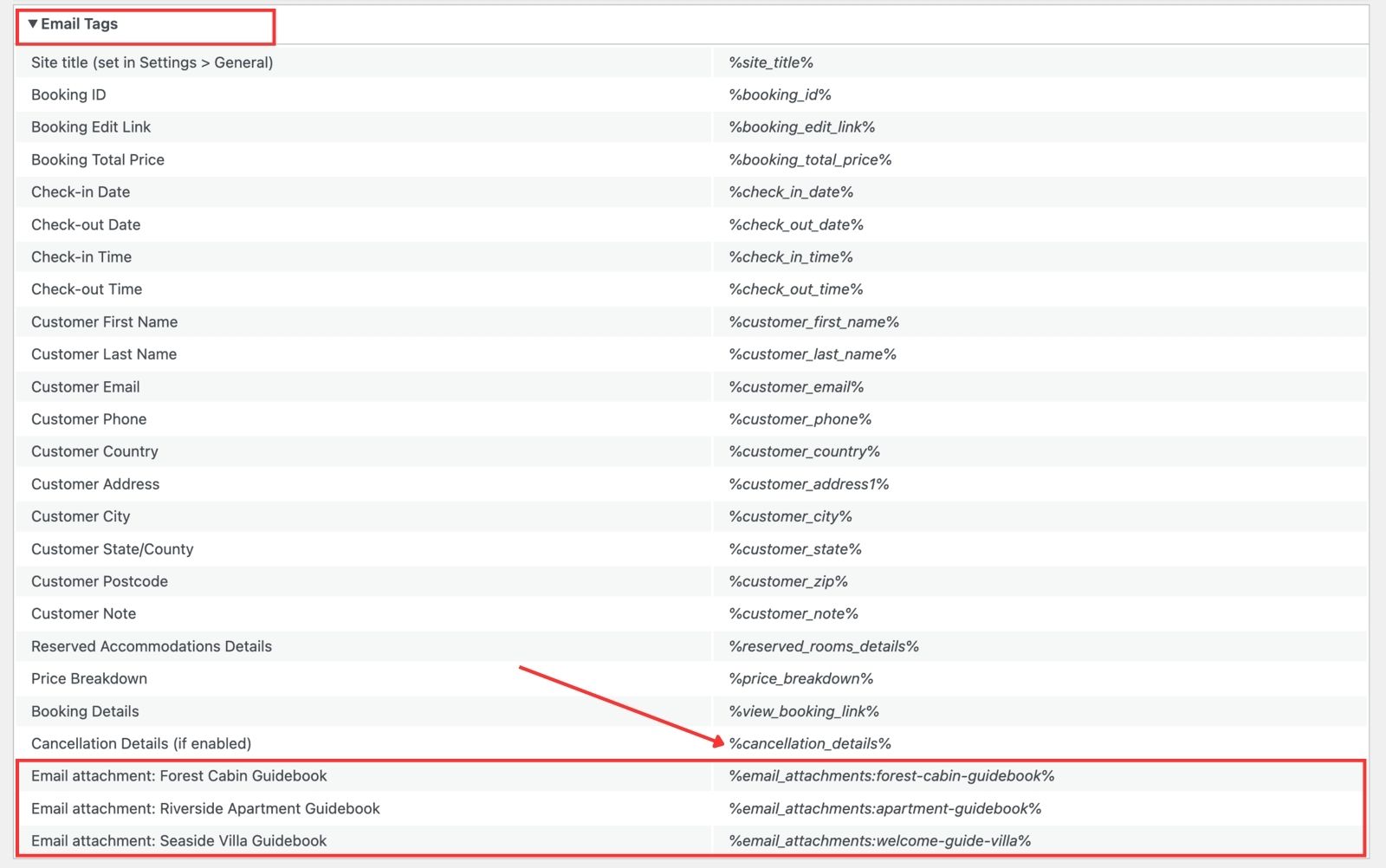
Each attachment gets an email tag such as: %email_attachments:welcome-pack%
Add the tag to the relevant email template via Accommodation > Settings > Customer Emails, and that file will be included with the message.

If you use the Hotel Booking Notifier addon, you can add attachment tags to custom booking notifications such as:
- General virtual welcome book after booking;
- Detailed arrival instructions a few days before check-in;
- An activity brochure before the stay;
- Checkout instructions closer to departure.
Before You Send Your Vacation Rental Guidebook: 6 Practical Tips
I’d look at your digital guidebooks with a simple question: can someone arriving late, with luggage in one hand and a phone in the other, find the important answer quickly?
- Put arrival information near the beginning.
- Write for mobile, dividing text into short paragraphs and clear headings.
- Use photos where words become clumsy.
- Review and update the frequently changing information (e.g., transport schedules, ticket prices, and seasonal activities).
- Since PDFs can be downloaded and forwarded, you should be careful with sensitive information such as permanent access codes or internal staff details.
- Keep the file fairly light in case a guest downloads it over mobile data.
Wrapping Up
For most independent properties, digital guidebooks don’t need to become a separate app or another complicated system to manage. A well-made PDF already covers a lot. AI can help sort and polish the information. MotoPress Hotel Booking takes care of getting the right file to the right guest.
What would you include in your own guest guidebook? Apply the Hotel Booking Email Attachments add-on to send it automatically!
FAQ
How long should a digital guidebook be?
Is PDF the best format for a guest guidebook?
Should a digital guidebook replace pre-arrival emails?