
New Built-in Workspace for Property Management & Analytics (Hotel Booking 6.5.0)
Table of Contents
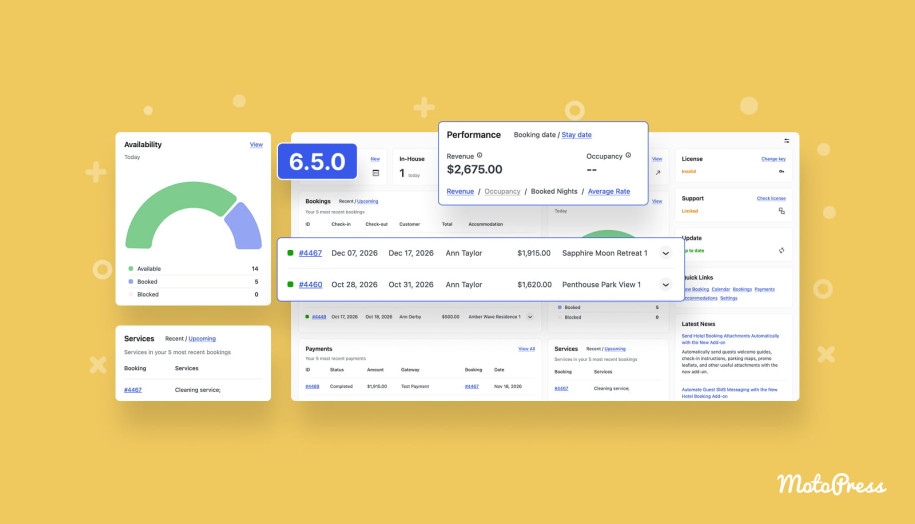
In the latest MotoPress Hotel Booking plugin version 6.5.0, we have released a brand-new dashboard that provides a quick overview of your daily workload and your property’s and business’s performance.
In this built-in workspace, accessible via the new Dashboard (beta) menu under Bookings, you can spend the majority of your time dealing with the most frequent tasks and gain an understanding of what’s happening across the business; no need to jump between menus!
How does it differ from the Calendar (beta) menu we’ve recently released? The calendar is an interactive timeline for managing reservations, pricing, and availability; this new dashboard is more of an overview and monitoring center with a few handy actions! It provides shortcuts to bookings, payments, the calendar, accommodation settings, and some extra tools for the performance measurement.
At the same time, it’s not a new booking management system that replaces everything. However, it brings together information that you and your team already manage through various Hotel Booking plugin menus.

Three key functions of the new dashboard & who it is for
What underlying ideas have we put together to get this result? Where did we want to improve your work with the plugin, guests, and reservations? We can boil them down to these ones:
1. Operational overview at a glance
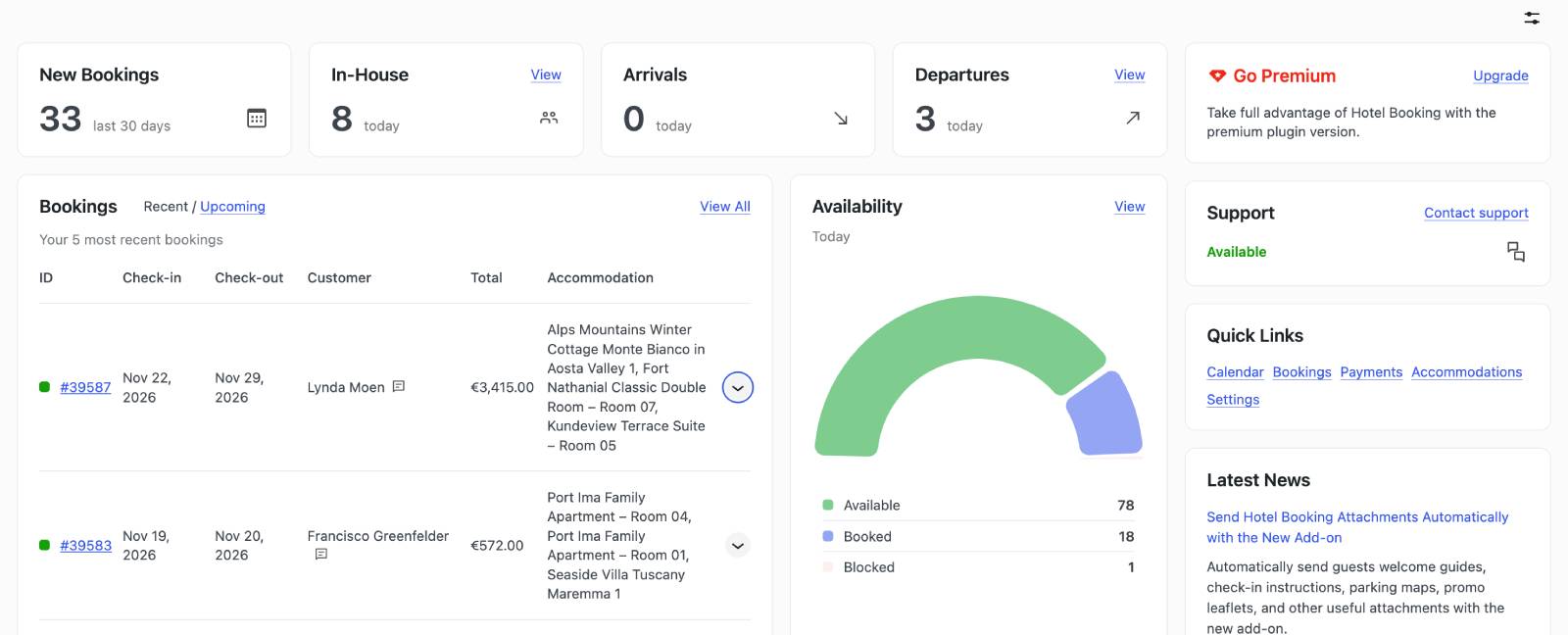
We wanted to give managers and property owners an immediate overview of reservations, arrivals, departures, availability, and payments. You’ll notice that the dashboard focuses on the last 5 days/bookings in the vast majority of categories.
2. Faster daily management
We hope to help your staff faster understand what needs attention and quickly open the relevant booking or management function.
3. Business performance awareness
See how your bookings, revenue, and occupancy are doing at a glance with automatic charts and insights.
If you are the owner or manager involved in daily operations, this is a great starting point for you at the beginning of the day.
You’ll get access to an overview of business activity, revenue, occupancy, bookings, and overall property performance. If you have a front-desk staff, they will also find it useful thanks to quick access to guest reservations, check-in/check-out information (how many guests are arriving/departing today?), in-house stays, and payment records.

For your operations workflows, the visibility into bookings, payments, additional services, synchronization, and management shortcuts are also quite helpful.
With that in mind, we think that the new MotoPress Hotel Booking dashboard is super relevant for several people who share responsibility for managing reservations and guests. So, a receptionist might open the dashboard to see today’s arrivals, and the owner might use it to review revenue and occupancy for any period (previous 30 days / this week, etc.).
This will basically help you with questions like:
- How many guests are arriving today?
- Who is currently staying at the property?
- What bookings have recently come in?
- Are there any outstanding or pending payments?
- How much accommodation is available?
- How well is the property performing this month?
- Are external calendar synchronization configured?
Do you need more quick actions in the dashboard? Let us know!
What can you do in the new dashboard?
Let’s now walk you through the specific widgets that you can access in the new dashboard.
Get an overview of operations
New bookings, in-house guests, arrivals, departures, and more your staff might need during their work. You will hopefully spend less time gathering basic information about what’s going on right now or in the near future.
For the current situation, the dashboard allows you to view:
- New bookings received during the last 30 days.
- In-house (number of guests currently staying at the property).
- Arrivals (checking in today).
- Departures (guests checking out today).
It’s easy to see the current situation without opening individual bookings. Instead of opening the booking calendar, selecting today’s date, checking reservations, and looking for current stays, you can quickly see:
- Whether guests are arriving.
- Whether anyone is checking out.
- How many guests are currently staying.
- Whether there have been new reservations recently.
Make reservations and payments easier to monitor
The Bookings widget in the dashboard displays the five most recent bookings, with the option to switch between recent and upcoming reservations (upcoming stays in the next 7 days).
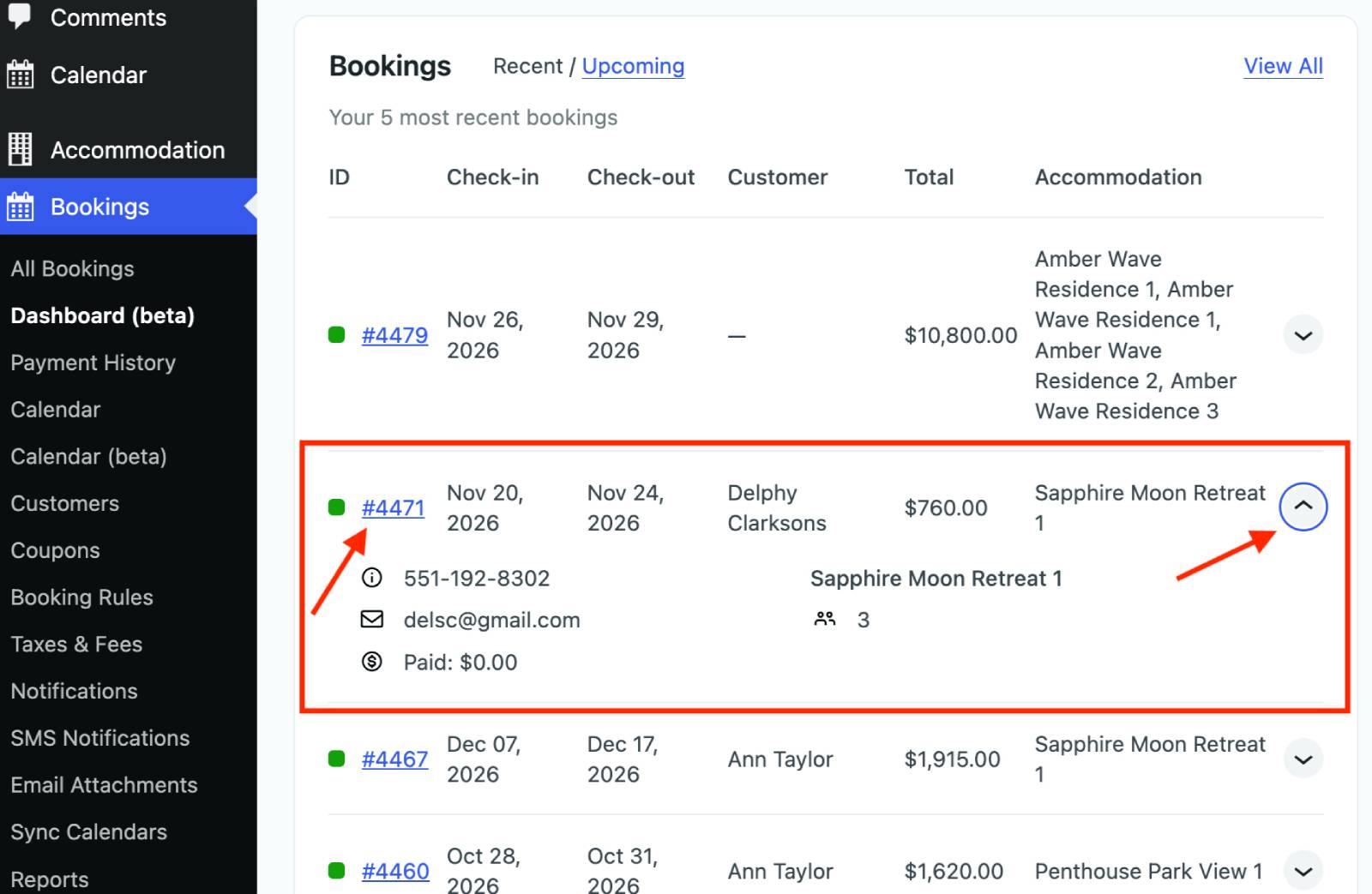
The table comes with the necessary information:
- Booking ID and status indicator.
- Check-in and check-out dates.
- Customer name.
- Total booking amount.
- Accommodation name.
It’s easy to expand each booking just by clicking on it to get more detailed information about a client.
You can also add a booking from this menu if you are on the Pro version of the MotoPress Hotel Booking plugin (this feature is unavailable in the free version of the plugin).
Understand accommodation availability and distribution
Available, booked, and blocked accommodation inventory, alongside booking channel information, and more.
Availability widget
Easy availability overview, where a color-coded chart shows if your property actually has available units today.
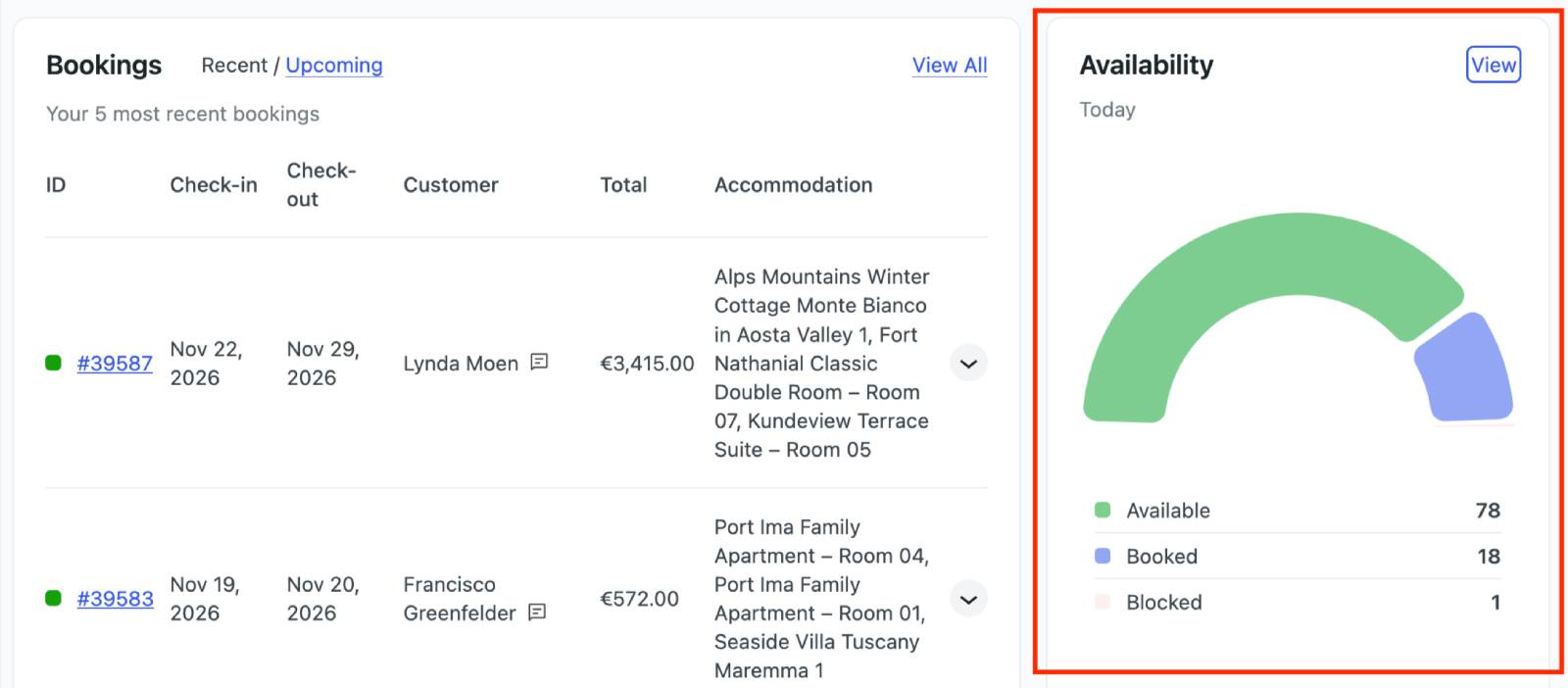
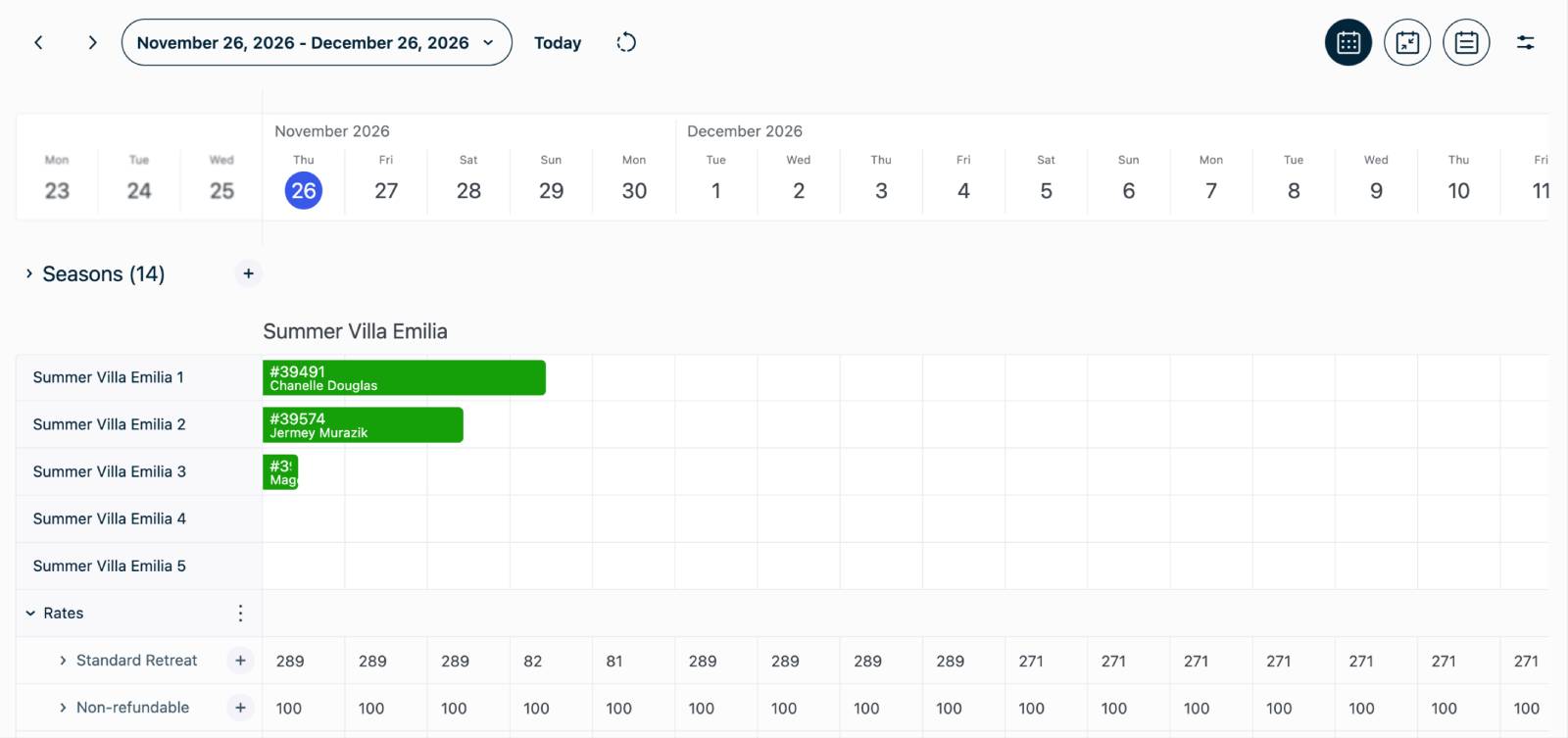
If you get a request, you can firstly check the availability overview and then open the detailed availability calendar to see specific dates and accommodation types. For availability for other specific dates, simply click on the View button and you will be redirected to the more detailed calendar.
Payments widget
The Payments widget displays recent payment transactions, including:
- Payment ID.
- Payment status.
- Amount.
- Payment gateway.
- Associated booking.
- Payment date.
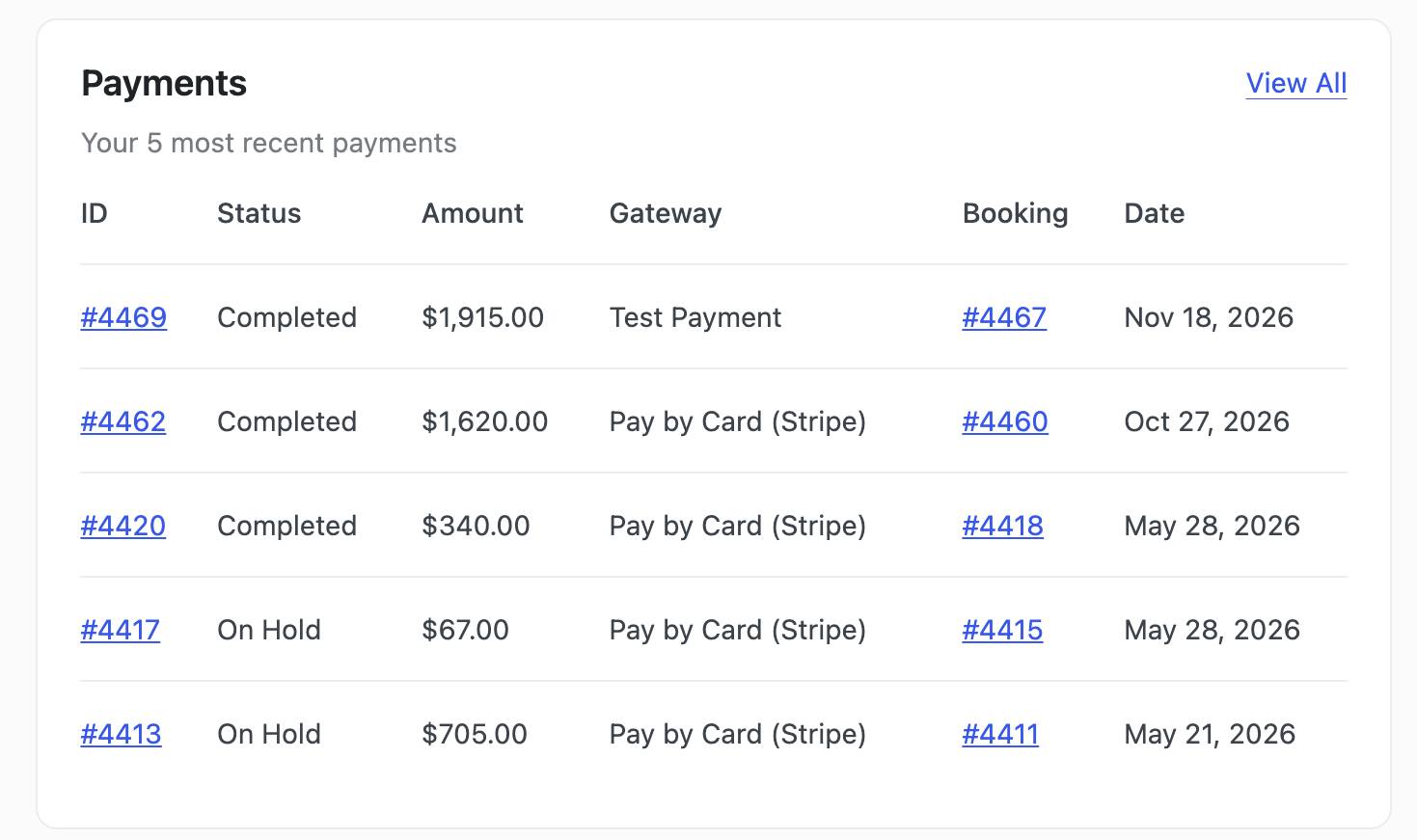
This is helpful if you accept different payment methods, online card payments and payments upon arrival.
For example, a manager can quickly check whether a recent reservation has a completed payment or whether a payment remains on hold. You can also click on the payment ID to jump to its record and make any further changes or view extra info.
It also helps connect financial information with actual reservations.
Property performance widget
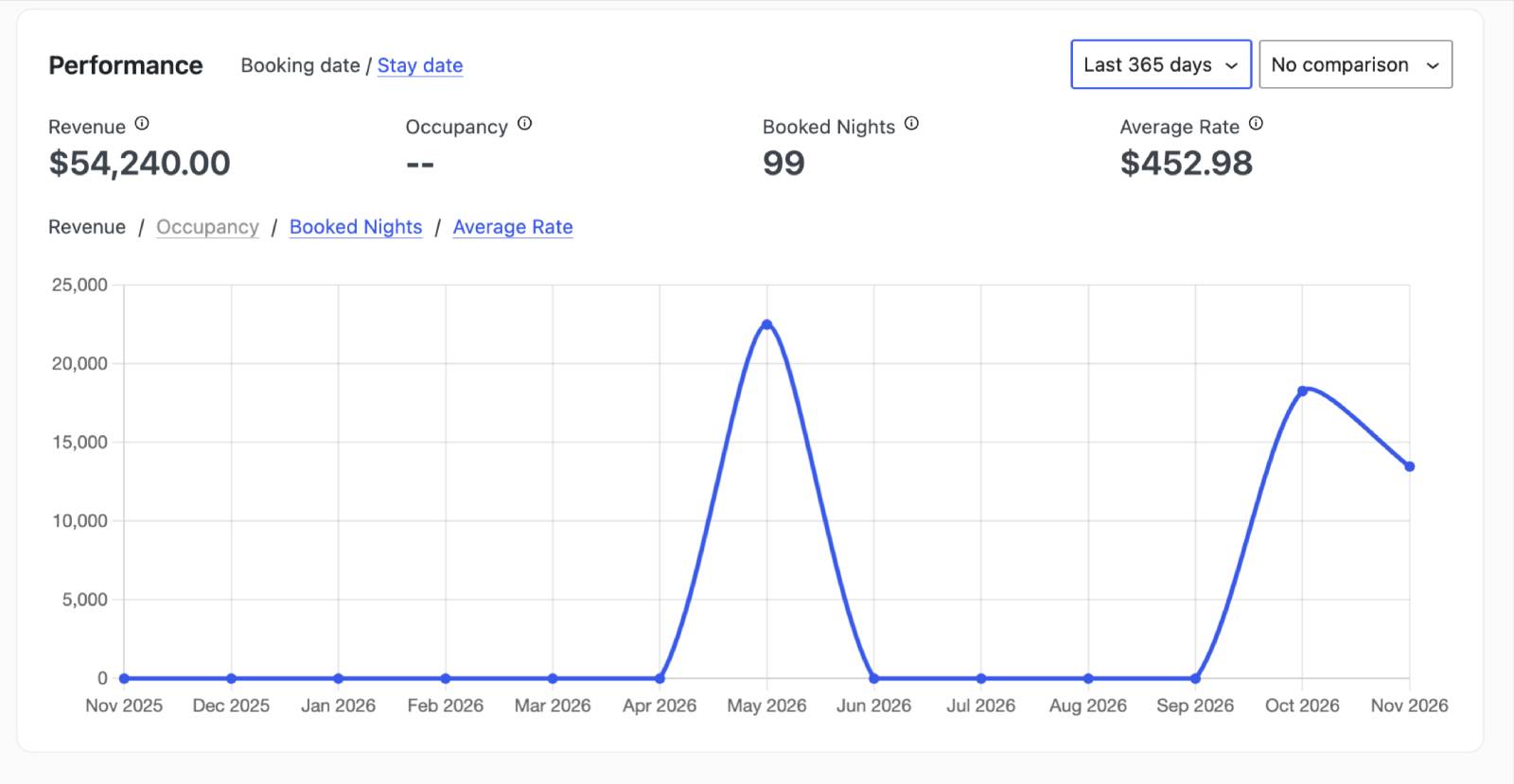
The Performance section introduces a more analytical perspective, giving you data-driven insights into the numbers of your business.
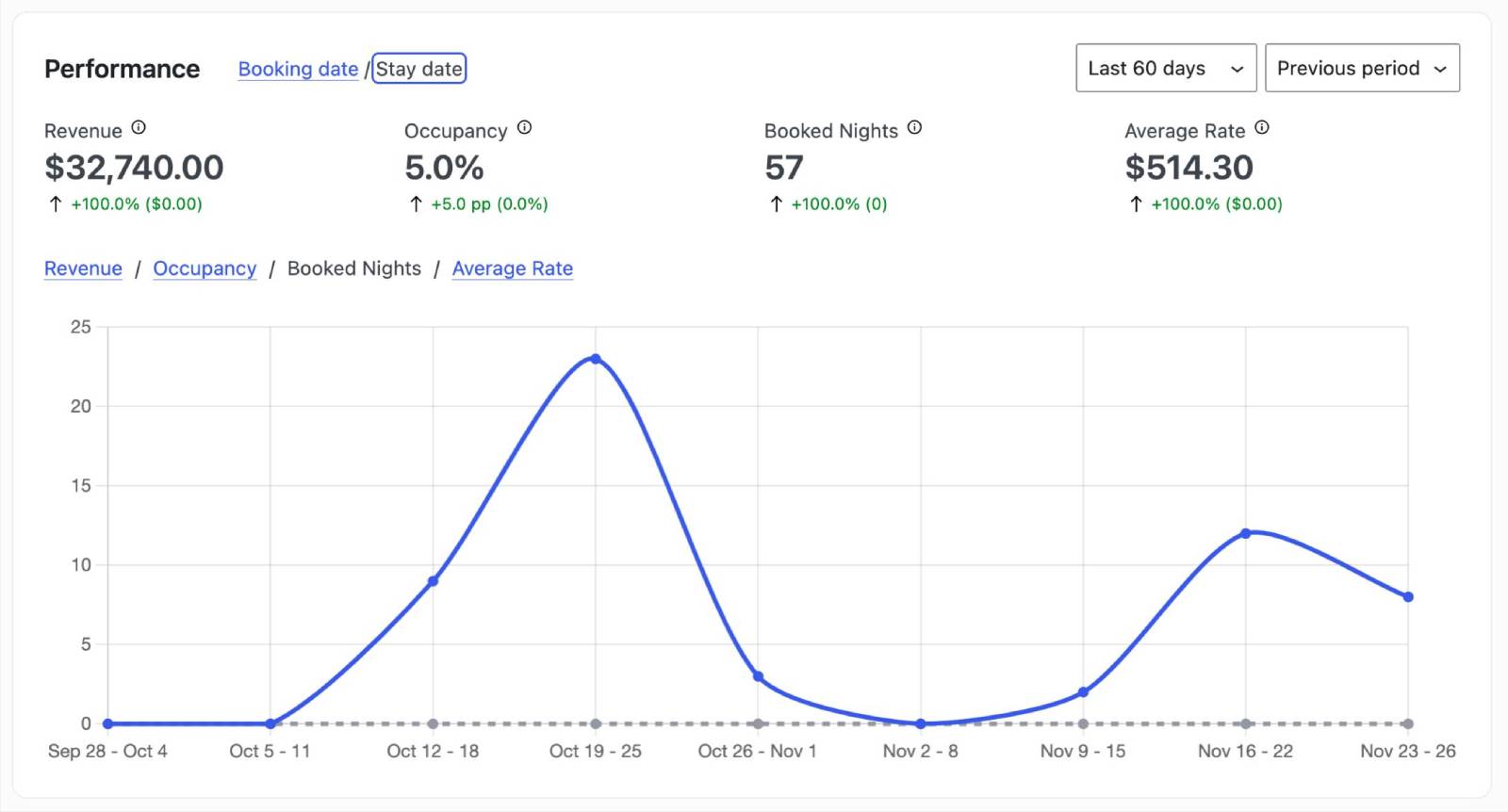
Note: this is for your direct bookings channel (your WordPress website), excluding data from other channels.
- Revenue (how much booking revenue was generated during the selected period – this includes accommodation, services, taxes and fees).
- Occupancy (how much of the available accommodation inventory was occupied – excluding dates you blocked manually or via linked accommodations). It works when the Stay date period is selected.
- Booked nights (how many accommodation nights were booked).
- Average rate (the average rate associated with booked accommodation).
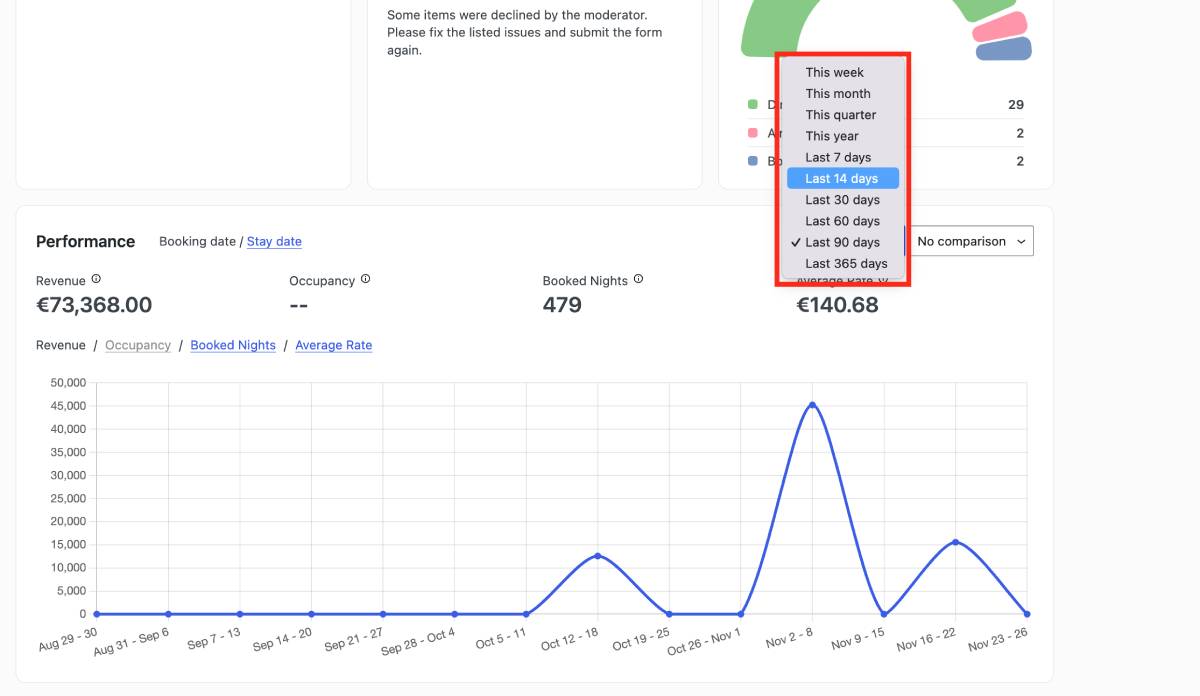
So, when you visit this widget, you can switch between booking date and stay date, select a reporting period, choose a comparison period, view individual performance metrics as a chart, and get all the relevant info pretty quickly. There are a few pre-set filters for the occupancy, booked nights, average rates, etc.
As for the booking and stay dates, a Booking date is “how much revenue did the property generate from reservations received in November?” and a Stay date is “how much revenue is associated with stays taking place in November, regardless of when the reservations were made?”
The first one helps you understand booking activity and sales performance and the second helps understand the financial value of the business seasons / periods.
Secondary capabilities of the new workspace
There is more convenient data you may want to have a glance at in one place. You don’t need to check it out via various menus in the plugin.
Services
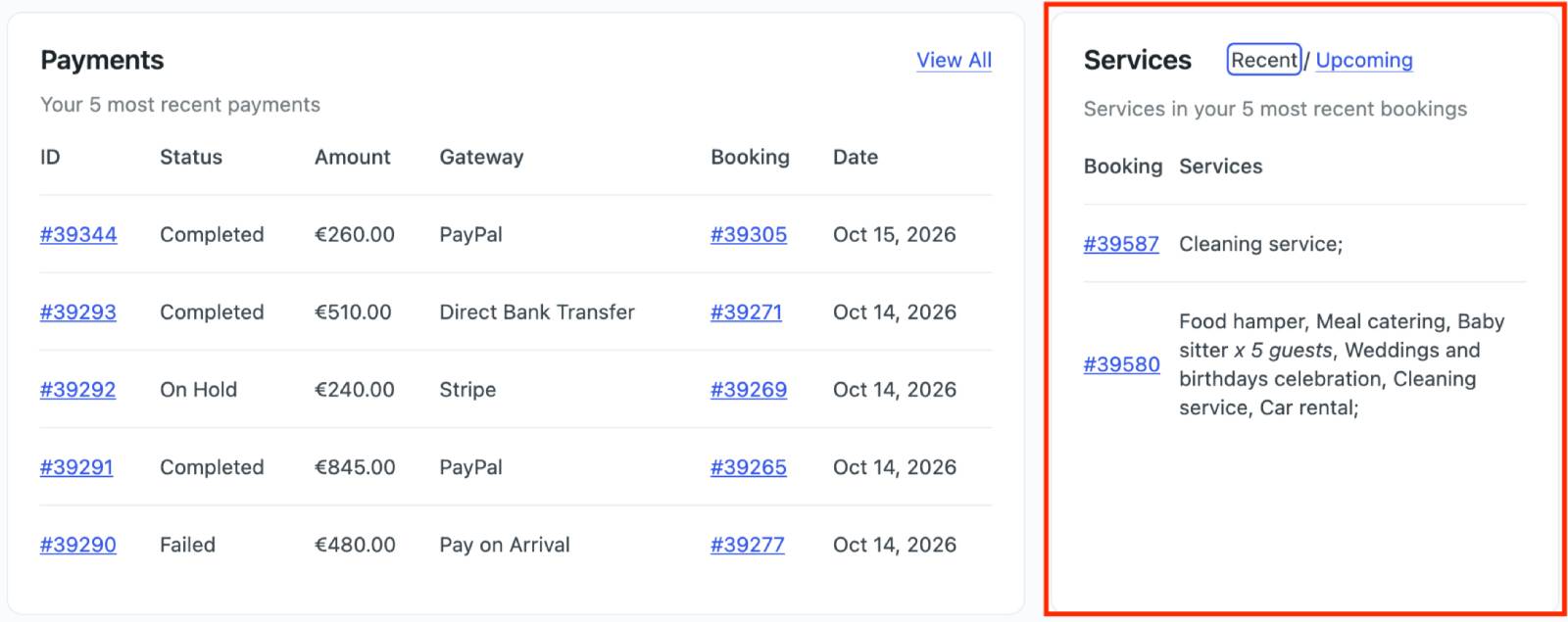
You want to see services you need to provide for upcoming bookings to quicker understand what should be prepared first.
For example, guests might book cleaning services, breakfast, airport transfers, or other extras. Displaying services alongside their associated bookings helps you see what else needs to be arranged for individual bookings and guests.
The widget currently shows services from the five most recent bookings or you can switch to see the services in the upcoming bookings.
Channels
This widget introduces the idea of monitoring where bookings originate.
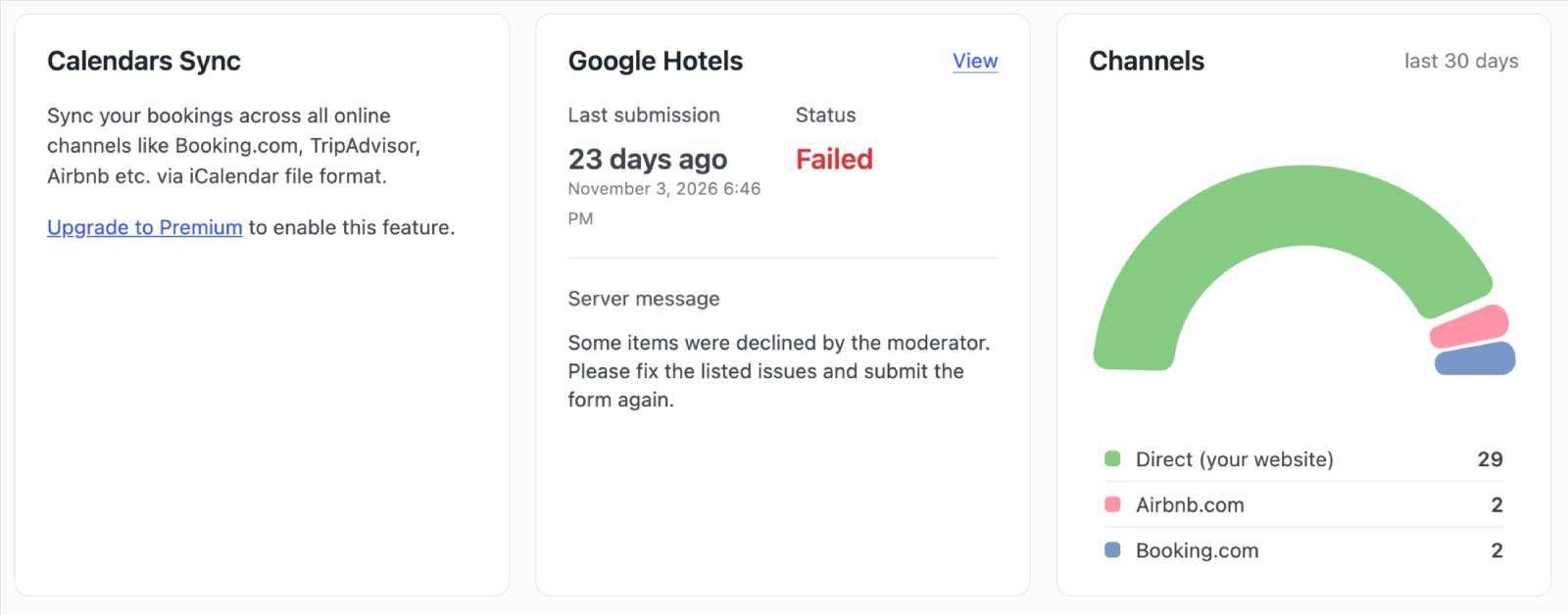
It will show the percentage of bookings coming from the Direct (your website) source, plus any external channels you use, like Airbnb, over the last 30 days.
If you are a property owner, you’ll always know which proportion of bookings comes directly through your website (you can compare direct bookings with OTA bookings).
Calendar Sync and Google Hotels
This is a simple widget that shows whether you’ve configured the connection with Google Hotels / Vacations rentals through the MotoPress Hotel Booking plugin.
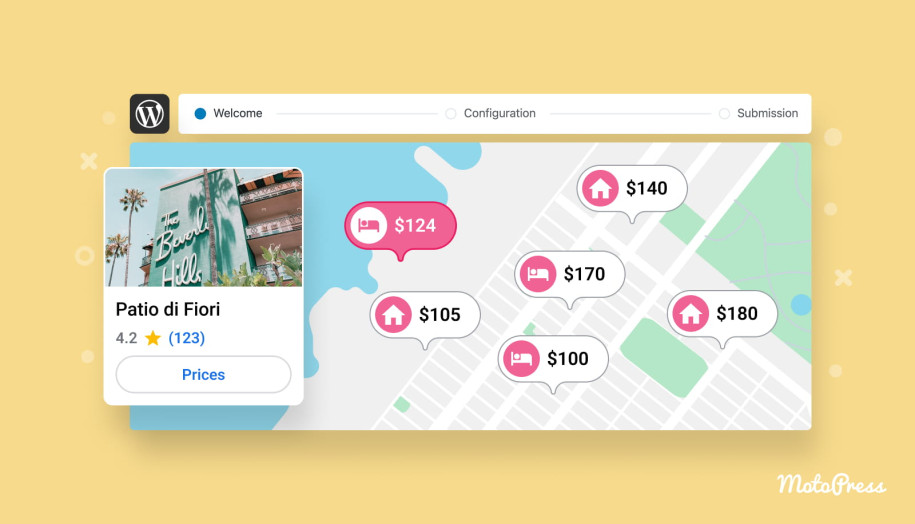

Have not done that yet? Create your submission and increase your chances to get visible across Google services!
Quick Links and Latest News
These links are there for the plugin settings management.
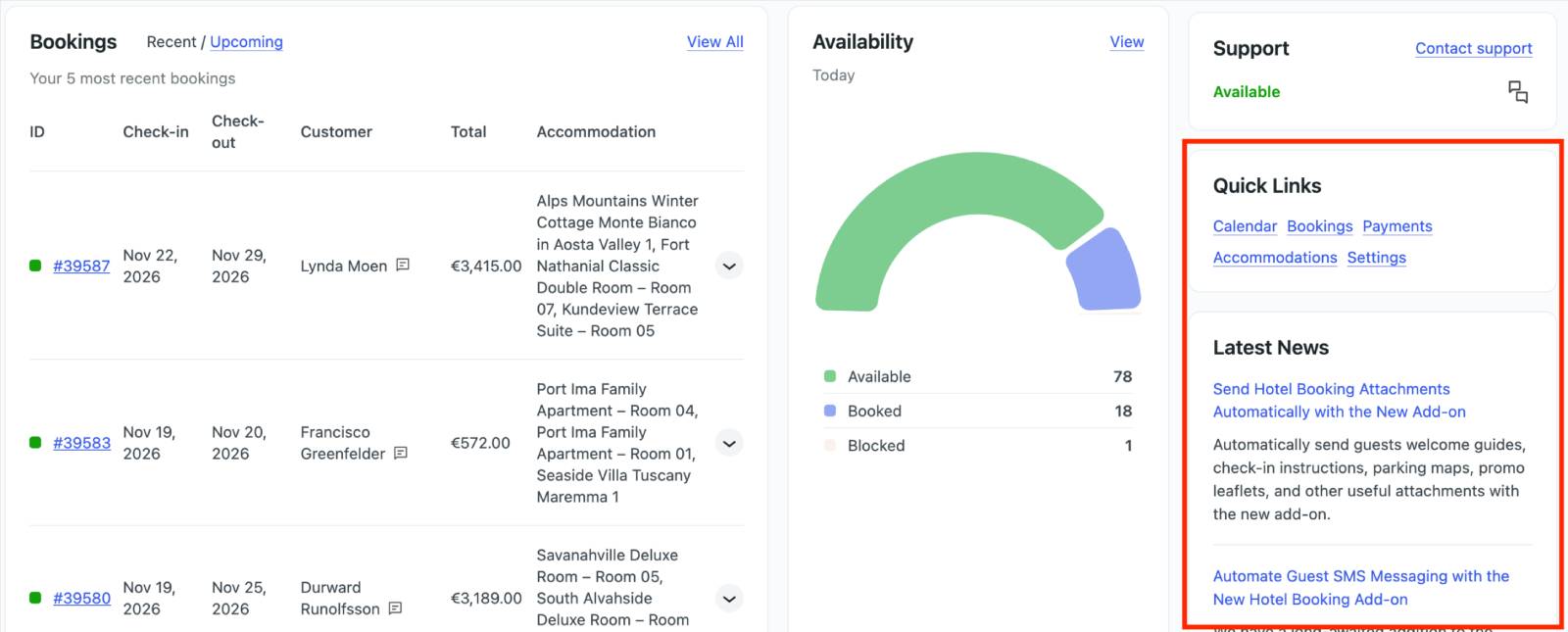
Quick Links reduce the number of steps needed to go to the plugin settings you often use. Latest News are actually the chosen news from the latest updates of the MotoPress Hotel Booking plugin (like this one!) to discover new capabilities, add-ons, and important product updates.
What are the dashboard limitations in MotoPress Hotel Booking Lite?
Nothing new is blocked; only features that were already premium in the plugin are also unavailable in the new dashboard. They are:
- You can’t add bookings manually from this screen.
- Support is only available through the WordPress.org forums.
- Availability synchronization with external calendars is unavailable.
View other improvements of the MotoPress Hotel Booking 6.5.0
Concluding & FAQ: A more convenient way to manage your property
The new workspace in the MotoPress Hotel Booking Dashboard is a great starting point of the day: important booking information, daily operational details, and business performance statistics together in once place.
Recent bookings, arrivals, departures, availability, payments, and revenue – all there whether you’re preparing for today’s arrivals or reviewing your property’s performance over the past month.
We expect this centralized overview to make everyday work easier for anyone from your team: less time spent searching for information, quicker access to the bookings and settings you need, and a clearer understanding of how your accommodation business is performing.
Explore the new Dashboard (beta) in MotoPress Hotel Booking 6.5.0 and see how it fits into your daily property management routine!
FAQ
Can I customize the number or order of widgets on the dashboard?
Which booking channels are included in the Performance widget?
How can I quickly open a booking from the Recent Bookings widget?
Who can use the new dashboard?
What does the Revenue metric in the Performance widget include?
How is the Average Rate calculated?
What does Booked Nights mean in the Performance widget?
Can I compare my property's performance across different periods?
What's the difference between Booking Date and Stay Date in the Performance widget?