
AI Prompts for Hotel Website Design Generation
Table of Contents
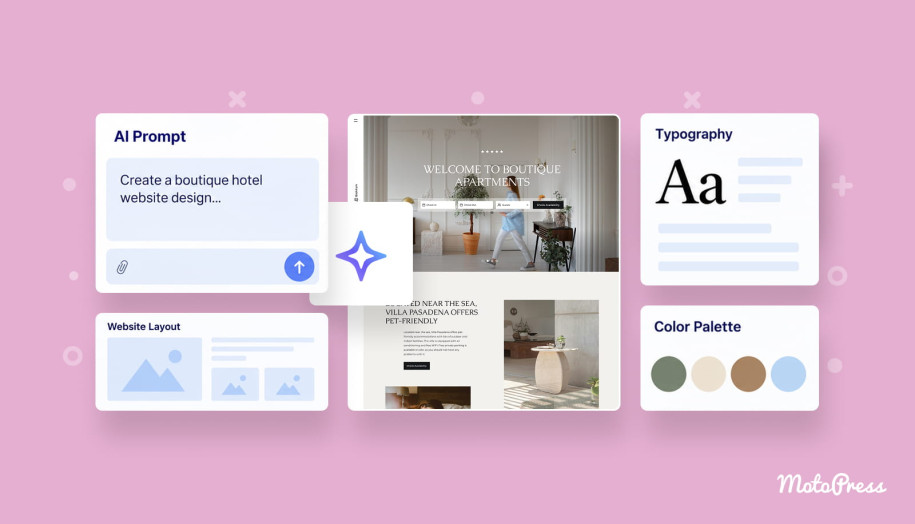
AI prompts for website design can save a lot of time when you already know what kind of hotel experience you want to create. The real challenge is getting past generic layouts and predictable “luxury” styling. This article focuses on practical prompts for real hotel website tasks: brand identity, room pages, visuals, and more. I’ll also show how ready prompts can fit into a real AI-assisted WordPress workflow using MotoPress Hotel Booking!
In hospitality, design has to do more than look attractive. Guests need to understand the property, compare rooms, check availability, find important details, and move toward booking. Read on to find prompts you can adapt to your own vacation rental project!
What AI Needs to Know About Your Hotel?
AI prompts for website copy work much better when the model understands the property first. From what I’ve seen across hotel and vacation rental websites, weak AI output usually starts with the same issue: the prompt says too little, so the tool fills the gaps with familiar hospitality clichés.
Once you create the hotel brief, you can use this information as the base for the next prompts. In my experience, this small preparation step already improves the result noticeably:
| I’m designing a website for a [property type] in [location]. The property offers [accommodations] and mainly targets [guest type]. Its key selling points are [USPs]. The brand should feel [style/personality]. The main website goal is to encourage direct bookings. Use this context for all design recommendations and do not invent property details that I have not provided. |
Which AI Tools Are Suitable for Your Workflow?

To get optimal results, route each prompt to the right generative tool:
| Task | Recommended Tools | Key Prompt Focus |
|---|---|---|
| Site Architecture & Wireframes | Relume AI, Framer AI, ChatGPT | Structural hierarchy, component positioning, user journey |
| Visual Concepts & Moodboards | Midjourney, DALL-E | Aspect ratios (–ar 16:9), lighting, materials, typography style |
| UX Copywriting & Microcopy | Claude, ChatGPT | Tone of voice, conversion messaging, direct booking perks |
| Technical SEO & Schema | ChatGPT, Claude | JSON-LD schema, metadata constraints, alt text conventions |
18 AI Prompts for Hotel Website Design: Copy & Paste
I’ve grouped the best AI prompts for website design below by task. You can use them for your hotel as they are or adjust the details to match your property, audience, and booking setup.
Please note: Before getting started, replace the information in brackets with your property details. Where possible, upload your existing brand guidelines, photography, or website screenshots as references.
Design System & Brand Identity Prompts
Before moving on to individual pages, I’d recommend getting the visual direction right. These prompts will help you create a consistent color palette, choose typography, and plan photography that reflects your property’s character.
1. Complete Website Color Palette
Best Used For: Translating interior architecture into web UI colors.
| Create and apply a complete website color palette for [Property Name], a [Property Type] located in [Location]. Property Details:
Requirements: Develop a coordinated color system inspired by the property’s visual identity. Define primary and secondary brand colors, accent colors, main and alternate page backgrounds, heading/body text colors, button states (default, hover, focus), and form field borders. Provide HEX values and establish usage rules. Apply the palette to a sample hotel homepage mockup featuring a hero, booking bar, room grid, and primary CTA. Ensure light/dark section contrast meets accessibility standards. Output: A structured color style guide with HEX codes and usage rules, plus desktop/mobile UI preview specifications. |
2. Website Typography System
Best Used For: Pairing display serif/sans fonts for editorial luxury without breaking booking form readability.
| Create a complete typography system for a [Property Type] website. Property Details:
Requirements: Develop a typography system that balances atmospheric elegance with high readability across mobile and desktop interfaces. Define:
Specify font family pairings, font weights, desktop/mobile scale sizes (rem/px), line heights, and letter-spacing parameters. Output: A reusable typography style guide and CSS/UI specimen hierarchy. |
3. Photography Art Direction & Shot List
Best Used For: Generating photo guidelines or synthetic asset placeholders.
| Create a visual photography art direction guide and shot list for the website of [Property Name], a [Property Type] in [Location]. Requirements: Define camera perspectives, lighting warmth, color temperature, depth of field, and composition standards across 6 core categories:
For each category, detail the visual goal, aspect ratio, camera focal length style (e.g., 24mm architectural vs. 85mm portrait), and placement in the UI layout. Output: A visual photography moodboard spec, shot list matrix, and image prompt parameters for generative image placeholders. |
Site Architecture & Master Concept Prompts
Now that we’ve covered the visual side, let’s look at the website as a whole. If you’re starting from scratch, I’d use these AI prompts for vacation rental website design to work out which pages you need, how guests will navigate between them, and where booking fits into the picture.
4. Complete Hotel Website Concept
Best Used For: Generating an end-to-end multi-page layout from scratch.
| Create a complete, responsive website design concept for a [Property Type] located in [Location]. Property Details:
Design Requirements: Generate a cohesive multi-page website layout structure including Homepage, Accommodation Listing Page, Individual Room Page, Amenities Page, Location/Destination Page, and Booking Funnel. Establish a clear visual identity with coordinated spacing, navigation bars, availability widgets, and room cards. Give accommodation photography top priority. Maintain a persistent, friction-free path from room exploration to starting a reservation. Output: An editable multi-page site hierarchy, component list, and responsive layout wireframe spec. |
5. Website Sitemap & Flow Structure
Best Used For: Mapping primary/secondary menus and conversion funnels before visual design.
| Generate a site hierarchy and visual sitemap for a [Property Type] in [Location]. Property Scope: Offers [Rooms, Restaurants, Spa, Experiences] targeting [Audience]. Primary conversion goal: [Goal]. Requirements: Design an intuitive user navigation system connecting the following pages:
Structure these into Primary Header Navigation, Secondary Header CTAs, and Footer Columns. Define low-fidelity wireframe block orders for the homepage. Indicate exact placements for the booking bar, search filters, and sticky navigation elements. Output: A text/Markdown visual sitemap, navigation category map, and page-by-page wireframe blueprint. |
Property-Specific Concept Prompts
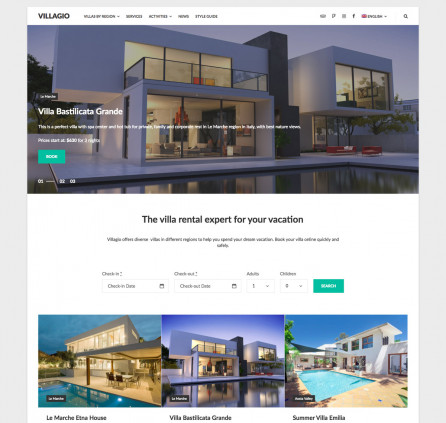
I wouldn’t use the same website layout for every type of property. That’s why you’ll find separate prompts for boutique hotels, resorts, B&Bs, and glamping properties in this section.
6. Boutique Hotel Website Concept
Best Used For: Creating a distinctive website that reflects a boutique hotel’s architecture, location, and personality.
| Generate a complete website design concept for a boutique hotel located in [Location]. Property Details:
Design Requirements: Use the hotel’s architecture, interiors, and local surroundings to establish its visual identity. Follow the supplied color palette and typography preferences, or develop suitable options if no brand guidelines are available. Create a homepage featuring an immersive hero, property introduction, featured accommodations, signature amenities, neighborhood highlights, and an integrated availability search. Use varied layouts and photography to communicate the property’s character. Keep navigation straightforward and booking actions easy to find. Avoid corporate hotel templates, repetitive sections, and visual elements unrelated to the property’s identity. Output: An editable boutique hotel homepage and supporting accommodation page designs, including desktop and mobile layouts. |
7. Luxury Resort Website Concept
Best Used For: Organizing accommodation, facilities, and experiences into a cohesive resort website.
| Generate a complete, responsive website design for a [Resort Type] in [Location]. Property Details:
Design Requirements: Create a website that presents the resort’s accommodation options, facilities, and experiences without overwhelming visitors. Develop a homepage featuring [Priority Facilities and Experiences], accommodation previews, availability search, and direct booking opportunities. Choose an appropriate navigation structure based on the number of pages and facilities. Use a simple menu for smaller resorts or grouped navigation for properties with extensive offerings. Select page components that suit the supplied content. These may include photography-led sections, accommodation grids, interactive tabs, or dedicated experience previews. Maintain consistent booking access throughout the website and adapt navigation and key components for mobile devices. Output: A responsive resort website concept with an editable homepage, navigation system, and supporting page layouts. |
8. Bed & Breakfast / Small Independent Hotel
Best Used For: Creating a practical, welcoming website for a small independent hospitality business.
| Generate a responsive website design for an independent [B&B / Small Hotel] in [Location]. Property Details:
Design Requirements: Create a welcoming website that introduces the property and makes direct booking straightforward. Include a homepage hero, availability search, accommodation previews, location information, and booking CTA. Add sections for [Host Story], [Breakfast], [Garden], [Local Experiences], or other features only when relevant to the property. Use authentic photography and a visual style that reflects the supplied brand personality. If verified guest reviews are available, include a testimonial section. Do not invent reviews, ratings, or third-party platform badges. Keep navigation simple and accommodation information easy to find. Output: An editable homepage and accommodation page design with responsive desktop and mobile layouts. |
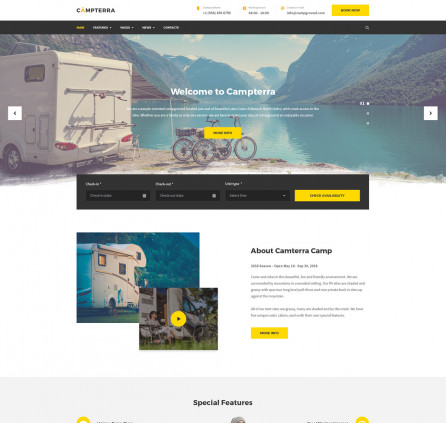
9. Glamping & Eco-Lodge Concept
Best Used For: Glamping website with nature-inspired palette, outdoor imagery, structure clarity (tents/domes/cabins), and privacy/comfort specs.
| Generate a complete, responsive website design for an eco-glamping property in [Location]. Details: Property Name: [Name] | Units: [Safari Tents / Domes / Cabins] | Environment: [Forest / Desert / Coastal]. Design Strategy: Design an immersive aesthetic reflecting the natural surroundings while clearly showcasing indoor comforts (heating, private baths, bedding). Incorporate an interactive property site map section showing unit privacy and landscape access. Use earth tones, organic textures, and high-contrast typography. Structure pages to display unit specs, outdoor amenities, local trails, and weather/preparation guides. Output: A responsive glamping site layout with unit listing cards, property map overlay spec, and experience booking components. |
Page-by-Page & Section Layout Prompts
With the overall design in place, it’s time to work on individual pages with these AI prompts for hotel website design.
10. Hero Section (Visual & Copy)
Best Used For: Generating a hotel homepage hero that reflects the property and introduces its main booking action.
Here is the visual design prompt:
| Generate a responsive website hero section for [Property Name], a [Property Type] in [Location]. Use [Preferred Photography Subject] as the main visual, with [Lighting], [Color Direction], and [Visual Style]. Include a navigation bar featuring [Navigation Elements], the property logo, and a primary [CTA Label] button. Position an availability search widget [Preferred Position], with check-in, check-out, guest selection, and a search button. Use [Typography Style] for the headline and [Brand Colors] throughout the interface. Maintain sufficient contrast between the background imagery and text. Keep the booking elements clearly visible without covering important parts of the photograph. Generate desktop and mobile versions, adjusting the composition and availability search for smaller screens. Output: An editable hotel homepage hero section with responsive layouts and integrated availability search. |
And if you need a copywriting prompt:
Write homepage hero copy for [Property Name], a [Property Type] in [Location].
Provide three distinct headline options, supporting text, a primary booking CTA, and an optional secondary action. Use the supplied property information and avoid generic hospitality slogans or unverified booking benefits. |
11. Room Listing Page
Best Used For: Designing comparison grid layouts for rooms and suites.
| Generate a complete, responsive accommodation listing page for [Property Name] in [Location]. Requirements: Create a structured card grid for comparing room types ([Room Type A, B, C]). Each card must display:
Include an upper filter bar allowing guests to filter by view, occupancy, or price tier. Output: Responsive room listing grid spec with filter bar UI and desktop/mobile card wireframes. |
12. Individual Room Detail Page
Best Used For: Building high-converting single room/suite pages.
| Generate a responsive accommodation detail page for [Room Name] at [Property Name]. Page Structure:
Output: A complete single-room page wireframe layout with sticky booking sidebar specifications. |
13. Amenities & Facilities Page
Best Used For: Creating a visual distinction between a property’s main facilities and standard guest amenities.
| Generate a responsive amenities page for [Property Name], a [Property Type] located in [Location]. Property Details:
Design Requirements: Create a page that gives the property’s signature facilities greater visual emphasis while keeping standard amenities easy to browse. Use large photography-led sections for [Signature Facilities]. Include short descriptions and relevant CTAs where guests can book or explore those services. Present standard amenities in a compact, organized layout using icons, cards, or grouped lists. Choose the layout based on the number of facilities and the supplied photography. Avoid adding decorative sections simply to fill the page. Maintain consistency with the existing website’s typography, colors, spacing, and booking elements. Generate desktop and mobile versions, adapting large images and amenity grids to smaller screens. Use only the facilities and services supplied in the property details. Output: An editable, responsive amenities page with featured facilities, supporting amenity sections, and consistent branding. |
14. Location & Destination Guide Page
Best Used For: Driving organic SEO and providing practical travel planning details.
| Generate a responsive location page for [Property Name] in [Location]. Page Components:
Output: A complete destination guide layout spec combining practical arrival instructions with local recommendations. |
Booking Engine, Technical SEO & Utility Prompts
Next, you’ll get examples of AI prompts for website design related to the booking interface, structured data for SEO, and essential pages.
15. Availability Search & Booking Interface UI
Best Used For: Designing a seamless 4-step booking funnel UI.
| Generate a detailed UI component specification for a responsive 4-step hotel booking engine widget. Step 1: Horizontal Search Bar (Check-in/out Date Picker, Guest/Room counter, Promo Code field, ‘Search Rooms’ CTA). Step 2: Results Display (Room cards with rate plans: Room Only vs. Breakfast Included vs. Non-Refundable). Step 3: Guest Details & Add-Ons (Form fields, Airport Transfer toggle, Spa Credit add-on). Step 4: Payment & Confirmation Summary (Price breakdown, taxes/fees breakdown, security badges, payment method selector). Define field labels, error validation messages, empty search state microcopy, and mobile-responsive collapsed sticky CTA states. Output: A step-by-step UX wireframe specification and microcopy set for the complete reservation path. |
16. Technical SEO & Schema Markup
Best Used For: Generating rich search snippets and local SEO metadata.
| Act as an expert hospitality SEO specialist. Generate valid JSON-LD Hotel Schema markup for [Hotel Name] in [City, Country]. Schema Specs to Include: Official name, description, address, geo-coordinates, phone number, price range ($$$$), star rating, check-in/out times, official website URL, room types, and amenities list. Additionally, write:
Use only verified property information. Do not invent star ratings, guest reviews, room prices, amenities, or business details. If required information is missing, use clearly marked placeholders. Generate valid JSON-LD structured data following Schema.org guidelines. Validate the markup and identify any missing information before implementation. Output: Ready-to-use JSON-LD schema script code and meta tags. |
17. Transactional Pages (404 Error & Post-Booking Confirmation)
Best Used For: Designing polished utility and success pages.
| Write copy and component specifications for two transactional hotel site states: 404 Error Page: Create a brand-aligned error page with a short, friendly message, clear navigation, and a button leading back to the homepage. Include an availability search widget only if it fits the existing website structure and can reuse the booking system’s functionality. Booking Confirmation Page: Design a confirmation screen displaying the booking reference, stay dates, selected accommodation, guest details, payment status, and relevant arrival information. Include optional additional services only if the property actually offers them. Output: Full text and component specifications for 404 error and post-booking confirmation screens. |

Audit and Refine a Generated Hotel Website Design
I’d make this the final step before moving into development or publishing. For this prompt, use a design tool that can inspect your generated pages or an AI agent with access to the website.
| Perform a comprehensive design and usability audit of the generated website for [property name], a [property type] in [location]. Project details:
Review the supplied website designs for visual consistency, accessibility, usability, responsive behavior, and booking experience. Check the following areas:
Categorize the findings by severity:
Generate improved designs that address the identified problems while preserving the approved brand identity and booking functionality. If you have access to an interactive website, test navigation, booking forms, and responsive behavior directly. If you only have access to design files or screenshots, limit the audit to what can be visually inspected and identify which interactions require further testing. After making changes, review the updated designs again to verify that the identified visual issues have been addressed. Output: A prioritized design audit report and refined desktop and mobile page designs. Clearly distinguish verified improvements from functionality that still requires testing. |
AI Hotel Website Design in Practice: A Real WordPress Project
We’ve talked about generating designs, but I also wanted to include an example of how to put them to work in WordPress.
Hamza from GoTechUG has recorded a tutorial. Giving each tool specific AI prompts for website design & development, he builds a hotel website using Gemini, Google Stitch, Claude, and Novamira alongside MotoPress Hotel Booking (for direct bookings).
Watch the video to see how it all comes together:
Here’s a breakdown of his workflow and what each tool does.
| Step | How it works |
|---|---|
| 1. Prepare AI prompts for website design with Gemini | It all starts with a description of the hotel. Hamza feeds it into Gemini to get a more detailed prompt for Google Stitch, covering everything from the overall look to the pages and booking elements he needs. |
| 2. Generate mockups with Google Stitch | With the prompt ready, he moves to Stitch to generate the mockups and, after all, he exports the screenshots, HTML pages, and a design.md file. |
| 3. Connect Claude to WordPress | Next comes the WordPress setup. Novamira connects Claude, exported mockups, and design guidelines to the site. |
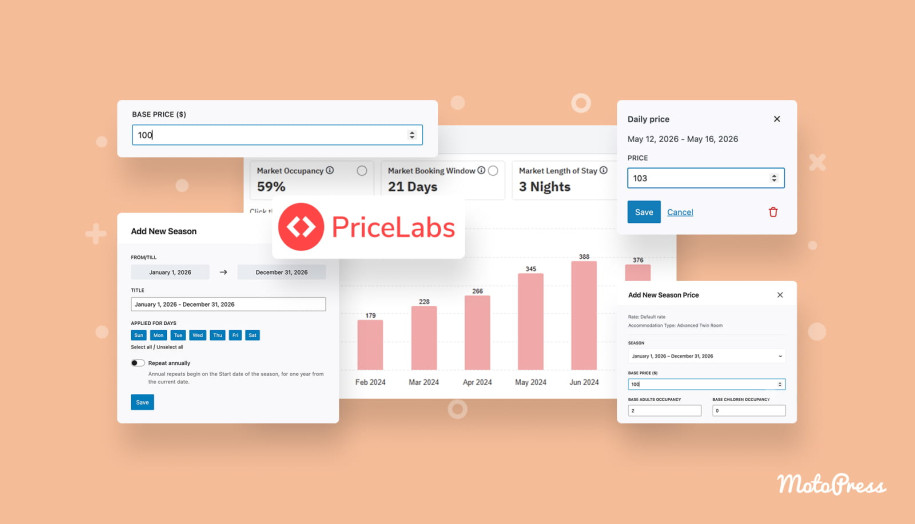
| 4. Introduce MotoPress Hotel Booking | Here’s when Hamza makes sure Claude understands how MotoPress Hotel Booking handles accommodations, rates, seasons, and other data it deals with. Only then does he ask it to create room types, set up pricing, and configure amenities and extra services through Novamira. |
| 5. Build and style the website | Time to turn those mockups into WordPress pages. Claude works with Gutenberg and the existing MotoPress booking components, following the original design. |
| 6. Configure and test payments | With the pages in place, he configures Stripe through MotoPress Hotel Booking (it’s only one among the available payment methods in the plugin). Then comes a test reservation: checking availability, selecting a room, adding services, and making a payment. He also checks that the booking and payment appear correctly in WordPress. |
| 7. Audit the finished website | One more prompt before calling it a day. Hamza asks Claude to inspect the actual website for the booking process, broken links, missing images, console errors, and mobile layout issues. |
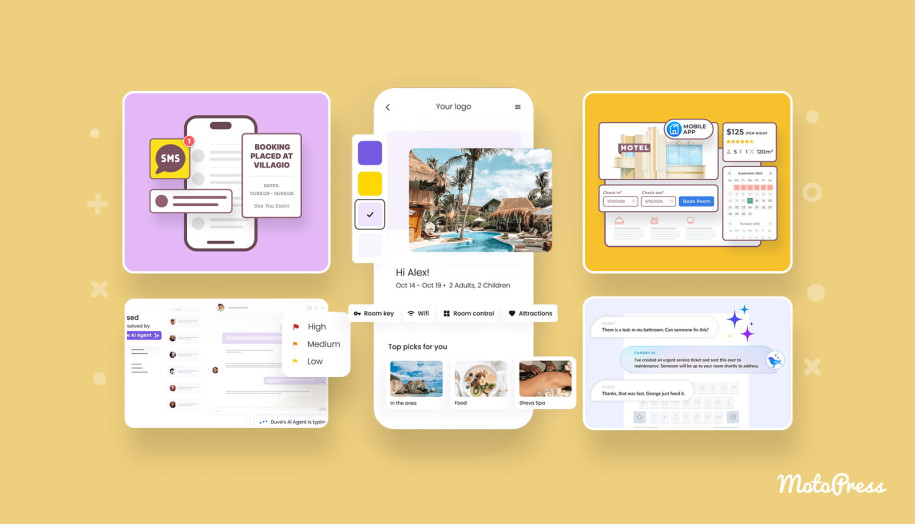
The main thing I’d take from this example is that you don’t need AI to create an entire booking system. MotoPress Hotel Booking already handles accommodations, availability, seasonal pricing, reservations, and payment integration. You can spend your credits on generating the design, configuring the existing functionality, and making the website your own.
FYI: In the video description, there is the link to the AI website design prompts and project resources he used throughout the tutorial.
Wrapping Up
When using AI prompts for website design from the collection above, start with what you already know about your property. Who are your guests? Which details matter most when your guests are ready to book? Use those answers, along with your existing branding and photography, to guide the design.
If you need more than AI-generated attractive pages, you can have accommodation management, availability search, flexible pricing, and payment options covered with MotoPress Hotel Booking.
So, where would you start: a completely new design, better room pages, or a simpler booking experience? Pick a prompt from the collection, add your property details, and give it a try!
FAQ
Can ChatGPT design a hotel website?
What should I include in a hotel website design prompt?
Can I use AI-generated images on a hotel website?
Can I generate the entire hotel website with one prompt?
Can I build a hotel website entirely with AI?