
MotoPress Hotel Booking + Stripe: Unlock More Payment Methods
Table of Contents
Great news for Stripe users – we’ve expanded the Stripe integration in the MotoPress Hotel Booking plugin – and now you can offer many more payment methods supported by Stripe, including regional gateways, digital wallets, and even stablecoin payments. This is available from Hotel Booking 6.0.
Research and merchant discussions consistently show that offering preferred local payment methods can improve:
- Checkout completion rates
- Mobile conversions
- International bookings
- Booking completed by younger travelers
- Customer trust.
If you’re using the Stripe Configuration ID in WordPress Hotel Booking plugin settings, you can now fully manage payment methods directly from your Stripe Dashboard and give guests more ways to pay during checkout!
What changed?
With the older Stripe configuration, you manually selected supported payment methods from a limited list inside the plugin settings (some of you still do so). This works well, but available options are restricted.
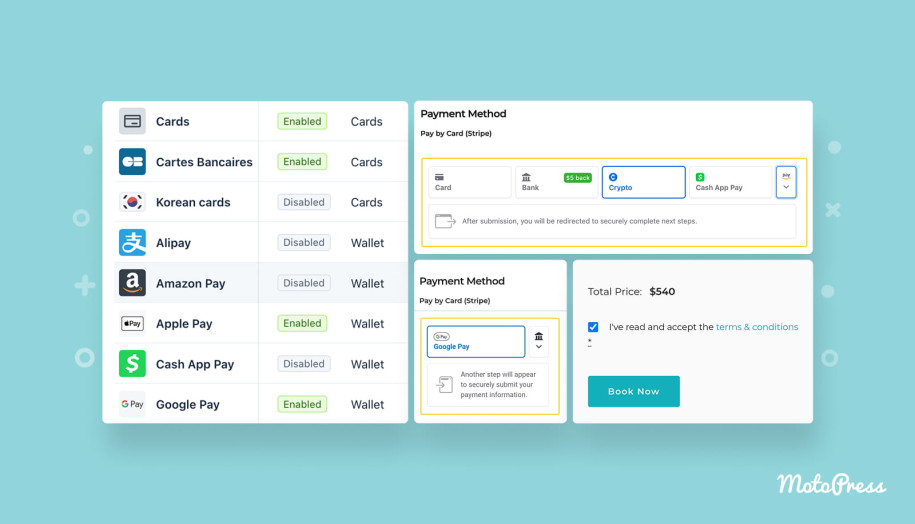
However, if you’ve connected Stripe to your plugin via the Stripe Configuration ID (requires adding specific Stripe Configuration credentials), you manage payment methods entirely in the Stripe Dashboard. This approach unlocks significantly more payment methods and regional options supported by Stripe Payments – and allows you to manage all of them directly in Stripe, automatically synced with your WordPress site.
Why use Stripe Configuration ID?
Using a Stripe Configuration ID in Hotel Booking gives you access to:
- Regional payment gateways
- Digital wallets
- Real-time bank payments
- Stablecoins and crypto-enabled options
- Additional localized checkout methods.
This way, you see and manage everything directly in Stripe. Once enabled in Stripe, supported payment methods automatically appear at checkout for eligible customers.
Newly available payment methods
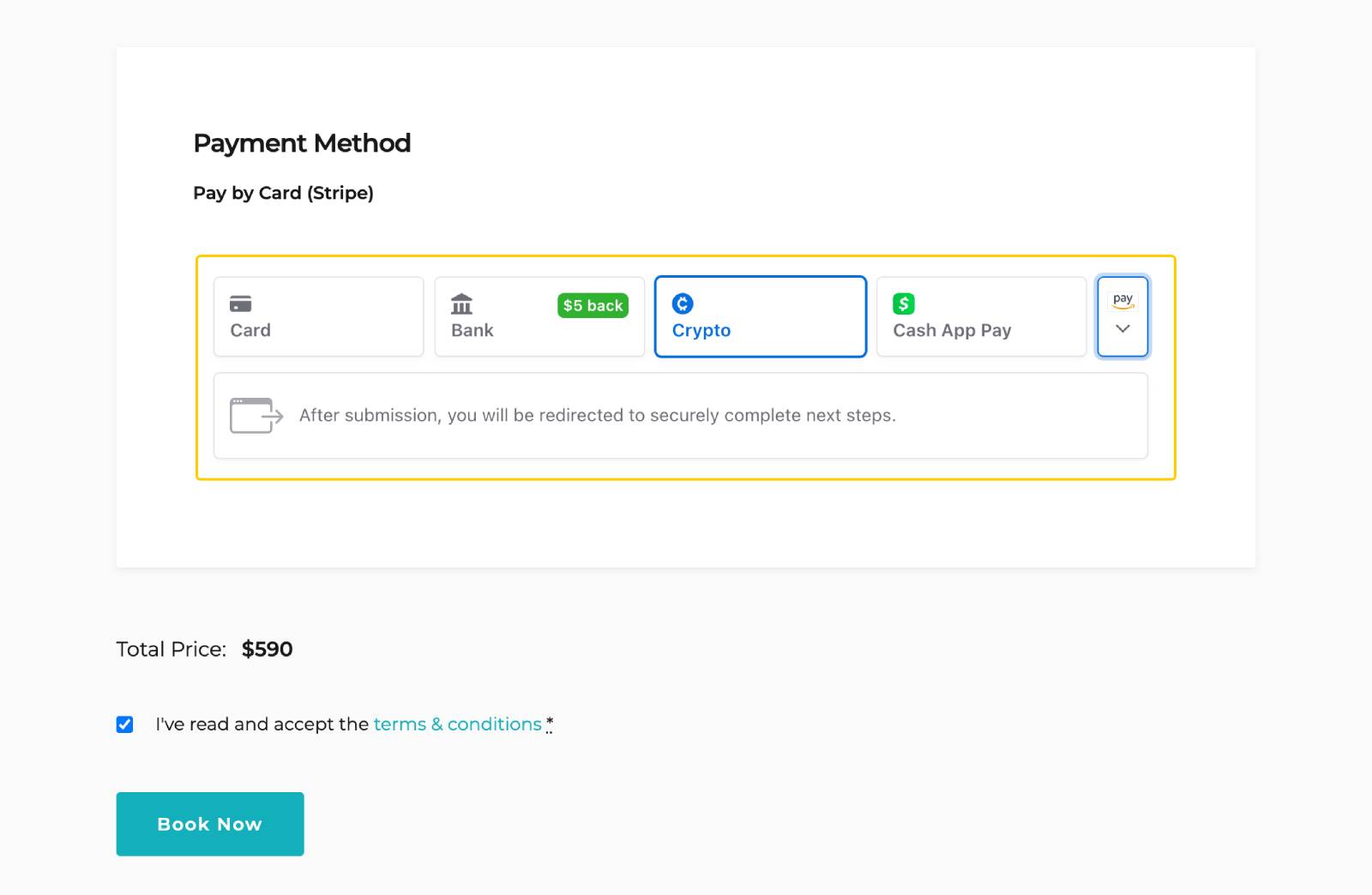
With this update, Hotel Booking plugin users can now enable many more Stripe-supported payment methods, including:
- Apple Pay
- Google Pay
- Link
- WeChat Pay
- Klarna
- Affirm
- Cash App Pay
- Revolut Pay
- PayPal (where supported by Stripe)
- MobilePay
- GrabPay
- PayNow
- PromptPay
- EPS / EPC bank payments
- Stablecoin and crypto-related payment options
And many more regional methods. Stripe currently supports 125+ payment methods globally.
How to enable more payment methods
- Go to Accommodation > Settings > Payment Gateways > Stripe > Enable (optionally, Sandbox too) > Copy your ID to the Payment Methods field.
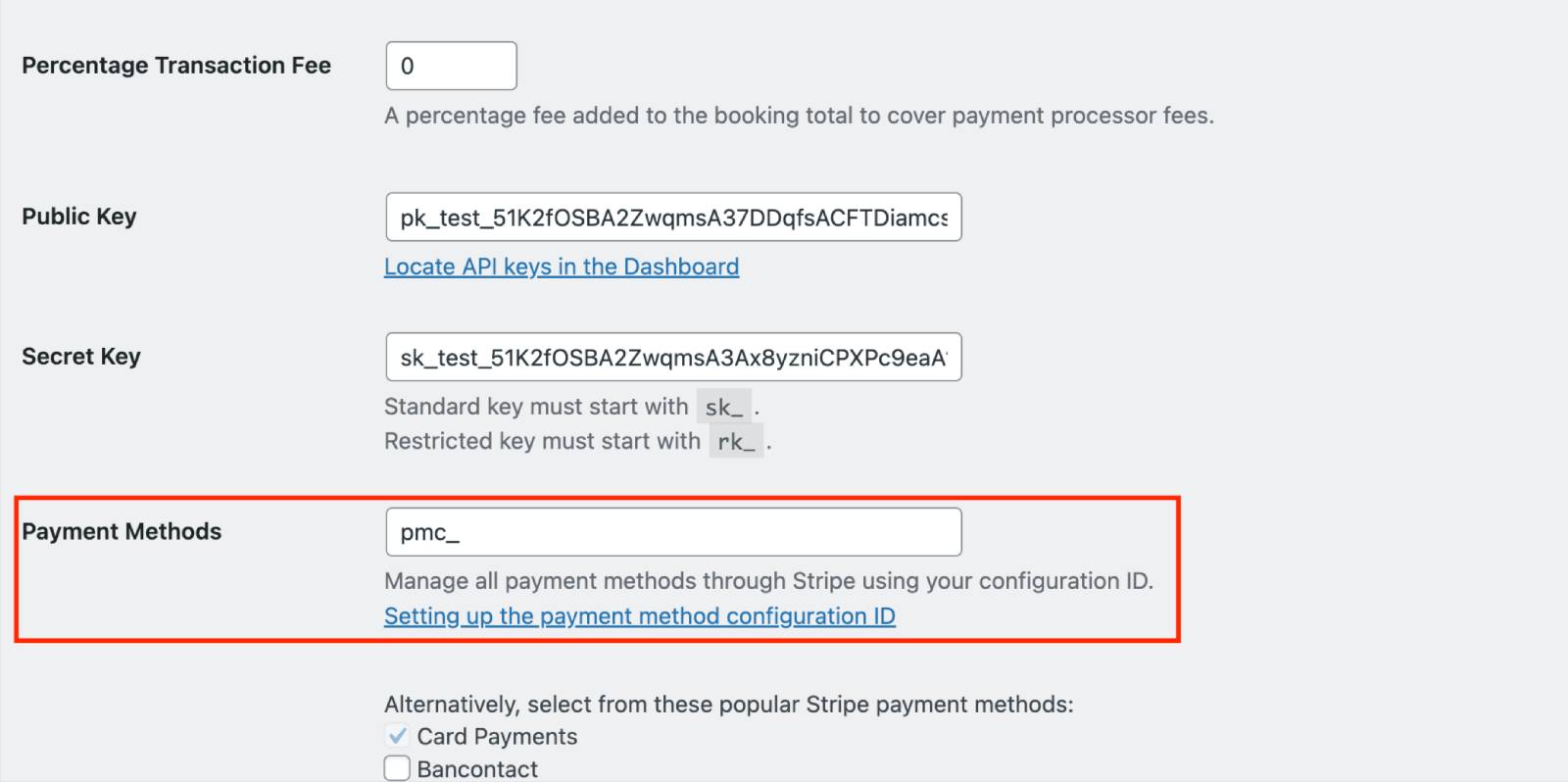

Where to find your ID in Stripe? Go to Stripe payments > copy your ID or create a project first to generate and copy it.
- Now, in your Stripe account, simply enable and (optionally) further configure your gateways – use the Enable button.
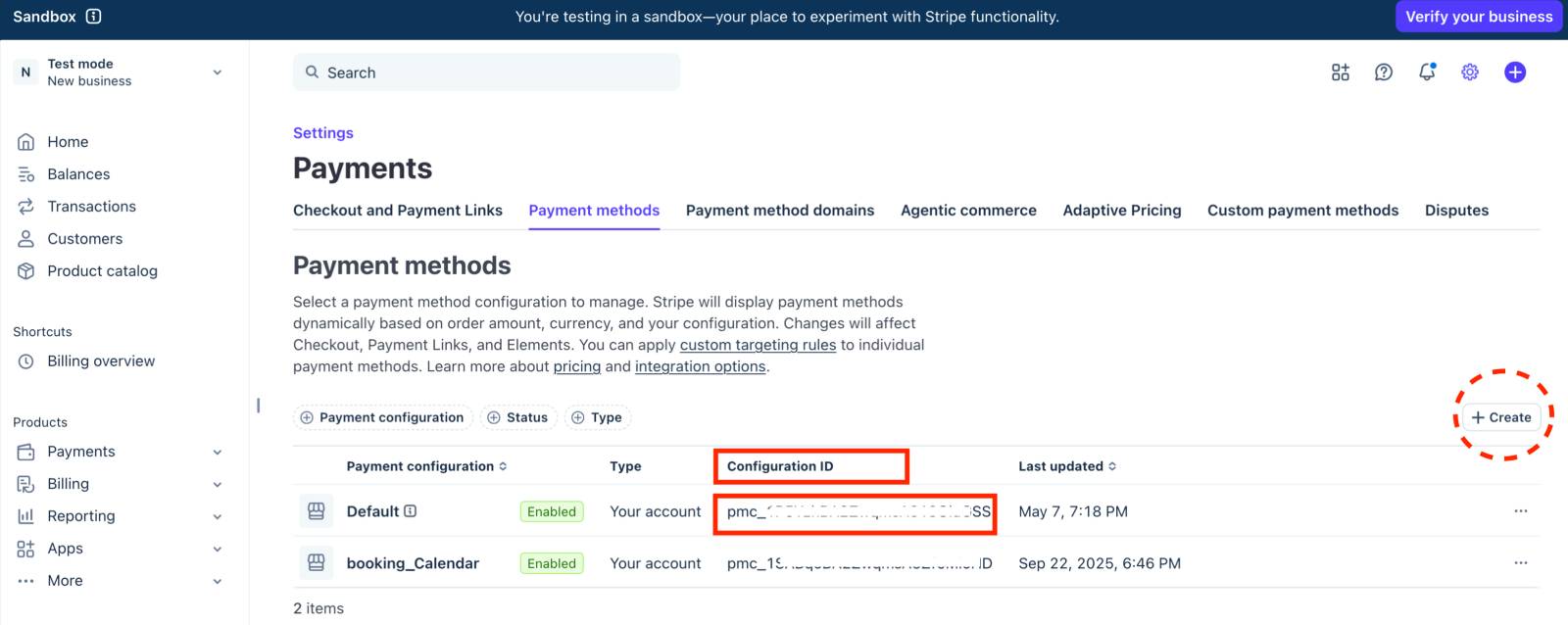
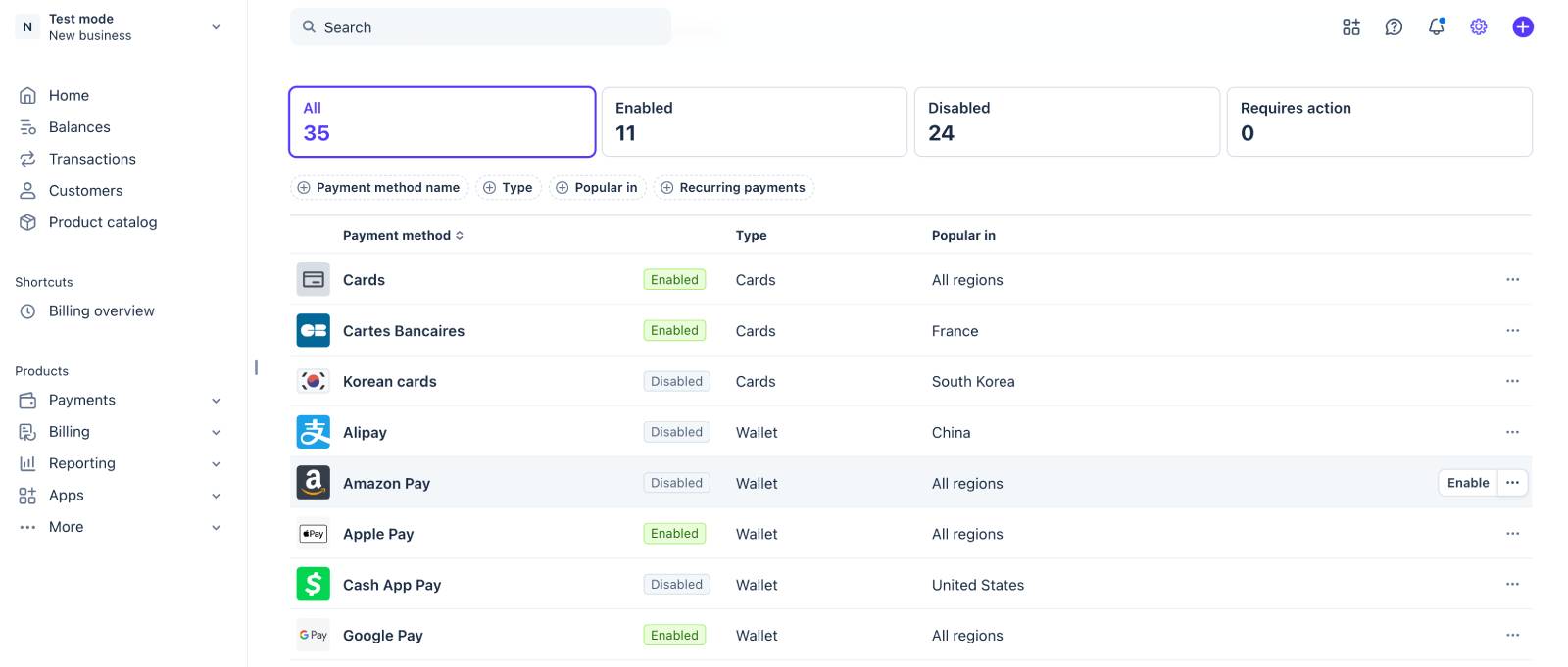
Similar way, Stripe works for our Appointment Booking plugin.
Important Stripe rules and limitations
While Stripe makes enabling payment methods easier, some options still have platform-specific requirements.
Apple Pay may require:
- Domain verification
- Additional iOS/Safari configuration
- HTTPS-enabled checkout pages.
Wallets like Apple Pay and Google Pay only appear when supported by the customer’s device and browser. For example:
- Apple Pay works on compatible Apple devices and Safari
- Google Pay depends on browser/device support.
Some payment methods are region-specific and are only available in specific countries or for businesses registered in supported regions. A few examples:
- Klarna availability depends on supported countries
- WeChat Pay primarily targets Chinese customers
- Some BNPL methods require local business registration.
Moreover, not all payment methods support every currency. Your Stripe account country and settlement currency can affect which methods become available. Stripe dynamically shows compatible options based on customer eligibility and merchant settings.
We recommend testing payments first
Before enabling payment methods on a live website, test everything thoroughly using the Enable Sandbox Mode option in the Hotel Booking Stripe settings.
What should you test? Not just a successful payment. When testing Stripe payments, make sure to verify:
- Booking creation
- Payment creation
- Booking confirmation emails
- Successful checkout flow
- Redirect behavior
- Payment status synchronization
- Payment visibility inside your Stripe account.
To test properly if checkout process works correctly before accepting live guest payments, you need to:
- Create Stripe test API credentials in Stripe Sandbox.
- Use Sandbox Mode in Hotel Booking.
- Paste your Stripe credentials to (public key, secret key, and configuration ID).
- Complete full booking and payment scenarios.
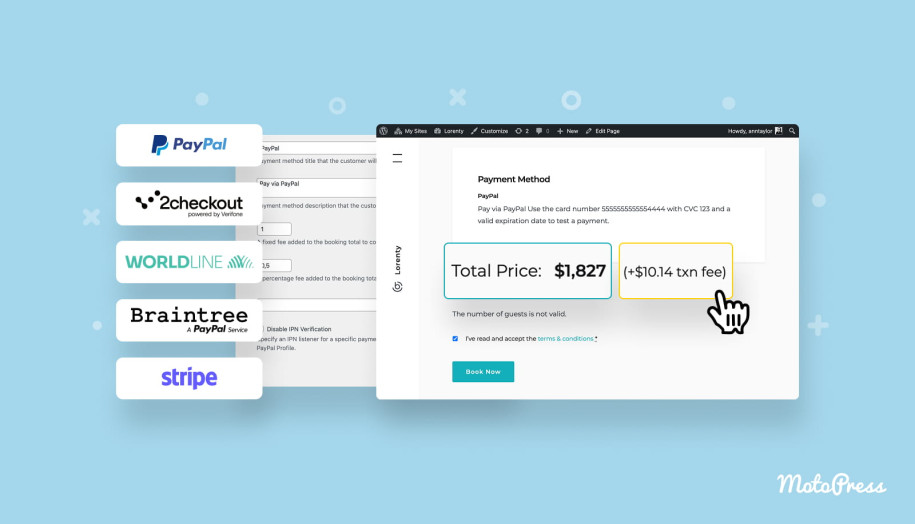
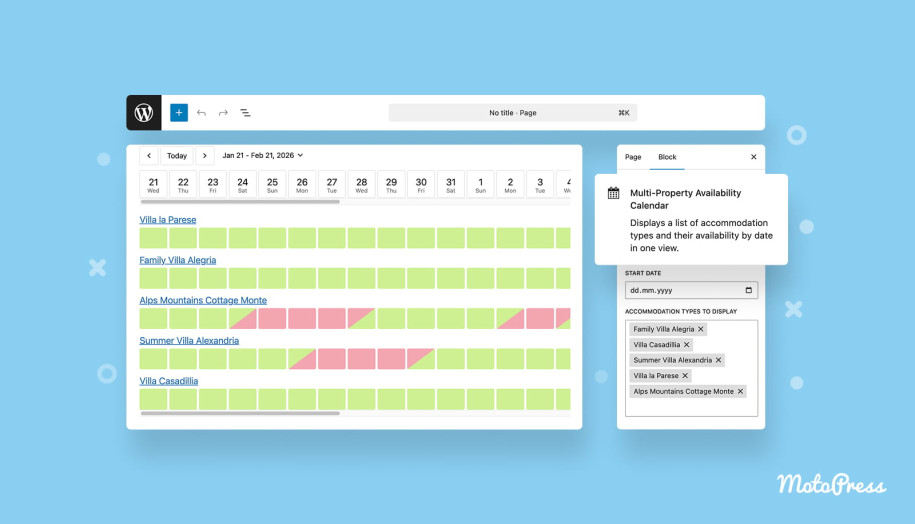

Supported Stripe payment methods overview
Here’s a simplified overview of popular payment methods you can potentially enable with Stripe Configuration ID in Hotel Booking – enable them through your Stripe account.
| Payment Method | Type | Popular Regions |
|---|---|---|
| Apple Pay | Wallet | Global |
| Google Pay | Wallet | Global |
| Link | Wallet | Global |
| PayPal | Wallet | Global |
| WeChat Pay | Wallet | China |
| Alipay | Wallet | China |
| GrabPay | Wallet | Southeast Asia |
| Revolut Pay | Wallet | Europe |
| MobilePay | Wallet | Scandinavia |
| Klarna | Buy Now, Pay Later | Europe, US |
| Affirm | Buy Now, Pay Later | US, Canada |
| Afterpay/Clearpay | Buy Now, Pay Later | US, UK, Australia |
| Cash App Pay | Wallet | US |
| EPS / EPC | Bank Redirect | Europe |
| PayNow | Real-Time Payments | Singapore |
| PromptPay | Real-Time Payments | Thailand |
| Konbini | Voucher Payments | Japan |
| OXXO | Voucher Payments | Mexico |
| SEPA Direct Debit | Bank Debit | Europe |
| ACH Direct Debit | Bank Debit | US |
| Stablecoin Payments | Crypto / Digital Assets | Selected Regions |
Concluding: Use more Stripe methods with Hotel Booking
You can now leverage Stripe’s entire ecosystem of supported payment methods directly from your Stripe Dashboard – and seamlessly use them to accept guest payments after upgrading to Hotel Booking 6.0.
While you can use any methods you want, there are some limitations – eligible payment methods will automatically appear to customers during checkout based on:
– Their country
– Currency
– Device/browser
– Stripe account country
– Availability of the selected payment method.
This means, not all payment methods you enable in Stripe are actually displayed at checkout because of these nuances. However, with Stripe and MotoPress Hotel Booking, you can now use dozens of new gateways without extra plugins!