Send the Right Files to the Right Guests
Include the right guest documents in the booking confirmation email. Guests receive documents that match the accommodation they booked, such as villa guides, apartment access instructions, parking details, or property manuals.
This helps hotels, vacation rentals, guest houses, and apartment businesses prepare guests before arrival while reducing repetitive manual emails for staff.
What You Can Use It For
- Send a welcome guide after booking confirmation.
- Attach check-in instructions for specific accommodations.
- Share house rules, Wi-Fi details, parking information, or access notes.
- Send property manuals for villas, apartments, cabins, or vacation rentals.
- Include maps, local guides, restaurant menus, or activity recommendations.
- Attach rental agreements, policies, safety instructions, or legal documents.
- Send promotional materials, seasonal offers, upsell packages, or partner discounts.
- Add files to custom booking notifications created with the Hotel Booking Notifier add-on.
Accommodation-Specific Attachments
Assign different files to different Accommodation Types. When a guest books an accommodation, the related files are automatically attached to the confirmed customer booking email.
For example, guests who book a villa can receive a villa welcome pack, while guests who book an apartment can receive apartment check-in instructions.
Reusable File Library
Create reusable Email Attachment items in the Hotel Booking admin menu. Each item stores one file from the WordPress Media Library, so the same document can be used across multiple accommodations or email templates.
Use it for PDFs, guides, vouchers, brochures, menus, maps, agreements, or any other guest-facing file your team sends regularly.
Manual Attachment Tags
Each attachment gets an email tag, such as %email_attachments:welcome-pack%.
Add this tag to Hotel Booking email templates to attach a common file manually. These tags can also be used in custom booking notifications created with the Hotel Booking Notifier add-on.
Attach Files to Booking Notifications
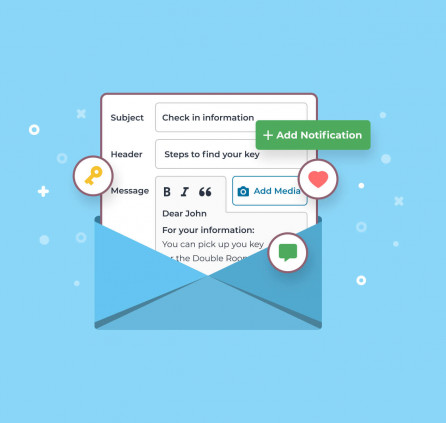
If you use the Hotel Booking Notifier add-on, you can include attachment tags in custom booking notifications. This makes it possible to send files for specific guest communication workflows, such as pre-arrival instructions, post-booking offers, or follow-up documents.
Multiple Files Per Accommodation
Select several attachments for each Accommodation Type and arrange the order in which they are added to the email. This is useful when guests need a full set of documents, such as a welcome guide, parking instructions, and house rules.
Smart File Handling
If the same file applies more than once, the add-on attaches it only once. If a file is missing or unavailable, it is skipped without blocking other valid attachments from being sent.
Easier Admin Management
Manage attachments from the Accommodation Type screen or assign accommodations directly from the Email Attachment screen. Search and pagination make it easier to work with larger property catalogs.
WPML Support
For multilingual websites, the add-on can resolve translated attachment posts and files through WPML, helping guests receive files in the correct booking language when WPML is active and configured.