
WordPress Wellness Appointment Scheduling: How to Do It Right
Table of Contents
A wellness website aims to help customers choose the right specialist, find a suitable time, and complete a booking. They usually browse services, compare options, and build trust before committing. That’s where WordPress and its tools come in handy! Are you eager to integrate WordPress wellness appointment scheduling into your website? In this guide, we’ll look at how to set up a system that reflects real business needs!
Instead of relying on a third-party booking platform, you can build a website to handle services, staff members, their schedules, payments, and appointments under one roof. Let’s get down to business!
What Is Wellness Appointment Scheduling?
Wellness appointment scheduling is a system designed for time-based services. It combines options to manage services, employees, schedules, and clients.
Unlike product purchases or accommodation bookings, wellness services are more dynamic. A client might want a specific specialist, a particular duration, or even combine several services in one visit. And you need to account for working hours, breaks, and different locations.
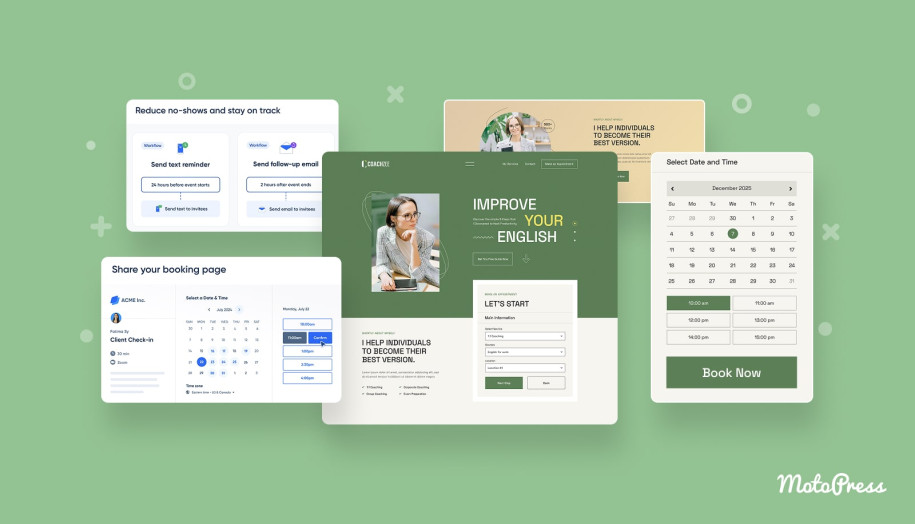
Client behavior around booking has shifted significantly in recent years. Today, more than 70% of customers want to book services online, and this number is even higher among Gen Z and Millennial audiences. At the same time, research shows that around 40% of appointments are scheduled outside business hours.
This shift makes online scheduling the primary way clients discover availability and complete bookings at any time.
Why Use WordPress for Service Scheduling?
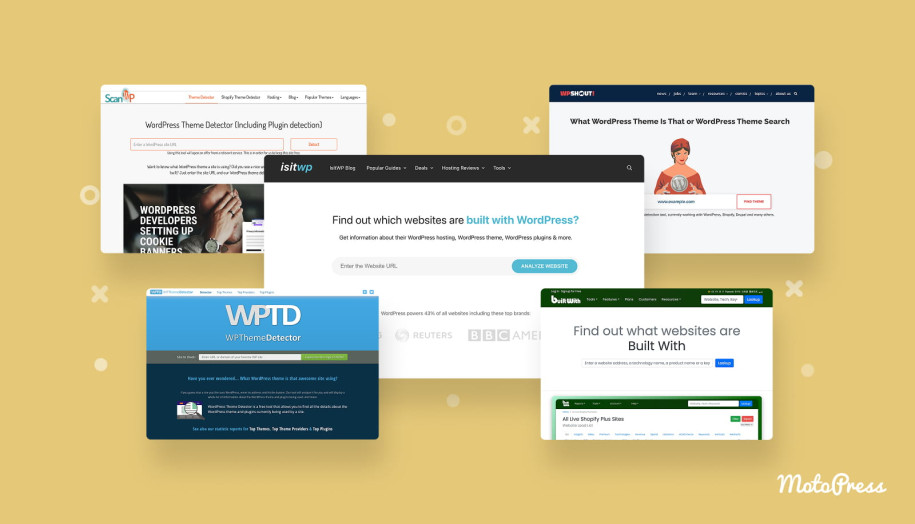
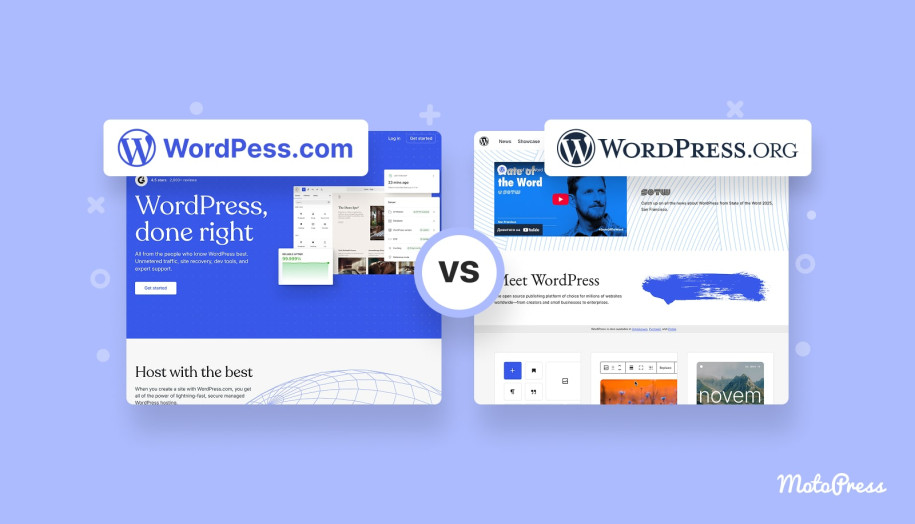
Today, WordPress powers approximately 43.5% of all websites, making it the most widely used website-building platform globally.
There are several practical reasons why service businesses choose it:
- It gives you full control over design and user experience.
- WordPress covers a large ecosystem of dedicated themes, plugins, and integrations.
- You can integrate scheduling with analytics, marketing tools, or CRM systems.
- It supports different page builders and workflows.
In a nutshell, WordPress allows you to keep everything in one place. Visitors can explore services, check pricing, learn about specialists, book an appointment, and pay online without leaving your site.
What Makes a Good Wellness Booking System?
Now, let’s talk about how to choose the best scheduling solution for your WordPress website. We’ve gathered some key features.
- Different services should have their own duration, pricing, and conditions.
- The ability to set up profiles and schedules for specialists.
- Realistic time management, including breaks and buffer times.
- A clear booking flow, especially on mobile devices.
- Flexible payment options.
- Automated notifications to reduce no-shows and manual communication.
- A clear admin interface for seamless daily management.
Let’s get down to real-life examples!
Wellness Appointment Scheduling: Top WordPress Solutions
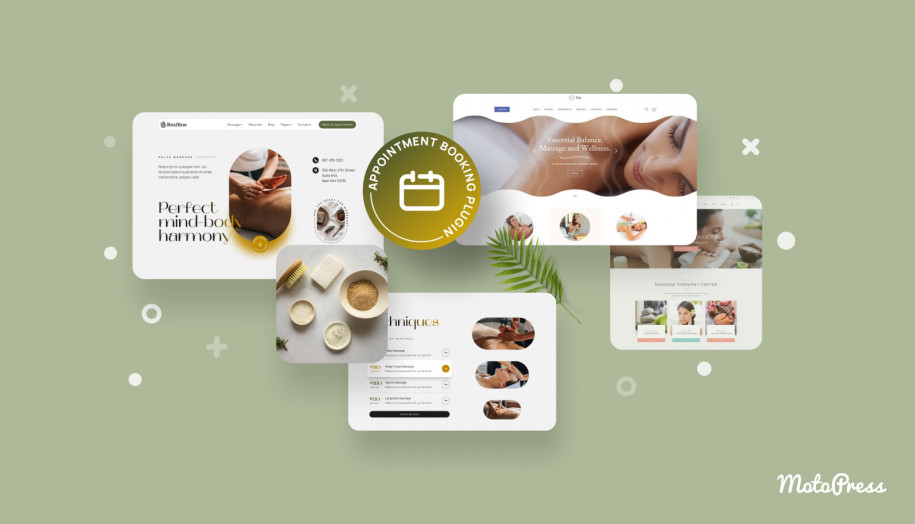
The MotoPress lineup includes both an appointment plugin and wellness WordPress themes tailored to spas, massage studios, and barbershops. Let’s review these solutions in more detail.
What Is the Best WordPress Appointment Scheduling Plugin?
| Name | Price | Free Trial |
|---|---|---|
| MotoPress Appointment Booking | From $49/year | Yes, 7 days |
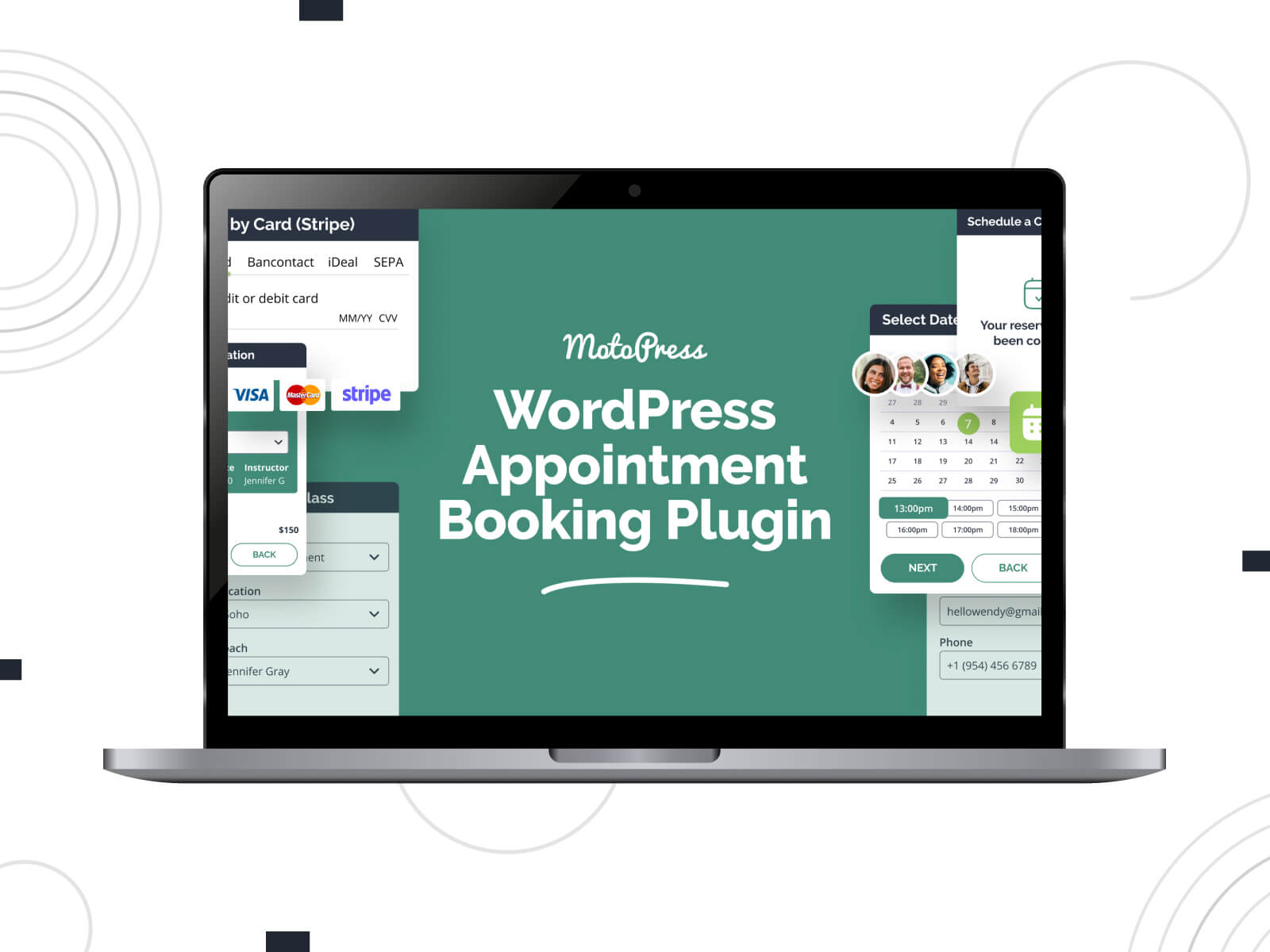
The MotoPress Appointment Booking plugin is designed for time- and service-based businesses. It covers a booking system for setting up services, staff schedules, payments, and notifications.
As a WordPress wellness appointment scheduling plugin, it allows you to define services with custom durations, assign them to employees, and manage availability through working hours, breaks, and location settings.
Beyond the basics, the plugin includes features that directly impact day-to-day scheduling:
- Unlimited services, employees, and locations;
- Employee schedules with individual availability;
- Step-by-step booking wizard for clients;
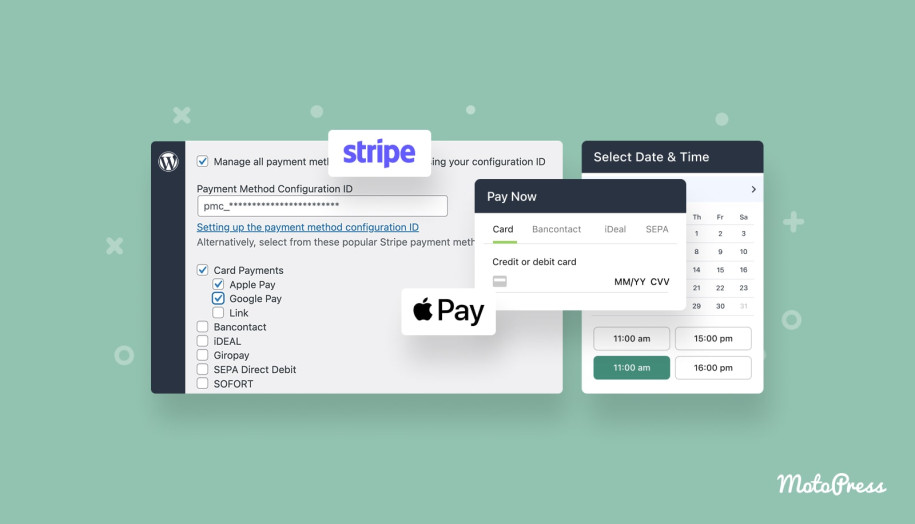
- Offline and online payments via PayPal, Stripe, and a direct bank transfer (including deposits and discount coupons);
- Calendar synchronization for clients;
- Admin dashboard with analytics and CSV export;
- Individual and group booking support;
- Synchronization with the employee’s Google Calendar;
- Appointment reminders and notifications;
- Customer accounts;
- Free integrations with popular page builders for visual customization.
More Details View Demo MotoPress Booking Plugins

Best WordPress Themes for Spa & Wellness Appointment Websites
While the WordPress wellness appointment scheduling plugin handles the functionality, the theme determines how it is presented. Let’s explore ready-to-go designs that come bundled with the MotoPress Appointment Booking plugin for free.
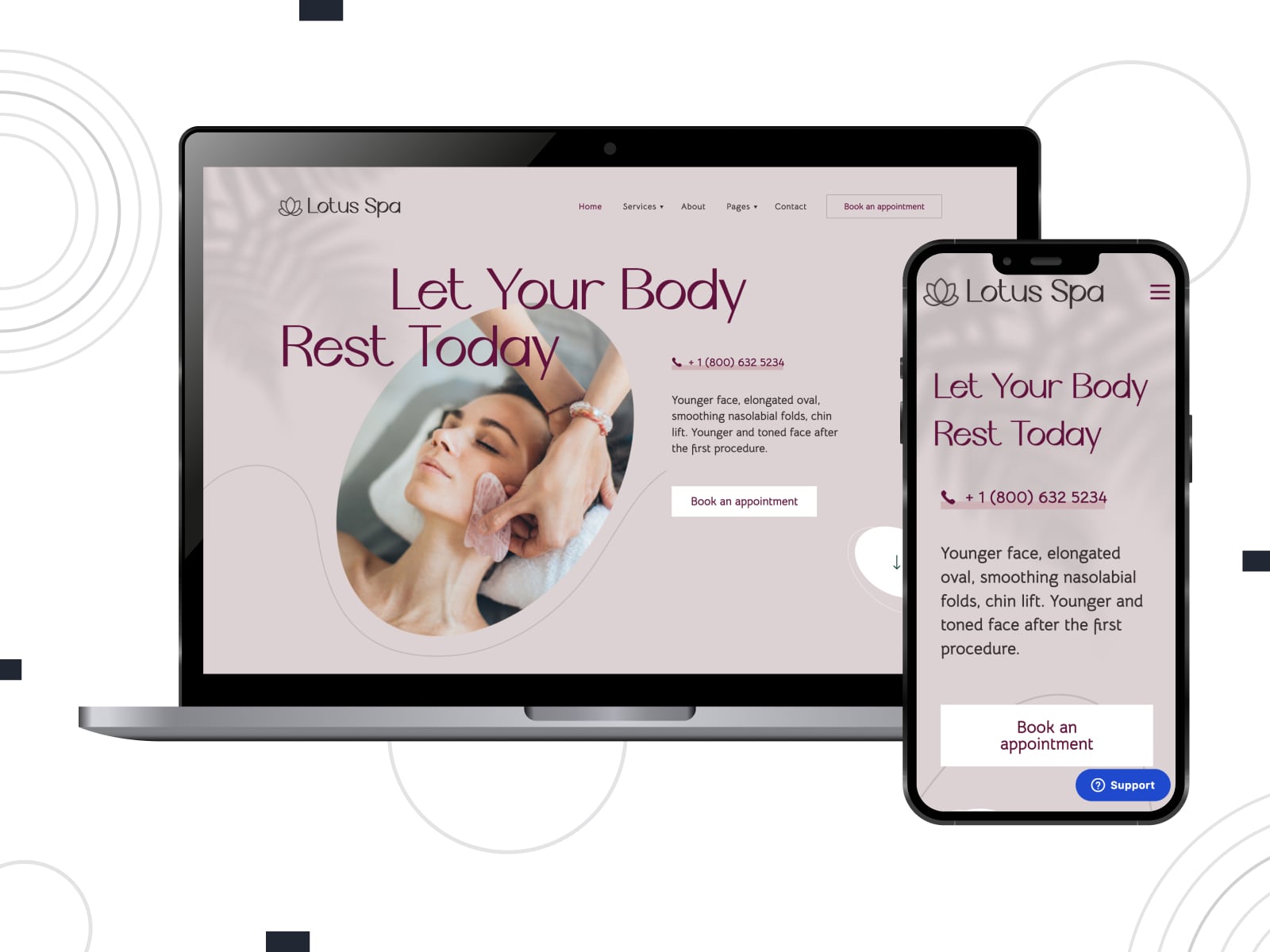
Lotus Spa
| Name | Builder | Price | Best for |
|---|---|---|---|
| Lotus Spa | Elementor + Stratum | From $49/year | Spa salons and beauty centers |
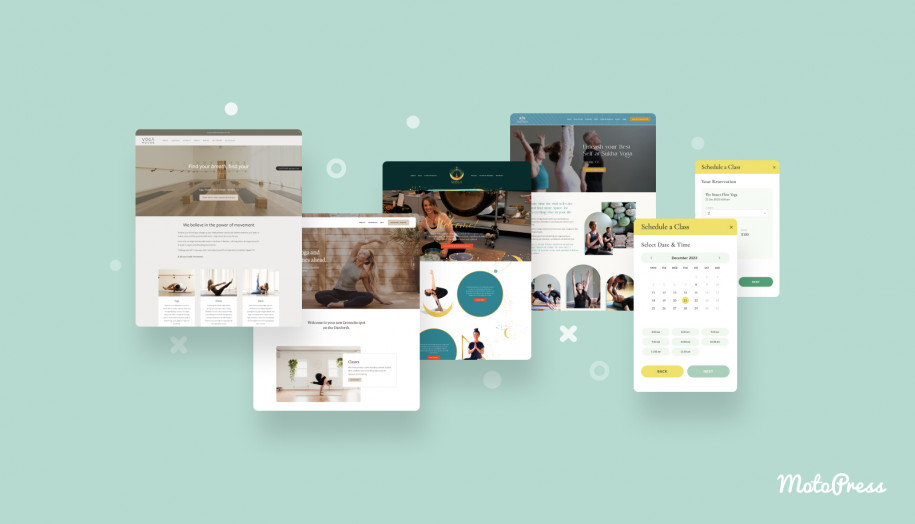
Lotus Spa is a beauty wellness WordPress theme tailored for hairdressing salons, wellness and spa centers, and nail & hair studios. It equips you with ready-made pages for services, treatments, pricing, and team members. You get access to a clean design, soft color scheme, and responsive booking widget.
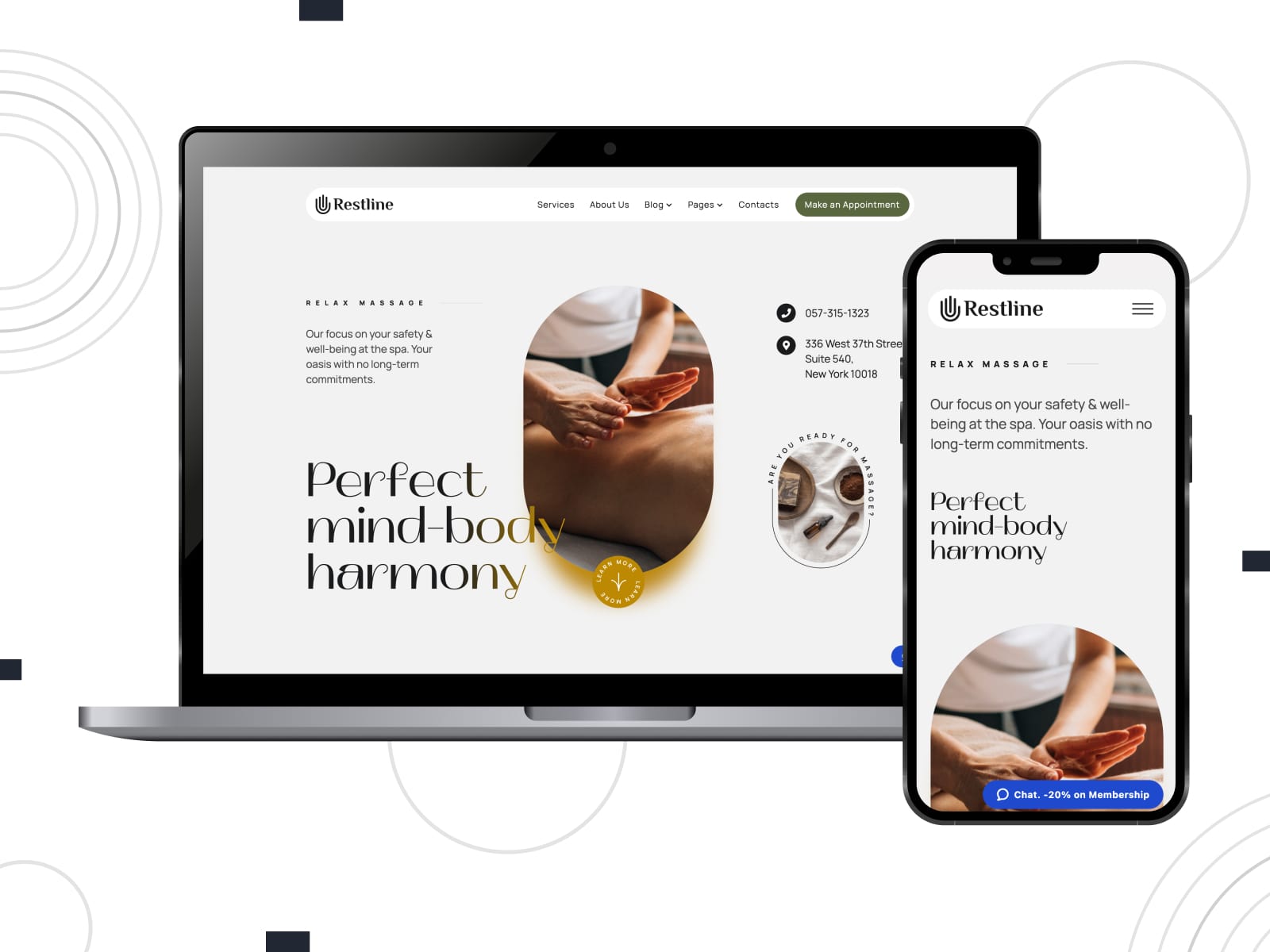
Restline
| Name | Builder | Price | Best for |
|---|---|---|---|
| Restline | WordPress block editor + Getwid | From $49/year | Massage and wellness studios |
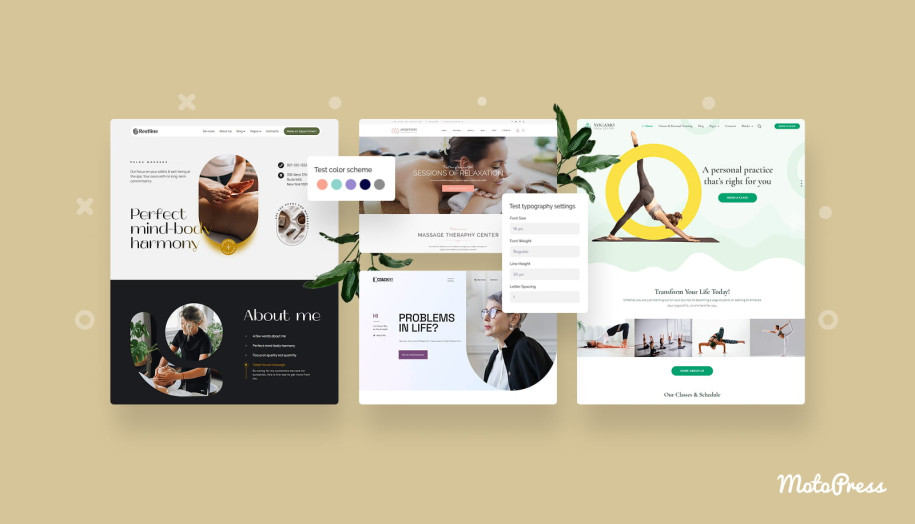
Restline is an elegant WordPress wellness theme that suits practitioners who want clarity and structure without heavy visual styling. It ensures pre-designed pages and Gutenberg-based editing with extended blocks to build a website for massage salons, therapists, sports therapy treatment services, etc. The integrated booking functionality supports flexible schedules, online payments, automated notifications, and more features.
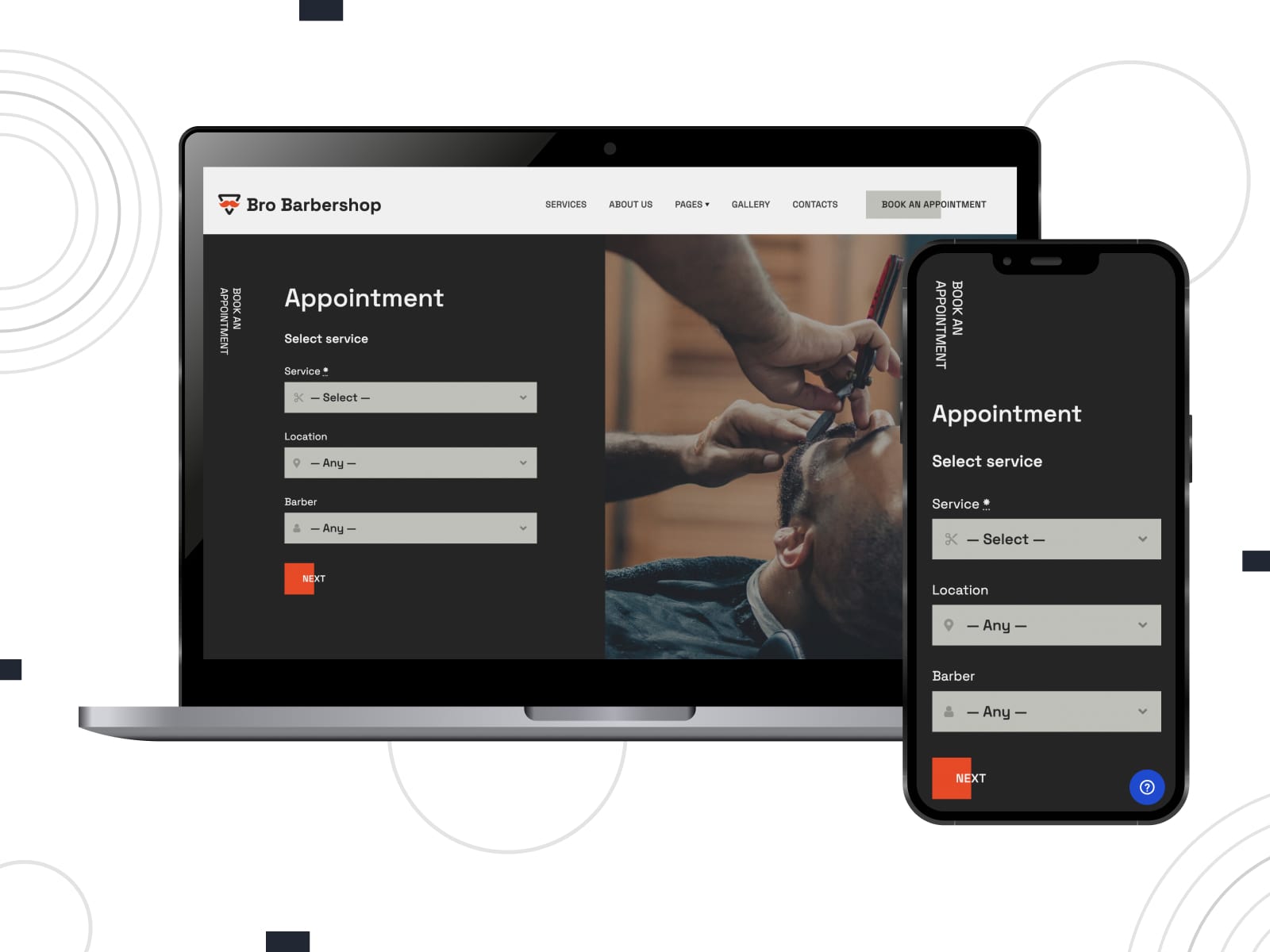
Bro Barbershop
| Name | Builder | Price | Best for |
|---|---|---|---|
| Bro Barbershop | WordPress block editor + Getwid | Free | Barbershops and grooming services |
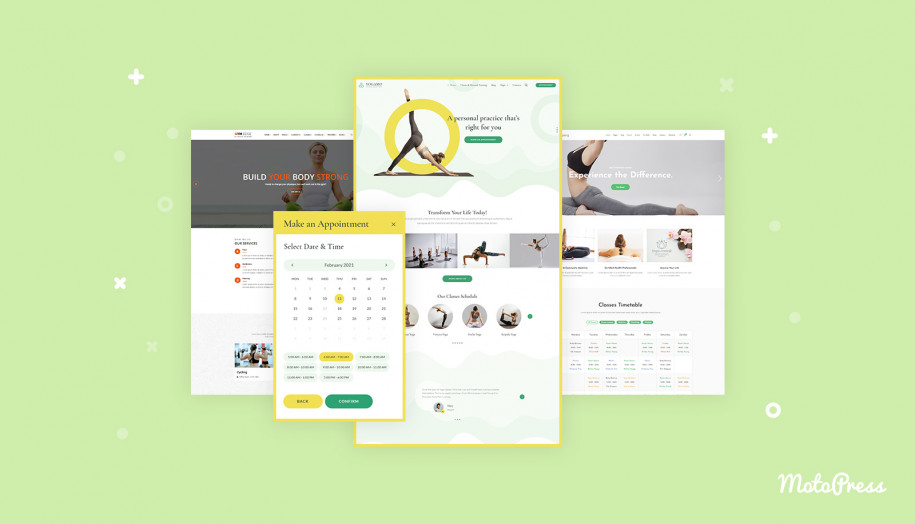
Bro Barbershop is a free WordPress theme with a stronger visual identity. You can customize its design for different beauty and wellness niches, including hairdressing salons, nail technicians, and tattoo artists. It provides essential layouts for services, team members, and booking sections. Clients can schedule appointments thanks to the integrated booking plugin (lite version).
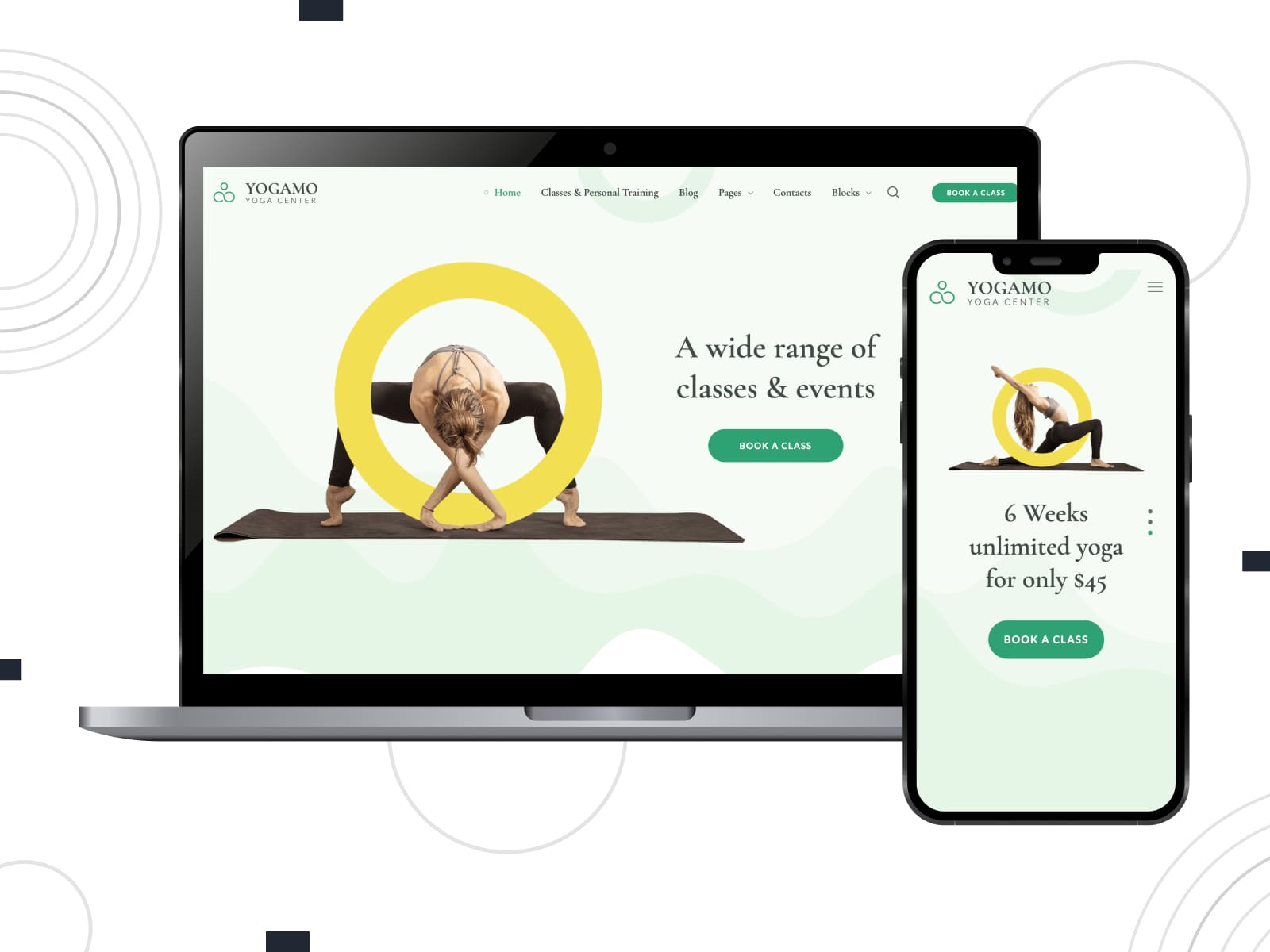
Yogamo
| Name | Builder | Price | Best for |
|---|---|---|---|
| Yogamo | WordPress block editor + Getwid | From $49/year | Yoga studios, fitness & wellness centers |
Yogamo is another example of WordPress health and wellness themes. Suitable for studios that offer classes, group sessions, and individual appointments, it combines a content-rich layout with a powerful booking system. You can set up flexible schedules with breaks, vacations, and custom availability.
How to Set Up Appointment Scheduling on a Wellness Website: Quick Guide
Next, we’ve created a step-by-step guide to get started with a WordPress wellness appointment scheduling system using MotoPress solutions.
Step 1. Install and activate the plugin (and theme, if needed)
If you’re starting from scratch, install your wellness center WordPress theme first, then activate the booking plugin.
If you already have a theme, install the MotoPress Appointment Booking plugin via Plugins > Add New > Upload Plugin and activate it.
For this tutorial, I will use the Restline theme.
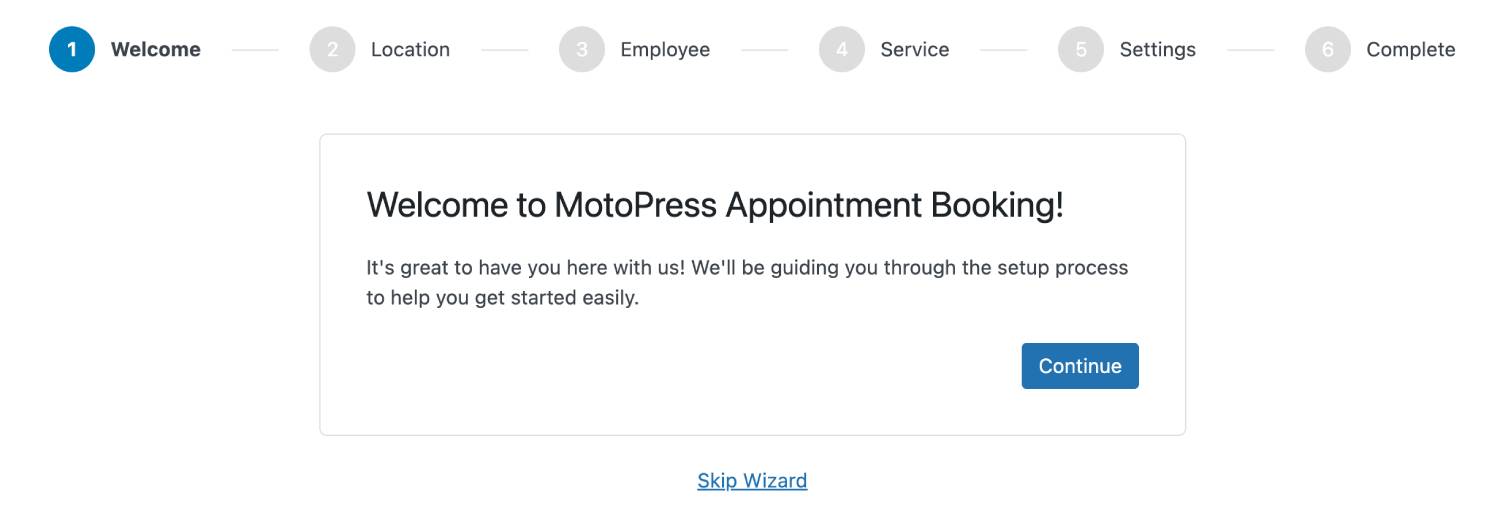
After activation, the plugin will prompt you to run the Setup Wizard, which helps you quickly create your first service, employee, and basic settings. You can use it or skip it and configure everything manually.
Step 2. Configure general booking settings
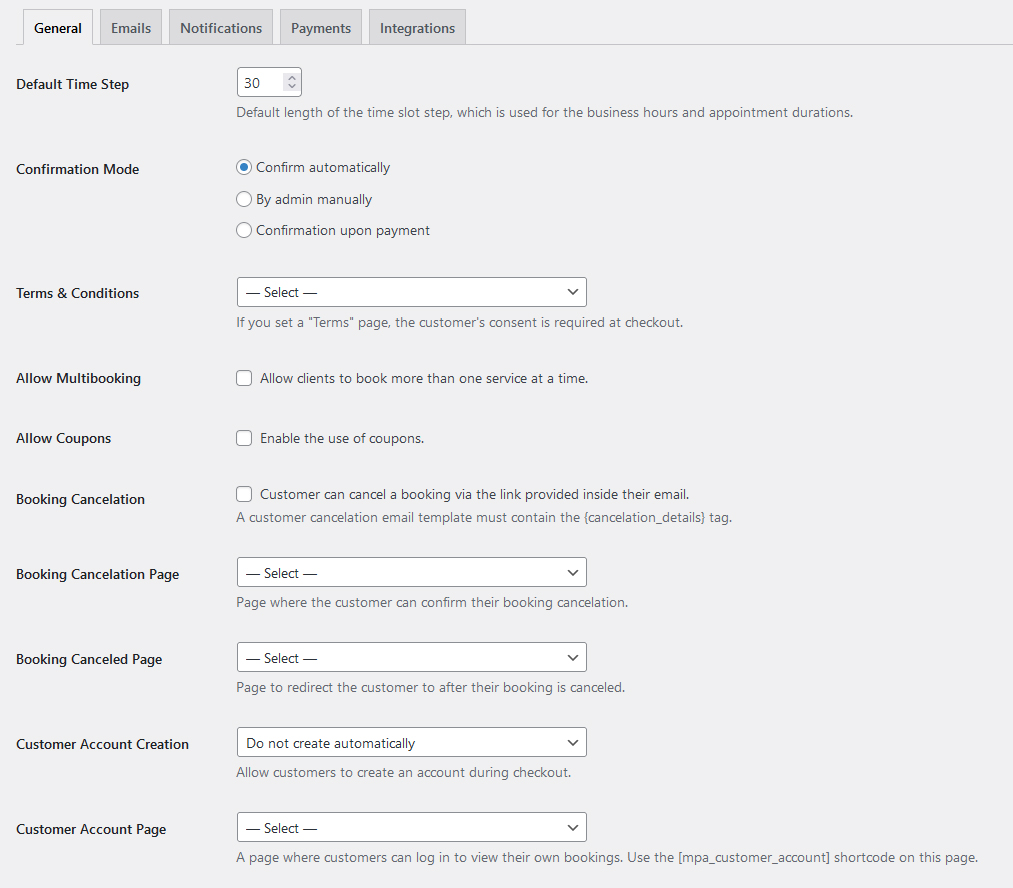
Go to Appointments > Settings > General and define:
- Confirmation mode;
- Currency;
- Default time step;
- Multi-service booking option;
- Cancellation rules;
- Terms and conditions.
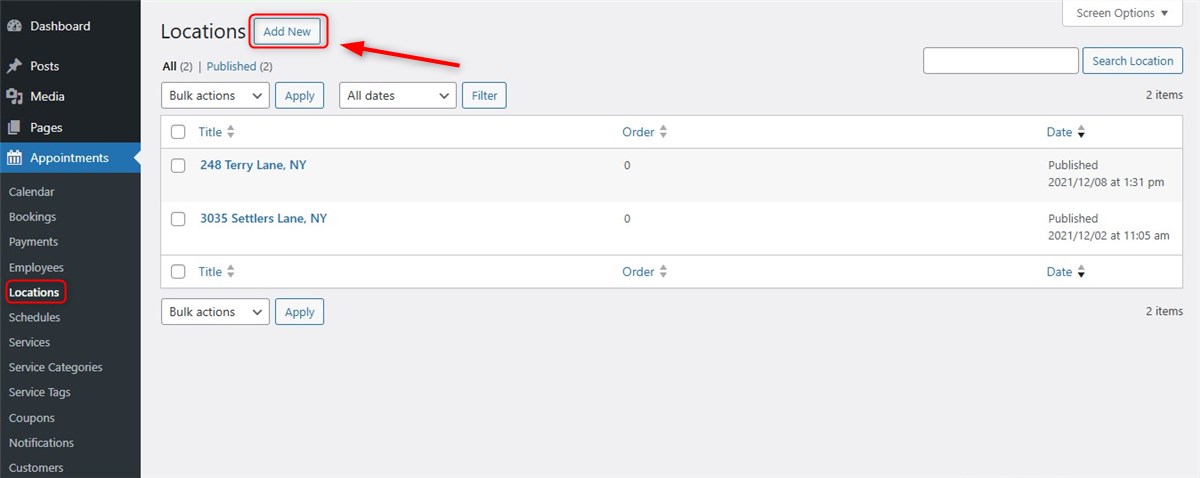
Step 3. Add locations (if applicable)
If your business operates in multiple locations, add them first.
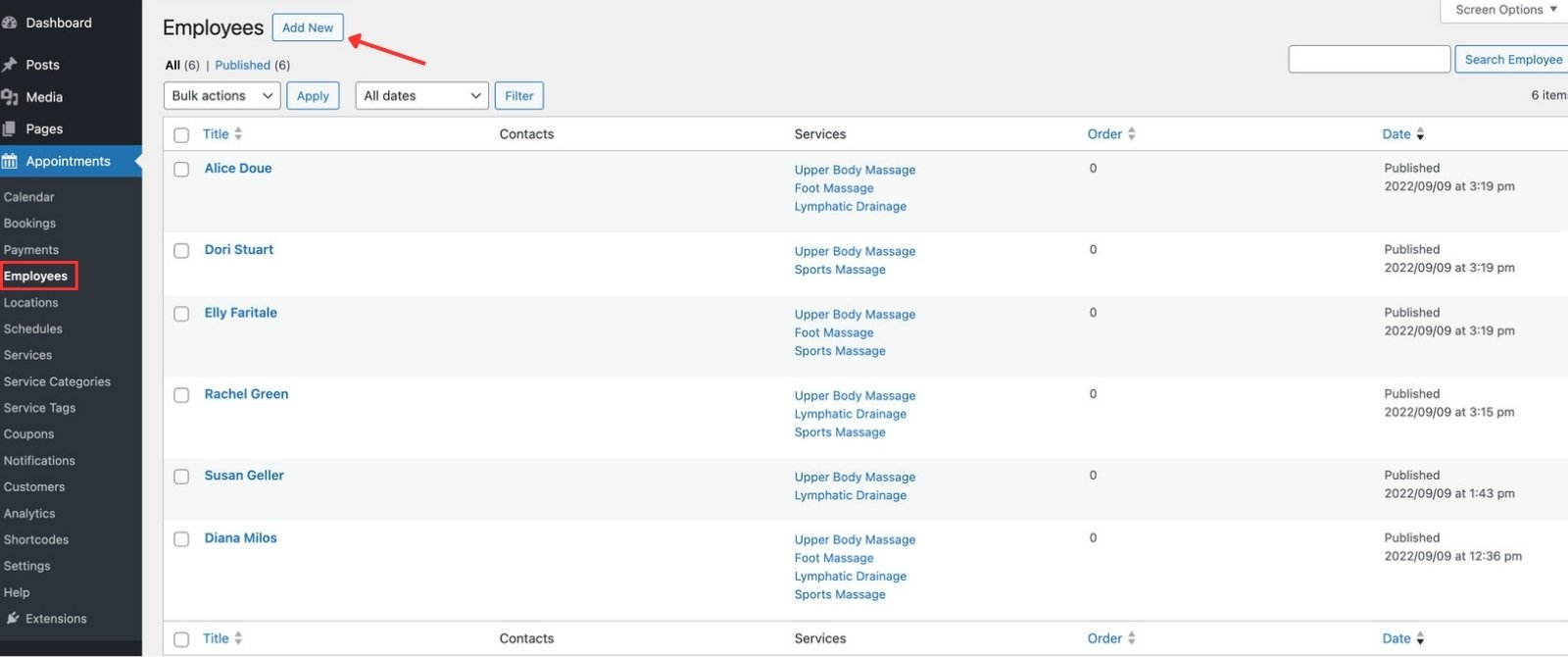
Step 4. Add employees
Create staff profiles and include basic information such as name, description, and role.
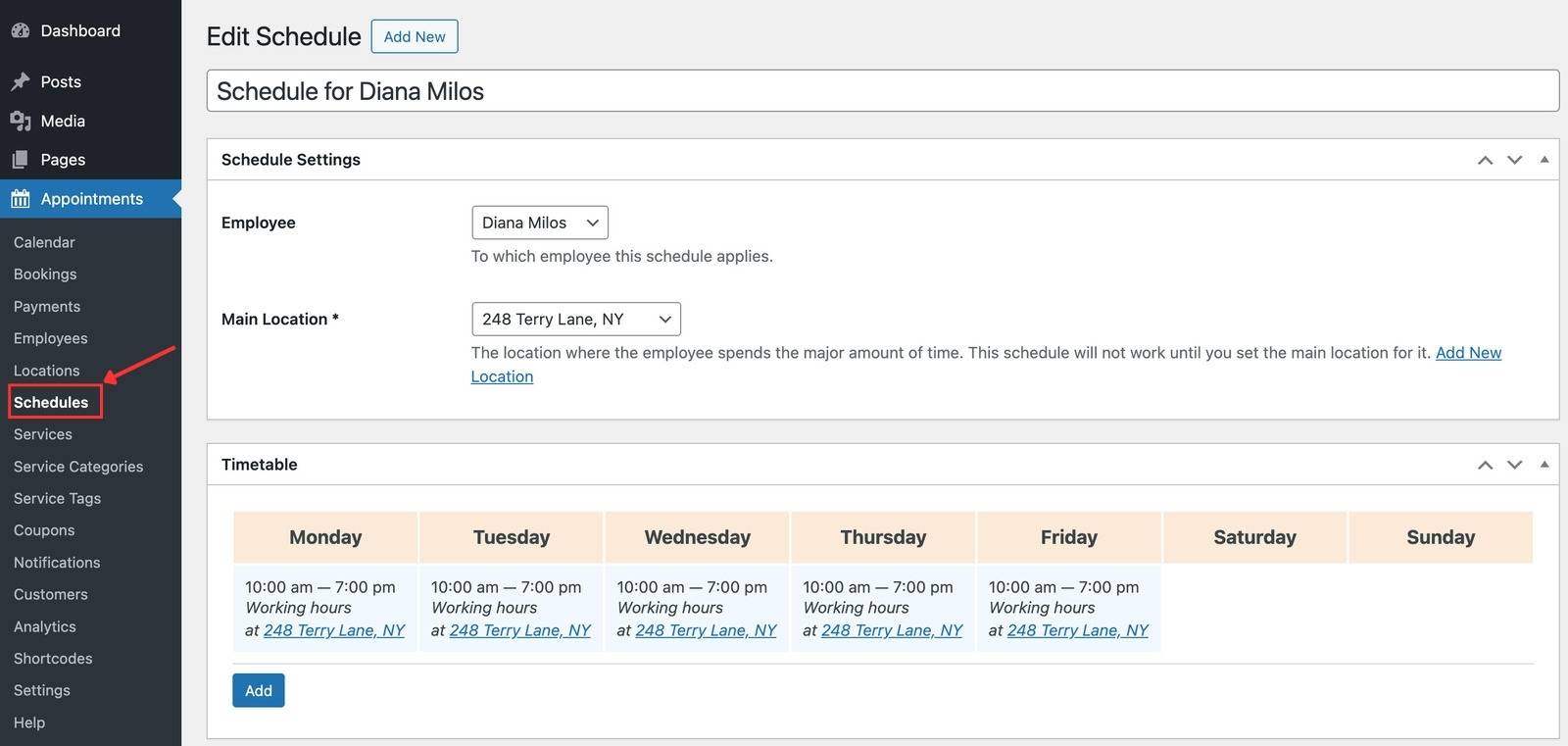
Step 5. Create schedules
Define working hours, breaks, days off, and holidays for each employee.
Step 6. Add services
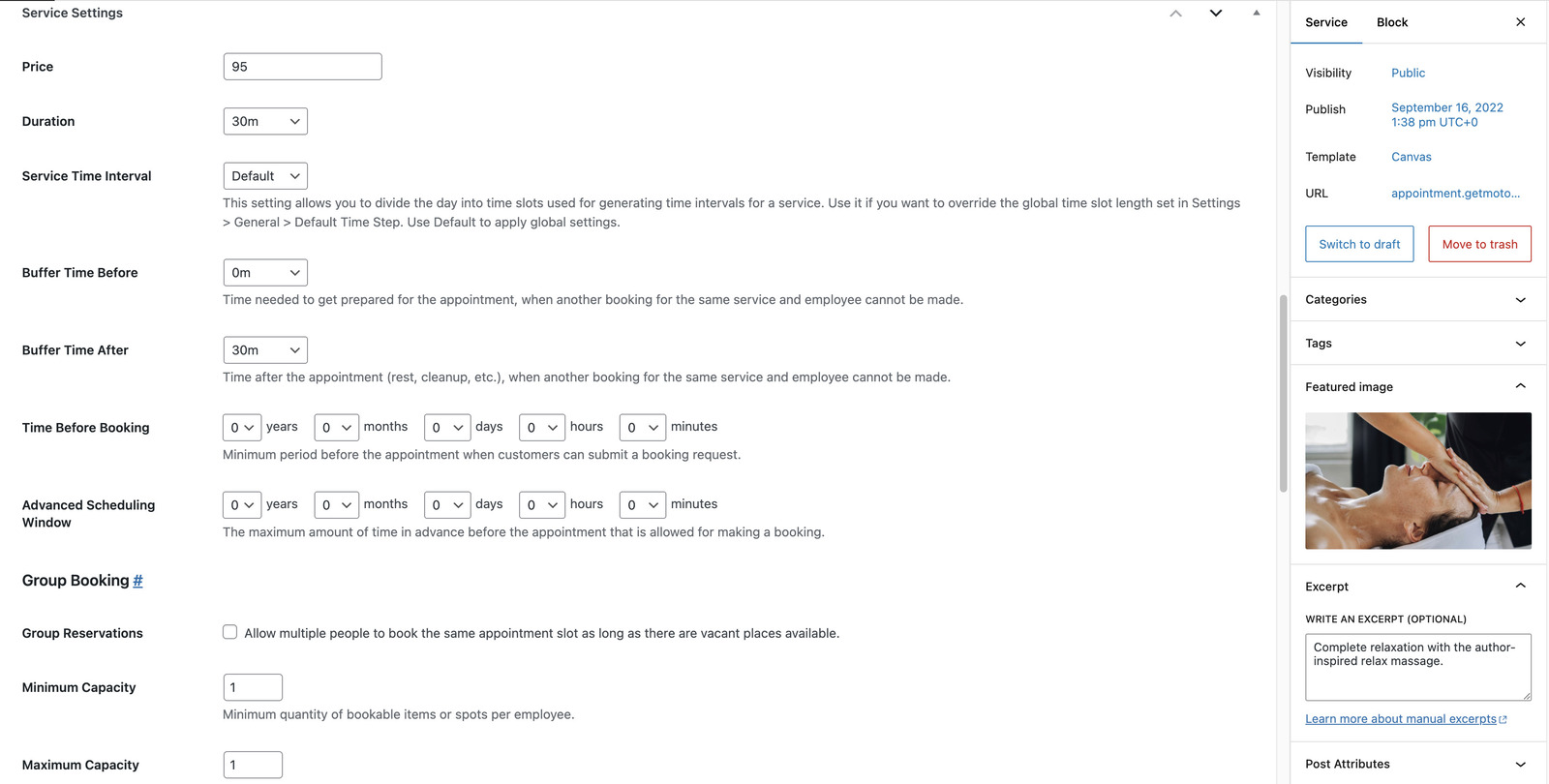
Create services with duration, buffer time, pricing, and assigned employees. You can also define group capacity if needed.
Step 7. Configure payments
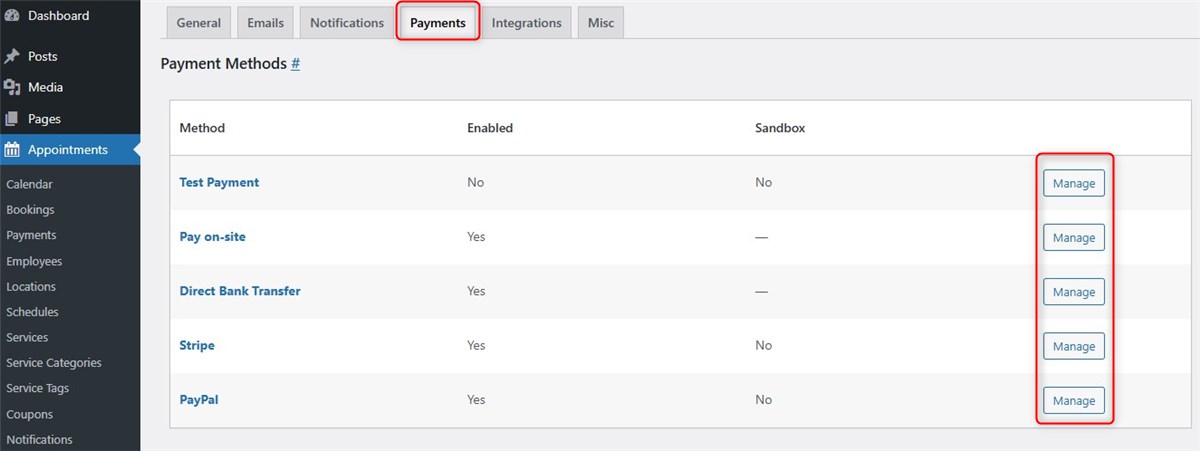
Navigate to Appointments > Settings > Payments to enable payment methods such as Stripe, PayPal, or pay-on-site, and decide how bookings should be confirmed.
Step 8. Set up email notifications
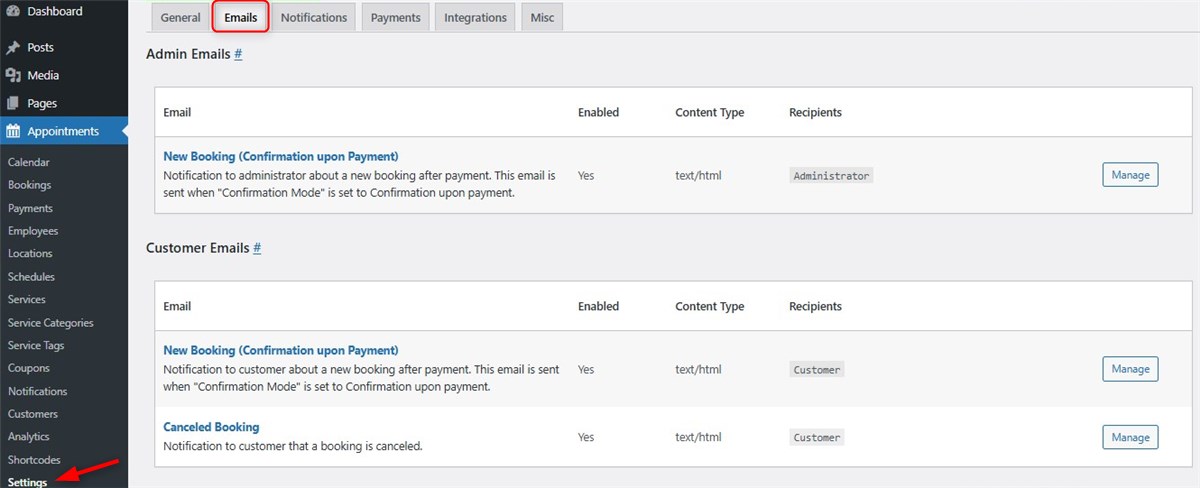
Go to Appointments > Settings > Emails to configure email templates to keep both clients and staff informed.
Step 9. Add booking forms to your site
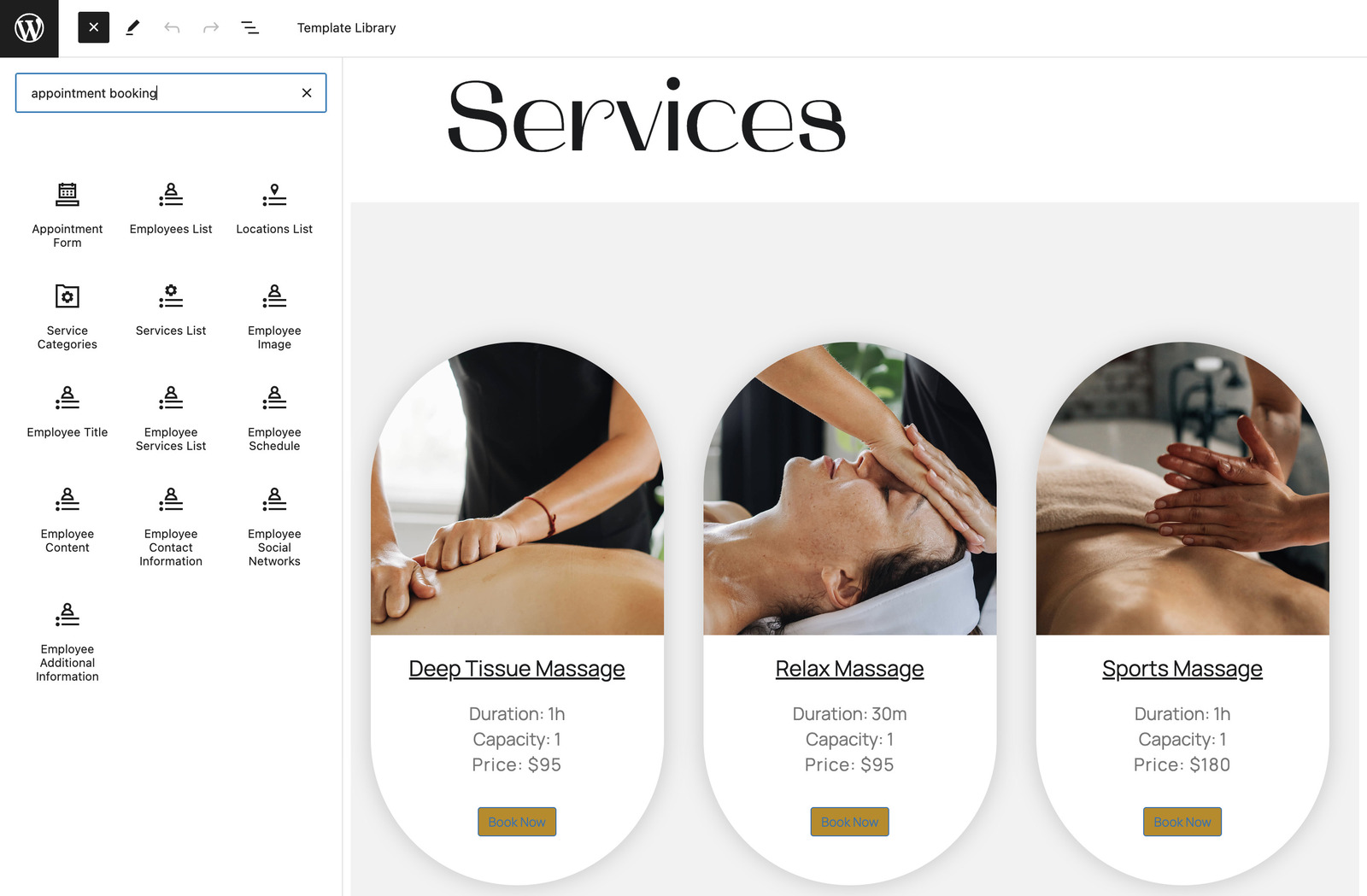
Place booking forms on key pages using dediacted blocks or shortcodes. Common placements include service pages, homepage sections, and dedicated booking pages.
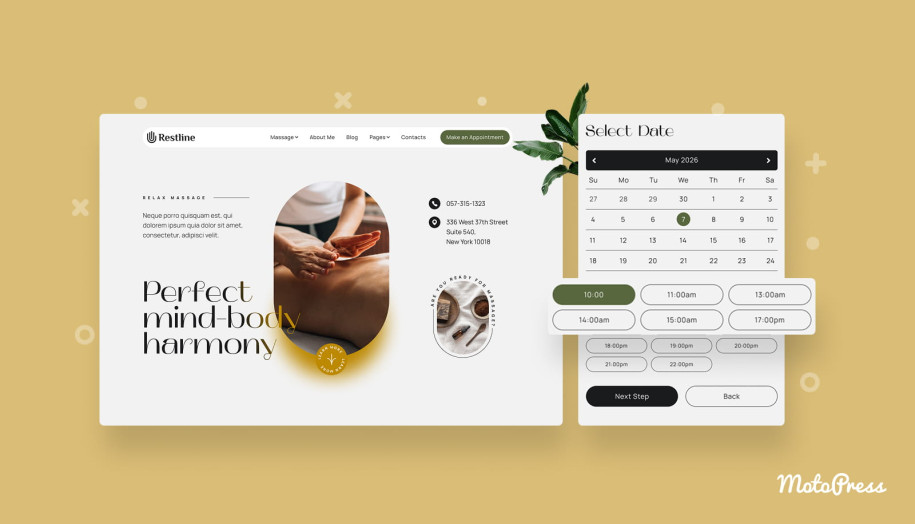
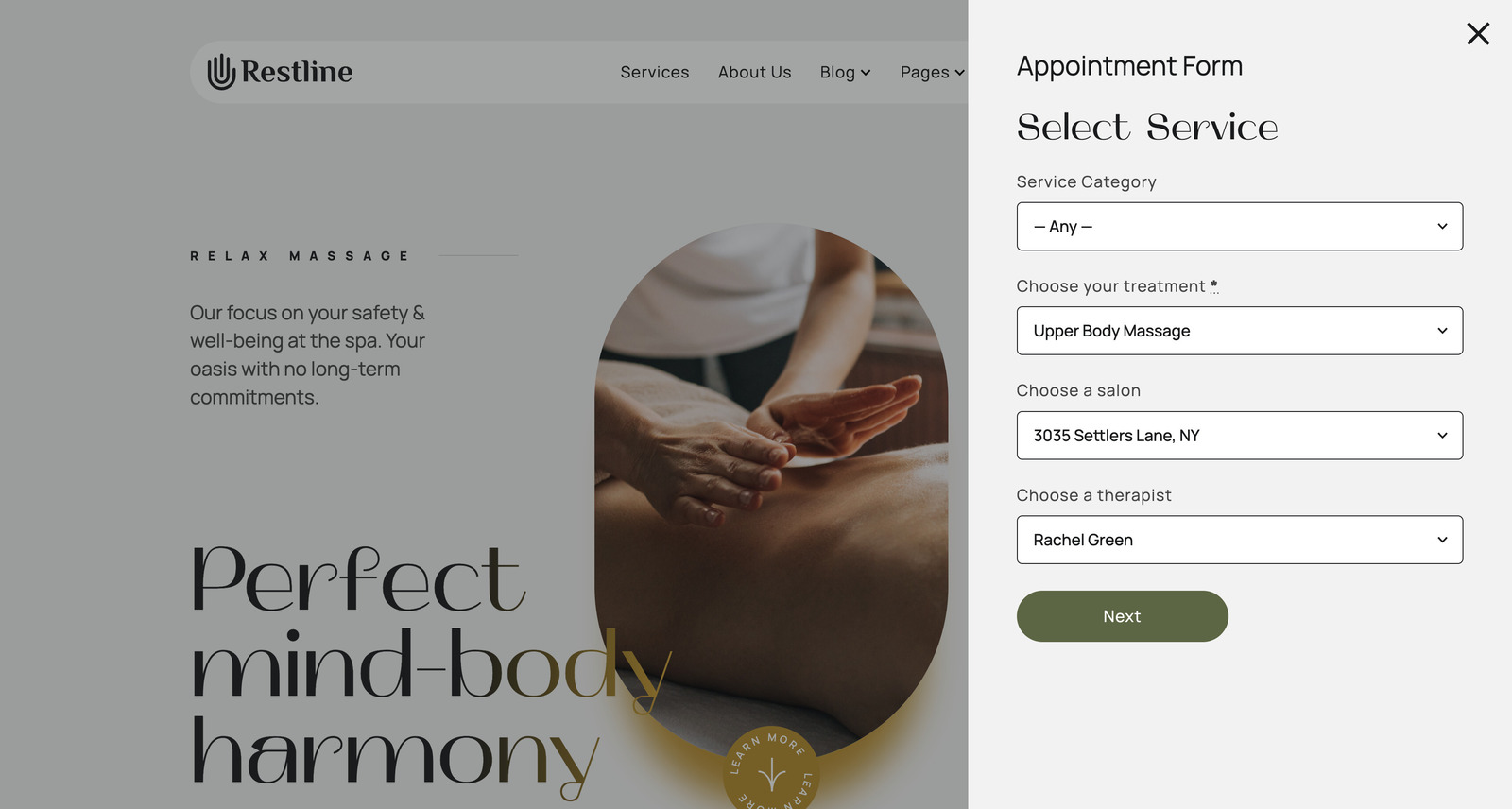
On the Restline theme, the wellness service booking form visually interplays with the design. Once clients click on the ‘Make an Appointment’ Button, it opens a booking widget. They can choose a service category, a service, and a location.
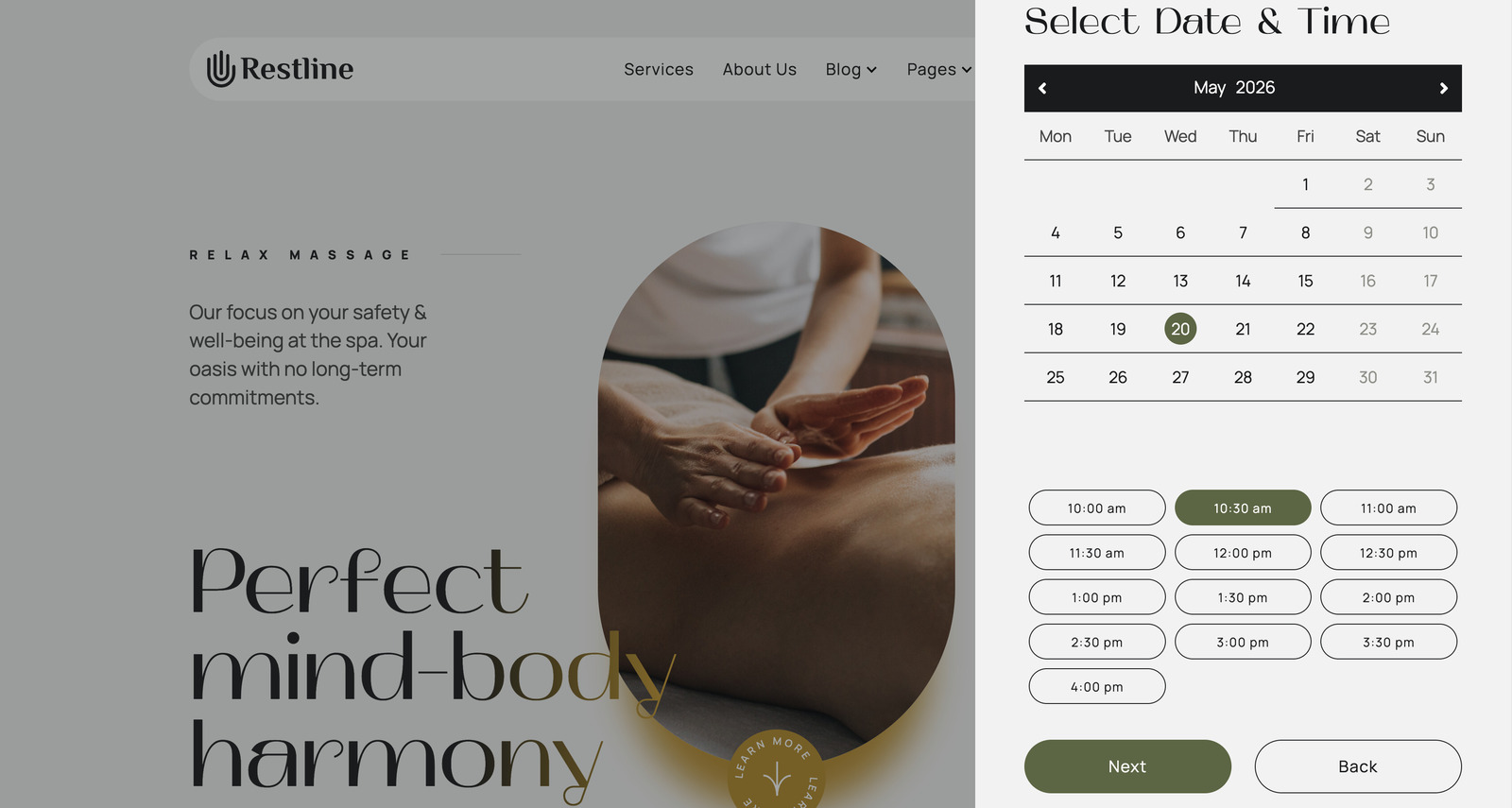
Then, they select an available date and a time slot:
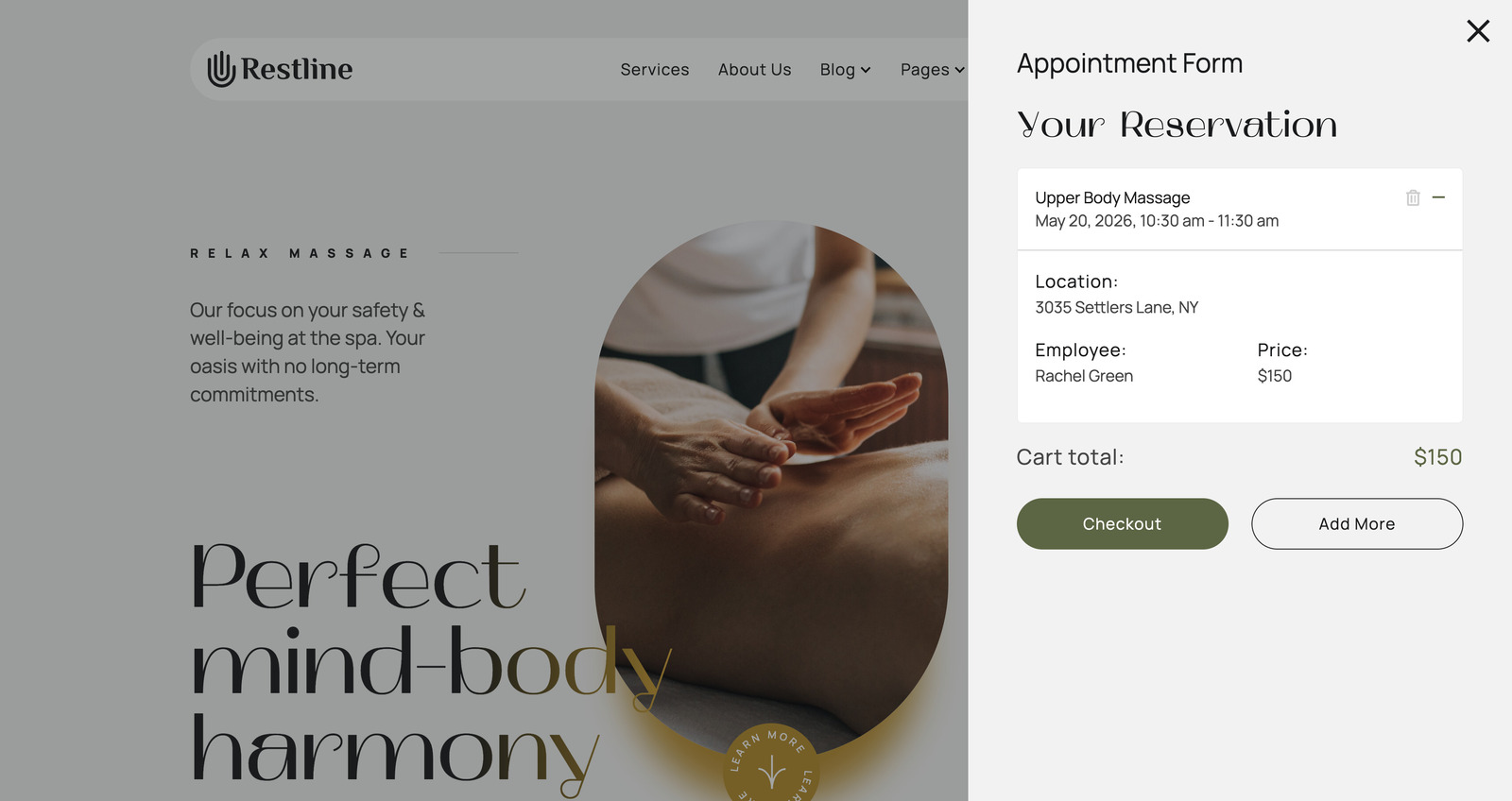
During the next step, clients can submit multiple bookings by clicking the ‘Add More’ button. If you set up group bookings and set service capacity (for example, for seminars or workshops), they will be able to set the number of people for the service by clicking the ‘+’ icon.
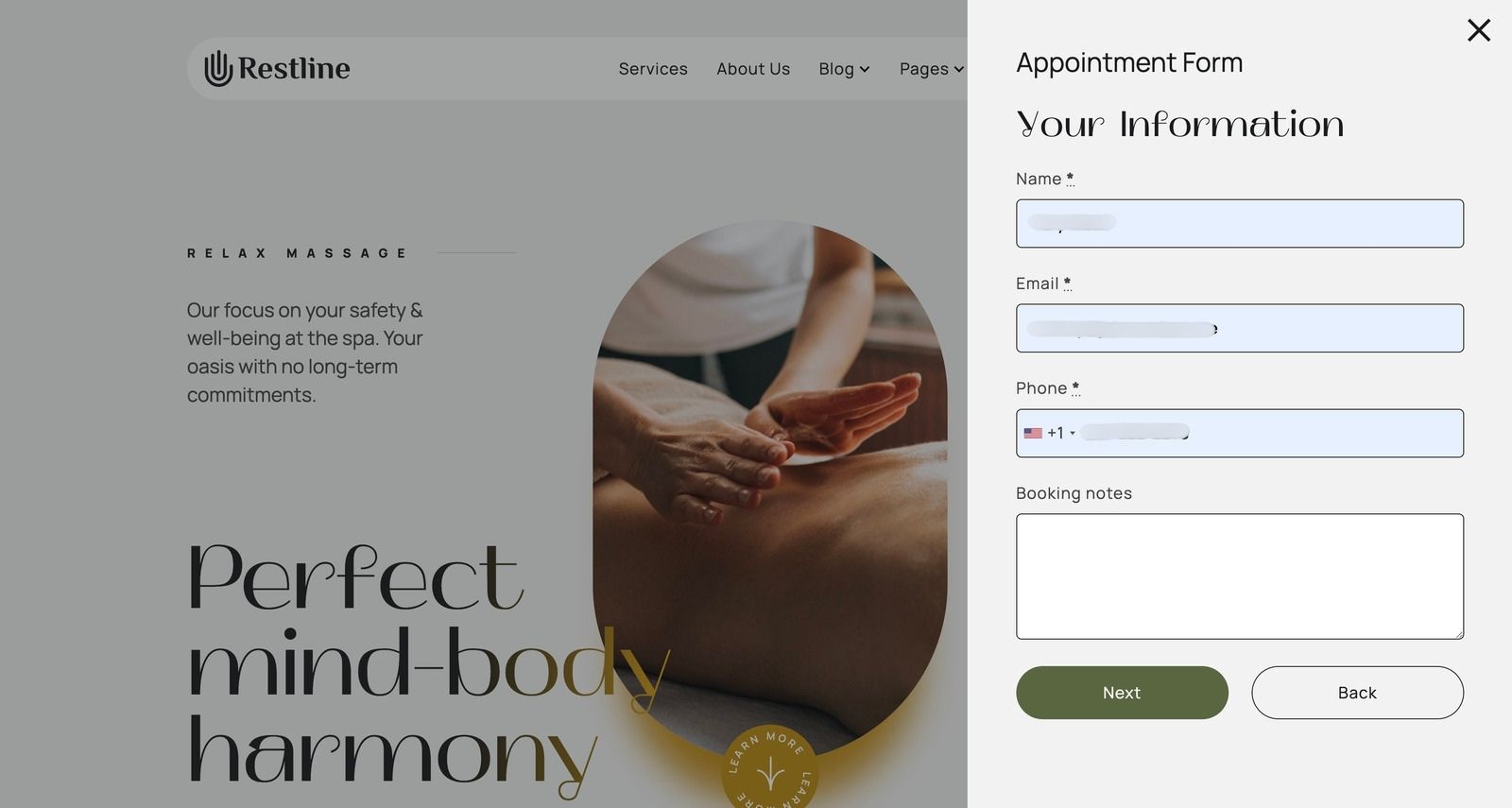
The Checkout button navigates the client to the Personal Information step.
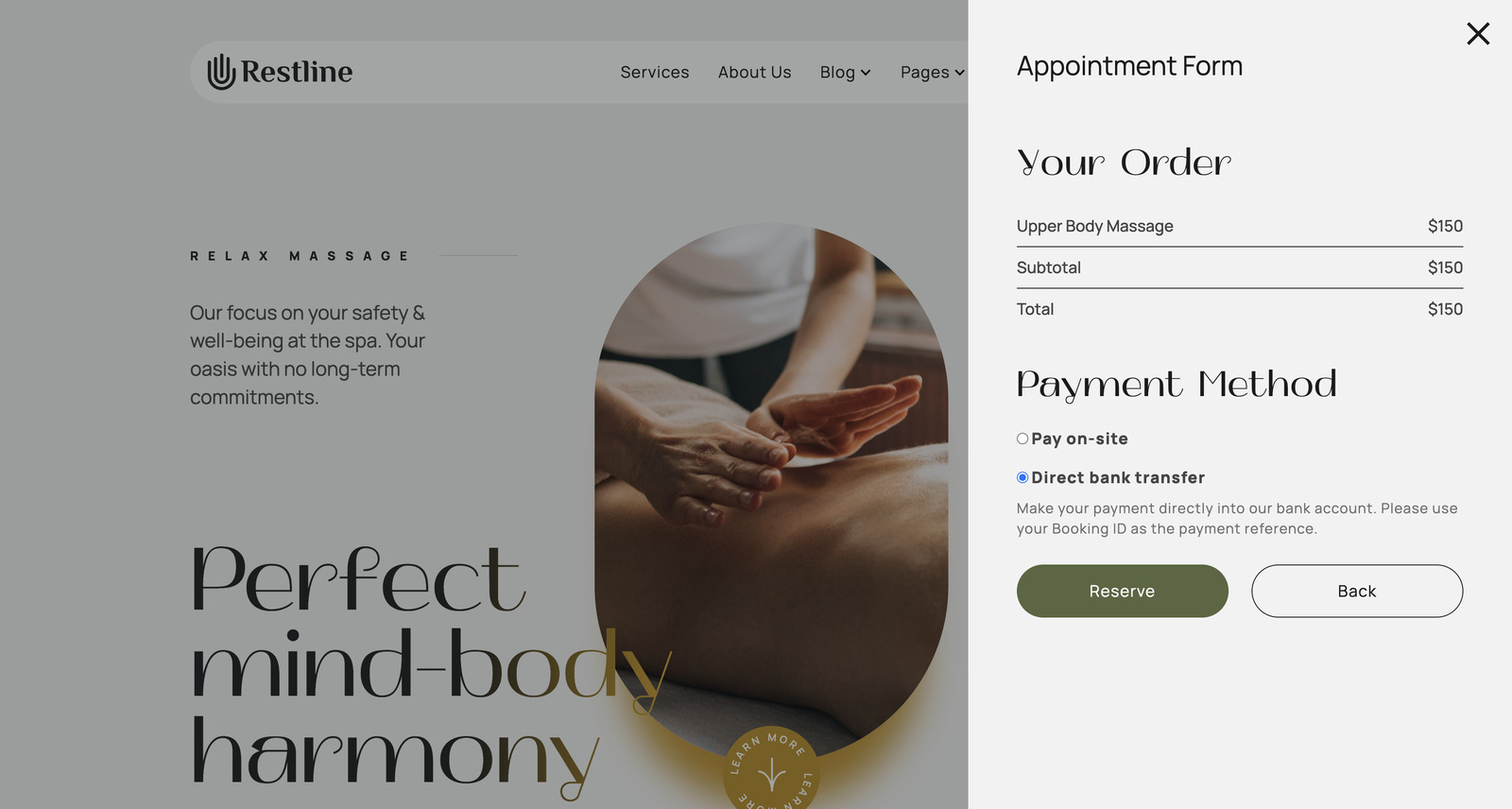
If you enable payment gateways in settings, the next step involves a preferred payment method.
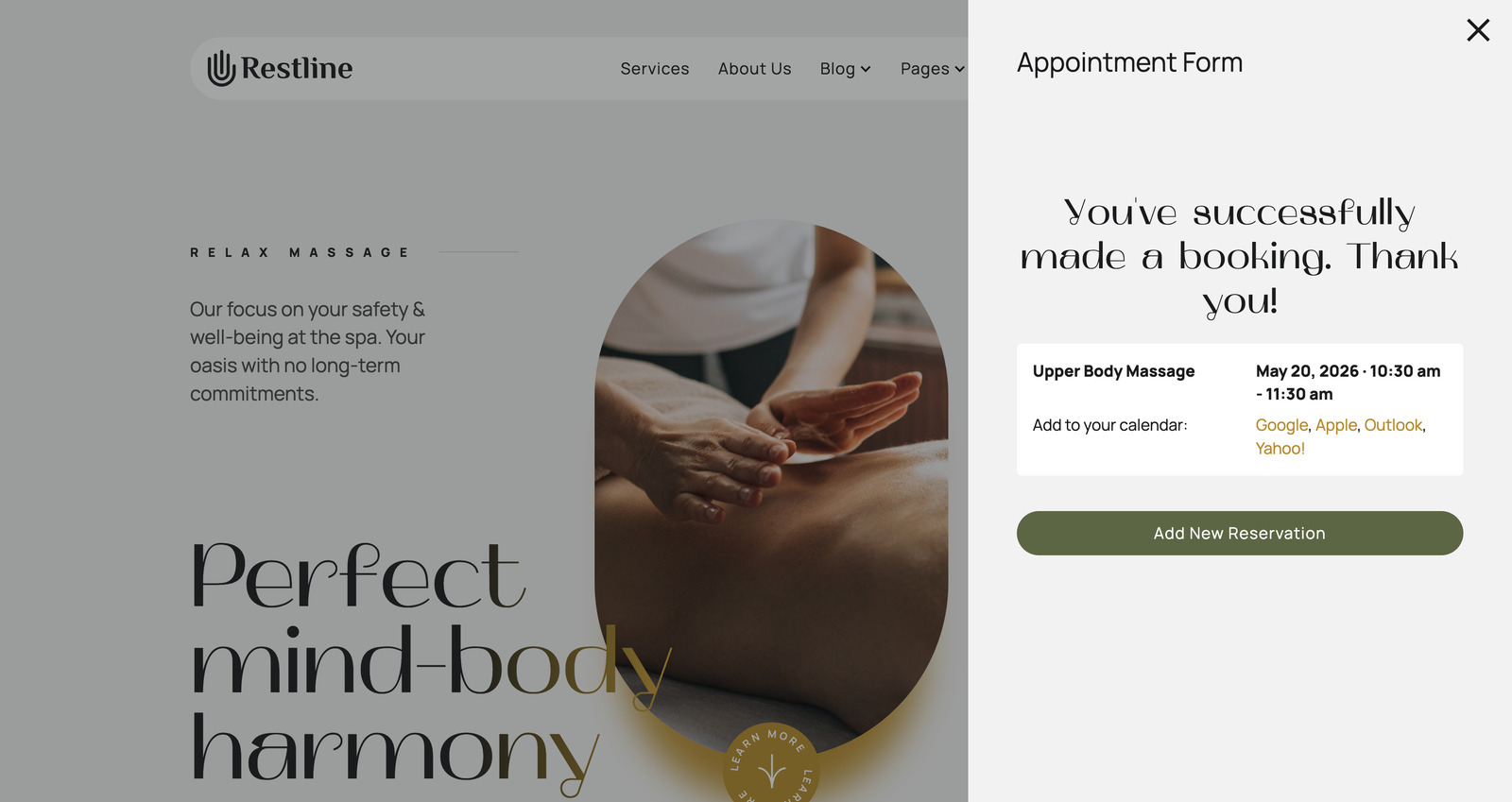
When the reservation is confirmed, clients will see this message:
Step 10: Manage Appointments on the Backend
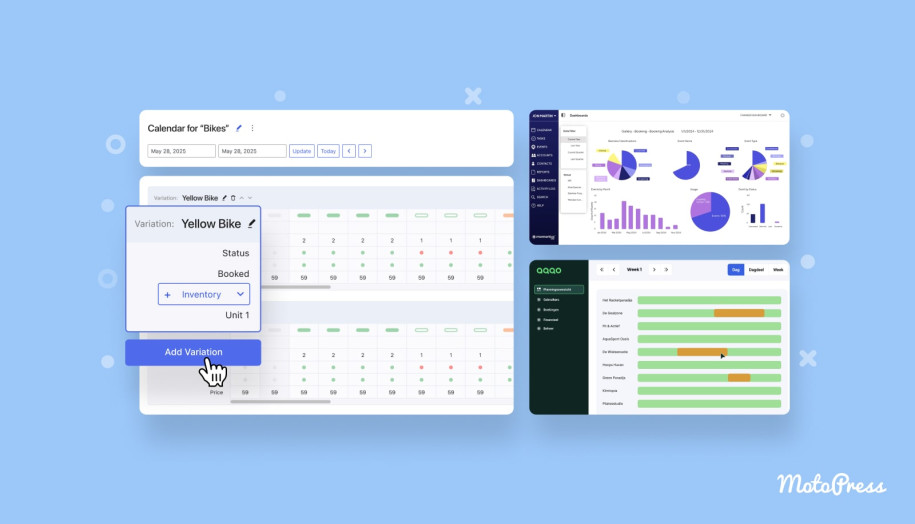
Once your booking system is set up, you can start managing appointments. With MotoPress Appointment Booking, you can easily keep track of your schedule and stay in control.
- Right from your WordPress dashboard, you get a clear calendar view of all upcoming and past bookings.
- There’s also a built-in analytics dashboard to help you monitor performance and spot trends.
- If you need more flexibility, you can export booking data to CSV.
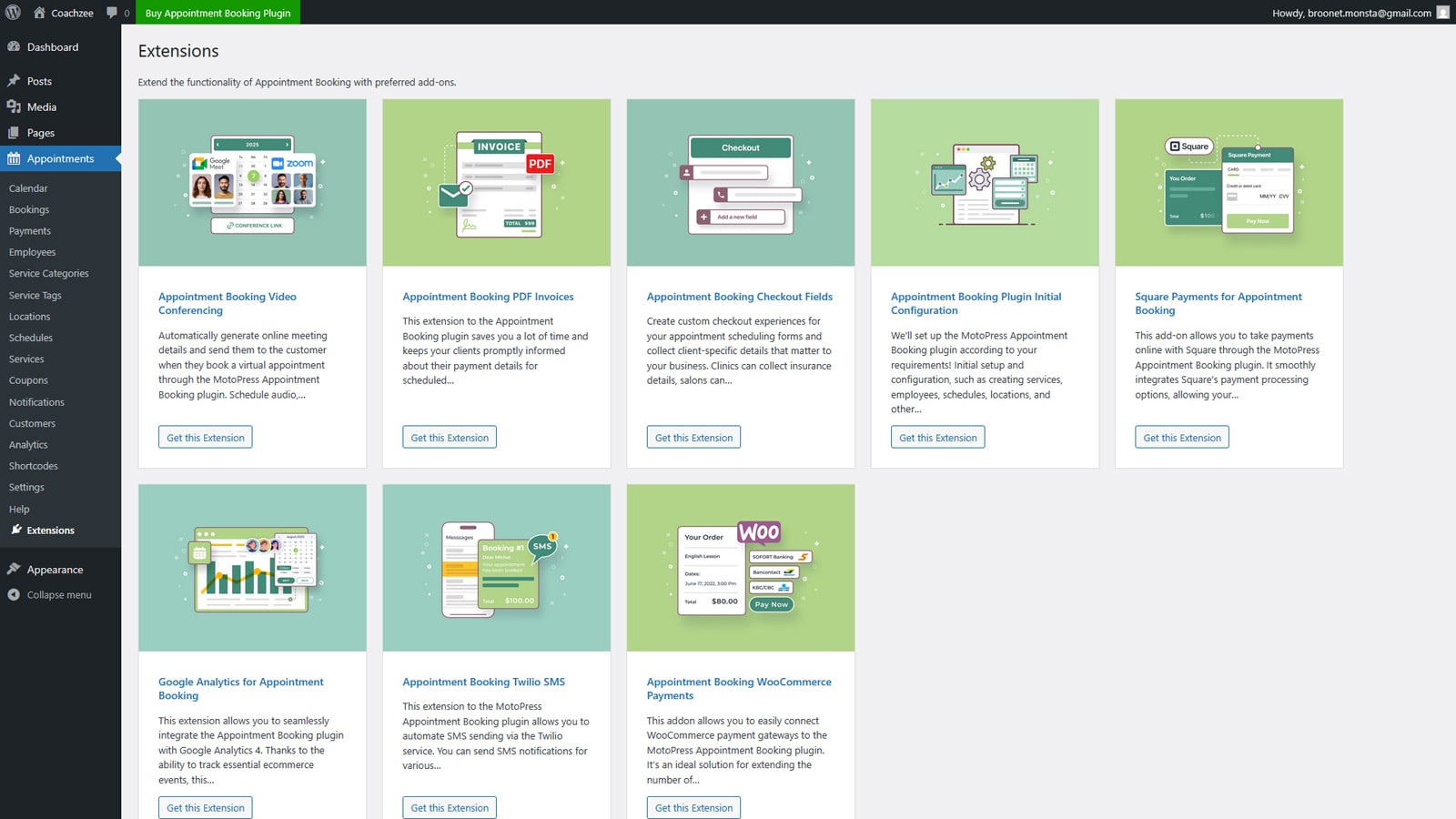
To take things further, MotoPress provides a range of premium addons that extend the plugin’s capabilities. These include integrations like WooCommerce Payments, extra checkout fields, video conferencing via Zoom and Google Meet, PDF invoices, Square payments, Twilio SMS notifications, and Google Analytics.
MotoPress Appointment Booking Addons


How to Increase Bookings on Your Wellness Website?

We’ve also decided to include 6 tips that might make the booking experience on your website more effective.
- Use a consistent structure across all services to make them easy for users to scan and compare.
- While hidden or unclear pricing creates hesitation, show pricing upfront on a service page.
- Wellness service customers often make appointments from their phones. Make sure your booking form loads fast and adapts to a mobile screen.
- You should add clear calls to action across the site. For example, place booking actions on service pages, in the header or menu, or after key content sections.
- Testimonials, reviews, and before/after examples help users trust your services.
- Automated confirmations and reminders (email or SMS) keep clients informed and reduce missed appointments without extra effort from your team.

Common Mistakes to Avoid in Wellness Booking Setup
Even a well-designed system can underperform if it’s not configured properly. Most issues come from setup decisions and can even reduce conversions. While setting up your WordPress wellness center booking, we’d recommend you avoid:
- Ignoring buffer times between services.
- Overcomplicating a booking form.
- Skipping reminders and confirmations.
- Separating booking from website content.
- Uploading low-quality images or content.
Watch a detailed video tutorial on how to build a WordPress wellness appointment scheduling website:
Concluding Remarks
Every element plays a role in whether a visitor becomes a client. So, you need to ensure a complete experience that combines discovery, trust, and action.
WordPress gives you the flexibility to build it the way your business needs it. Tools like MotoPress Appointment Booking make it possible to manage everything in one place.
So, which tools do you use to build a wellness appointment scheduling system? Share your experience with our team!
FAQ
What is the best WordPress plugin for spa booking?
Is WordPress better for wellness scheduling than booking platforms?
Can I accept payments for wellness appointments online?