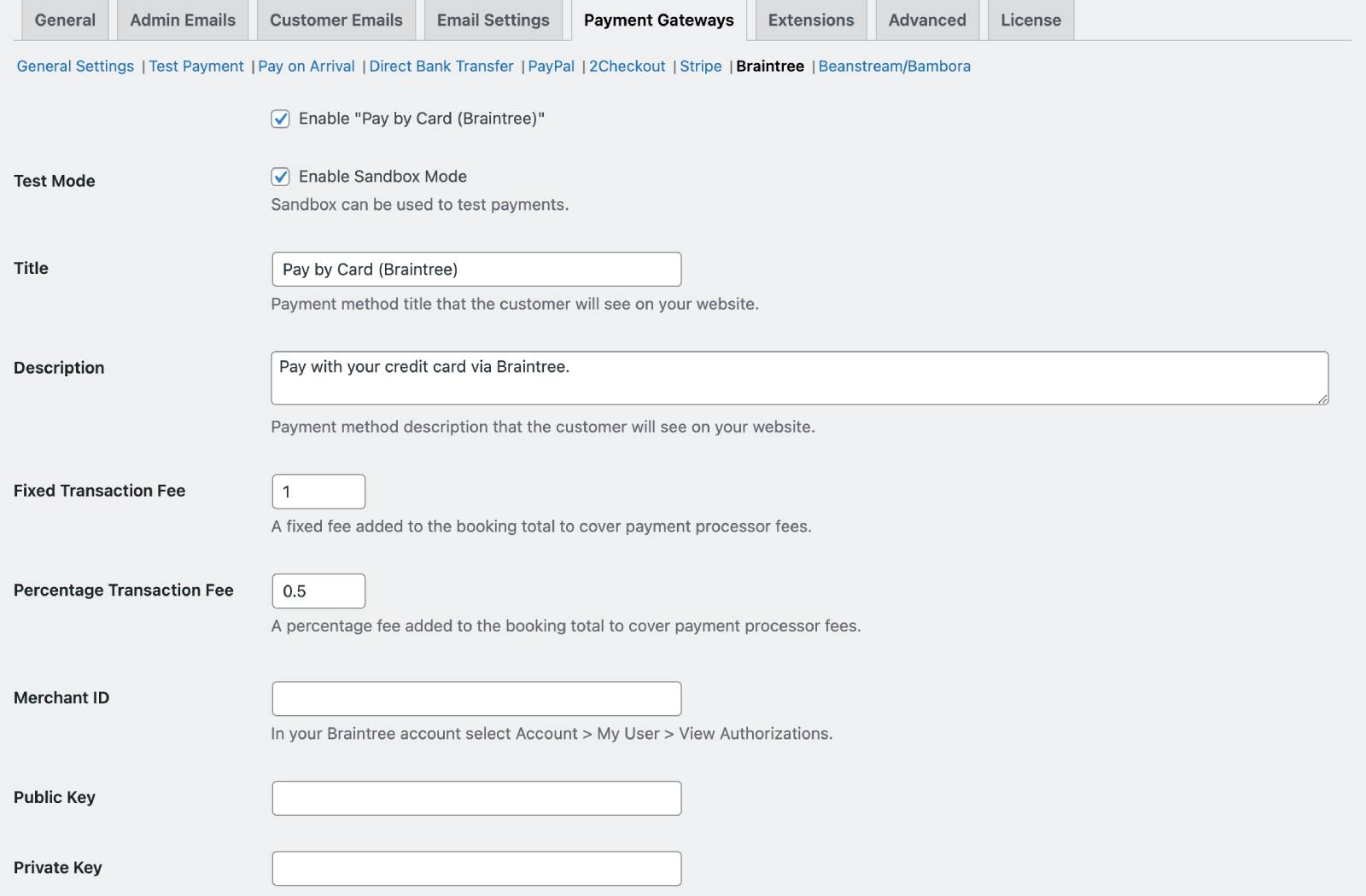
- Enable Braintree;
- Enable sandbox for test payment if needed;
- Set title and description;
- Optionally add a fixed or percentage payment transaction fee.
Add it if you want to pass the payment processing fee to the guest. This fee is calculated from the booking total and added as a surcharge at the final step of checkout.


Applies to any online transaction, whether it’s full, deposit, or payment due request. Invoices and booking emails do not include payment processing fees. Refunds are issued from the total booking cost, excluding these fees. - Set merchant ID;
- Set public and private key;
- Set Merchant Account ID.