
Table of Contents
What you will create: One useful event-related page that helps visitors plan their stay and leads them to relevant accommodation and availability.
In this practice, you will:
- Choose an event that could bring suitable guests to your property.
- Check what visitors need to know before booking.
- Gather reliable travel information.
- Create a page with a clear connection to your accommodation.
- Publish, measure, and update it.
Local events give people a reason to travel. A useful page about attending a concert, festival, conference, or sporting event can introduce your accommodation while visitors are deciding where to stay.
The problem
An event is bringing visitors to your area, but your website gives them little reason to consider your property. Your rooms may be suitable, yet guests cannot easily find out how to reach the venue, whether they can arrive after the event, or which accommodation works for their group.
A brief announcement saying “The festival is coming, book now” leaves those questions unanswered.
Why it happens
Property websites often describe the destination generally. Event visitors have more specific concerns: the correct venue entrance, early starts, late finishes, and arrangements before check-in or after checkout.
An event page connects those practical needs with your accommodation.
Related Lesson:
- Why event-related content on your site plays a big role for discovery.
What to check before you start
Have these ready:
- Access to your website editor.
- Your accommodation details, policies, and booking calendar.
- An official source for event information.
- A document for recording facts and source links.
- Access to Search Console and GA4 if you want to measure results.
You do not need to build a complete events calendar. Begin with one page you can keep accurate.
What to do
The steps below will help you check what visitors need, gather accurate information, and create a useful page that connects the event with your accommodation.
Step 1. Choose one event that fits your property
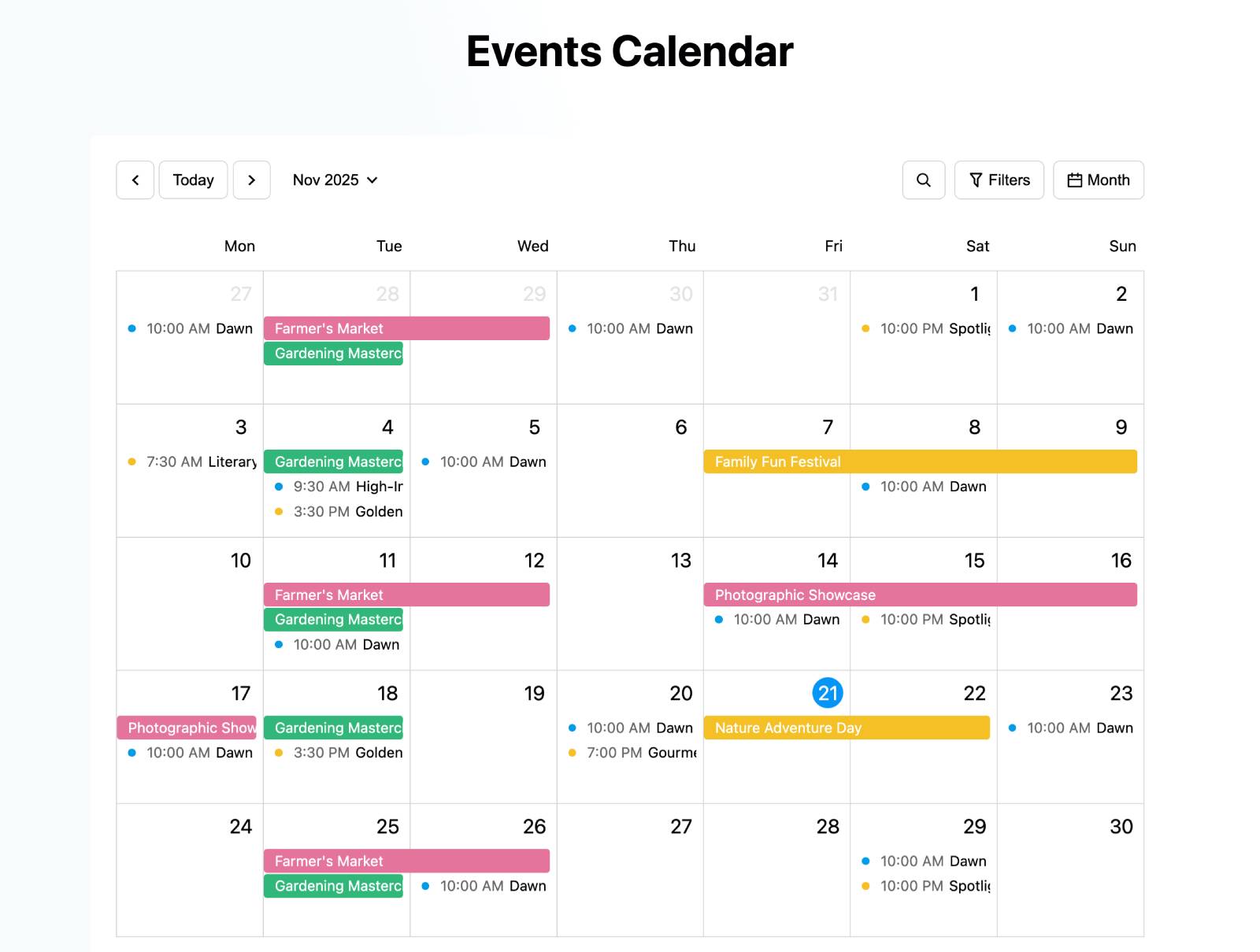
Check upcoming events using:
- Your destination’s official tourism website.
- Local venue and convention center calendars.
- Official festival, sporting event, or conference websites.
- Questions and booking patterns from previous guests.
Create a shortlist, then assess each event:
| Question | What to look for |
|---|---|
| Does it attract overnight visitors? | Attendees who may need accommodation, rather than mainly local residents. |
| Is our location practical? | A realistic route to the relevant venue or meeting point. |
| Does our accommodation fit? | Appropriate room sizes, facilities, policies, and arrival arrangements. |
| Can we accept suitable stays? | Availability and minimum-stay rules that work for the event. |
| Can we add useful information? | Local knowledge beyond the organizer’s basic announcement. |
Timing: Start while visitors are planning their trips, once enough reliable information is available. Publishing just before the event leaves little time for discovery or advance bookings.
Step 2. Identify what event visitors are searching for
Search Google using the event name and accommodation-related phrases.
Try:
- [event name] where to stay
- hotels near [event venue]
- [event name] accommodation
- getting to [event venue]
- [event name] parking
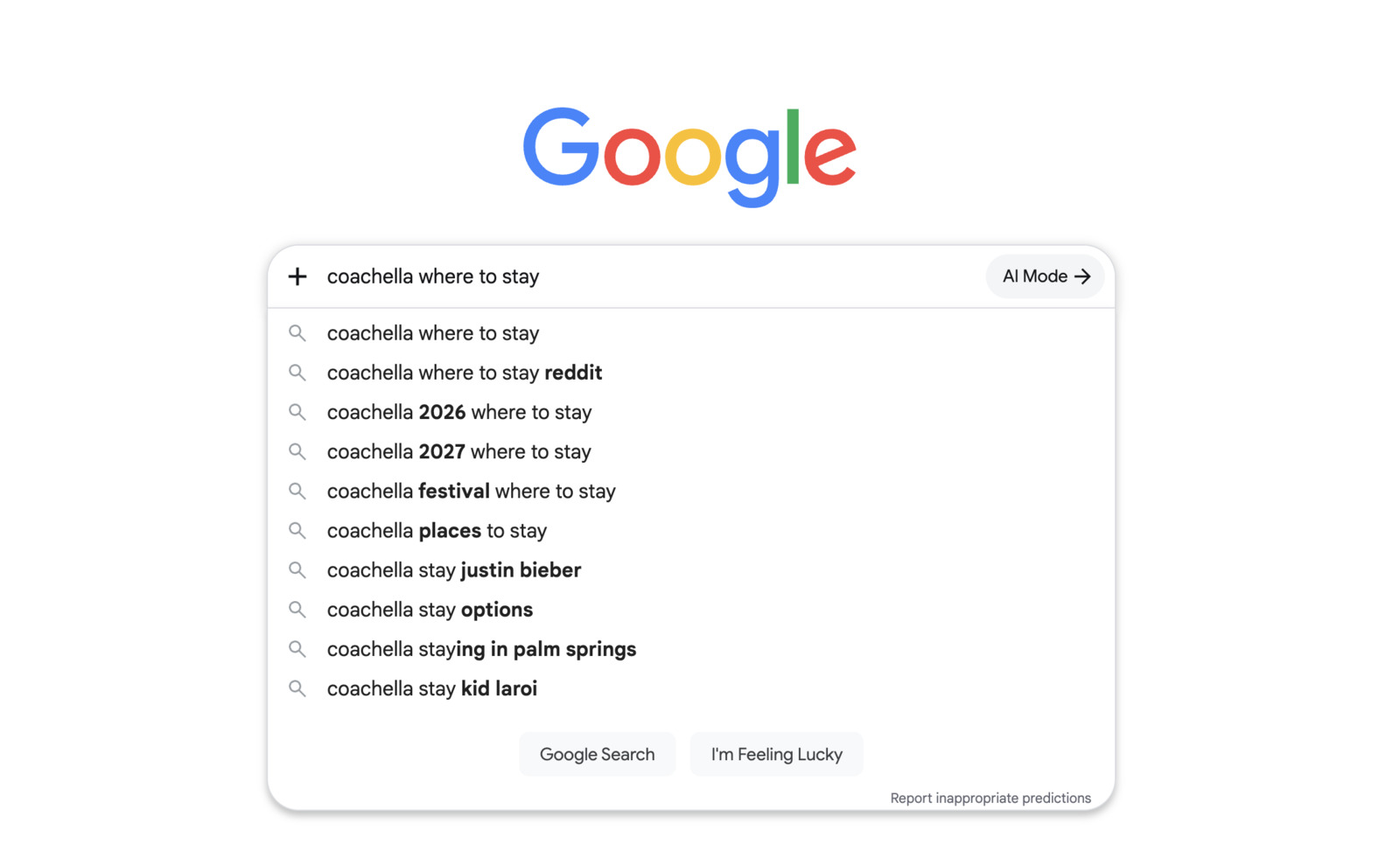
These are starting points to investigate, not confirmed keywords.
Review the results and note:
- Whether people are being shown accommodation pages, travel guides, or official event information.
- Questions that appear repeatedly.
- Details your property website could explain more clearly.
Choose one main purpose for your page.
| Search need | Suitable page focus |
|---|---|
| “Where should I stay for this event?” | A practical stay guide explaining your location and accommodation. |
| “How do I reach the venue from this area?” | Transport information connected to a relevant location or stay page. |
| “Can I stay near this venue for different events?” | An ongoing venue accommodation page that you update as needed. |
If you already have a useful page about staying near the venue, improve it before creating another page with almost identical content.
Related Guides:
- Find the search terms your potential guests actually use
- Build a keyword map for your website
- Customize website pages based on traveler intent and audience segment
Step 3. Verify the event details and journey from your property
Gather the facts before drafting:
| Information | Where to verify it |
|---|---|
| Event name, dates, and venue | Official organizer website |
| Entrance or meeting point | Official event or venue visitor information |
| Tickets or registration | Official ticketing or registration page |
| Transport and service changes | Local transport operator and event travel guidance |
| Parking and road closures | Venue, organizer, or local authority information |
| Your arrival and departure arrangements | Your own current property policies |
Use the organizer’s information to confirm facts, then write your own explanation. Link visitors to the official website for tickets, schedules, and announcements.
Useful tool: Google Maps
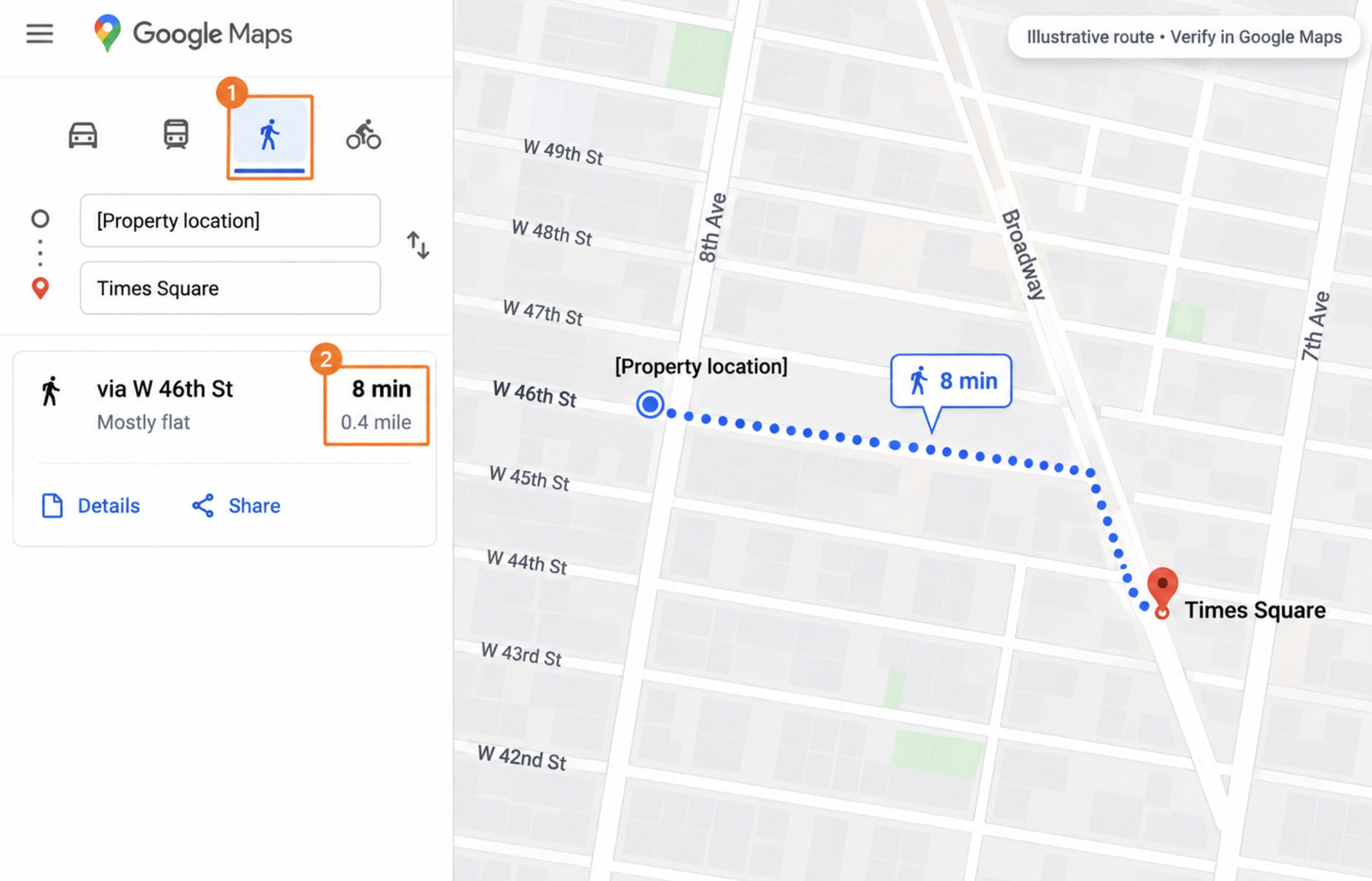
Check the route from your property’s actual entrance to the relevant event entrance.
- Enter both locations.
- Select walking, driving, or public transport.
- Review the route and estimated journey time.
- Check event-day restrictions separately.
Step 4. Create the page around the visitor’s questions
Open a new page or post in your website editor or update the existing page selected in Step 2.
Use this simple structure:
| Section | What to include |
|---|---|
| Page heading and introduction | The event, location, and what the page helps visitors plan. |
| Essential event information | Confirmed dates, venue, and a link to the official website. |
| Getting there from our property | Practical routes, transport options, and relevant limitations. |
| Planning your stay | Arrival arrangements, parking, luggage storage, breakfast, or other relevant details you actually offer. |
| Suitable accommodation | A short explanation of relevant rooms or rentals, with links. |
| Check availability | A clear button or booking form. |
| Questions before booking | A few useful questions not already answered clearly above. |
Example format:
- SEO title: Where to Stay for [Event Name] in [City] | [Property Name]
- Page heading: Planning your stay for [Event Name]
- URL: /guides/event-name-stay/
- Meta description: Plan your stay for [Event Name] with practical venue travel information, arrival details, and accommodation options at [Property Name].
For an annual event, a URL without the year can be easier to maintain. Put the confirmed edition and dates in the page content.
Related Lesson:
- SEO for hotels and vacation rentals: what actually matters
AI Help
Here is the prompt you can use to turn verified notes into a draft:
| Create a practical event stay guide for my accommodation website using only the verified notes below. Include a short introduction, essential event details, travel from our property, relevant stay arrangements, accommodation options, and a clear next step. Keep paragraphs short. Do not invent dates, travel times, amenities, availability, partnerships, or ticket inclusions. Mark missing information as [CHECK].
|
Check every factual statement before publishing. AI may help organize the page, but the organizer and your own property information remain your sources.
Step 5. Connect the page to accommodation and booking
After explaining the practical arrangements, show visitors what they could book.
- Select the rooms or properties genuinely relevant to the visit.
- Add a short description explaining their suitability.
- Link to the full accommodation pages.
- Add a clear Check availability button or search form.
- Test dates around the event.
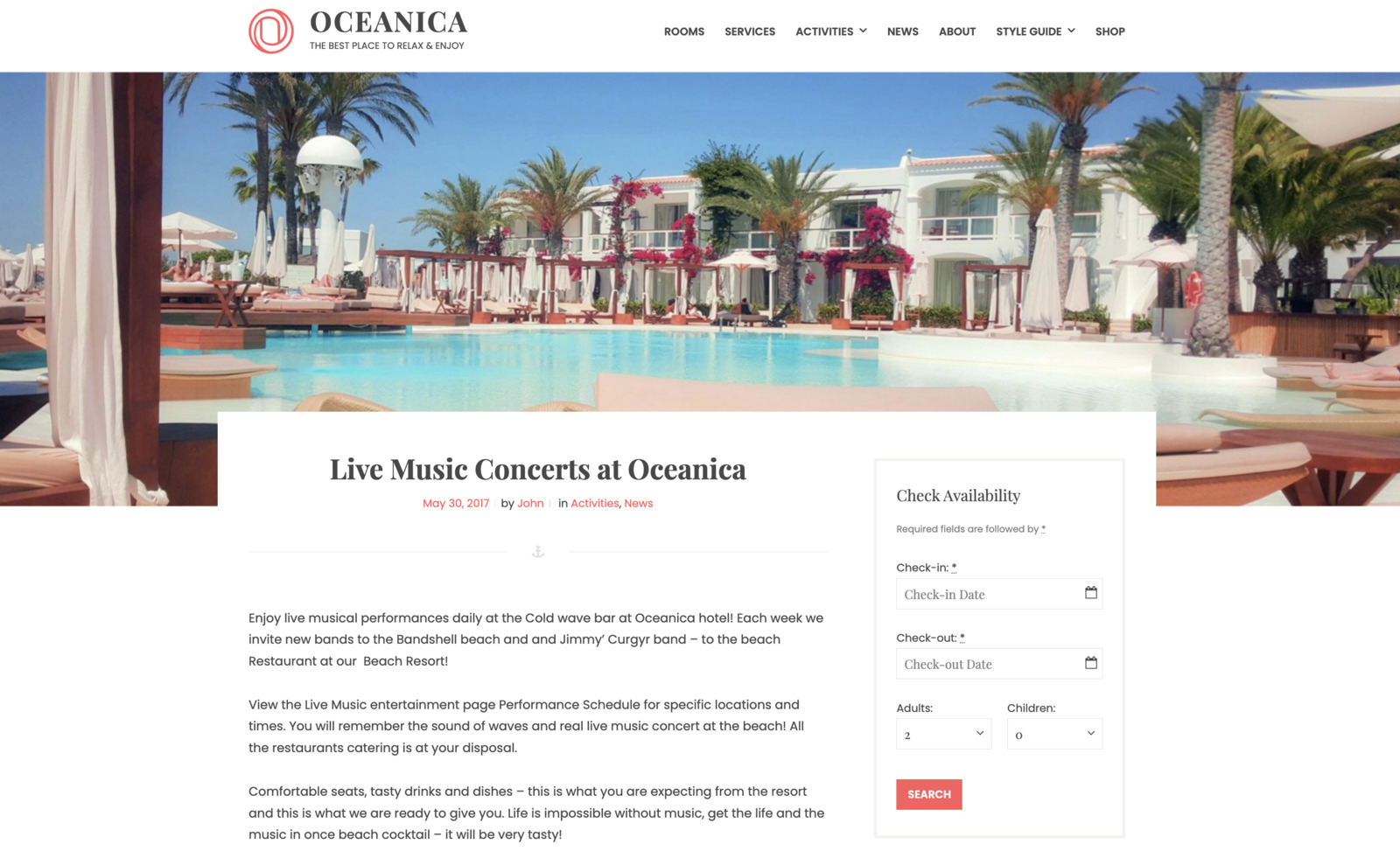
Check that the booking results match any offer described on the page, including minimum stays, included services, and cancellation conditions. Event cancellation does not automatically change your accommodation’s cancellation policy.
If event tickets are not included, make that clear wherever the wording might suggest a package.
Step 6. Review, publish, and make the page easy to find
Before publishing, check:
- Event details match the official source.
- Travel information identifies the correct venue or entrance.
- Accommodation descriptions and policies are accurate.
- Images are yours, or you have permission to use them.
- Official links and accommodation links work.
- The page and booking controls work on a phone.
- No AI placeholders remain.
Then:
- Publish the page.
- Link to it from a relevant local guide, location page, or events section.
- Consider a temporary homepage link while the event is relevant.
- Inspect its URL in Search Console and request indexing if appropriate.
- Share it through relevant email or social channels.
For external campaign links, use UTM tags if you already use them to identify traffic sources. Do not add UTM tags to links between pages on your own website.
Related Guides:
- Set up Google Search Console
- Fix the most important basic SEO issues on your website
Step 7. Plan updates before and after the event
Add review dates to your calendar when you publish.
| When | What to check |
|---|---|
| When the organizer announces changes | Dates, venue, schedule, and cancellation or postponement notices. |
| As the event approaches | Transport advice, access restrictions, property arrangements, and offers. |
| After the event | Remove expired offers and decide what the page should become. |
Choose the appropriate approach afterwards:
- Annual event: Keep the useful page and update it when the next edition is confirmed. Do not simply change the year and leave old details.
- Venue with frequent events: Maintain an ongoing venue stay guide if the information remains useful.
- One-off event: Clearly mark it as past if keeping it as an archive. If removing it, redirect only where a genuinely relevant replacement exists.
If an event is canceled or postponed, put the update near the top and link to the official announcement. Review any related accommodation offer promptly.
Example: a hotel creates a conference stay guide
Consider a hypothetical independent hotel in Chicago that can offer a practical route to a conference venue.
The owner does not need to reproduce the conference program or create separate near-identical pages for every speaker and session. After following the steps, the owner has:
| Page element | Finished result |
|---|---|
| Main topic | Planning a stay for a specific conference. |
| Event information | Confirmed dates and venue, with an official registration link. |
| Local information | A verified transport route and instructions for finding the relevant entrance. |
| Accommodation connection | Twin rooms for colleagues and links to full room details. |
| Practical arrangements | Accurate check-in, luggage storage, and breakfast information. |
| Booking action | An availability form for guests to enter their travel dates. |
| Maintenance plan | A review before the conference and another after it ends. |
Help event visitors check their stay dates
With MotoPress Hotel Booking, you can add an availability search form to an event guide on your WordPress website and link visitors to relevant accommodation pages.
Guests can enter their dates, view available options, and continue toward a direct reservation.
What to measure afterwards
Check whether the page attracts relevant visitors and helps them consider accommodation.
In Google Search Console
Open Performance > Search results, filter by the event page URL, and review:
- Impressions: Is the page appearing in search?
- Clicks: Are people visiting it from Google?
- Queries: Which event, venue, or accommodation searches bring visibility?
Search Console does not show every query, so treat the list as a useful sample rather than a complete record.
Related Guide:
- Set up Google Search Console
In Google Analytics 4
Find the page in the Landing page report to check visits that started there. Where tracking is configured, also review:
- Clicks from the guide to accommodation.
- Availability searches.
- Booking enquiries.
- Completed reservations.
Related Guide:
- Audit your website’s current traffic [GA4]
Interpret the results together:
| What you observe | What to investigate |
|---|---|
| Relevant impressions but few clicks | Whether the title clearly describes the page’s value and matches the searches. |
| Visits but little accommodation activity | Whether the page attracts suitable visitors and provides a useful next step. |
| Availability searches but few reservations | Availability, rates, minimum stays, conditions, and the booking process. |
| Traffic falls after the event | Whether the decline reflects the event ending rather than a website problem. |
Common mistakes
- Choosing an event only because it is popular. Your location and accommodation still need to suit its visitors.
- Copying the organizer’s announcement. Add practical information about staying with you.
- Publishing too late. Give travelers time to discover the page while planning.
- Inventing convenience. Verify routes, travel times, and arrival arrangements.
- Creating many almost identical pages. Use separate pages only when they serve distinct visitor needs.
- Promising tickets, discounts, or availability you do not provide. Make the bookable offer clear.
- Leaving the page unchanged after the event. Remove expired offers and explain what is current.
- Measuring success only through page views. Look for relevant accommodation interest and tracked booking activity.
The next logical step
Publish and maintain your first event page before expanding to more events. If visitors reach the guide but still need basic accommodation information, strengthen the linked room or property pages.
Then choose your next event using what you learned: which visitors your property suits, which practical questions you can answer well, and which pages you can realistically keep up to date.
The next tutorial: Customize website pages based on traveler intent and audience segment