
Table of Contents
You will create: An audit of your property’s online presence and a prioritized list of fixes and improvements.
In this practice, you will:
- Create spreadsheets to record online sources, compare property information, and track corrections.
- Find your property’s mentions and listings across the web.
- Review Google Business Profile, OTAs, directories, review platforms, and other relevant websites.
- Compare published information with verified property facts.
- Identify outdated, missing, conflicting, or misleading information.
- Test how AI search tools describe your property and which sources they cite, where available.
- Prioritize fixes and track their completion.
1. The problem
Information about your hotel or short-term rental (STR) can move between platforms, sometimes without your knowledge. It may be inconsistent, incorrect, incomplete, or outdated across the internet.
Your website might say that you offer free parking, while an old directory listing says parking is unavailable. Your Booking.com profile might describe your property as a family-friendly hotel, while other websites barely mention family facilities. An old travel blog might still list amenities or prices that you no longer offer.
These discrepancies can make it harder for AI tools to understand what your property actually offers, where it is located, and which travelers it suits.
As you know, AI-powered search tools use multiple sources to generate an answer, including booking platforms, directories, reviews, travel blogs, local tourism websites, and other pages that mention your property. The more useful and consistent information available across these sources, the better the basis for a reliable description of your accommodation.
2. Why it happens
- Information spreads beyond its original source
- Updates don’t happen everywhere at once
- Third-party content can outlive the facts
- You may not know where your property appears
- Different sources describe different parts of your property
When you list your property on an OTA, tourism directory, or another platform, information about it may be reused elsewhere. Aggregators, data providers, and other websites can republish details from existing listings. Those copies may remain online even after the original information changes.
You might renovate a room, introduce a new service, change your check-in process, or stop offering an amenity. You update your website but forget about an old directory profile or an OTA listing. Each platform becomes a separate source of information that needs to be maintained.
Travel bloggers, local tourism websites, journalists, and destination guides may describe your property using information that was accurate when published. Old articles can continue appearing in search results long after their details have changed.
Your accommodation might be mentioned on websites you’ve never registered with. These mentions can come from public business data, user-generated content, scraped listings, travel publications, or automatically generated directory pages.
Your website may explain your room types and policies, while review platforms reveal what guests experience and destination websites explain the surrounding area. These sources provide different pieces of the picture. Some may also contain subjective opinions, outdated details, or mistakes.
3. What to check
Your audit should cover more than your business name and contact details. For GEO/AEO, you want to understand both whether the basic facts are correct and whether the wider web communicates what makes your property relevant to different travelers.
Use this checklist to review your property’s online presence.
Property audit checklist
1. Identity and basic details
2. Accommodation and facilities
3. Distinctive features and positioning
4. Reputation and external mentions
5. Website and search accessibility
Where to look for information
Don’t limit your audit to platforms where you know you have an account.
- Search engines: Search for your property’s name, previous names, address, phone number, and distinctive phrases from its description.
- Google Maps and Business Profile: Review your location, amenities, photos, check-in/check-out details, and booking links. Google provides controls for hotel-specific information, though some attributes may be sourced or managed differently.
- OTAs and booking platforms: Check room categories, occupancy, facilities, policies, location descriptions, and current photos.
- Travel and local websites: Look for tourism boards, destination guides, travel blogs, local publications, and accommodation directories.
- Review platforms: Look for repeated guest comments that reveal how the property is perceived or point to possible outdated facts. Treat opinions as feedback, not automatically as verified property information.
- AI search tools: Ask tools such as ChatGPT, Google Gemini, and Perplexity to describe the property and recommend it for specific traveler needs. Record the answers and any sources cited.
4. What to do: a step-by-step audit
The most practical way to complete this audit is to create a single spreadsheet that becomes your source of truth. Instead of trying to remember every listing and fix everything at once, build an inventory of sources, compare their information with verified facts, and prioritize the corrections that matter most for discoverability.
Step 1. Establish your property’s source of truth
Before looking for errors, document what is actually true about your accommodation today.
Start with information you can verify directly: your property management records, room inventory, current policies, official website, and people responsible for operations. Don’t assume that your oldest listing or most popular OTA is automatically correct.
Create a sheet (e.g. in Google Sheets) called Property Facts with these columns:
| Column | What to enter |
|---|---|
| Fact category | Identity, location, accommodation, amenities, policies, positioning, or destination. |
| Fact | The specific detail, such as parking availability. |
| Verified information | The correct current answer. |
| Supporting evidence | Official page, operational record, or other reliable evidence. |
| Last verified | The date you checked it. |
| Notes | Conditions, seasonal restrictions, or clarifications. |
For example (using just a few columns – but you can use more) –
| Fact | Verified information | Notes |
|---|---|---|
| Property type | Family-run guesthouse | Not a full-service hotel. |
| Parking | Free private parking | Limited spaces; reservation required. |
| Pool | Outdoor swimming pool | Open June–September. |
| Beach access | 450 m walking distance | Access via a public path. |
| Check-in | 15:00–20:00 | Late arrival by arrangement. |
| Suitable for | Couples and families | Family rooms and garden; no kids’ club. |
These are illustrative details, not claims about a real property.
This sheet is your reference when you review other sources. Distinguish permanent features from seasonal or conditional ones. For example, saying that a property “has a pool” may be true, but it doesn’t communicate whether the pool is open year-round.
Step 2. Discover where your property appears online
Begin with a manual search. You don’t need a paid tool to uncover many of the most important issues.
A. Search your property’s exact name
Search Google and Bing for the name in quotation marks. Repeat without quotation marks to find broader matches.
- “Seaview Guesthouse”
- “Seaview Guesthouse” amenities
- “Seaview Guesthouse” parking
- “Seaview Guesthouse” reviews
- Seaview Guesthouse” old name
B. Search by address and contact details
Search your street address, phone number, and other identifying details. This can reveal duplicate listings, old business profiles, and directory entries that don’t use your current property name.
C. Search for distinctive phrases
Search a sentence from your website in quotation marks. If the same description appears on multiple websites, you may have found copied content or a syndicated listing. This doesn’t prove which website copied which; it simply gives you leads to investigate.
D. Search for the property in relevant categories
Look for the property name alongside terms such as “family accommodation,” “pet-friendly hotel,” “beach guesthouse,” or the destination name. This can reveal relevant pages you may not find by searching the property name alone.
E. Review results beyond page one
Check additional result pages and relevant image, map, and news results. Look for directories, articles, and older pages that still rank for your property or its amenities.
Record each relevant result in your spreadsheet, including its URL and the date you found it.
Don’t aim to catalog the entire internet. Focus on pages that identify your property, provide information about it, influence traveler decisions, or appear prominently in search results.
Step 3. Build an online source inventory
Create a second sheet called Online Presence Audit. Use one row per page or listing, not just one row per website. An OTA may have a property page, separate room pages, and destination content, all containing different information.
| Column | Purpose |
|---|---|
| Source name | Google Maps, Booking.com, a local tourism site, and so on. |
| Source type | Search/maps, OTA, directory, blog, review platform, or AI tool. |
| URL | Direct link to the relevant page. |
| Discovery method | Google search, referral, manual check, or tool. |
| Property name | Name displayed on the page. |
| Contact/location | Address, phone, map pin, and website. |
| Description/positioning | How the property is presented. |
| Amenities and policies | Key facilities and conditions mentioned. |
| Room/accommodation details | Room types, occupancy, beds, and accommodation type. |
| Destination information | Distances, nearby attractions, and transport. |
| Last checked | Date of your review. |
| Status | Accurate, outdated, incorrect, incomplete, duplicate, or inaccessible. |
| Issue found | The specific discrepancy or missing information. |
| Priority | High, medium, or low. |
| Action required | Update, claim, correct, request removal, investigate, or monitor. |
| Owner | Who is responsible for the fix. |
| Action status | Not started, in progress, completed, or unable to resolve. |
| Recheck date | When you’ll verify the change. |
You can add further columns for source credibility, traffic or visibility, whether the page links to your official website, and whether it is accessible to search engines.
Important: Keep observations separate from conclusions. For example, “the listing says parking is unavailable” is an observation; “this listing is harming AI visibility” is a hypothesis that you cannot establish from that discrepancy alone.
Also, can you entrust this audit to AI tools? You can try but we’ve seen examples that AI tools might not be very good at this task yet. Or you may need to add a manual control level to this.
Step 4. Compare each source against your verified facts
Review each row and compare the information with your Property Facts sheet.
Look for five types of issues:
- Incorrect: The page states a fact that is demonstrably wrong.
- Outdated: The information used to be correct but has changed.
- Incomplete: Important details are missing, such as seasonal pool availability or room occupancy.
- Inconsistent: Two sources describe the same feature differently, without a clear explanation.
- Misleading or ambiguous: The wording could give travelers the wrong impression, even if it isn’t strictly false.
Not every difference is a problem. A booking platform may describe a room in more detail than your homepage, and a travel blogger may use a different but accurate description. You want consistent facts, not identical copy across every website.
Step 5. Check how AI tools describe your property
Assess the picture an AI system actually presents to travelers.
Test several tools separately because their answers, search access, citations, and freshness can differ. Use a mix of general and specific queries.
- “What can you tell me about Seaview Guesthouse in [destination]?”
- “Does Seaview Guesthouse have free parking and a swimming pool?”
- “Would Seaview Guesthouse suit a family traveling with two children?”
- “Recommend accommodation in [destination] for couples who want a quiet stay near the beach.”
- “What are the main advantages and limitations of staying at Seaview Guesthouse?”
Record the platform, date, exact prompt, answer summary, sources cited, inaccuracies, and missing information. Repeat important prompts later using the same wording.
Treat the result as a diagnostic snapshot, not a definitive ranking or a complete account of the model’s knowledge. An answer may be based on retrieved web pages, prior model knowledge, or a combination, depending on the system. A property not being mentioned in one response does not prove that the platform cannot find it.
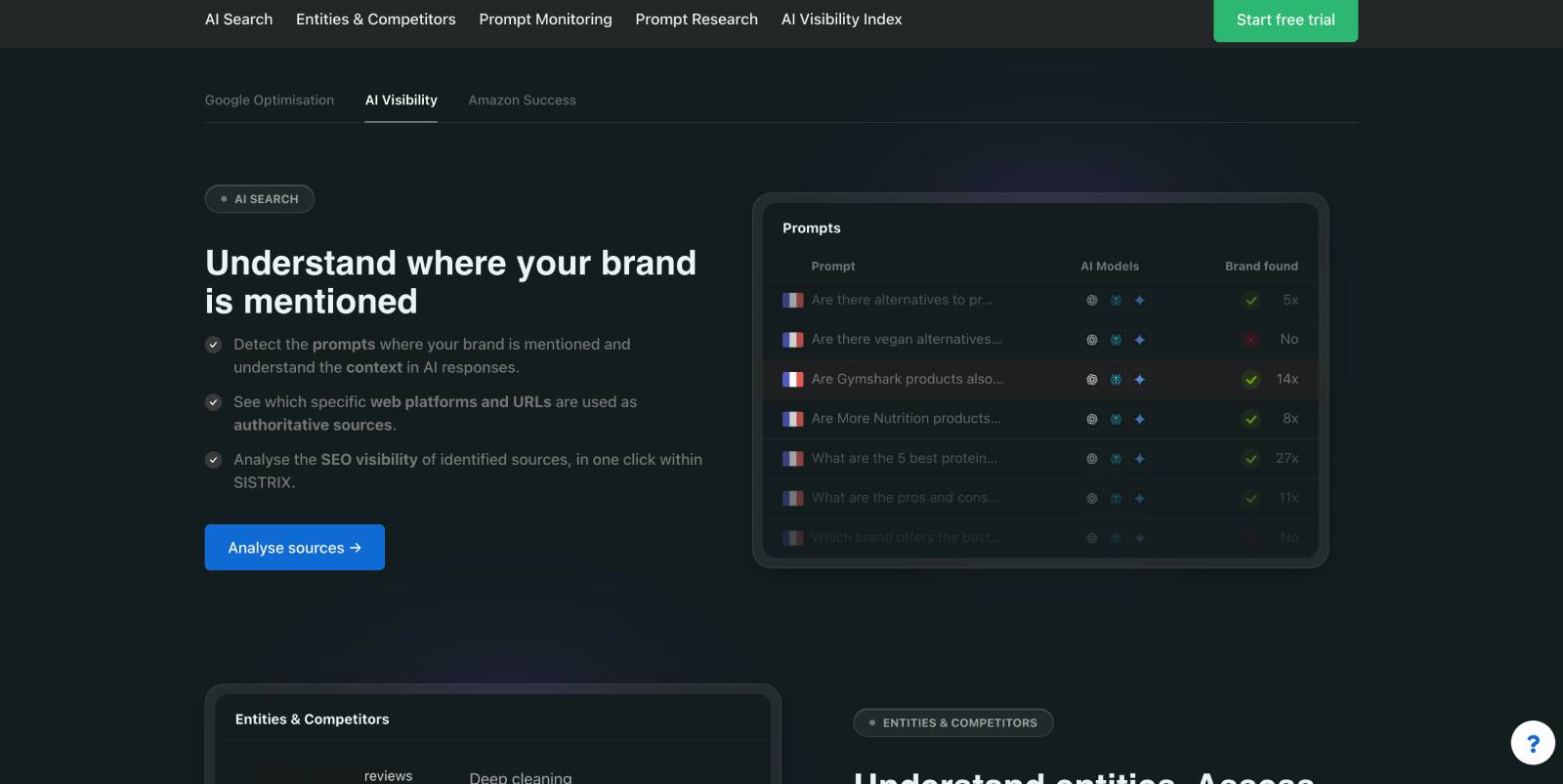
If you don’t want to do this manually or want to scale the process, we’d recommend using “AI visibility” tools like Sistrix. But note that they don’t provide the exact answers on your visibility in AI; however, they run a huge number of tests across various platforms and models saving you a lot of time and giving you more insights.
Step 6. Prioritize the issues
You will probably discover more discrepancies than you can fix in one sitting. Prioritize those that could mislead a traveler or make the property difficult to identify.
| Priority | Typical examples | First action |
|---|---|---|
| High | Wrong address, incorrect property identity, broken direct booking link, or false amenity claim. | Correct or escalate immediately. |
| Medium | Missing room details, outdated description on a relevant directory, or inaccurate destination information. | Update or request correction. |
| Low | Minor wording differences, older non-critical mentions, or duplicate content with little apparent visibility. | Investigate, monitor, or address later. |
Consider four factors when assigning priority: factual impact, source relevance, prominence in search, and ease of correction.
A false claim about accessibility or a nonexistent facility deserves attention even if the page has little traffic, because it can affect guest decisions. Conversely, a minor difference in wording on an obscure page may not justify immediate effort.
Step 7. Correct the information at its source
Choose the right action for each issue.
- You control the page: Update the website, OTA profile, business listing, or directory account.
- You don’t control the page: Contact the site owner or submit a correction through its official process.
- The page is a duplicate: Investigate whether it can be merged, corrected, or removed. Don’t delete legitimate profiles indiscriminately.
- The information comes from another provider: Identify the original data source if possible, correct it there, and then check whether downstream listings update.
- You can’t get a correction accepted: Save the correspondence, record the reason, and set a reminder to revisit it.
For hotels, Google provides controls for correcting eligible amenities and other hotel details in the Business Profile dashboard. Some information, such as hotel prices and booking links, may come from separate systems or providers, so editing the main profile may not resolve every discrepancy. See Google Business Profile Help.
Keep the correction history in your spreadsheet. This helps you identify recurring problems and prevents the same issue from being rediscovered without progress.
Step 8. Strengthen the information on your own website
Your direct booking website should be the clearest and most complete explanation of your property.
Review whether it provides accurate, accessible information about:
- The property’s identity, location, and accommodation type.
- Room types, occupancy, beds, facilities, and policies.
- What makes the property distinctive and which travelers it genuinely suits.
- Nearby places, activities, transport, and practical distances.
- Common guest questions and relevant booking information.
- Current photographs that match the accommodation being described.
Keep important facts available as readable page content, rather than only in images or inaccessible interactive elements. Use appropriate structured data where it makes sense, and ensure it matches the visible content.
Google’s guidance for its AI search features emphasizes established SEO fundamentals, helpful content, crawlability, and consistency between structured data and visible content. It does not require a special AI markup format or guarantee inclusion in AI answers. See Google Search guidance on AI features.
The purpose of this step is not to repeat keywords unnaturally. It is to give search systems and travelers a reliable, detailed source of information about your accommodation.
Step 9. Recheck and maintain the audit
After making corrections, revisit the most important sources to confirm that the changes are visible. Some third-party websites take time to update, and others may not accept changes at all.
Keep the spreadsheet as a living document. Assign responsibility for important updates and repeat the audit after major changes, such as renovations, new amenities, a rebrand, or changes in check-in policy. A quarterly review is a reasonable starting point for many small properties, with more frequent checks for high-priority details.
5. Tools that can help with the audit
You can complete the core audit manually with Google Sheets and a browser. Paid tools are useful when you have many listings, multiple properties, or need to repeat checks at scale.
Google Sheets – your central audit tracker
Use it to record sources, compare facts, assign priorities, track corrections, and schedule rechecks. Add filters for status, priority, source type, and action owner.
Best for: Every property, regardless of size or budget.
Google Search Console – your website’s search visibility
Review which queries bring users to your website, which pages appear in search results, and whether important pages are indexed. It helps you understand your own website’s performance, but it is not a comprehensive database of third-party mentions or AI answers.
Best for: Diagnosing discoverability and tracking changes to your website.
Open Google Search Console
BrightLocal – local listings and citation audits
BrightLocal offers tools for auditing local listings, checking business information, monitoring citations, and reviewing local search visibility. Coverage and availability vary by product and location; check whether the directories relevant to your destination are supported.
Best for: Properties with many local directory listings or recurring citation problems.
Explore BrightLocal
Google Business Profile – correcting your Google listing
Claim or manage the eligible profile, review hotel attributes, and correct business details. For hotels, some information is controlled through specific hotel tools or supplied by external providers.
Best for: Fixing inaccuracies on Google Search and Maps.
Manage your Business Profile
Google Rich Results Test – checking eligible structured data
Test supported structured data on your website. Pair it with Google’s URL Inspection tool to investigate how Google accesses a page. This is a technical check, not a test of whether AI tools will recommend your property.
Best for: Owners or developers checking the technical foundations of the direct booking website.
Open Rich Results Test
AI visibility monitoring tools
Some SEO and GEO platforms offer AI visibility tracking, including monitoring brand mentions, cited domains, and answers to selected prompts. These can help when you need to track many queries or compare results over time.
However, a tool that measures AI brand mentions is not necessarily a tool that audits property facts across third-party websites. Check exactly what it measures, which AI platforms it supports, whether it provides source URLs, and how frequently it refreshes its data.
For an independent hotel or a small STR, manually testing a handful of relevant prompts and recording the sources cited is a reasonable starting point. You can introduce paid monitoring once you have a baseline and a clear reason to automate the work.
6. Example: how to structure the findings
Imagine a small coastal guesthouse. The owner has updated the direct booking website but hasn’t reviewed other listings for two years.
The following is an illustrative audit, showing how to turn observations into actionable tasks.
| Source | Finding | Priority | Action |
|---|---|---|---|
| Official website | Pool opening period isn’t stated. | Medium | Add seasonal dates and conditions. |
| Google Business Profile | Parking information is incorrect. | High | Correct the hotel/business details. |
| OTA listing | Room occupancy differs from current inventory. | High | Update room configuration. |
| Old travel blog | Describes the property as beachfront. | Medium | Request correction to the distance description. |
| Local tourism directory | Official website link is broken. | Medium | Contact the directory owner. |
| AI answer | Doesn’t mention family rooms when asked about family accommodation. | Investigate | Check whether room details are clear and discoverable on relevant sources. |
Notice the difference between a verified error and an AI visibility observation.
The wrong parking information is a concrete discrepancy. The missing mention of family rooms is a signal to investigate, not proof that the AI system is penalizing the property or that one particular change will make it recommend the guesthouse.
For every issue, record the evidence, the action taken, and the result of the recheck. This turns a collection of observations into a manageable improvement plan.
7. A realistic hotel/STR scenario
Imagine a family-run guesthouse in a Mediterranean coastal town. It wants to attract travelers looking for a quiet stay near the beach. It has family rooms, free parking, a garden, and a seasonal outdoor pool.
The owner has a direct booking website and listings on two OTAs, but has never systematically audited its online presence.
What the audit reveals
- One directory uses an old property name.
- A travel article calls it a beachfront hotel, although the beach is a short walk away.
- An OTA doesn’t mention the garden or clearly describe the family room’s occupancy.
- The pool is listed without its seasonal opening dates.
- The Google listing has outdated photos.
- When asked to recommend accommodation for families, an AI tool cites an OTA but overlooks the guesthouse’s family facilities.
What the owner does
- Creates a verified record of the property’s current facts, including exact walking distances, room capacity, and seasonal services.
- Updates the direct booking website so its room pages and amenity descriptions accurately explain the accommodation.
- Corrects the OTA room details and submits requests to the directory and travel blog for outdated information.
- Updates eligible Google Business Profile details and adds current photographs.
- Repeats the same family-accommodation prompts in the AI tools after allowing time for external pages to be updated and reprocessed.
What success looks like
The important facts become more consistent across the sources the owner can influence. Travelers can more easily verify the property’s facilities, and the owner has a documented baseline against which to assess changes in search visibility and AI answers.
If the AI tool later mentions the guesthouse’s family rooms, that is a useful observation – but the owner should not assume that the audit alone caused the change. AI answers vary, and other factors may also influence the result.
8. What to measure afterwards
The purpose of this audit is not to achieve a perfect spreadsheet score. It’s to reduce factual discrepancies and improve how easily travelers and search systems can understand your property.
| What to measure | How to measure it | What improvement looks like |
|---|---|---|
| Data accuracy | Count verified errors and outdated facts in your tracked sources. | Fewer unresolved discrepancies. |
| Listing coverage | Track relevant sources discovered, reviewed, and corrected. | A more complete inventory of important listings. |
| Website discoverability | Monitor relevant queries, impressions, clicks, and indexed pages in Search Console. | Positive changes in relevant organic visibility, where achieved. |
| AI visibility and accuracy | Repeat a fixed set of prompts and record mentions, citations, and factual errors. | More accurate descriptions or relevant mentions over time, where achieved. |
You can calculate a simple accuracy measure for the sources you’ve audited:
Accuracy rate = (Sources with accurate key facts / Sources reviewed) × 100%
For example, if 12 out of 15 reviewed sources contain accurate key facts, your observed accuracy rate is 80%. This is a measure of your audited sample, not the entire web or an AI ranking score.
For AI testing, keep the prompts, platforms, language, and testing conditions as consistent as possible. Record whether the property was mentioned, whether the answer was accurate, and which sources were cited. Treat these as directional observations because answers can vary between sessions.
Don’t expect every metric to improve immediately. Third-party corrections may take time, search engines may need to recrawl pages, and AI systems may use different sources or update on different schedules.
9. Common mistakes
Auditing only your own website
Your website may be accurate while old information remains elsewhere. Include OTAs, directories, travel publications, maps, and other relevant sources.
Treating every discrepancy as equally important
A wrong address matters more urgently than a minor wording difference. Prioritize errors by factual impact and relevance, rather than trying to fix everything at once.
Trying to make every description identical
Different sources can provide different, complementary details. Consistency means agreeing on the facts, not publishing the same generic description everywhere.
Assuming more mentions always mean better GEO/AEO
A large number of low-quality, duplicated, or misleading listings isn’t automatically helpful. Focus on useful, reliable information rather than inauthentic mentions or supposed AI optimization tricks.
Mistake 5: Treating AI answers as a definitive audit
AI tools may omit relevant information, cite only a few sources, or repeat outdated details. Use their answers to identify questions worth investigating, then verify the facts against reliable sources.
Fixing a listing without rechecking it
A submitted correction isn’t necessarily an accepted correction. Confirm the visible result and track unresolved issues.
Focusing on tools instead of facts
Automated reports can speed up discovery, but they cannot always determine which property detail is correct. Establish your source of truth first, then use tools to find discrepancies.
10. The next logical step
Once you have audited your property’s representation across the web, the next step is to strengthen the information available on your direct booking website.
Your audit may reveal that your property’s identity and basic details are consistent, but the information needed to understand its distinctive features is missing or difficult to find. For example, a traveler might need to know whether the property is suitable for a family without a car, whether the beach is walkable, or whether a pool is available in October.
These are opportunities to make your website a more useful, complete source of information about your accommodation and its surroundings.
In the next lesson, focus on reviewing your direct booking website: whether important property facts are easy to find, accommodation details are clear, and useful destination information answers the questions your ideal guests actually ask.