
Table of Contents
What you will create: A prioritized keyword research sheet containing relevant search terms, available search data, notes about guest needs, and your reasons for selecting each opportunity.
In this practice, you will:
- Collect starting ideas from your property details and guest questions.
- Discover additional phrases through Google, comparable properties, and optional AI brainstorming.
- Check estimated demand and competition using a keyword tool.
- Understand the difference between search volume and potential website visits.
- Review Google results to identify what travelers expect.
- Choose searches that could help suitable guests discover and consider your accommodation.
Keyword research helps you connect what your property offers with the language travelers use when searching. You don’t need a long keyword list or a paid SEO subscription to get started. Begin with your location, accommodation type, and key facilities, then investigate the searches connected to them.
Why should you do keyword searches?
Keyword research helps you evaluate three things:
- Relevance: Does the search match your accommodation or something you can help the guest understand?
- Demand: What evidence suggests people use this wording?
- Competition and intent: What currently appears in the results, and what does it help travelers do?
Related Lesson:
- Search intent: what guests are really looking for
1. Prepare your keyword research sheet
Start with accurate property information. It will help you recognize relevant searches and avoid targeting requirements you cannot meet.
Step 1.1. Gather your property and guest information
Collect the following:
| Information | What to include |
|---|---|
| Location | Destination, neighborhood, and nearby places that matter to guests |
| Accommodation | Property type, room layouts, bed arrangements, and maximum occupancy |
| Facilities and policies | Parking, pets, pools, arrival arrangements, and other important conditions |
| Guest needs | Recurring questions and reasons guests give for choosing your property |
| Visitor markets | Countries and languages you want to research |
Step 1.2. Create your spreadsheet
Open Google Sheets or Excel and create a sheet called Accommodation Keyword Research.
| Column | What to record |
|---|---|
| Search term | The exact phrase you are investigating |
| Source | Guest enquiry, Google suggestion, competitor website, keyword tool, or AI brainstorming |
| Date and market | Country, language, and date checked |
| Search volume | The estimate or range shown by your tool |
| Competition notes | Available keyword difficulty score and observations from Google results |
| Guest need and intent | What the traveler appears to want |
| Property fit | Whether your accommodation meets that requirement |
| Decision and reason | Prioritize, supporting opportunity, investigate further, or exclude – and why |
Fill the sheet as you work. Record missing metrics as “Not available,” keeping this separate from a tool reporting zero.
Your task: Create the sheet and choose the first country and language you will research.
You can use this template to collect the search terms potential guests use, record keyword data, and decide which terms are relevant to your accommodation. Make your own copy, then fill it in as you work through the guide.
Make a copy of the accommodation keyword research template
2. Build your starting keyword list
Your first phrases are starting points for research. You will check their wording and demand later.
Step 2.1. Collect the language guests use
Review recent guest communication and feedback:
- Pre-booking emails and contact forms.
- Messages received through booking platforms.
- Guest reviews.
- Questions handled by reception or reservations staff.
- Enquiries about group arrangements, longer stays, or local events.
If your property is new, start with verified facilities and questions found in reviews of comparable accommodation. Record where those ideas came from.
Step 2.2. Turn property details into seed keywords
Seed keywords are starting phrases you enter into a research tool to discover related searches.
Create five to ten phrases using these combinations:
| Starting point | What to include |
|---|---|
| Destination | Accommodation type + destination |
| Neighborhood | Accommodation type + neighborhood |
| Nearby place | Accommodation type + near + venue or landmark |
| Facility | Accommodation type + destination + facility |
| Guest requirement | Accommodation type + destination + capacity or room arrangement |
| Length of stay | Accommodation type + destination + longer-stay requirement |
Add details that matter to your guests. These additions are often called modifiers because they narrow the search.
Look beyond your main destination name. A hospital, university, station, or wedding venue may be the reason someone needs accommodation in your area.
Related Lesson:
- How travelers use Google when choosing accommodation
Step 2.3. Expand your ideas with AI
An AI assistant can suggest alternative wording or requirements you have overlooked. Give it your property facts and limitations.
You can use this prompt:
| I am researching search terms for an accommodation website. Property type: [type] Location: [destination and neighborhood] Nearby places: [verified landmarks, venues, or transport stations] Relevant features: [facilities, room layouts, and occupancy] Common guest questions: [recurring questions] Limitations: [facilities or arrangements we do not offer] Suggest 15 candidate search phrases travelers might use when looking for accommodation that fits these details. Include alternative wording and specific guest requirements. Use only the property facts provided. Do not invent search volumes, keyword difficulty scores, or claims that these phrases are popular. Label the suggestions as unverified ideas. Do not assign keywords to website pages. |
Remove suggestions that do not match your property. AI suggestions still need checking. Unless the assistant retrieves metrics from an identified keyword-data source, numbers it supplies should not become research evidence.
You can also use AI to review an exported keyword list later, but ask it to preserve the original metrics and flag uncertainty.
Deliverable: A starting list based on your property’s features and potential guests’ requirements.
3. Find additional phrases through Google and comparable properties
Use your starting list to discover more wording and questions.
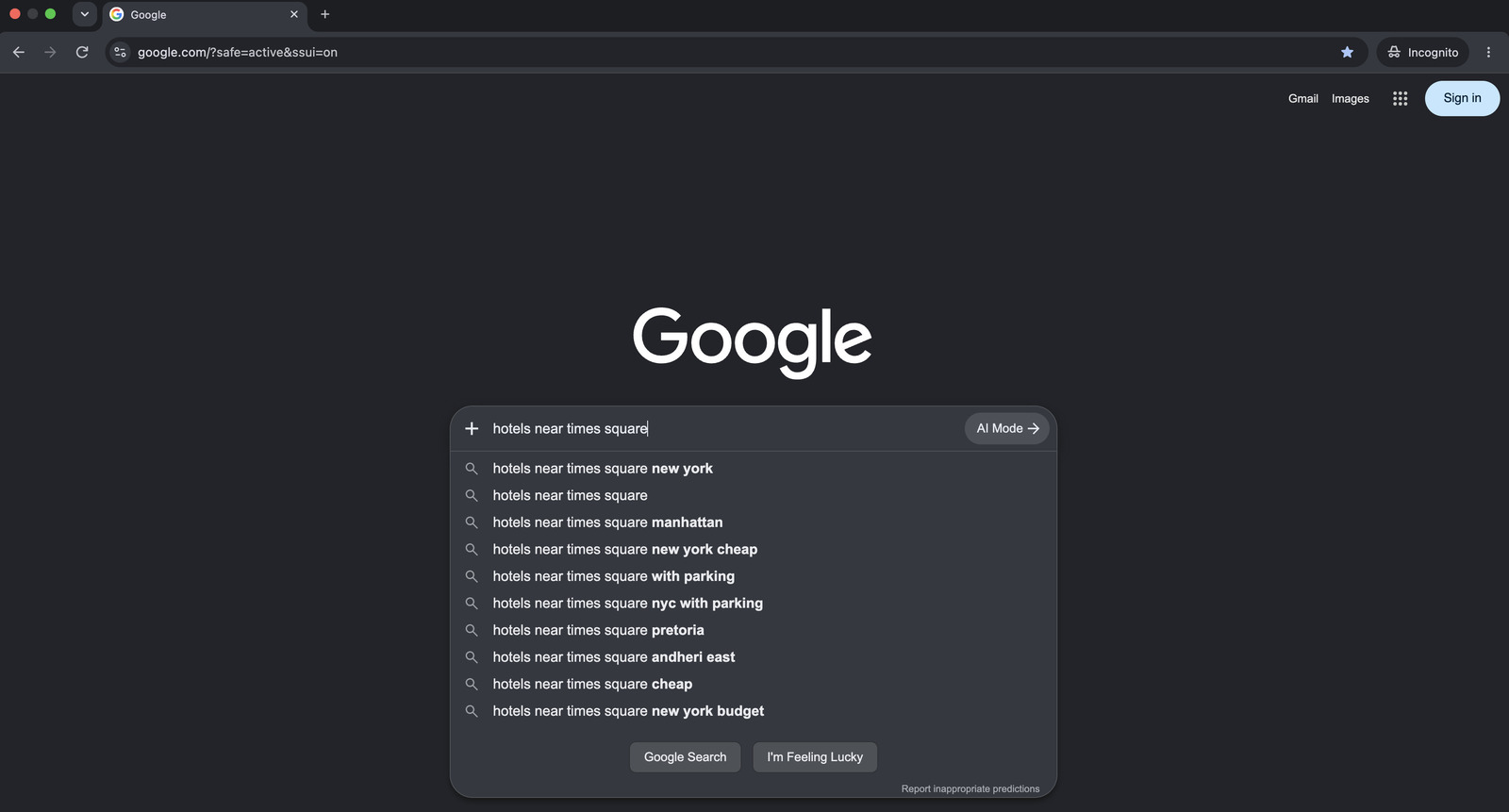
Step 3.1. Check Google Autocomplete
- Open Google in a private browsing window or while signed out.
- Type a seed phrase without pressing Enter.
- Read the suggestions.
- Record relevant suggestions exactly as they appear.
- Repeat with other starting phrases.
- Try adding words such as “with,” “near,” or “for.”
Private browsing reduces some history-based influence, but suggestions still depend on factors such as location and language. Autocomplete provides ideas, not search-volume figures.
Step 3.2. Review related questions
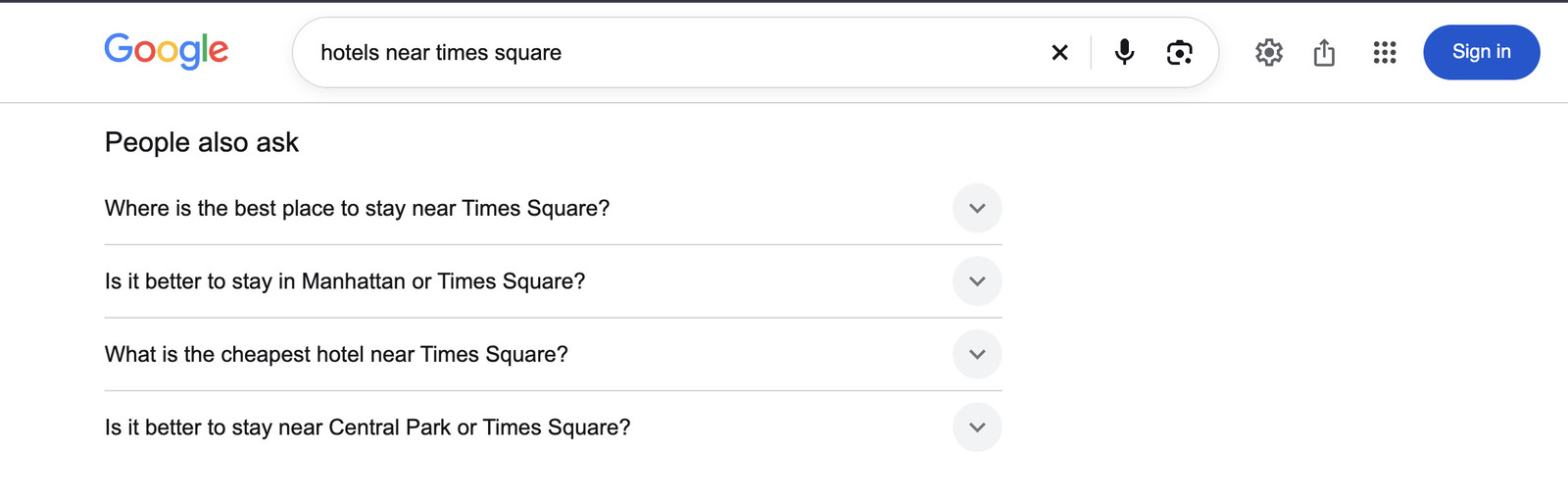
Submit a search and look for People Also Ask, if it appears.
Keep questions that:
- Matter to someone planning a potential stay.
- Relate to your accommodation or area.
- Can be answered accurately and usefully.
A question about choosing a neighborhood can be relevant even when it does not mention a hotel. The important connection is whether it helps someone plan or evaluate a stay.
Step 3.3. Check comparable property websites
Review two or three websites for accommodation similar to yours. Look at room descriptions, facilities, location information, and FAQs.
Notice:
- Alternative terms for room arrangements.
- Guest requirements you have overlooked.
- Nearby venues and transport stations.
- Practical questions about arrival and staying in the area.
Record useful ideas with their source URLs. Wording on a competitor’s website is an idea to investigate; it does not prove that the phrase generates search traffic.
Your task: Add relevant discoveries to the spreadsheet and record their sources.
4. Check demand and competition with a keyword tool
Use a keyword tool to find related phrases and compare estimated demand. Choose one main tool for your first round so you can compare results consistently. For this guide, we’re going to use Ahrefs, which is a popular tool to monitor keyword rankings.
Step 4.1. Use Ahrefs Keyword Generator
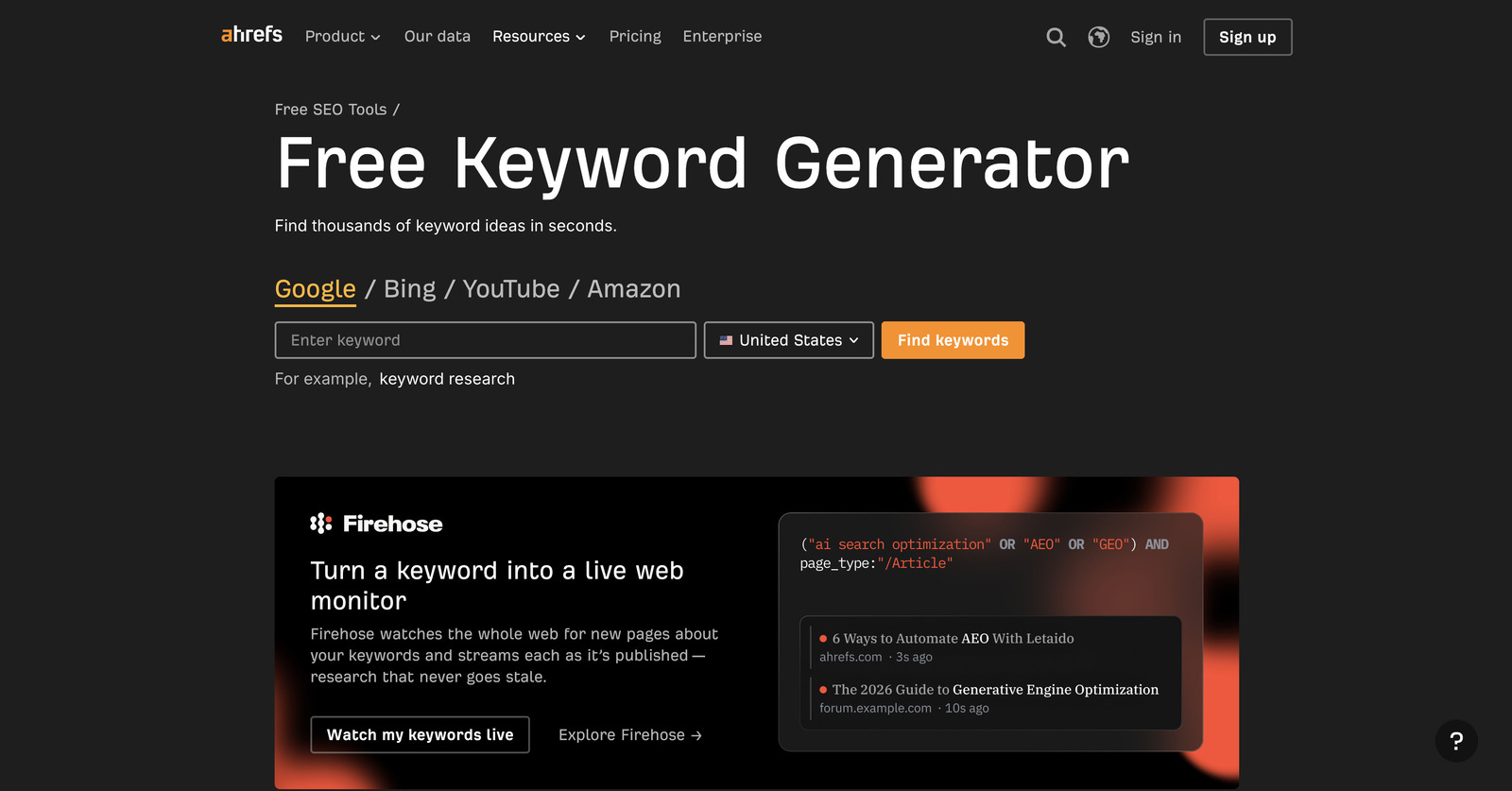
- Open the Ahrefs Free Keyword Generator.
- Select Google.
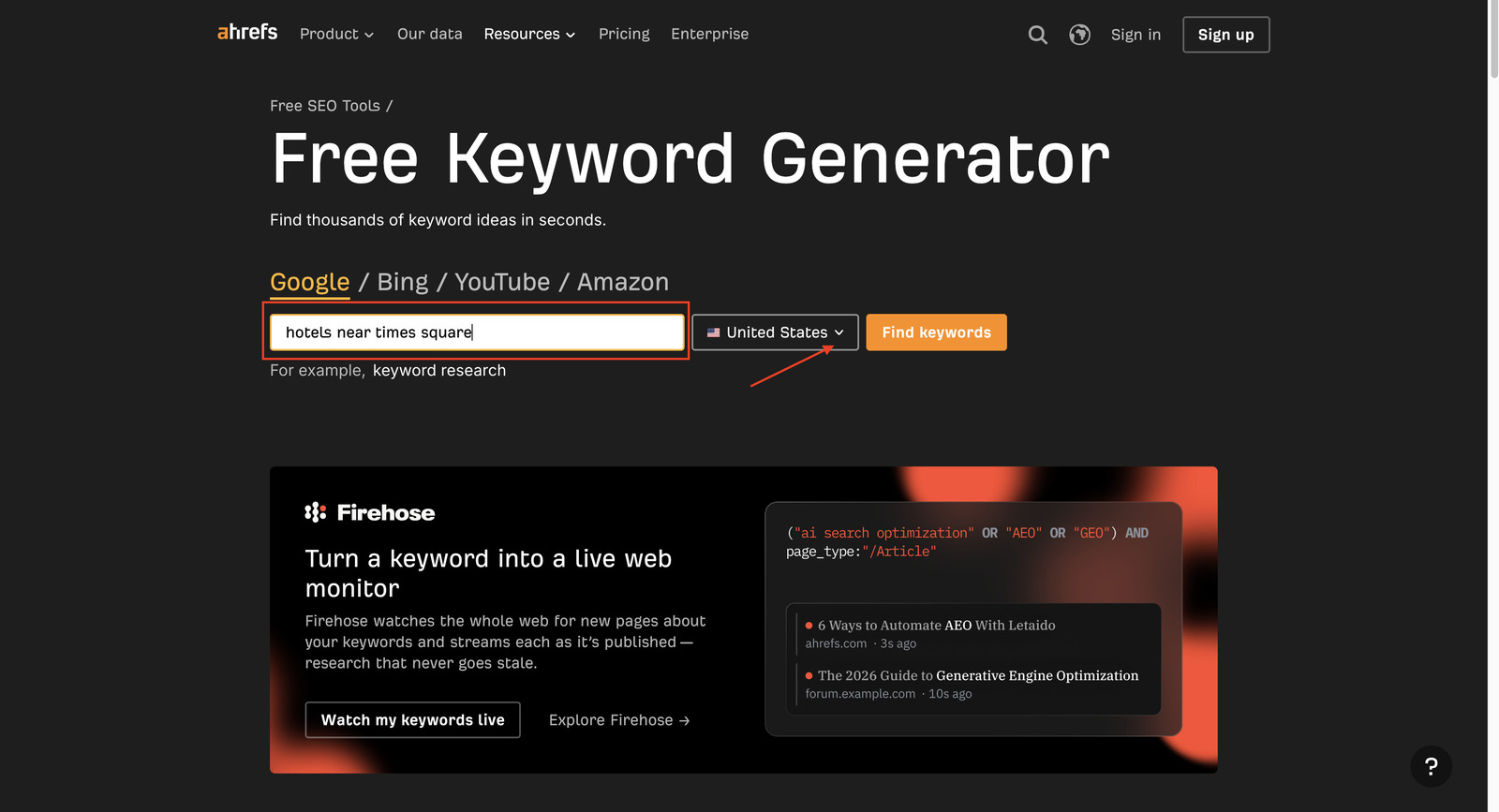
- Enter a seed phrase.
- Choose the country you want to research.
- Click Find keywords.
- Review the suggestions.
- Copy relevant phrases and available metrics into your spreadsheet.
- Repeat with your remaining seed phrases.
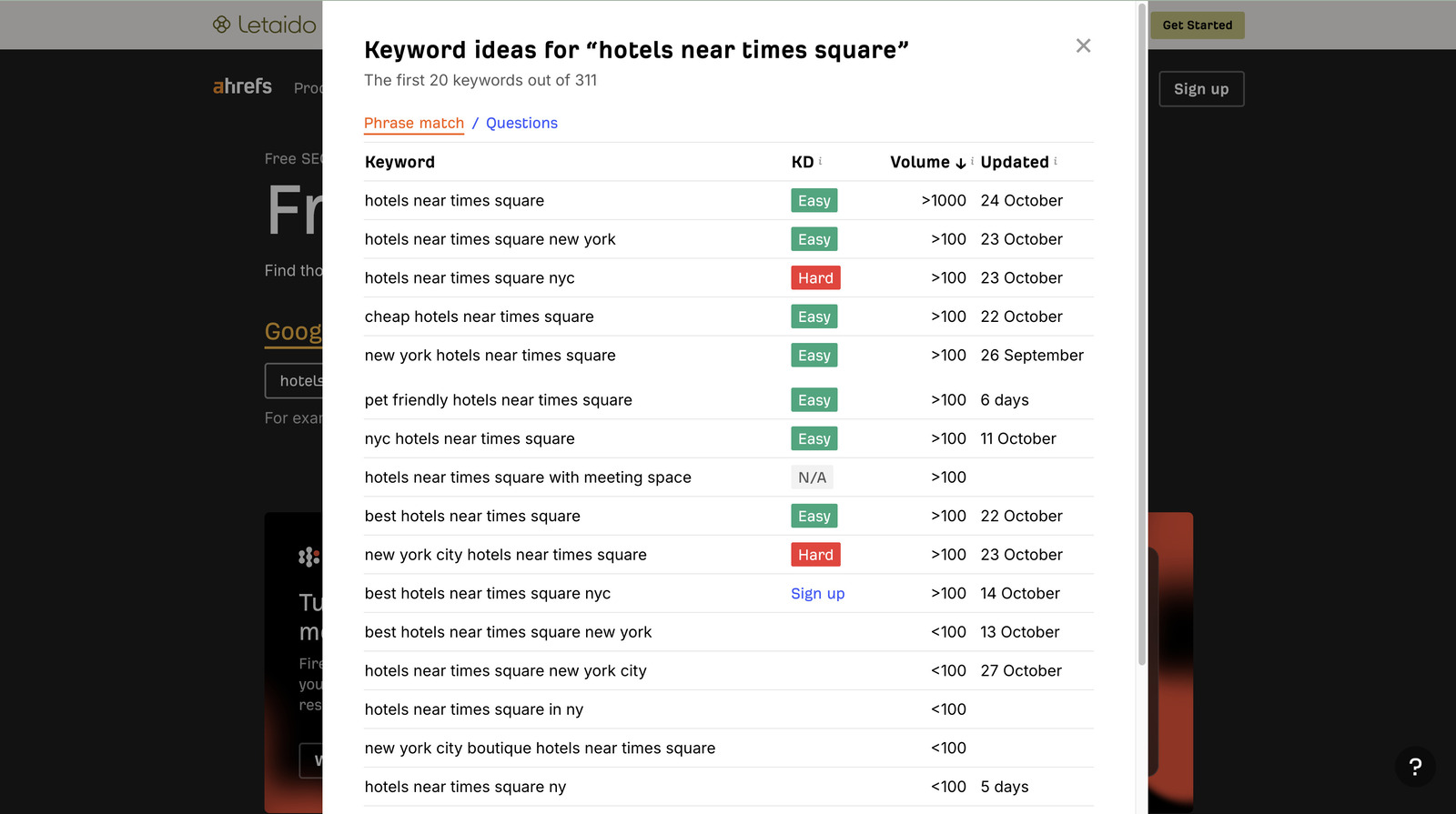
The tool provides keyword ideas and search-volume estimates. Some features promoted on the page belong to Ahrefs’ broader product offering, so work with the information available in your results.
If a detailed phrase returns a few ideas, try a shorter version or an alternative location name.
Note: If you want to get more detailed information, you should upgrade Ahrefs to the premium version.
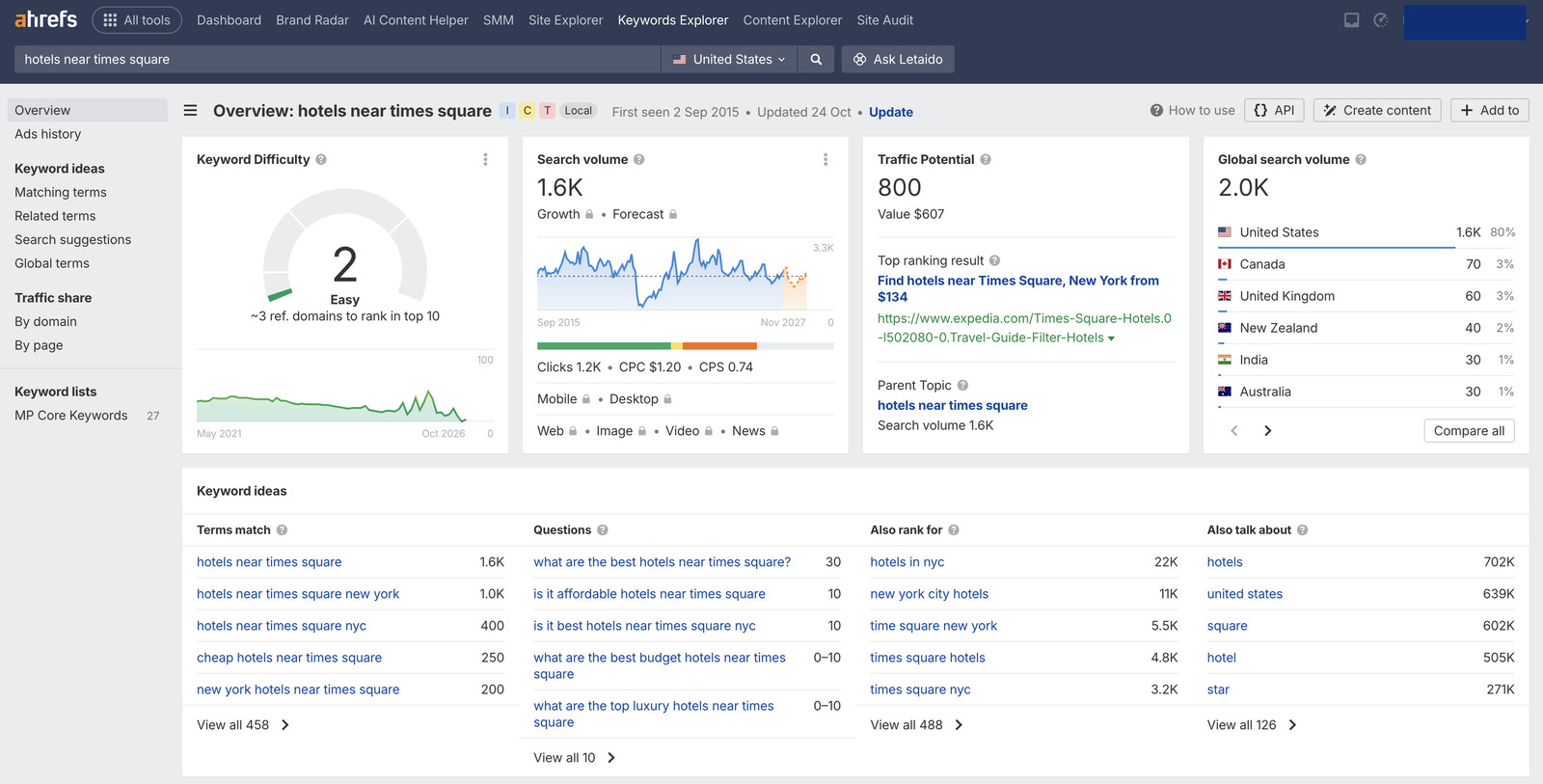
Step 4.2. Interpret the available metrics
Here are the explanations of metrics you can see in a keyword tool:
| Metric | What it tells you | How to use it |
|---|---|---|
| Volume (Estimated monthly searches) | Approximate search frequency in the selected market | Compare demand among relevant phrases |
| Keyword Difficulty | Estimation of how hard it is to rank in the top 10 organic search results for a keyword on a 100-point scale | Identify terms that need closer competition checks |
| Cost per click (CPC), if available | Estimated advertising cost per click | Use as advertising context, not proof of booking value |
Search volume is an estimate, even when displayed as a single number. Difficulty scores also have limits: a low score does not guarantee an easy ranking.
Do not reject a recurring guest requirement solely because the tool reports little or no volume. Keep it marked for further investigation.
Step 4.3. Consider clicks as well as search volume
A frequently searched phrase does not necessarily generate many website visits. Google may answer the question directly, or travelers may interact with maps and hotel listings before clicking through.
If your tool provides additional metrics, distinguish them carefully:
| Metric | What it estimates |
|---|---|
| Clicks | Clicks on search results associated with a keyword |
| Clicks Per Search (CPS) | The average number of result clicks per search |
| Traffic Potential | In Ahrefs, the total organic traffic the top-ranking page receives from the keywords it ranks for |
These metrics are optional. You can assess the opportunity by inspecting Google and noting what information travelers would still need from a website.
Alternative: Google Keyword Planner
If you already have access to Google Ads:
- Open Tools > Keyword Planner.
- Choose Discover new keywords.
- Select Start with keywords.
- Enter your starting phrases.
- Check the location and language settings.
- Select Get results.
- Record relevant ideas and the figures or ranges shown.
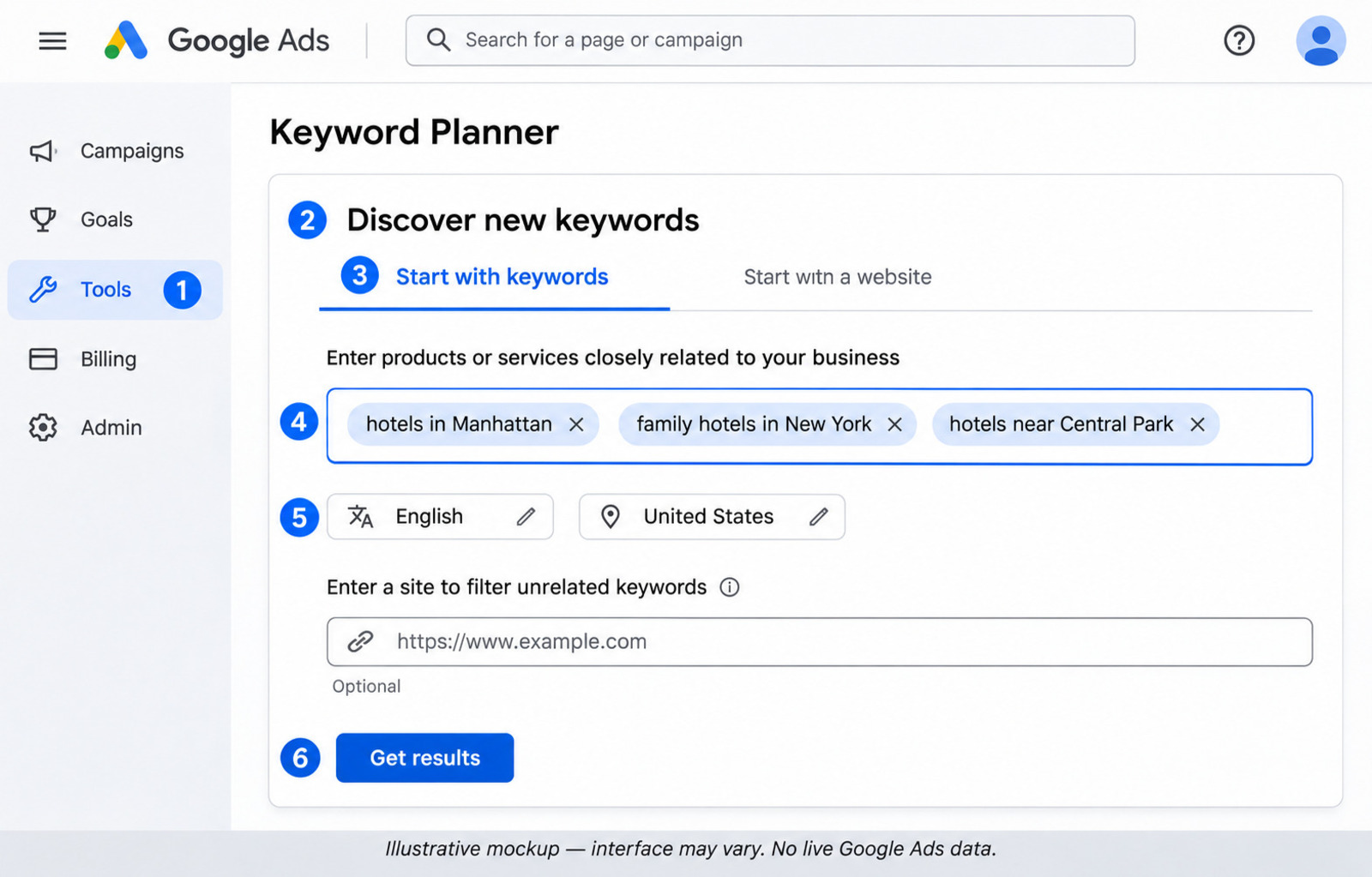
Google states that account setup, including billing information, is required to access basic keyword-idea features. Its Start with a website option generates suggestions based on website content; it does not show the keywords that the website ranks for.
Deliverable: A research sheet containing available metrics, market settings, dates, and clearly marked missing information.
5. Check what travelers expect from the results
Search your promising phrases on Google. Review several prominent unpaid results and note any maps, hotel listings, or ads.
For each candidate:
- Identify the main result types: individual properties, accommodation collections, guides, or a mixture.
- Open a few relevant results.
- Note what they help travelers do.
- Consider whether your property can meet that expectation.
- Record a reason someone might still need to visit a website.
Use these intent categories where helpful:
| Intent | What the traveler needs |
|---|---|
| Informational | An explanation or answer |
| Commercial investigation | Details that help compare options |
| Navigational | A particular business, website, or resource |
| Transactional | A way to check availability, enquire, or book |
Compare broad and specific phrases. Adding a facility, venue, or guest requirement may change the results and reveal a more relevant opportunity.
Your task: Add an intent note and competition observation for each promising phrase.
Related Lessons:
- Search intent: what guests are really looking for
- How Google decides which accommodation pages to show
6. Prioritize searches that could lead to a suitable stay
A search can concern your destination without being valuable to your accommodation business.
Ask:
Would someone making this search have a practical reason to consider staying with us?
This is the phrase’s business potential. Direct accommodation searches have an obvious connection, but planning questions can also introduce your property to suitable guests.
Evaluate each candidate against four questions:
- Does it fit our property or a relevant guest need?
- What evidence supports keeping it?
- Can we satisfy what the traveler expects?
- Could it contribute to a suitable stay?
Then record a decision:
| Decision | When to use it |
|---|---|
| Prioritize | Strong fit, supporting evidence, and a credible opportunity in the results |
| Supporting research | A planning question that could help suitable guests discover or evaluate the accommodation |
| Investigate further | Plausible relevance, but limited data or unclear intent |
| Exclude | An inaccurate requirement, unrelated need, or weak business connection |
Remove exact duplicates, but keep meaningful wording variations. A manageable shortlist might contain 15-30 terms, depending on your property and market.
Deliverable: A prioritized list with supporting evidence and a reason behind each decision.
7. Example: What a hotel’s completed research might show
Imagine a hotel in Midtown Manhattan near Times Square and several Broadway theaters. It offers pet-friendly rooms. It has no meeting space.
After collecting starting phrases, exploring Google, and checking keyword tools, the owner has a list covering three relevant needs:
- Staying near Times Square.
- Finding pet-friendly accommodation.
- Choosing accommodation for a theater visit.
The owner also searches for facilities the hotel does not offer and removes them from consideration.
The keyword data
The result is a focused research sheet. It explains which searches deserve attention, which need further checking, and which should be excluded.
| Candidate keyword | Ahrefs monthly volume | Ahrefs KD | Decision and reasoning |
|---|---|---|---|
| hotels near Times Square | >1000 | Easy | Keep. The location matches the hotel. Review the search results to assess the opportunity for an individual property. |
| hotels near times square nyc | >100 | Hard | Keep as a related variation. It describes the same location need. Compare its results with the phrase above rather than treating it as a separate topic. |
| pet friendly hotels near times square | >100 | Easy | Prioritize for further review. It combines the hotel’s location with a facility it offers. The website should clearly explain pet fees and restrictions. |
| best family hotels new york | >100 | Easy | Set aside for now. The research has not established that the hotel particularly suits families. “Best” also suggests visitors want comparisons. |
| hotel near Broadway | >100 | Easy | Keep, but clarify the meaning. Check whether results concern the theater district. The hotel can explain its proximity to specific theaters without implying it is close to every Broadway venue. |
| where to stay in New York | >1000 | Medium | Save as a possible guide topic. It addresses choosing an area rather than a particular hotel. It is a lower immediate priority than the location and pet-friendly searches. |
| hotel manhattan nyc | >100 | Hard | Keep as a lower-priority, broader term. It matches the location but says little about the guest’s requirements. Investigate the more specific phrases first. |
| hotels near times square with meeting space | >100 | Easy | Exclude. The hotel has no meeting space. Favorable metrics do not make an unsuitable keyword worth targeting. |
8. Review and maintain your research
Before using the shortlist, check that:
- Each retained phrase has a source.
- Metrics include the market and date.
- Missing data is clearly marked.
- Promising terms have been reviewed on Google.
- Property claims match what you offer.
- Every priority has a clear connection to a potential stay.
Revisit the research when your facilities change, a new venue creates demand, or you begin attracting guests from another market. For seasonal searches, check whether demand is concentrated around particular dates.
The immediate outcome is a better-supported content plan. Research alone will not change rankings. After you apply the findings to your website, review search impressions and clicks in Google Search Console alongside relevant enquiries and booking activity.
Related Guide:
- Set up Google Search Console
9. Common mistakes to avoid
- Choosing terms only for high search volume. Check whether they could attract suitable guests.
- Assuming specific phrases are easy to rank for. Inspect the results and competition.
- Treating estimates as promises. Volume, difficulty, and click metrics cannot guarantee visitors or bookings.
- Researching the wrong market. Use countries and languages relevant to your guests.
- Overstating facilities or capacity. Keep every keyword connected to what the property offers.
- Accepting AI-generated metrics without a source. Validate figures through an identified keyword-data source.
- Creating a separate page for every phrase. Several related searches may be satisfied by the same useful page.
The next logical step
Turn the shortlist into a plan for your website. Start by identifying searches that express the same underlying need.
Next, compare those needs with your existing pages. Decide which page already provides the best answer, what information it lacks, and whether a genuinely different need justifies additional content. This helps you avoid competing pages, repeated descriptions, and placing every keyword on your homepage.
The result should be a clear assignment: This group of searches belongs to this page, which helps the guest complete this task.