
Table of Contents
What you will create: An updated page or a new page that answers the needs of a suitable guest group and helps visitors take the next step toward a stay.
In this practice, you will:
- Identify a guest group your accommodation can serve well.
- Understand what those guests need to find or do.
- Decide whether to improve an existing page or create a separate one.
- Choose relevant information, photographs, and booking options.
- Match the page’s next step to the visitor’s task.
- Test the experience and measure useful outcomes.
The problem
Your website lists facilities, but visitors still struggle to decide whether the accommodation suits their visit.
You mention Wi-Fi, parking, and spacious rooms. Guests ask more specific questions:
- “Can our children sleep in separate beds?”
- “Is there somewhere suitable for a video call?”
- “Can we check in after the concert?”
- “Does the parking space fit our vehicle?”
The information may exist somewhere on your website, but the page they reach does not bring the relevant answers together.
Why it happens
Accommodation websites are often organized around what the business offers rather than the decisions guests need to make.
Two ideas help connect those perspectives:
| Term | What it means | Example |
|---|---|---|
| Audience segment | A group sharing needs that affect the stay | Guests traveling with two children |
| Traveler intent | What someone wants to accomplish now | Compare suitable rooms |
| Page’s job | How the page helps with that task | Explain bed arrangements, occupancy, and relevant room options |
The same guest can research an area, compare accommodation, and check availability at different times. Their needs may remain similar while their immediate task changes.
You do not need software that identifies every visitor. Begin with clear pages and choices that let guests find the information relevant to them.
Related Lessons:
- Search intent: what guests are really looking for
- Why audience segmentation is important for accommodation search
What to check before you start
Have these ready:
- Access to your website editor.
- Accurate accommodation details and policies.
- Recent guest questions, enquiries, or reviews.
- A list of existing pages.
- Working accommodation and booking links.
You can complete this guide without advanced analytics or a large guest database.
Related Guides:
- Find the search terms your potential guests actually use
- Build a keyword map for your website
What to do
Work through the steps for one audience and one task. Keep a short record of your decisions so you can check whether the finished page serves the purpose you chose.
Step 1. Choose a guest group your property can serve
Start with guests you already accommodate successfully or whose requirements closely match your facilities and policies.
Useful starting groups include:
| Guest group | Requirements that may influence the stay |
|---|---|
| Families with children | Beds, occupancy, meal arrangements, room layout |
| Guests traveling with pets | Pet rules, charges, outdoor space, restrictions |
| Business travelers | Workspace, connectivity, transport, arrival arrangements |
| Longer-stay guests | Laundry, storage, housekeeping, applicable rates |
| Event visitors | Transport, arrival times, proximity to a venue |
| Guests with specific access requirements | Entrance, stairs, lifts, bathroom and doorway details |
Choose the group because you can meet its needs, not simply because it appears in a travel trend report.
Write a brief statement:
We want to help families with two children assess whether our rooms with two double beds suit their stay.
Your result: One audience and a clear reason your accommodation may suit it.
Step 2. Gather the questions that affect their decision
Review the information you already receive from guests.
Look at:
- Booking enquiries.
- Emails and messages.
- Questions asked before arrival.
- Reviews mentioning useful features or unexpected limitations.
- Feedback from reception or reservation staff.
Record recurring questions and then connect each question with a verified answer.
| Guest question | Information needed |
|---|---|
| “Can all four of us stay in one room?” | Maximum occupancy and any adult/child restrictions |
| “Are there separate beds for the children?” | Exact bed arrangement and extra-bed options |
| “Is breakfast included?” | Inclusions for each applicable rate |
| “Can we leave luggage before check-in?” | Storage arrangements and any limitations |
| “Can we request connecting rooms?” | Whether they exist and whether they can be guaranteed |
Distinguish between something guests frequently request and something you provide.
Useful tool: Page customization template
Use our spreadsheet template to identify each page’s search intent, the audience it serves, and the information or next step those guests need.
Make a copy of the page customization template
This is a content checklist. It does not need to become another keyword-research exercise. Also, don’t include guest names, reservation numbers, or other personal information.
Step 3. Identify what the visitor wants to accomplish
Now choose the immediate task the page should support. Consider the search, link, or context that could bring someone there.
| Visitor’s task | What the page should help them do | Suitable next step |
|---|---|---|
| Understand an area | Assess transport, surroundings, and suitability | Explore relevant accommodation |
| Compare stays | Evaluate features, room options, and conditions | View a suitable room or property |
| Verify a particular requirement | Find a clear answer about beds, pets, parking, or access | Return to accommodation details or availability |
| Arrange a stay | Check dates, applicable prices, and conditions | Continue with a reservation |
A page can support more than one task, but choose a main purpose.
For example:
This page will help families compare our suitable room options and understand sleeping arrangements before checking dates.
Your result: A one-sentence description of the page’s main job.
Step 4. Decide whether to update an existing page or create a new one
A separate page is not necessary for every audience. Choose the smallest change that gives guests a complete answer.
| Situation | Appropriate approach |
|---|---|
| One room needs clearer occupancy information | Improve that room page |
| A property-wide pet policy is difficult to find | Clarify the policy and link to it from relevant pages |
| Several rooms suit families, with meaningful differences | Consider a family-stays overview linking to those rooms |
| A local planning question needs explanation | Use a relevant guide |
| A new page would repeat an existing page with a different audience label | Improve the existing page instead |
Before creating a page, check:
- Does it address a distinct task?
- Is there enough useful, specific information?
- Can visitors reach relevant accommodation from it?
- Does another page already serve this purpose?
- Can you keep the information current?
Avoid creating near-identical “for couples,” “for families,” and “for business travelers” pages that simply lead to the same generic content.
Step 5. Put the most relevant answers first
Open the selected page in your editor. Review the heading, introduction, first photographs, and information order. These should help the visitor recognize that the page addresses their task.
Then arrange the content around decisions:
- Which accommodation options could work?
- How are the beds and spaces arranged?
- What facilities or services are relevant?
- Which conditions or limitations matter?
- What should the visitor do next?
You do not need to rewrite every detail from the accommodation pages. Summarize the information needed for comparison and link to the full descriptions.
| General feature | More useful explanation |
|---|---|
| Spacious rooms | Two double beds in one room, with a stated maximum occupancy |
| Work-friendly | A photograph and description of the desk, seating, and connectivity |
| Pet-friendly | Permitted pets, applicable charges, and restrictions |
| Suitable for longer stays | Laundry arrangements, storage, housekeeping frequency, and relevant rates |
Use the same approach for limitations. A guest who needs separate bedrooms should be able to see that a room with two double beds does not provide them.
Optional tool: AI for reviewing relevance
Give a writing assistant your verified facts and page purpose:
| Review this page for guests who need [specific requirement]. Their task is [compare rooms/check a policy/plan arrival]. Identify missing answers, unclear claims, and information that should appear earlier. Use only the supplied facts. Do not invent facilities, policies, prices, or guarantees. Verified facts: [list] Current page: [paste text] |
Review its suggestions yourself. AI can help organize information, but it cannot establish whether your property meets a guest’s requirements.
Step 6. Choose photographs and evidence that support the message
Show the features you are asking visitors to rely on.
For example:
| Guest requirement | Useful supporting material |
|---|---|
| Understand sleeping arrangements | Room photographs and a labeled layout |
| Work during a stay | Photographs of the actual desk and seating |
| Assess outdoor space for a pet | Photographs and an accurate description of boundaries |
| Evaluate access | Entrance photographs, measurements, and step information |
| Plan a longer stay | Photographs of storage, laundry, and cooking facilities where provided |
Use images of the relevant accommodation. Label shared facilities and representative photographs clearly.
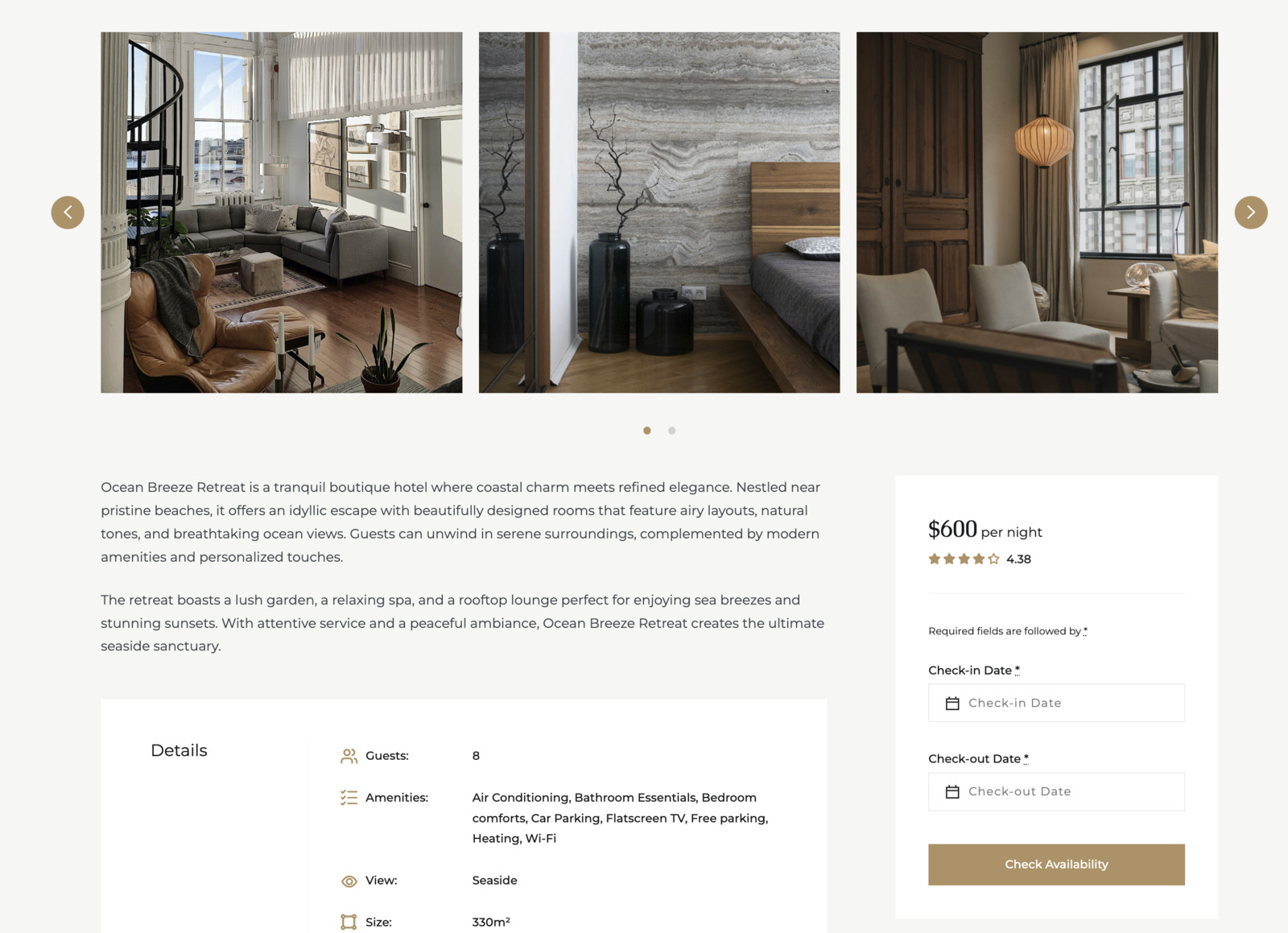
Guest reviews can support a point when they are genuine and accurately attributed.
Your result: Visitors can assess the practical details rather than relying only on promotional wording.
Step 7. Match the next action to the visitor’s task
Choose a main action that follows naturally from the information on the page.
| Page purpose | Suitable main action |
|---|---|
| Explain which area suits a visit | Explore accommodation in that area |
| Compare family room options | View a suitable room |
| Explain a pet policy | Check dates for pet-permitted accommodation |
| Describe longer-stay arrangements | Check rates for the intended dates |
| Resolve an unusual requirement | Contact the property with the relevant details |
Keep a booking button available throughout the site. It does not have to be the only next step on every page.
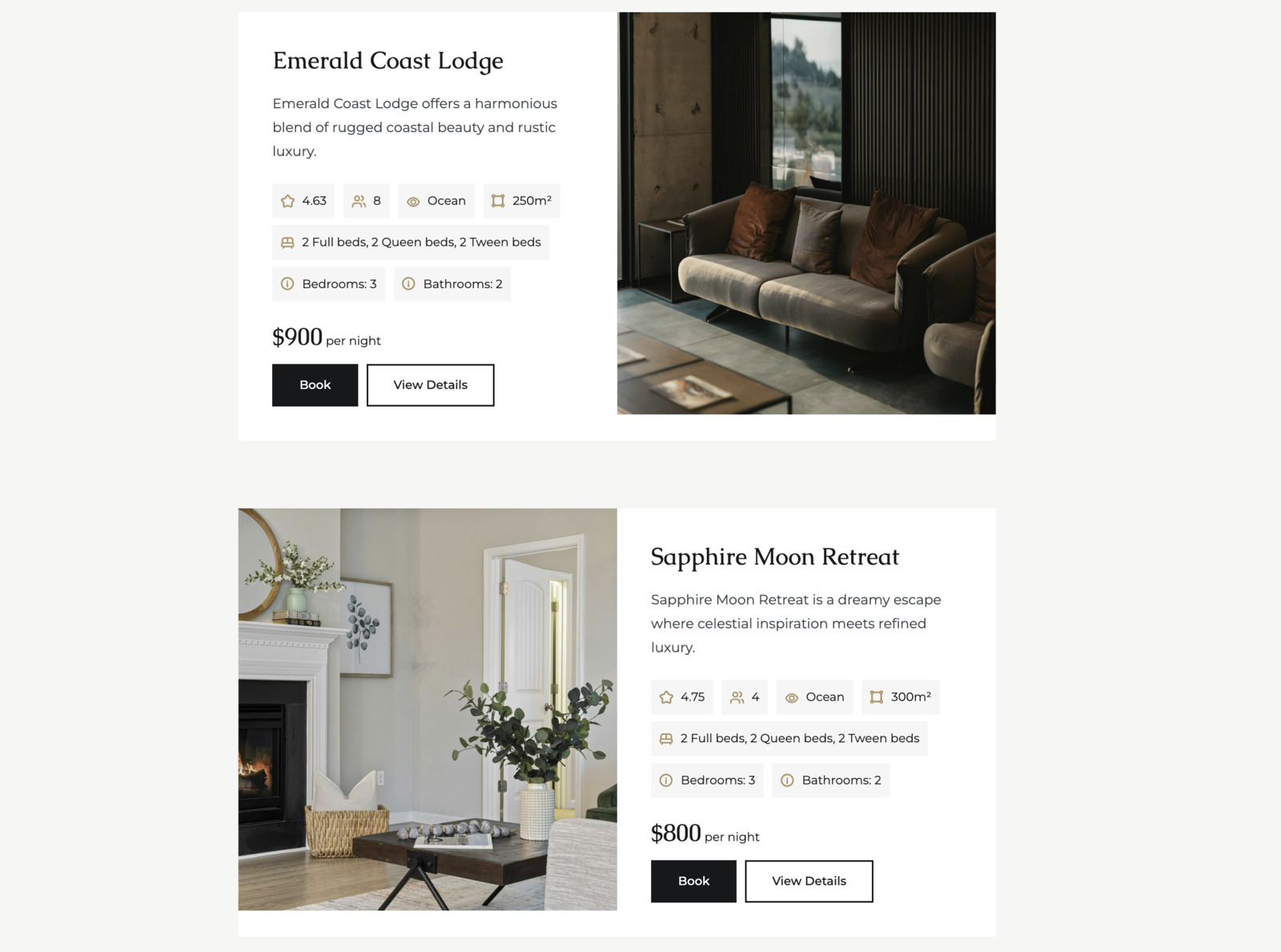
For a property portfolio, useful filters may help guests narrow the options. Use factual choices such as bedrooms, location, or facilities, and assign them accurately.
Step 8. Check that rates and services match the page’s promises
Tailored content is only useful if the booking options support it. Review any offer mentioned on the page:
- Does the advertised rate apply to the selected dates and length of stay?
- Is breakfast included or optional?
- Is the additional service available for this accommodation?
- Are extra-guest charges explained?
- Are minimum-stay and cancellation conditions consistent with the offer?
You do not need a separate price for every audience. Focus on clear choices based on the stay or selected services.
Support different stays with relevant booking options
MotoPress Hotel Booking lets you configure pricing based on length of stay and offer rate options with different conditions, such as breakfast included or room only.
Step 9. Test the complete experience on mobile
Open the page on a phone and act out the task you selected.
Check whether you can:
- Recognize that the page addresses the need.
- Find the important answer without searching through unrelated content.
- View the relevant photographs and conditions.
- Open a suitable accommodation option.
- Enter dates and the correct guest numbers.
- Understand the resulting price and next step.
- Check that forms, filters, expandable sections, and buttons work on a small screen.
You can also ask someone unfamiliar with the website to complete the task. Give them the scenario without explaining where to click. Note where they hesitate or misunderstand.
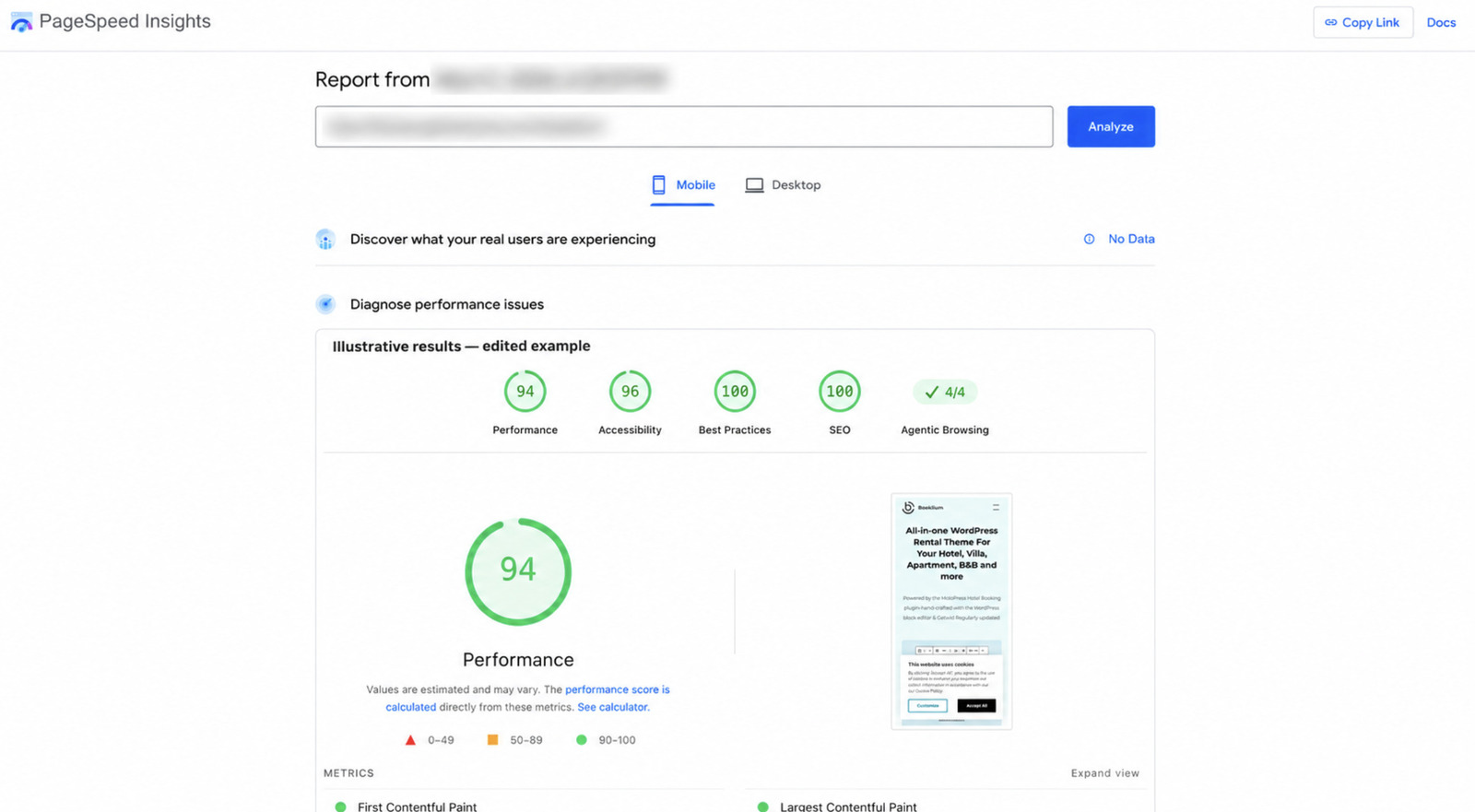
Useful tool: PageSpeed Insights
If you added galleries, maps, or interactive elements, use PageSpeed Insights to check the page for loading problems.
Related Guide:
- Fix the most important basic SEO issues on your website
Before publishing, confirm that the page’s message, accommodation options, and booking experience agree.
| Check | Done |
|---|---|
| The audience is supported by real needs and property suitability. |  |
| The page has a clear main task. | |
| An existing page has been improved where that is sufficient. | |
| Important questions are answered with verified facts. | |
| Photographs support the specific claims. | |
| Relevant limitations and conditions are clear. | |
| Buttons lead to suitable information or accommodation. | |
| Rates and services match the offer. | |
| The experience works on mobile. | |
| The page is linked from an appropriate place on the website. | |
If you created a new page, give it an accurate SEO title and description using your existing SEO settings.
Related Guides:
- Optimize your homepage for your main location and property type
- Optimize your accommodation/property pages for search, depending on the page.
Publish the changes, test the live page, and record the date.
Example: Helping families compare suitable rooms
Consider a hypothetical city hotel offering double rooms and rooms with two double beds. Families regularly ask whether four guests can share one room, whether the children have separate beds, and whether breakfast is included.
The hotel already has a rooms overview page. Rather than creating another page immediately, the owner adds a clearly labeled section for guests traveling with children.
| Decision | Completed result |
|---|---|
| Audience | Families considering a stay with two children |
| Main intent | Compare suitable sleeping arrangements before checking dates |
| Page choice | Improve the existing rooms overview |
| Main information | Capacity, two-double-bed layout, and available room options |
| Important limitation | Two double beds are in one room; separate bedrooms are not provided |
| Supporting photographs | Actual bed arrangement and room layout |
| Rate explanation | Breakfast inclusion depends on the selected rate |
| Main action | View the room with two double beds |
| Booking check | Dates and guest numbers lead to the correct accommodation option |
The owner also links the same occupancy explanation from the individual room page so the information is consistent.
The result is a clearer decision path. Families can assess whether the room works for them before entering the booking process. The hotel has improved an existing page rather than creating several similar audience pages.
What to measure afterwards
Measure the action the page was designed to support.
| Page purpose | Useful evidence |
|---|---|
| Help guests compare accommodation | Clicks to relevant room or property pages, where tracked |
| Resolve a recurring uncertainty | Changes in repeated enquiries and guest feedback |
| Help visitors find suitable options | Use of relevant filters or searches, where tracked |
| Encourage availability checks | Verified availability-search events |
| Support reservations | Verified booking events and booking-system records |
In Google Search Console, review whether the page receives impressions and clicks for relevant queries. In GA4, review its landing-page traffic and configured actions.
Use complete periods and consider seasonality, availability, pricing, and other marketing activity.
For a low-traffic website, enquiry quality and repeated guest questions may provide useful feedback before booking numbers become meaningful.
Related Guides:
- Set up Google Search Console
- Audit your website’s current traffic [GA4]
Common mistakes
- Choosing an audience because it is fashionable. A trend does not establish that your property suits the guests involved. Start with facilities, policies, and actual demand.
- Treating age or nationality as a complete explanation of needs. Focus on the trip and practical requirements. Guests within the same demographic group can want very different stays.
- Creating a page for every audience label. Use a new page only when it serves a distinct purpose with enough useful information. An improved section may be sufficient.
- Changing the heading but keeping generic content. Calling a page “Family stays” does little if it still leaves beds, occupancy, and relevant conditions unclear.
- Promising suitability without evidence. Support claims with details and photographs. Explain limitations that could affect the decision.
- Sending visitors to unsuitable accommodation. Check the destination of every main link and the behavior of search filters.
- Letting the page and booking system disagree. An advertised service, rate, or capacity must match the options guests actually receive.
- Treating every visit as an immediate booking opportunity. Some visitors still need to compare or resolve a question. Offer a useful next step that supports that task.
The next logical step
Review whether the updated page helps visitors complete the task you chose. If guests still ask the same questions, clarify the relevant information. If they open a suitable accommodation but struggle to continue, test that next page and its booking route.
Once the first improvement is working and maintainable, choose another genuine guest need. Use the same process: identify the question, confirm the property’s suitability, select the right page, and connect the answer with a useful next action.