
Table of Contents
What you will create: An updated room or property page that clearly describes a specific stay, answers practical guest questions, and provides a straightforward route to checking availability and booking.
In this practice, you will:
- Choose one accommodation page to improve.
- Confirm its main search topic.
- Update its title, description, and headings.
- Explain the layout, facilities, location, and booking conditions.
- Improve photographs and links.
- Connect the page with relevant availability and rates.
- Check the finished page and record what to measure.
Your homepage introduces your business. An accommodation page helps someone decide whether a particular room, apartment, cottage, or villa will work for their stay.
Guests may reach this page directly from Google without visiting your homepage first. Give them enough information to understand what they are looking at, compare it with their requirements, and take the next step.
You can follow this guide independently. Use the related tutorials when you need help with keyword research, measurement, or technical issues.
The problem
Your accommodation page shows photographs and a booking button, but important details are missing.
Guests have to contact you, search elsewhere, or make assumptions. The page also provides little specific information to distinguish this accommodation from other options.
Why it happens
Accommodation descriptions often begin as short sales summaries. They focus on the atmosphere while leaving out the details people need before reserving.
Another common problem is reusing almost identical text across every room or property. Visitors see several pages but struggle to understand the differences.
Related Lesson:
- How Google decides which accommodation pages to show
What to check before you start
Choose one room type or property to work on first. Start with an important accommodation option, a page that already receives visitors, or a page with obvious information gaps.
Gather:
- Access to the page editor and SEO settings.
- Accurate capacity, bed, bedroom, and bathroom details.
- A list of included facilities and available extras.
- Current photographs.
- Relevant location and arrival information.
- Booking conditions and a working availability route.
Need help choosing search terms? Follow:
- Find the search terms your potential guests actually use
Unsure which topic belongs on this page? Use:
- Build a keyword map for your website
Save the current page text and take a screenshot before making changes.
What to do
Work through the steps with your accommodation page open in the editor. Keep accurate, useful information that already exists, and focus your edits on missing details, unclear wording, and obstacles to booking.
Step 1. Define exactly what this page represents
First, establish what guests can book from this page.
| Your business | What an individual accommodation page usually represents |
|---|---|
| Hotel with several identical double rooms | A double-room type, with multiple physical rooms available |
| Hotel with a distinctive suite | That suite or suite category |
| Vacation rental operator | A specific apartment, cottage, villa, or other rental |
| Single-property business | The accommodation itself, which may already be fully described on the homepage |
Do not create a separate search page for every identical hotel room. A room-type page can explain the shared layout and facilities, while your booking system manages the available inventory.
Separate pages are useful when the accommodation differs meaningfully. For example, in layout, capacity, location, or facilities.
If a single-property website already presents the complete accommodation on its homepage, you do not need a second page containing the same information simply to target another keyword. Apply the relevant improvements to the existing page.
Your result: A clear definition of the accommodation this page describes.
Present each room type clearly. Manage availability in one place.
With MotoPress Hotel Booking, you can describe a room type once, with its photos, capacity, and amenities, and manage multiple individual rooms under that type.
Step 2. Confirm the page’s main search topic
If you have a keyword map, find the row assigned to this room or property.
Check whether the topic matches its actual characteristics. Examples of possible topics include:
- A hotel room with two double beds in a particular neighborhood.
- A two-bedroom apartment in a particular destination.
- A dog-friendly cottage in its actual village or area.
These are starting ideas, not verified keyword recommendations.
Before continuing, ask:
- Does the topic accurately describe this accommodation?
- Can this page answer the questions behind that search?
- Is another page already assigned to the same main topic?
- Are the distinguishing features genuinely available in this room or property?
For help resolving overlap, see:
- Build a keyword map for your website.
You do not need a separate page for every wording variation. Related searches about the same accommodation can be addressed on one page.
Step 3. Update the SEO title, description, and main heading
These elements should identify the accommodation clearly, while remaining consistent with the page content.
SEO title
Open the page’s SEO settings and look for SEO title, Title tag, or Search appearance.
A useful starting format is:
- Accommodation description in location | Property or business name
Keep the title descriptive and concise. Avoid adding every amenity or repeating several versions of the same phrase.
Meta description
Write a short summary that introduces the accommodation and its most useful details. For example:
Explore a Midtown Manhattan hotel room with two double beds for up to four guests. View photos, facilities, and availability for your dates.
Google may use this description in a search snippet or choose relevant text from the page instead.
Main heading
Use a clear main heading on the page itself, typically formatted as Heading 1 / H1. For example:
- Room with Two Double Beds in Midtown Manhattan
If the title already appears automatically through your template, check its heading format before adding another.
The SEO title and visible heading can be similar. Both should accurately identify the accommodation. Google considers several sources, including titles and headings, when generating search-result titles.
Related Lesson:
- SEO for hotels and vacation rentals: what actually matters
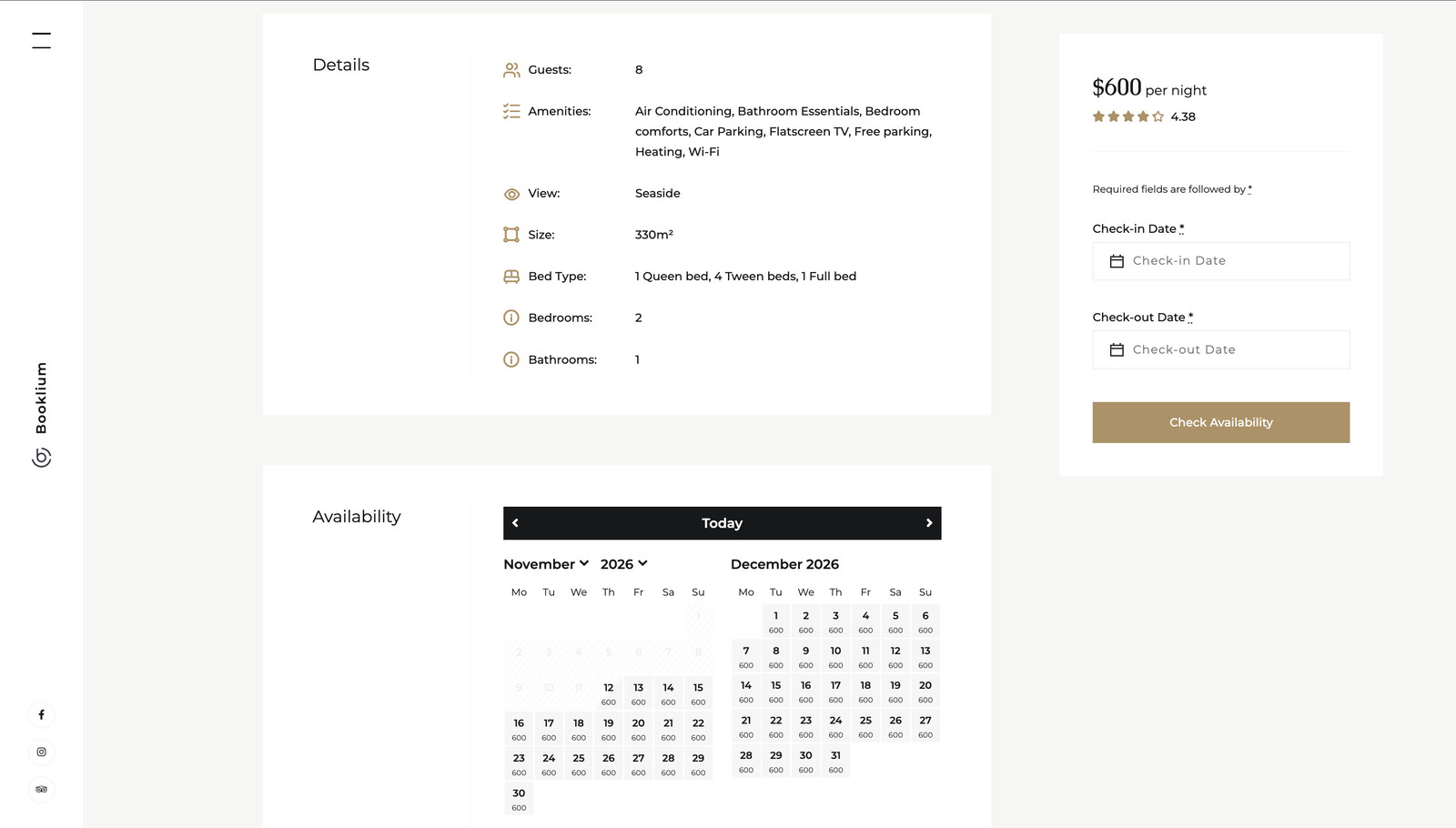
Step 4. Describe the stay with specific facts
Start the page with a short introduction explaining what makes this accommodation distinct. Then organize practical information into sections that guests can scan.
A useful starting structure is:
- Overview.
- Sleeping arrangements and layout.
- Facilities.
- Location and access.
- Stay conditions.
- Availability and booking.
Optional tool: AI for identifying information gaps
A writing assistant can help you spot unanswered questions. Provide verified facts and use a prompt such as:
| Review this accommodation description for missing information a guest may need before booking. Consider capacity, beds, bathrooms, shared facilities, access, parking, and stay conditions. List questions for me to answer. Do not invent details or rewrite uncertain information as facts. Description: [paste text] |
Use the output as a checklist. Check every suggested addition against the actual accommodation.
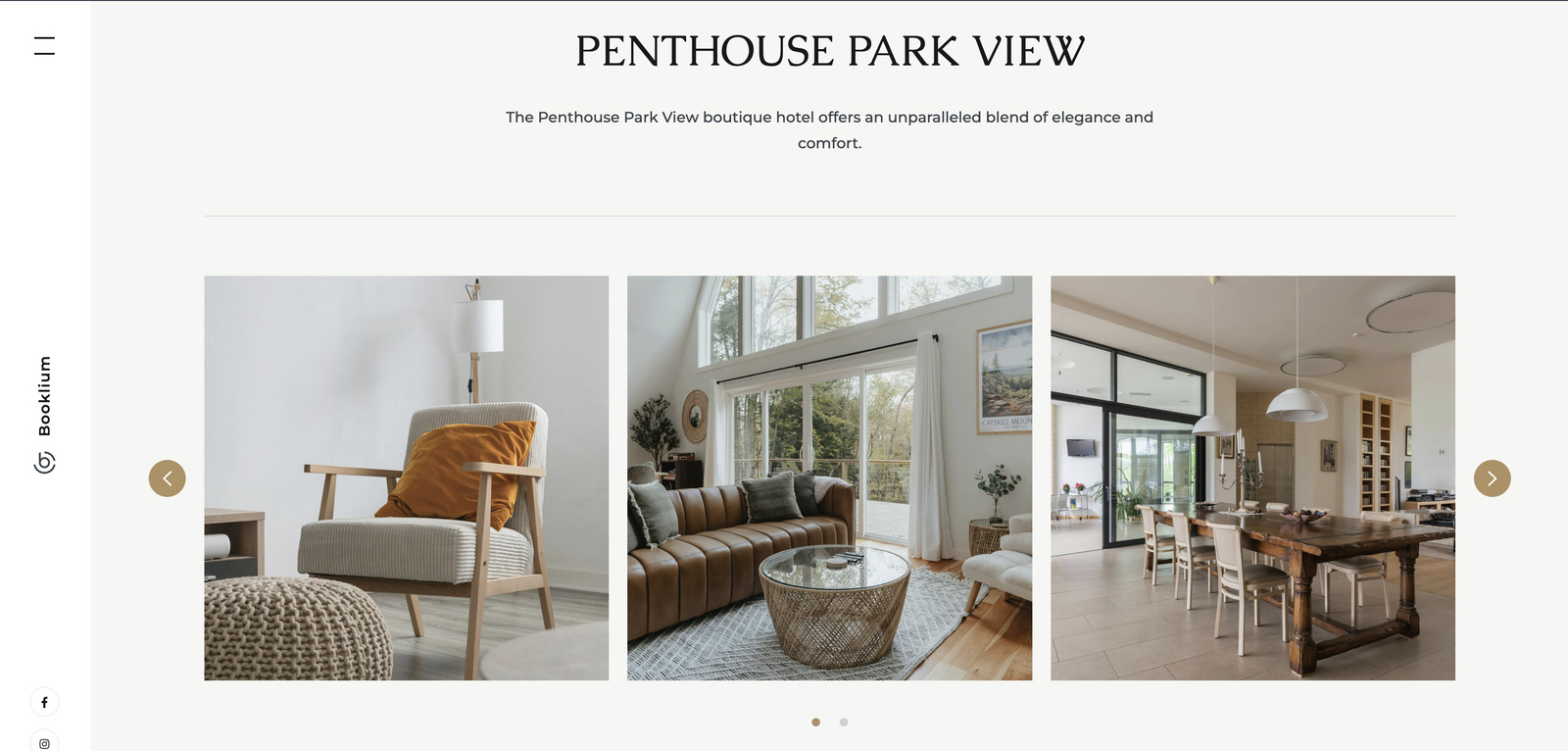
Step 5. Use photographs to answer practical questions
Review the gallery as someone who has never visited the property. Can the photographs help them understand the layout and what is included?
For a hotel room, consider showing:
- The overall room.
- The bed arrangement.
- The bathroom.
- Relevant seating or workspace.
- Any private balcony or distinctive view.
For a rental, also consider:
- Every bedroom.
- The kitchen and living area.
- Bathrooms.
- Outdoor space.
- The entrance and relevant access features.
Use photographs of the accommodation being described. If rooms within a category vary, explain that the images are representative and identify meaningful variations.
Do not mix photographs of another room category into the gallery without clear labeling.
Arrange images in a useful order, starting with an accurate overview. Add captions where they clarify something important. For example, “Shared terrace” or “Second bedroom with twin beds.”
For informative images, add alternative text describing the relevant visual content.
Step 6. Add location and arrival context relevant to this stay
Someone arriving directly from Google may not have read your homepage or location page. Give them enough context to understand where the accommodation is.
For a hotel room page, a short location summary and a link to directions may be sufficient. For an individual vacation rental, location and access details may be more specific to that property.
Include relevant information about:
- The neighborhood or area.
- Nearby transport.
- Parking arrangements.
- Access to the building or accommodation.
- Important surroundings that could affect the stay.
Do not copy a long destination guide onto every accommodation page. Summarize what matters and link to fuller information.
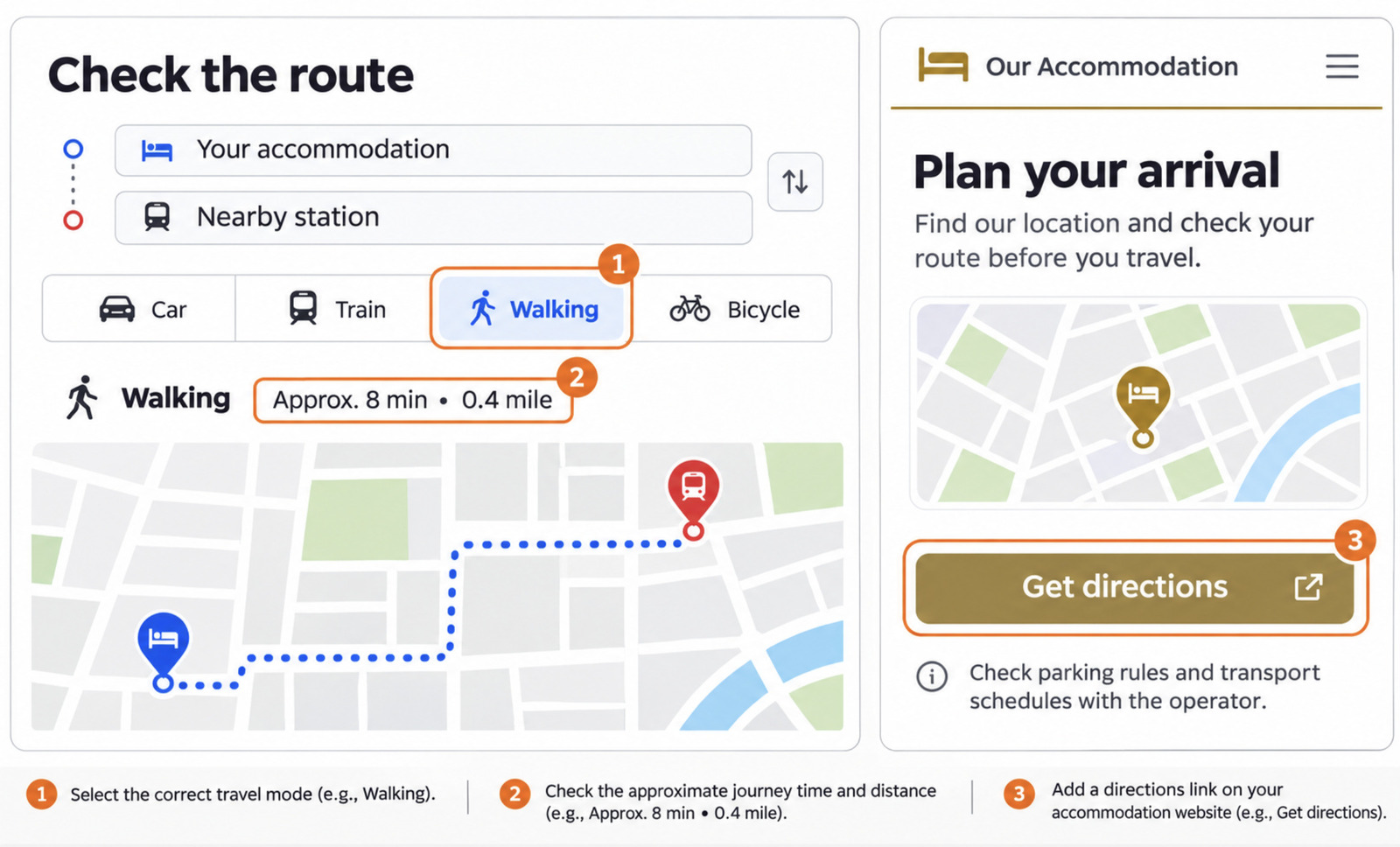
Useful tool: Google Maps
Check routes from the accommodation’s actual location to relevant transport stops, venues, or attractions. Select the correct travel mode before quoting a distance or approximate journey time. Verify parking conditions and transport schedules with the relevant operator.
You can add a Get directions link or a map where appropriate.
Step 7. Clarify prices, inclusions, and stay conditions
The page should help guests understand what they need to check before committing.
Review the information around your rates and booking options:
- What is included in the selected rate?
- Which services cost extra?
- Where are mandatory taxes and fees explained?
- Does a minimum stay apply?
- What are the check-in and check-out arrangements?
- Which pet, smoking, or other important restrictions apply?
- Where can guests review cancellation and payment conditions?
If you show a “from” price, make clear what it represents and provide a way to see the applicable total for the guest’s dates and occupancy. Avoid hard-coding a price into the description if it changes frequently.
Summarize the essentials and link to complete policies. Guests should not have to discover significant conditions only at the final booking step.
Step 8. Make availability specific to the accommodation
A visitor who has chosen a room or property should have a clear way to check whether it is available.
Use a button, form, or calendar that relates to the accommodation on the page.
Test the experience:
- Open the accommodation page.
- Select dates and the appropriate guest numbers.
- Check whether the selected accommodation is preserved.
- Review the displayed rate and conditions.
- Continue far enough to confirm that the correct accommodation appears in the booking summary.
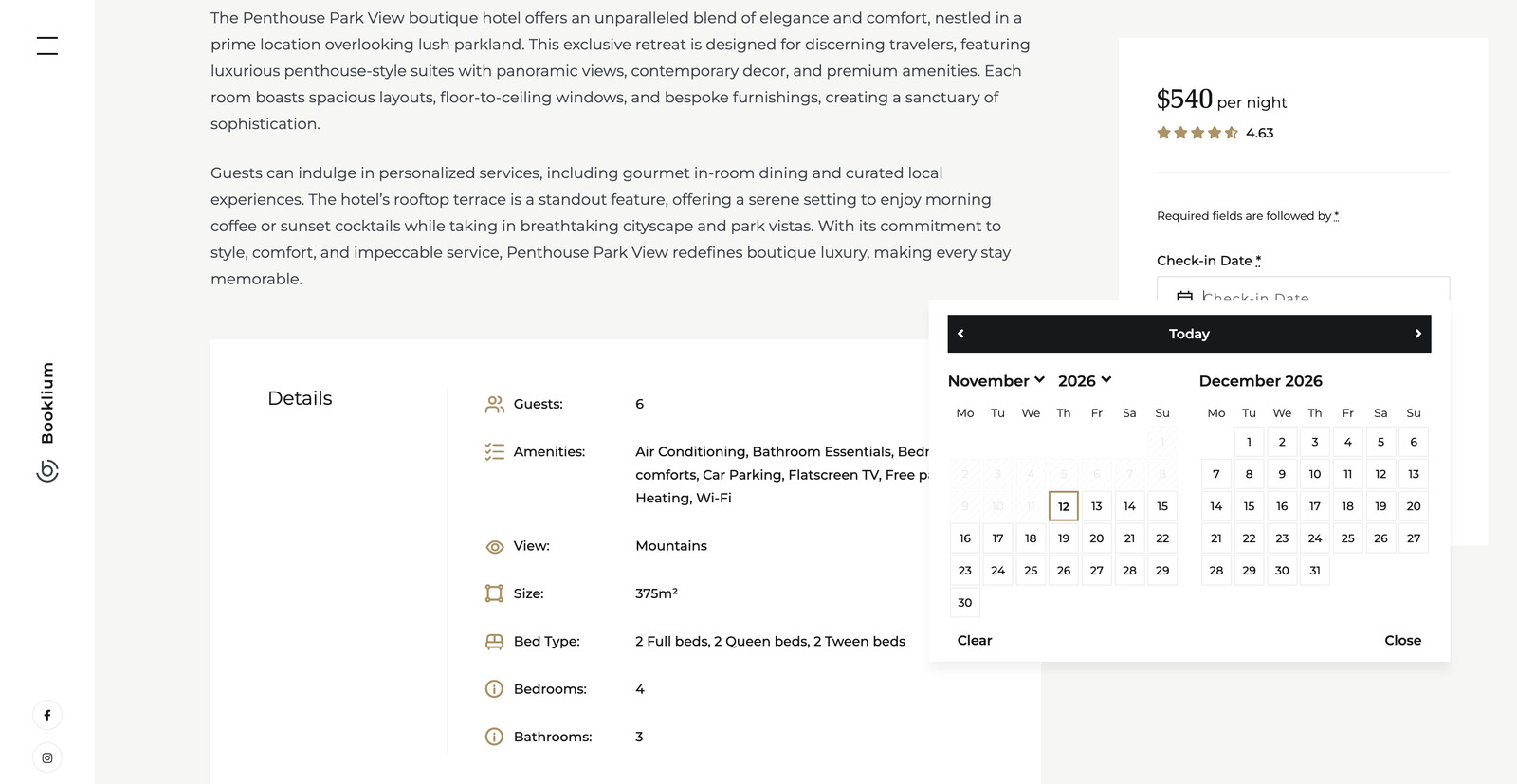
Also test unavailable dates and an occupancy that exceeds the accommodation’s capacity. The response should be understandable.
If guests need to submit an enquiry rather than receive live availability, label the action accordingly.
Step 9. Connect the page with useful information elsewhere
Check both how visitors reach this page and where they can go next.
Add a clear link to it from an appropriate place, such as:
- Your homepage.
- Your rooms or properties overview.
- A relevant location page.
On the accommodation page, link to information that helps someone make a decision:
- Full arrival directions.
- Relevant policies.
- Detailed access information.
- An alternative room or property, where useful.
Avoid adding unrelated links merely to fill space. The next step should remain easy to identify.
Step 10. Check the page on mobile and review its speed
Open the accommodation page on your phone. Follow the same route a potential guest would take: read the details, explore photographs, check dates, and continue toward booking.
Check whether guests can evaluate the accommodation
Make sure:
- The heading and main details are readable without zooming.
- Capacity, bed arrangements, facilities, and important conditions are available on mobile.
- Photographs fit the screen, and the gallery is easy to use.
- Expandable sections open correctly.
- Text and buttons do not overlap.
- Cookie banners or promotional pop-ups do not block essential information.
Do not remove important accommodation details simply to shorten the mobile page. Organize them into readable sections instead.
Test the availability and booking controls
Try the form using actual dates and guest numbers.
Check that:
- The date picker fits the screen.
- Arrival and departure dates are easy to select.
- Guest-number fields and buttons are easy to tap.
- Prices and booking conditions remain readable.
- Unavailable dates produce a clear response.
- The selected accommodation carries through to the next step.
- You can correct an entry without restarting the process.
- A page can look good on a phone while its booking controls remain difficult to use.
Useful tool: Google PageSpeed Insights
Open PageSpeed Insights and enter the specific accommodation-page URL, rather than only your homepage.
- Run the analysis.
- Select the Mobile results.
- Review the loading and usability findings.
- Note the main issues affecting this page.
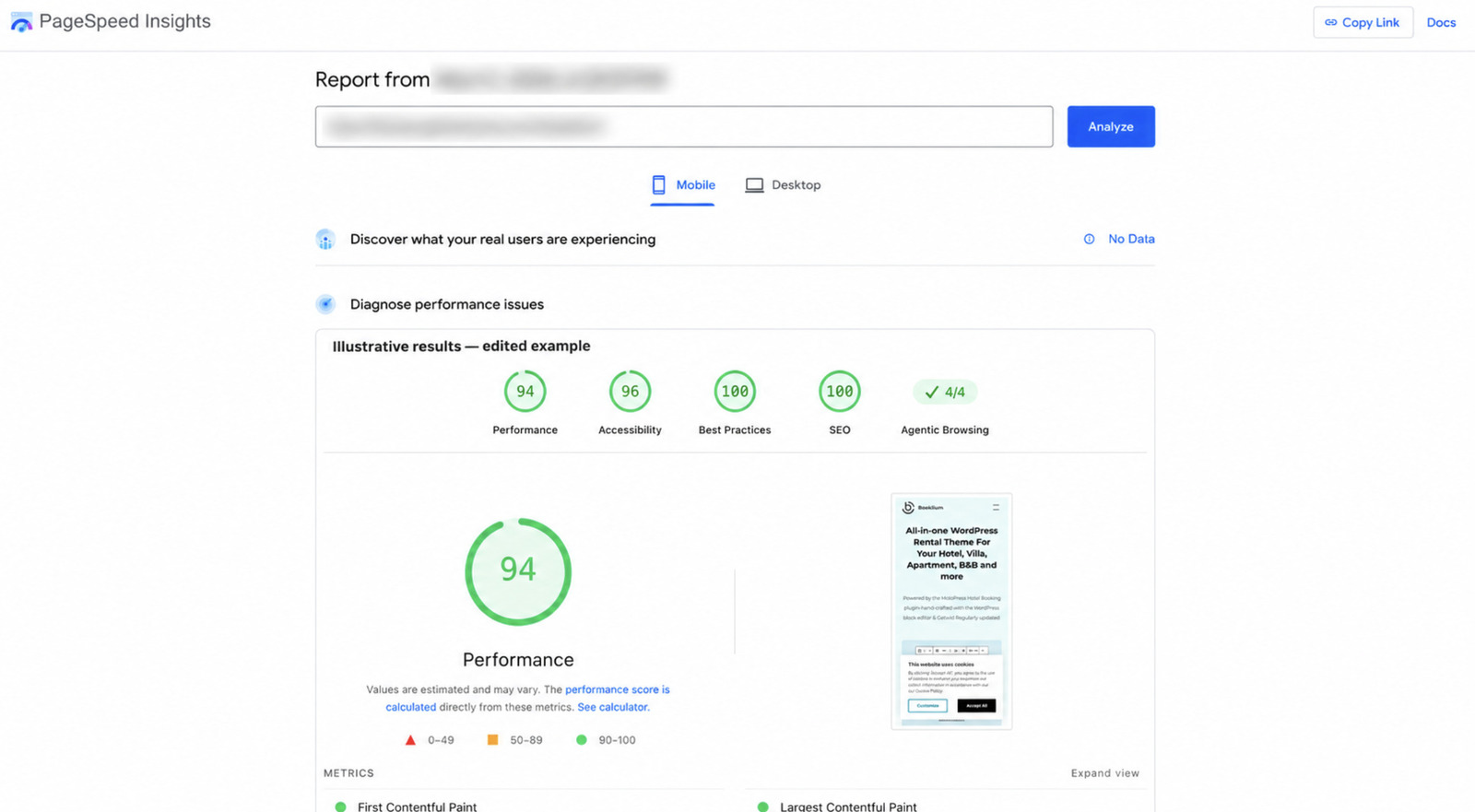
Use the findings to identify practical problems, such as large photographs, delayed loading of the main image, or content shifting while the page loads.
Related Guide:
- Fix the most important basic SEO issues on your website
Step 11. Review and publish
Before publishing, review the page as a guest making a booking decision. Check that the descriptions, photographs, prices, and booking options agree, and that your changes work on both desktop and mobile. Use the checklist below to catch anything missing or unclear.
| Check | Done |
|---|---|
| The page clearly represents a specific property or room type. |  |
| The main topic matches the accommodation. | |
| The title, description, and heading are accurate. | |
| Capacity, beds, bathrooms, and facilities are explained. | |
| Photographs represent this accommodation. | |
| Shared facilities and paid extras are clearly identified. | |
| Location and access information are sufficient. | |
| Important booking conditions are easy to find. | |
| Availability and booking work for the correct accommodation. | |
| The page is linked from elsewhere on the website. | |
| Text, galleries, and forms work on a phone. | |
Keep the existing URL unless there is a clear reason to change it. A title or description update does not require a new address.
Publish, open the live page, and repeat the main booking test. Record the date in your keyword map or website change log.
Example: An improved hotel room page
Consider a hypothetical hotel in Midtown Manhattan. Its existing “Double Room” page has three photographs, a short luxury-focused description, and a generic booking button.
After completing the guide, the owner has the following:
| Element | Completed result |
|---|---|
| Main topic | A hotel room with two double beds in Midtown Manhattan |
| SEO title | Room with Two Double Beds in Midtown Manhattan | [Hotel Name] |
| Main heading | Room with Two Double Beds |
| Opening summary | A clear description of the room and location |
| Capacity | Maximum occupancy of four guests, matching the booking settings |
| Sleeping arrangement | Two double beds in one room |
| Bathroom | Private bathroom, with the actual shower arrangement described |
| Facilities | Verified room facilities, separated from shared hotel facilities |
| Gallery | Room overview, beds, bathroom, and other relevant features |
| Parking | A short explanation of nearby paid public parking, linked to directions |
| Rates | Date-specific options with their applicable conditions |
| Booking route | Availability check connected to this room type |
The owner also clarifies that the room does not contain two separate bedrooms and that breakfast is not included in every rate.
These details help guests assess suitability before reserving. The owner has improved the information and booking route; search and reservation results still need to be measured.
What to measure afterwards
Save the publication date and review results over complete, comparable periods.
If measurement is not set up, follow these guides:
- Set up Google Search Console for search visibility
- Audit your website’s current traffic [GA4]
| Question | Where to look | What to review |
|---|---|---|
| Does the page appear for relevant searches? | Search Console > Performance, filtered to the page | Queries and impressions |
| Do people click through from Google? | The same Search Console report | Clicks and click-through rate |
| Do visits begin on this page? | GA4 > Landing page | Sessions beginning on the accommodation page |
| Do visitors reach it from elsewhere? | GA4 > Pages and screens | Overall page views, including visits that began on other pages |
| Do guests check availability or reserve? | Verified booking-related events | Relevant actions, where the tracking identifies this accommodation |
| Are guests still asking the same questions? | Enquiries and guest messages | Repeated questions the page could answer more clearly |
Consider availability, seasonal demand, pricing, and other changes when reviewing results. A fully booked property may receive interest without producing additional reservations for those dates.
Common mistakes
- Reusing the same description on every page. Give each genuinely different accommodation its own useful explanation. Focus on the differences guests need to compare.
- Creating separate pages for identical hotel rooms. Use a room-type page for equivalent inventory. Separate pages should serve a meaningful purpose.
- Leaving sleeping arrangements unclear. State the beds and their locations. Maximum occupancy alone does not explain how a group will sleep.
- Mixing private, shared, included, and paid facilities. Make these distinctions visible. A shared pool or paid parking space should not be presented as a private, included amenity.
- Showing photographs from another category. Use accurate images and label representative photographs or variations where necessary.
- Sending every booking button to a generic starting page. Preserve the selected accommodation where your system supports it, and test what guests see next.
- Adding keywords instead of answering questions. A page repeating “family hotel room” still leaves guests uncertain if it does not explain beds, capacity, and relevant conditions.
- Treating an SEO tool score as the final result. Use tools to help review the page. Judge the finished work by its accuracy, usefulness, and functioning booking route.
The next logical step
Open another accommodation page and compare it with the one you have improved. Identify the details that should be consistent, such as the way you present capacity and policies, and the facts that must remain specific to each stay. Apply the same review process to your next priority page.
The next tutorial: Build website pages around events happening in your area