


Best WordPress Gallery Plugins for Image & Video (Free & Premium)
Table of Contents
We all know how the default WordPress settings allow you to create image galleries via shortcodes. At the same time, we realize core settings are never enough. Shortcodes can’t make half of what the best WordPress gallery plugins are capable of – both free and premium ones.
If you are in search of powerful gallery options with multiple display options, albums, lightboxes, and support for various media content, this post is for you. We collected 17 WordPress best gallery plugins with advanced grids and many other pro options.
Does Your WordPress Website Need a Gallery Plugin?
 Before we dive into exploring various gallery plugins, let’s answer an important question: Do you actually need one, or are WordPress’s built-in solutions enough? Depending on what your website needs, the answers may vary. For many websites, the default WordPress tools work perfectly well. The Gutenberg Gallery block, along with features included in modern themes and page builders, is one of the default ways to add a gallery to your site without installing any third-party solutions. It is good enough for simple galleries for blog posts, portfolios, or business pages. However, as your site grows and develops, you may need to consider more complex solutions. This is true if you need:
- Advanced gallery layouts such as masonry or sliders;
- Complex features like lightboxes, image zoom, and filtering;
- Better gallery organization using albums or tags;
- Lazy loading and image compression;
- Videos showcase with eCommerce functionality.
As you see, with more advanced needs, gallery plugins become more than just a suggestion for modern websites. They are irreplaceable when you need more advanced functionality or greater creative control. From image filtering to bulk uploads and even video support, modern WordPress gallery plugins go beyond what you can find in this CMS by default. If you have a dedicated gallery plugin. Your site can be easily improved to deliver a better visual experience and user engagement.
How to Choose a WordPress Gallery Plugin
 When choosing a WordPress gallery plugin, the first thing to evaluate is how well it fits your specific use case. For example, a photographer preparing a portfolio for an online showcase has very different needs than a fine art WooCommerce store. We recommend looking for a plugin that supports the layout styles you need. These may include grid, masonry, slideshow, or justified designs — don’t forget to check whether those layouts are available in the free version or require a premium plan.
It is also recommended to consider ease of use and key features you’re looking for in a gallery plugin, such as drag-and-drop support and performance. Make sure the plugin is actively maintained and has positive reviews. The plugin needs to be frequently updated to help you avoid possible security issues. It’s also worth checking whether the plugin is smoothly integrated with your existing tools, such as your page builder (Elementor, Gutenberg, Divi).
Image Gallery Plugins for WordPress
While video plugins can surely provide a lot of benefits to your website, image gallery plugins still remain more popular among WordPress users. The reason is simple – many websites rely on image galleries, and most of them aim to make their galleries smooth and stunning. If you aim to demonstrate your visual content in a well-designed and user-friendly way, installing and configuring any of the plugins mentioned below can make your website stand out. Let’s look at these plugins in detail.
Stratum Elementor Addons
 Stratum is a MotoPress collection of Elementor widgets for multipurpose use. The plugin’s best advantage is that all 24+ Stratum elements, including the gallery widgets – Masonry Gallery and Image Accordion – come for free. While other popular collections include their advanced gallery widgets in a premium pack, Stratum offers them at no cost, making it one of the best free WordPress gallery plugins.
MotoPress did a great job of combining the extensive features of widgets with the plugin’s accessibility. Both gallery widgets provide the easiest customization options, plus they may easily inherit the typography & styling of the current Elementor theme.
In particular, both widgets support a variety of animation effects on hover. Also, they offer multiple layout & gallery options with a customizable number of columns. Finally, the accordion version supports the ability to create a compact-style image gallery, in case you need to save space.
Key features:
- 4 Image Accordion layouts;
- 2 Masonry Gallery designs;
- Full Elementor support;
- Template library integration;
- Detailed and configurable settings.
| Name | Author | Price | Installations |
|---|---|---|---|
| Stratum | MotoPress | Free or from $29/year | 512k+ |


Getwid Gutenberg Blocks
 The Gutenberg alternative to Stratum gallery widgets is the Getwid Image Stack Gallery. It goes as a collection of 40+ static & dynamic Gutenberg blocks as well as 35+ ready-to-go block templates. This plugin comes from the same developer as Stratum, although it comes 100% free.
In the Image Stack Gallery block, users are provided with 7 gallery layout styles. Multiple styling options allow you to build fancy and fully responsive image galleries in the Gutenberg visual editor with one of the best WordPress gallery plugins. On top of that, each Getwid block is suitable for full-site editing and includes extensive attributes and is clean-coded.
Key features:
- 3 image gallery layouts;
- Works great with Gutenberg;
- Extensive WordPress block customization;
- Full-site editing support;
- Optimized for performance.
| Name | Author | Price | Installations |
|---|---|---|---|
| Getwid | MotoPress | Free | 1,5m+ |
Modula Image Gallery
 If you’re looking for a flexible yet reliable WordPress gallery plugin, we recommend taking a look at Modula Image Gallery. It allows for creating stunning image galleries thanks to the built-in drag-and-drop builder. With its help, you can effortlessly build new galleries and integrate them on your website. Available as a free and premium plugin, it provides a vast selection of features designed to make your photos and videos look stunning and easy to handle for your online presence.
Key features:
- Lightbox slideshow;
- Video gallery;
- Instagram support;
- Image watermarks;
- Content galleries;
| Name | Author | Price | Installations |
|---|---|---|---|
| Modula Image Gallery | WP Chill | Free or from $39/year | 100k+ |
MetaSlider Slideshow
 One more of WordPress photo gallery plugins we’d like to mention is MetaSlider Slideshow. As evident from its name, it’s a slider rather than a gallery plugin. However, it offers more than just a carousel or a slider for your portfolio, additionally supporting gallery options. As a result, you get a fully customizable tool for presenting images and videos, supporting platforms such as Vimeo, YouTube, and TikTok. Moreover, the plugin includes top-notch themes for your gallery to properly present your visual content online.
Key features:
- Local and online video slides;
- Thumbnail navigation;
- Stylish themes;
- Slide scheduling;
- Animated layer sliders.
| Name | Author | Price | Installations |
|---|---|---|---|
| MetaSlider Slideshow | MetaSlider | Free or from $39.50/year | 500k+ |
Robo Gallery
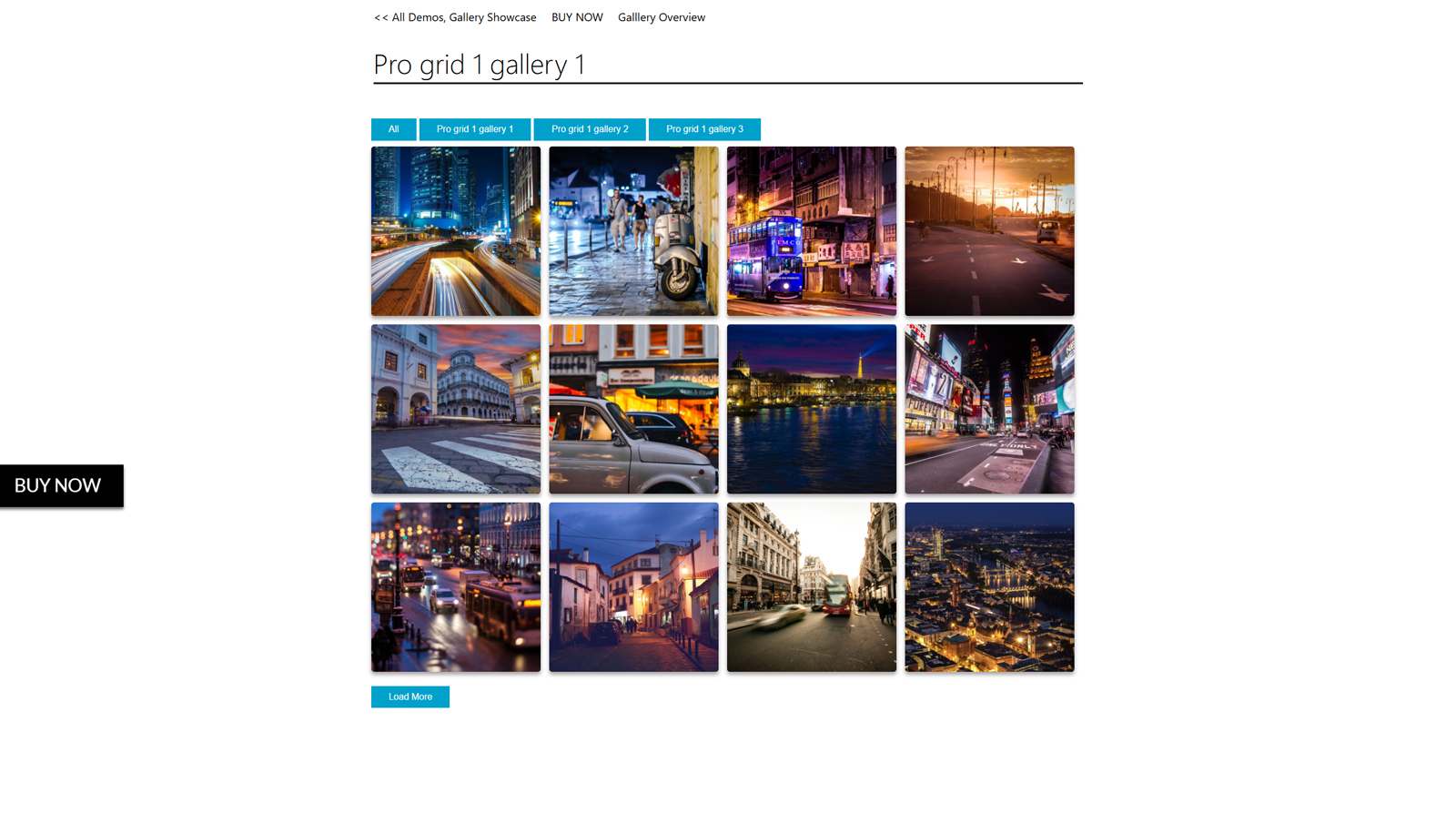 Next one of the WordPress image gallery plugins we want to take a look at is Robo Gallery. Built to be fast and lightweight, this solution makes it simple to establish galleries of any complexity. Whether you are looking for a customizable design or advanced image grids, the provided plugin can give you what’s needed. Moreover, it is great for sorting your images and displaying them based on albums. This tool also provides social sharing options for each photo for those looking to create an image gallery in WordPress plugins.
Key features:
- Mobile-friendly gallery layouts;
- Social sharing;
- Unlimited albums;
- Built for SEO and performance;
- Easy navigation.
| Name | Author | Price | Installations |
|---|---|---|---|
| Robo Gallery | Robosoft | Free or from $30/once | 40k+ |
FooGallery
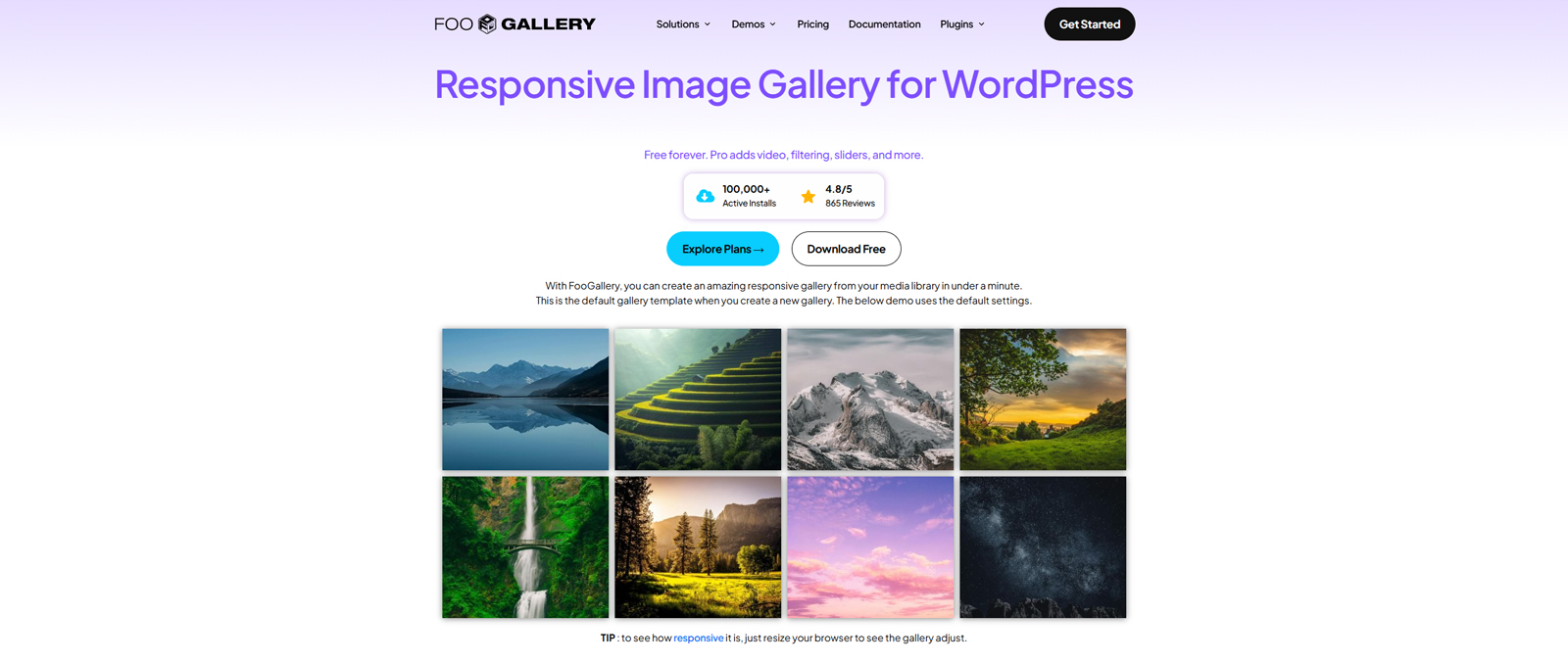 FooGallery is another one of the popular image gallery plugins for WordPress. Even the plugin’s free version has enough functionality to build beautiful and dynamic galleries for your WP website, even if it’s only used for scheduling.
The free version of FooGallery provides stunning gallery templates, simple pagination, border customization, hover effects, lazy loading, image SEO, retina thumbnail, and many more. This is the most extensive list of functionality compared to all free solutions. You can access a few premium-like features (Masonry gallery, and more).
With the PRO version, you’ll access a larger number of gallery layouts, PRO Lightbox, advanced effects, video support, tag & multi-level filtering, custom captions, advanced pagination, and more. The PRO plugin comes in 3 plans (PRO Starter, Expert, and Commerce), so each of them suits different needs and budgets.
Key features:
- 32 gallery layouts;
- Advanced customization tools;
- Multisite support;
- Built-in albums;
- Add-ons for extending default functionality;
| Name | Author | Price | Installations |
|---|---|---|---|
| FooGallery | FooPlugins | Free or from $6.99/mo | 100k+ |
The Grid
 Among the top WordPress image gallery plugins for WordPress, The Grid features advanced tools for building visual portfolios for both beginners and developers. From WooCommerce support to over 30+ predefined and unique skins, you can’t go wrong with the Grid plugin when building your online portfolio.
The implemented skin builder uses a wide range of settings, which let users enter such parameters as line height, fonts, and colors. You can work with a visual layout using drag and drop modules. If you are looking to build an image gallery in WordPress plugins, this solution offers an easy way to do that with a 100% responsive touch slider and a wide range of customization options. It’s compatible with several third-party plugins like Visual Composer, Shortcode, and Cornerstone.
Key features:
- Powerful gallery builder for easy drag-and-drop customization;
- Touch carousel & slider;
- 30+ pre-designed gallery skins;
- WPML-ready & SEO-optimized;
- WooCommerce support.
| Name | Author | Price | Installations |
|---|---|---|---|
| The Grid | Theme-one | From $49/once | 13k+ |
Meow Gallery
 MeowGallery is one of the popular plugins we recommend taking a look at. Built to be simple yet feature-rich, this gallery combines beautiful layouts with performance-oriented code. It is the right pick if you need essentials wrapped in one neat package that is easy to integrate and customize. Delivering multiple gallery layouts, Meow Gallery is your go-to solution for making sure all your photos are described in a visually attractive and easy-to-manage manner without overloading your website with unnecessary features.
Key features:
- 8 gallery layouts;
- Built-in Gutenberg block;
- Automatic sitemap integration;
- Infinite and lazy loading;
- Smooth gallery animations.
| Name | Author | Price | Installations |
|---|---|---|---|
| Meow Gallery | Jordy Meow | Free or from $29/year | 10k+ |
NextGEN Gallery
 NextGEN Gallery is a multifunctional WordPress image gallery plugin best for photographers. The free version at WordPress.org is good, but it’s a bit limited because you only get three gallery styles – slide show, thumbnail, and ImageBrowser. If you go Pro, you get access to a lot more styles like masonry, mosaic, filmstrip, and more. The premium version also offers advanced features like watermarks, deep image links, and more, making it one of the best WordPress gallery plugins. On top of that, it includes eCommerce functionality, which is useful if you’re selling photography.
Key features:
- 12+ gallery layouts;
- Watermarking and password protection;
- Image search;
- Social sharing;
- Built-in eCommerce features.
| Name | Author | Price | Installations |
|---|---|---|---|
| NextGEN Gallery | Imagely, LLC | Free or from $69.50/year | 400k+ |
Photo Gallery by Supsystic
 Photo Gallery by Supsystic offers unlimited free and paid options for creating portfolios and galleries. You can make a responsive photo gallery with icons and HTML signatures for free, as well as protect images with a watermark.
Even in the free version, Photo Gallery by Supsystic provides you with several ready-made gallery templates, including a standard grid, masonry, and a rounded gallery. As one of the best gallery plugins for WordPress, it supports batch uploads and posts, image import from social networks, full-screen galleries, multiple layouts, design options with stylish effects, and beautiful transitions.
Key features:
- Easy & fast gallery creation;
- Works well with most WordPress themes;
- Advanced gallery and album layouts;
- Lightbox display and styling controls;
- Includes shortcode and Gutenberg block.
| Name | Author | Price | Installations |
|---|---|---|---|
| Photo Gallery | Supsystic | Free or from $49/year | 20k+ |
Photo Gallery by 10Web
 10Web Photo Gallery is another popular option, which “stands” between the NextGEN plugin and other solutions. The free version also gives you some useful backend options, such as lazy loading, watermarks, and lightbox images, making it one of the best free WordPress gallery plugins.
If you opt for Pro, you will have primary access to more stylish layouts (masonry and mosaics). In addition, the premium version offers other useful features: social media buttons, lightbox option, video gallery support, and integration with the Instagram images. On top of that, a premium version provides image showcases for WooCommerce products.
Key features:
- Unlimited photos, albums, and galleries;
- Audio and video support;
- Powerful lightbox;
- Widgets and add-ons;
- Social sharing.
| Name | Author | Price | Installations |
|---|---|---|---|
| Photo Gallery | 10Web | Free or from $30/year | 200k+ |
Video Gallery Plugins for WordPress
We begin our overview of gallery plugins for WordPress from solutions designed for video galleries. With both free and premium solutions available, modern WordPress video gallery plugins allow you to efficiently showcase videos from multiple sources. Be it YouTube, Vimeo, or local files, the solutions presented below offer useful functionality and a reliable workflow to help you manage and show videos online without any trouble.
ELEX WordPress Embed YouTube Video Gallery
 The ELEX WordPress Embed YouTube Video Gallery plugin enables you to add a gallery with YouTube videos, channels, and playlists that will load on your website in a matter of seconds. The gallery layout is customizable and can be displayed on mobile devices. It takes a few clicks for you to sync videos, playlists, or YouTube channels to your website via the YouTube API using one of the video gallery plugins for WordPress.
The plugin lets you set up automatic sync to schedule gallery updates or apply manual sync. What’s more, you can include an intro video in your gallery and add a ‘Subscribe’ button to reach more subscribers. Generate a shortcode and paste it into a preferred post or page. The ELEX WordPress Embed YouTube Video Gallery plugin supports inline or pop-up video playback options.
Key features:
- WooCommerce-ready;
- YouTube integration;
- Automatic gallery synchronization;
- Subscribe button;
- Powerful shortcodes.
| Name | Author | Price | Installations |
|---|---|---|---|
| ELEX WordPress Embed YouTube Video Gallery | Elula Tech Pvt Ltd. | From $79/year | N/A |
Envira Gallery
 Envira Gallery is a popular complete WordPress gallery plugin that makes it easy to create responsive photos and videos for your website in minutes. At the moment, the plugin counts up to 26+ addons available. Among them, you’ll have extensions for social media, digital watermarks, importing images from different web platforms, etc.
By using even the basic version, you will get excellent performance and synchronization with Lightroom. The backend functionality is pretty simple. You choose which images you want to use, whether from your WordPress media library or from an external source. Envira allows you to create responsive galleries that will look great on any type of device.
Key features:
- Slideshows & fullscreen mode;
- Image & video galleries;
- eCommerce & proofing;
- Password protection;
- Import from Instagram.
| Name | Author | Price | Installations |
|---|---|---|---|
| Envira Gallery | Envira Gallery | Free or from $39.50/year | 100k+ |


Master Slider
 Master Slider is one of the top WordPress gallery plugins as well as a slider solution. The free version of the plugin offers 8 ready-made layouts, drag and drop editing, Touch Swipe navigation, auto-cropping and auto height, support for widgets and shortcodes, and much more. On top of that, it provides users with a simple admin panel.
With the premium version of a plugin, you get 90+ pre-built sliders, compatibility with the Visual Composer, Parallax Effect, and multiple image sources from Facebook, Flickr, etc. Finally, Master Slider allows you to insert or embed rich HTML text, links, images, or videos directly into each slide and then animate each layer independently, making it one of the most reliable video gallery plugins for WordPress.
Key features:
- 70+ pre-built sliders;
- Visual Composer integration;
- Social network gallery import;
- Touch swipe navigation;
- Smart preloading.
| Name | Author | Price | Installations |
|---|---|---|---|
| Master Slider | averta | Free or from $39/once | 60k+ |
Videopack
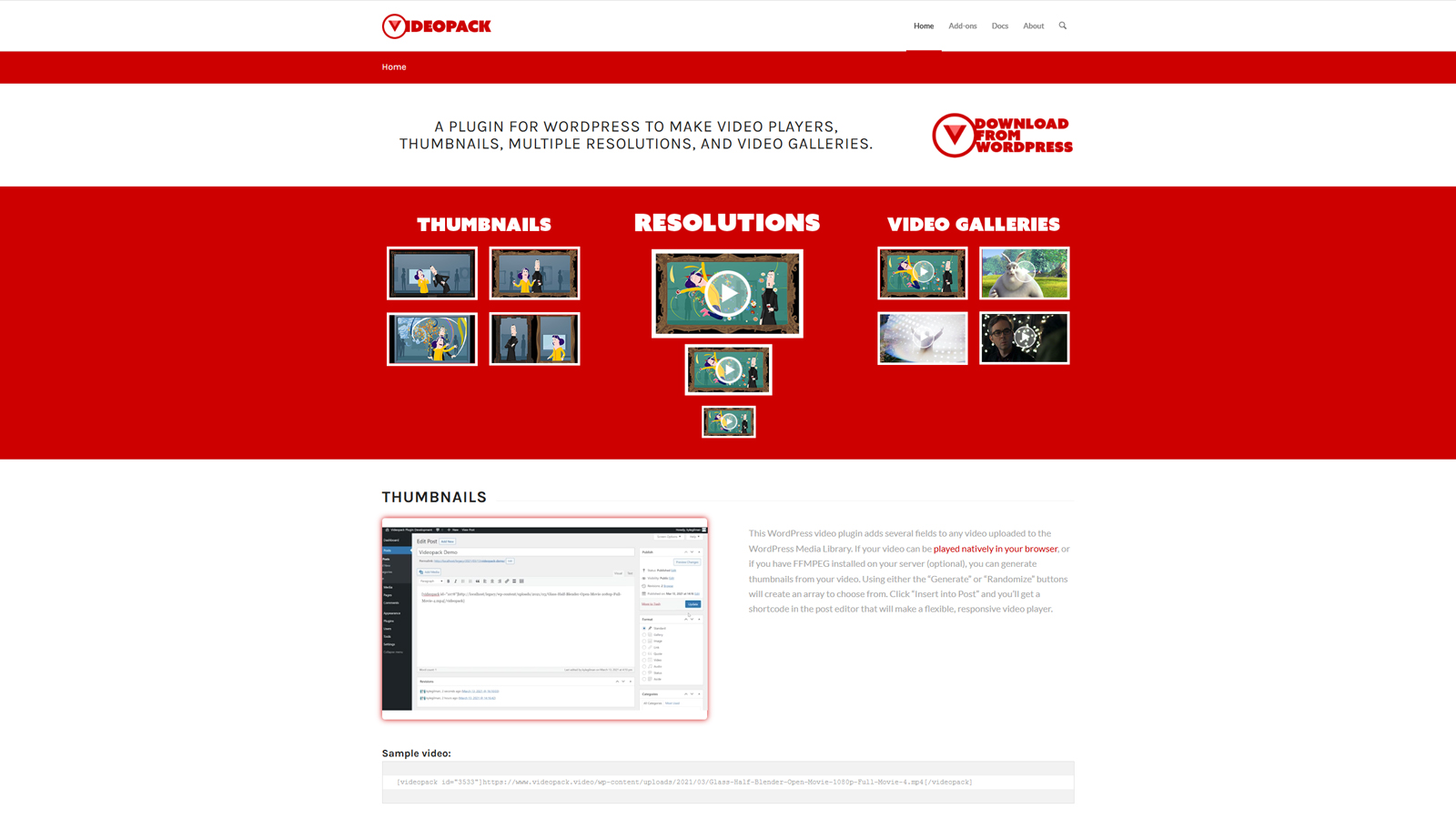 If you are looking for a video-only solution to add to your WordPress website, we are glad to present Videopack to you. This is one of the WordPress video gallery plugins that allows you to create responsive video galleries based on the videos you upload to your site’s media library. While being simple and providing essentials any video-oriented WordPress blog needs, it is reliable and can be easily integrated into any post using a shortcode. Note that the plugin only supports videos located on your website. If you require video galleries based on YouTube, Vimeo, and other video hosting sites, we recommend using built-in WordPress features or consider other plugins for something more complex.
Key features:
- Automatic thumbnail generation;
- Multiple resolutions;
- Configurable shortcodes;
- 2 available video players;
- 4 translations included.
| Name | Author | Price | Installations |
|---|---|---|---|
| Videopack | Kyle Gilman | Free | 10k+ |
All-in-one Video Gallery
 One of the solutions built for more versatile use is the All-in-one Video Gallery plugin. It delivers top-notch tools to build scalable and SEO-ready video galleries in a few simple steps. The plugin comes equipped with rich features for video playback, such as an integrated video player, subtitle support, and a vast selection of gallery functionality. With this plugin, you can customize gallery design, add filters, categories, add comments, and a lot more to make your portfolio more interactive.
Key features:
- Custom HTML5 video player;
- Unlimited support for categories and tags;
- Video access restriction;
- AJAX filters;
- Likes & dislikes.
| Name | Author | Price | Installations |
|---|---|---|---|
| All-in-one Video Gallery | Plugins360 Labs | Free or from $4.99/mo | 20k+ |
Totalsoft Video Gallery
 Video Gallery plugin by Totalsoft is one more solution for categorizing and showcasing your videos in a responsive and easy way. It comes with 9 diverse layouts, a shortcode generator, and support of local files as well as popular video platforms. The plugin allows you to edit created galleries as well as add smooth animations and custom links to single videos in your gallery.
Key features:
- 20 free gallery themes;
- YouTube, Vimeo, Wista & MP4 support;
- User-friendly editor
- Video lightbox effect;
- Gallery pagination.
| Name | Author | Price | Installations |
|---|---|---|---|
| Video Gallery | Totalsoft | Free or from $15/year |
Conclusion: Which Plugin for the Gallery in WordPress To Choose?
As you see, there’s a lot to choose from when it comes to WordPress photo gallery plugins. However, there is no one-size-fits-all recommendation in the case of such WordPress plugins. Your choice will depend on your main WordPress page builder and your preferences. For example, if you work with Elementor, choose between Stratum, NextGEN, Envira, and more. But if you like Gutenberg more, we recommend taking a look at free gallery blocks by Getwid or Meow Gallery.
Overall, the majority of premium plugins come with the Lite version, allowing you to test their basic features. Also, you can go through different gallery demos and see what each plugin has to offer, including numerous benefits similar to:
- Responsive layouts: Modern image gallery plugins for WordPress automatically adapt their galleries to different screen sizes. This ensures your images look great on any device – desktops, tablets, and smartphones.
- Advanced customization: Many plugins provide detailed styling options, allowing you to adjust layouts as well as customize gallery colors and animations without referring to code.
- Performance optimization: Such features as lazy loading and image compression enhance the overall performance and increase the gallery page loading speed.
- Better organization: Through using categories, subcategories, and tags, the best gallery plugins for WordPress help you with sorting images efficiently to make your content easier to manage and navigate.
Disclosure: this article may contain affiliate links for third-party products. If you click a link and later make a purchase, we may earn an affiliate commission that doesn’t result in additional charges to you.
