
How to Build an Email List for Your Vacation Rental: Practical Tips with MotoPress
Table of Contents
What is the best way to build a hospitality industry mailing list for your vacation rental email marketing campaign? Most would recommend using Mailchimp. While the platform simplifies a lot of email marketing tasks, it still requires manual adding or importing of email addresses. That’s why in today’s post, we’ll take a look at a more automated way of collecting emails and creating an email list with MotoPress solutions that can enhance your vacation rental email marketing strategies.
How to Build an Email List with Hotel Booking Plugin
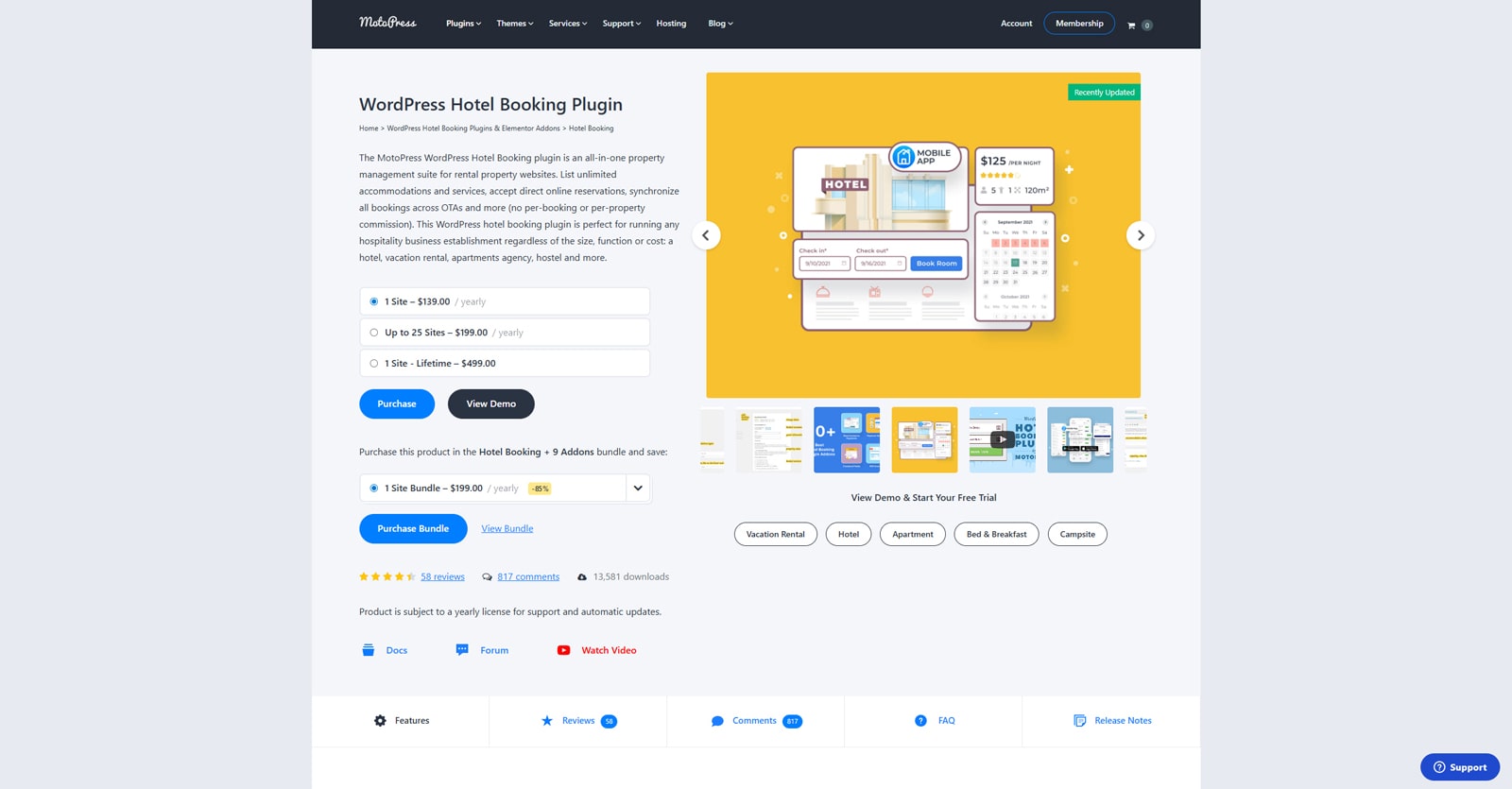 So how can you start building rental email lists without having to do everything manually? The answer is very simple – use WordPress plugins. If you own a vacation rental website or plan to develop one, it is necessary to take care of your email campaigns beforehand. One of the best ways to do it is to install the Hotel Booking plugin by MotoPress and some of its add-ons for email marketing.
As a customizable and reliable reservation management solution, Hotel Booking can do more than just help your visitors book a room online. While one of its main features is all about managing accommodations, it does way more than that.
From dynamic pricing and channel manager functionality to automating your Mailchimp campaigns as a tool for vacation rental email marketing, Hotel Booking, and its numerous addons are designed to make your hotel or STR business thrive.
Key features:
- Easy accommodation and inventory management;
- Channel management with iCal synchronization;
- User-friendly property search form;
- Automated email notifications;
- Multiple free and paid addons.
| Name | Author | Price | Installations |
|---|---|---|---|
| Hotel Booking | MotoPress | Free or from $139/year | 13,5k+ |
Creating a Hospitality Industry Mailing List with Mailchimp and MotoPress Hotel Booking
 Now that you know a little more about Hotel Booking and how you can use it to assist with property management, let’s explore how its add-ons help with email marketing.
For example, you can use the Mailchimp addon for Hotel Booking to simply transfer your guests’ emails to the service’s email list. This will allow you to easily integrate your hotel site with Mailchimp and use its newsletter framework to improve your email marketing campaigns and automate them. Let’s explore how you can do it with the MotoPress plugin.


Step 1: Create Accommodations for the Hotel Booking Plugin
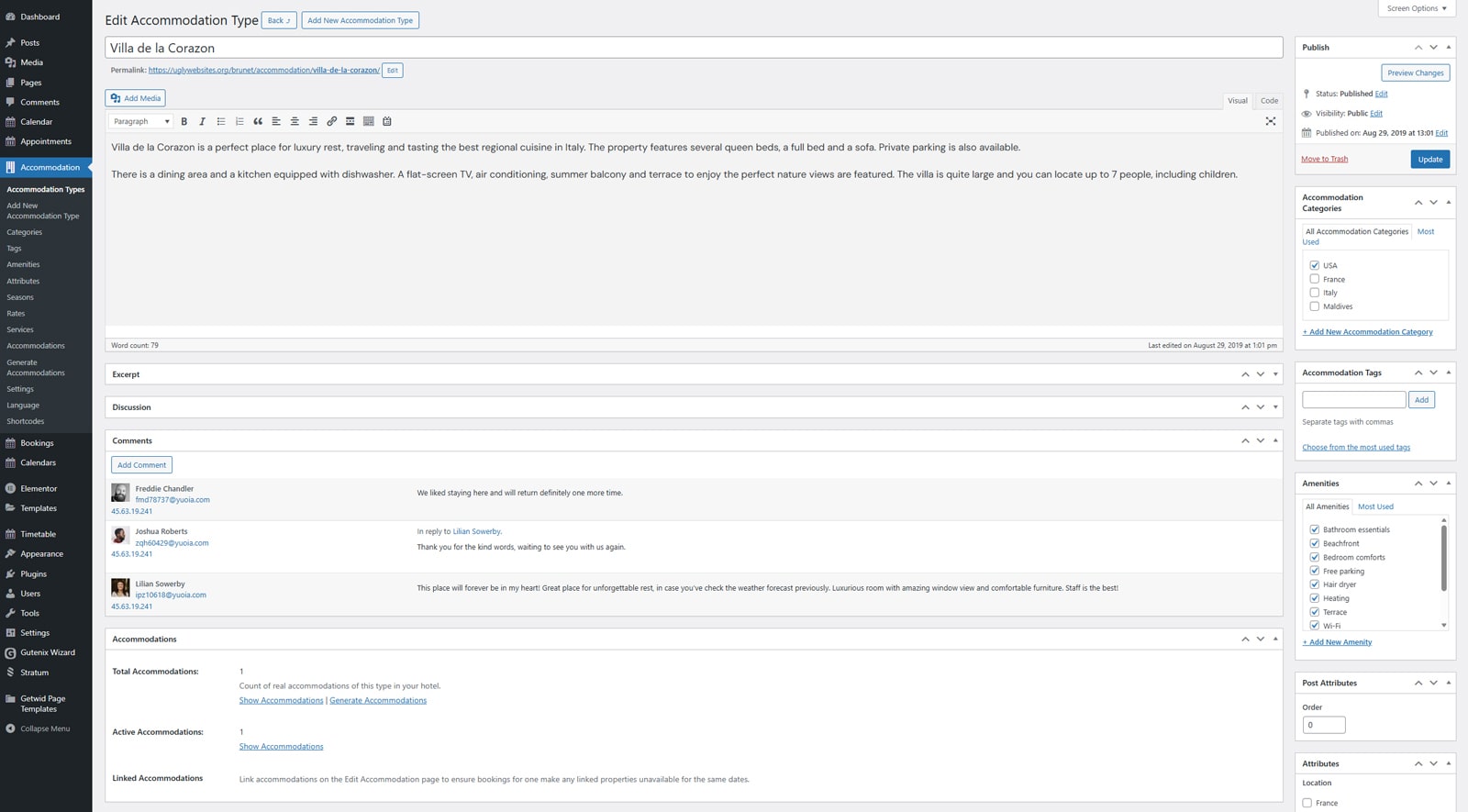 Before using the Mailchimp addon with your vacation rental email marketing campaign, you’ll need to create the necessary accommodation types and pages to make the booking from display on them. This can be done in a few simple steps:
- Navigate to the Accommodation – Accommodation types – Add New Accommodation Type.
- Type in any necessary content, images, and descriptions for a certain type of accommodation.
- Scroll down and specify the number of real accommodations that belong to this type and their capacity.
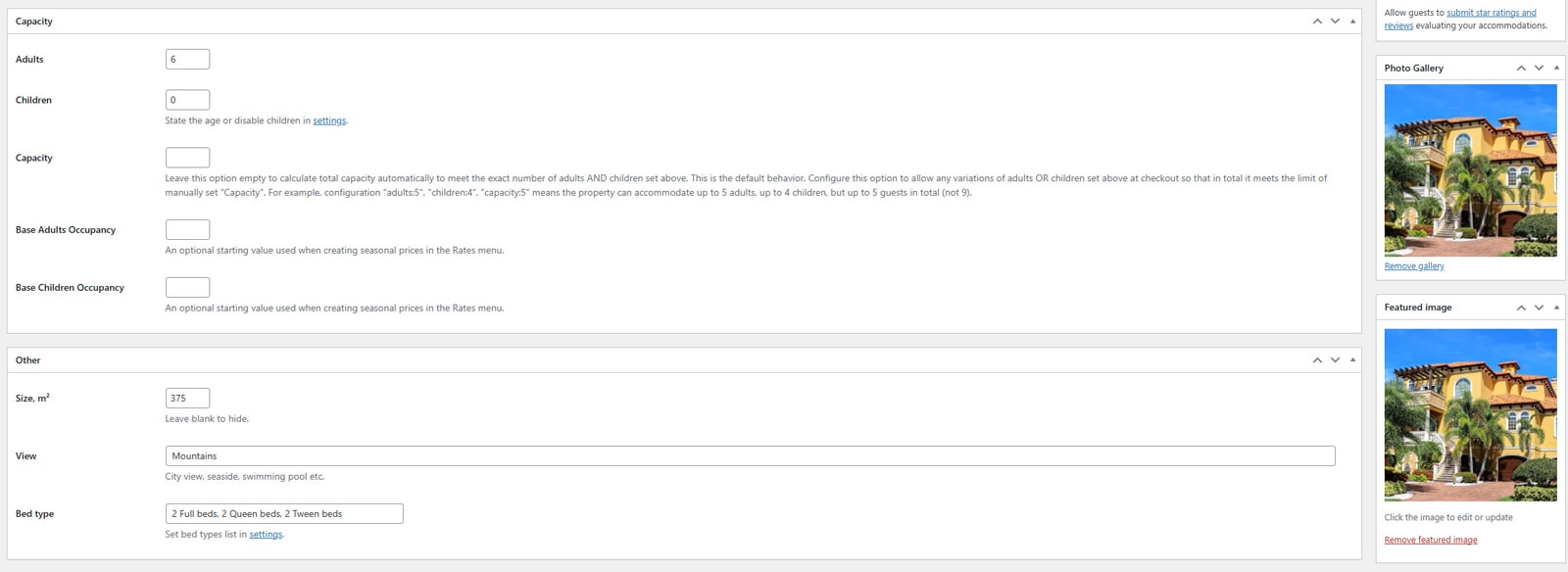
- On the same page, you can add:
- Associated amenities;
- Services available for booking;
- Accommodation type attributes (location, bedrooms, bathrooms);
- Photo gallery and more.
- Press “Publish” to finish editing.
- Afterwards, go to Accommodations and press “Generate Accommodations” to automatically add the number of actual available rooms to the booking system.
Step 2. Add the Addon and Configure it to Gather Email Addresses
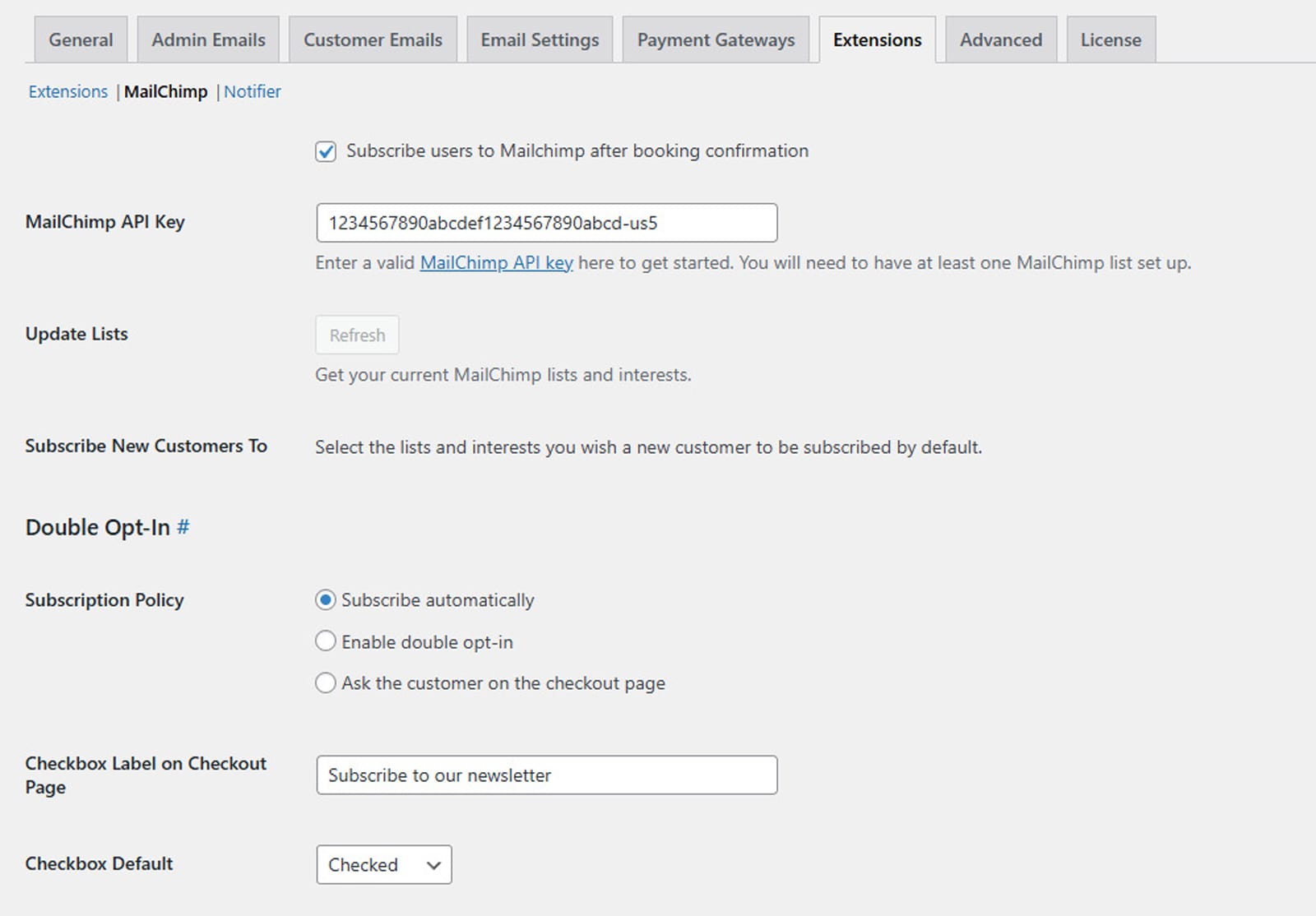 After purchasing and downloading the add-on, you can finally get to setting it up and configuring it for gathering emails from your guests. Here’s what you need to do:
- Navigate to the Plugins tab and press the “Add Plugin” button. Find the ZIP file with the add-on and upload it to your site’s dashboard. After the add-on is installed, press the “Activate” link under its name to activate it.
- In the plugin dashboard, press “Settings”. Then click the “Extensions” tab to open the Mailchimp vacation rental email marketing add-on settings.
- In the addon settings, you can gather the email addresses of your customers for future hotel newsletter campaigns. To do this, ensure the “Subscribe users to Mailchimp after booking confirmation” option is enabled. However, before doing it, you’ll need the Mailchimp API key.
- For the API key, open your Mailchimp account and click on your account icon. Then, press “Profile” and choose API keys in the Extras dropdown. You’ll be able to generate a new key and copy it in the Your API keys section.
- Now, return to the plugin dashboard and its settings. Paste the key in the “MailChimp API Key” field. Don’t forget to save by pressing the “Save Changes” button before continuing.
Additionally, on this page, you can configure the checkbox label for subscription that is displayed on the checkout page, and how the subscription policy works, as well as other options. Feel free to read more on the add-on’s documentation page.
Step 3: Use Mailchimp to Customize the Emails
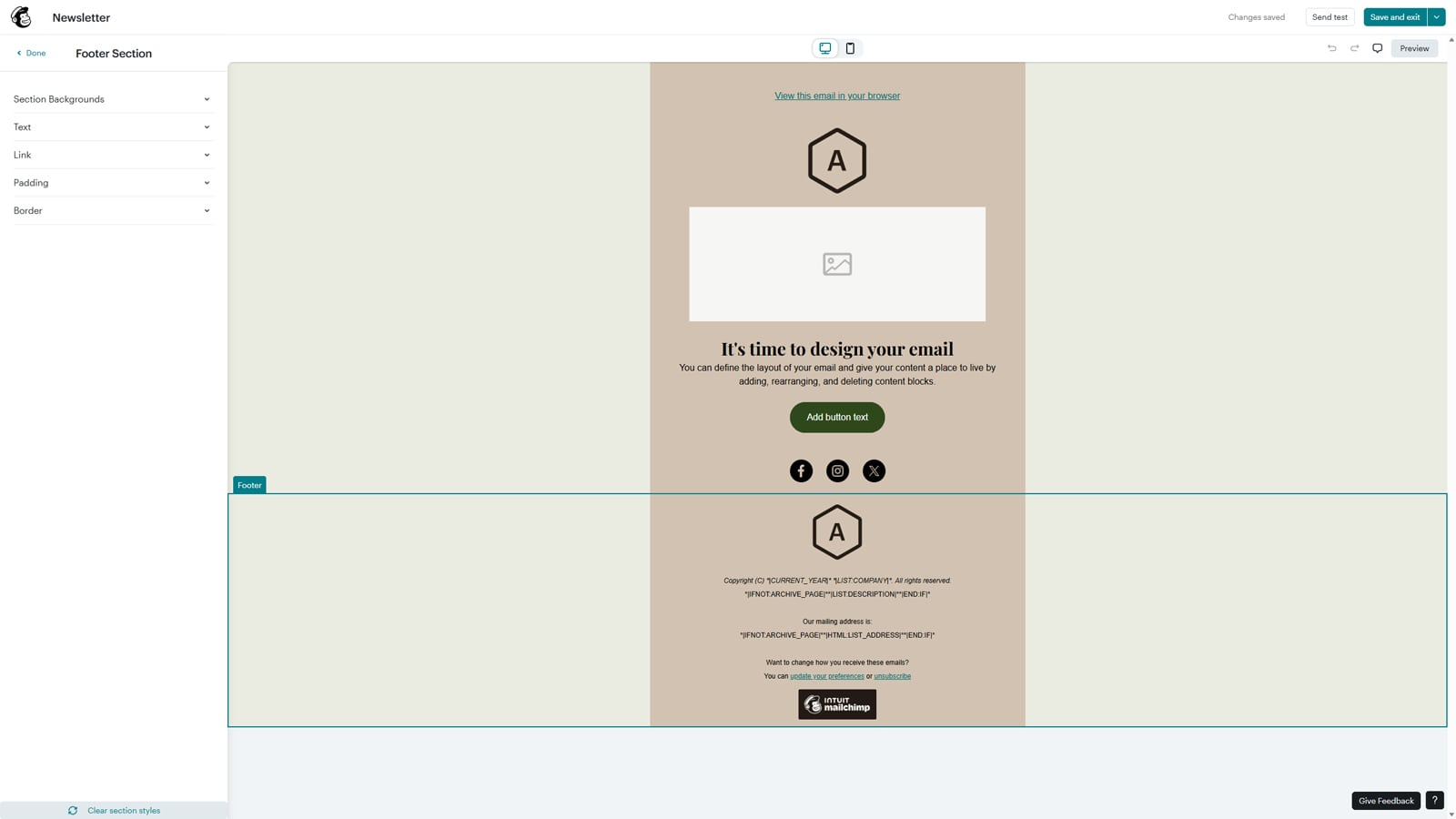 While this add-on allows you to automatically gather customers’ emails, designing hotel newsletters needs to be done using Mailchimp directly. It can be easily done in a few steps:
- Open the Mailchimp dashboard.
- In the left sidebar, choose “Campaigns”. On the newly opened page, press “Create” (top right of the page).
- If you want to launch an email campaign, we recommend getting started with the “Regular Email” option. By choosing a ready-made vacation rental email marketing template or creating an email from scratch, you can access the visual builder with hotel email marketing examples, allowing you to design and customize the next newsletter or email. It can be sent later to all customers who shared their email addresses when reserving a room and opted to subscribe to your Mailchimp newsletter.
Hotel Booking Notifier Add-on as an Alternative to Mailchimp Integration
 Mailchimp can be a great problem solver when it comes to sending out vacation rental industry email messages regarding your vacation rental options. This is especially fitting if you’re learning how to create a newsletter without designing everything from scratch. However, as your hospitality industry mailing list grows, it can become costly to manage and maintain it. That’s why MotoPress developers offer you a simpler option – the Notifier add-on. Built to be flexible, it helps with:
- Notifying guests about facilities, keys, door codes, etc., before they arrive or depart;
- Creating multiple email notifications based on the set accommodation type;
- Adding multiple recipients for the same notification (guests, site owner, custom ones);
- Composing editable email templates with placeholder support.
How to Use Notifier
While the notifier add-on gives you more options when it comes to vacation rental email marketing without referring to external websites, it still needs to be set up and customized according to your needs. With it, you get to create various notifications with conditional logic based on your preferences. Let’s look closer at how they can be created.

Creating an Email Notification with Notifier

- To create your first notification, navigate to the Bookings – Notifications.
- There, press the ” Add New Notification button to get started.
- On a new page, you can set up how this notification will work. For example, here you can choose:
- Accommodations for this notification;
- Trigger (automatic or manual);
- Customizable period when the notification is sent (before or after the check-in);
- Recipients and more.
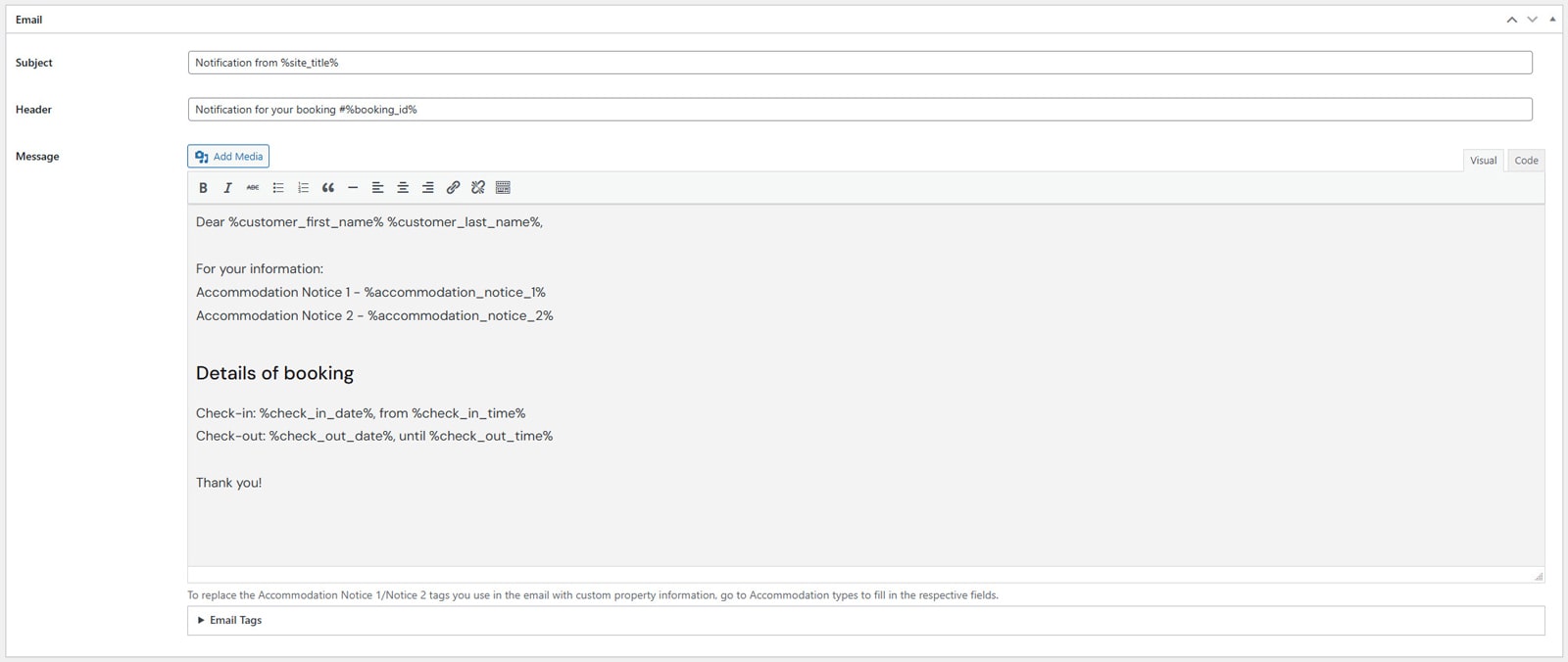
- Besides, on this page, you can use the provided vacation rental email marketing template, or edit it as well as write your own using tags. Tags are placeholders allowing you to add certain content automatically to your hotel email message. Here you can add styling to your email, add links, quotes, customize the header and subject, etc.
- Note that with this add-on, you can also add notices to each accommodation that can be displayed in each email notification for it. By choosing the accommodation in the “Accommodation Types” tab, such notices can be added when you scroll down to the “Notification customizer” section.
- When you’re done editing your email notification, don’t forget to save it by pressing the “Create” button. The add-on also allows testing it on the same page by sending it to the admin’s email address.
Mailchimp Integration vs MotoPress Notifier Add-on: What to Choose?
 So what’s the best option for you out of these two? Both Mailchimp and Notifier vacation rental email marketing add-ons work with emails, but they handle them differently. If you don’t want to pay extra for managing your emails and sending notifications right from your WordPress dashboard, Notifier is a better pick. It is configurable, easy to work with, and allows you to customize any email template. Besides, you can create any number of notifications you find necessary.
However, you may also need to not just notify clients after the booking is made, but also inform them about special offers, tips, and new amenities. That’s when using Mailchimp comes in handy. By applying the Hotel Booking add-on and creating a hospitality industry mailing list with it, you can make Mailchimp work for your vacation rentals. With its visual email editing tools and diverse features in email design, automation, and audience segmentation, marketing your accommodation services will be really easy to do.
Conclusion
We hope this short guide and overview of vacation rental email marketing methods has helped you better understand what fits your business best. Whether you’re just starting out or already have a loyal client base, choosing MotoPress solutions can make a huge difference in the results of your email campaigns. Even without a Mailchimp subscription, using the notification add-ons of Hotel Booking is useful for:
- Increasing guest loyalty: By using automated emails and notifications, you can help guests feel valued. This increases guest loyalty, especially if you use an email newsletter framework to share special offers and discounts. Additionally, with consistent communication, you can encourage repeat bookings and memorable impressions.
- Establishing communication: Thanks to the Notifier add-on that Hotel Booking provides, your guests will receive essential information when they need it. As a result, this reduces misunderstandings and improves satisfaction. Moreover, this way you can keep everything organized in the same vacation rental industry email without requiring repeated manual messaging through other channels.
- Personalizing guest experience: With its email addons, Hotel Booking allows tailoring vacation rental email marketing strategies based on booking details and customer preferences. This helps when your communication needs to be more relevant and engaging through rental email lists. By offering personalized emails, your vacation rental business can make it easier for guests to connect with you and make guests more likely to recommend your property.
- Streamlining booking management: Finally, automated reminders and hotel newsletter options allow you to combine useful content with informative ones, such as payment notifications and check-in instructions. This approach saves time and reduces administrative workload. Just by using simple tools like these, you can keep the booking process for both guests and yourself as a property host.