
Multi-Property Availability View: New in MotoPress Hotel Booking Plugin!
Table of Contents
Since MotoPress Hotel Booking plugin version 5.3.0, we’ve brought one of our most requested features to life: the Multi-Property Availability Calendar.
Many of you asked for a simple way to see availability across multiple properties at once, and we’re happy to say this feature is now available in the core plugin for free!
With this new multi-property view, you can display a single, shared availability calendar for selected accommodation types.
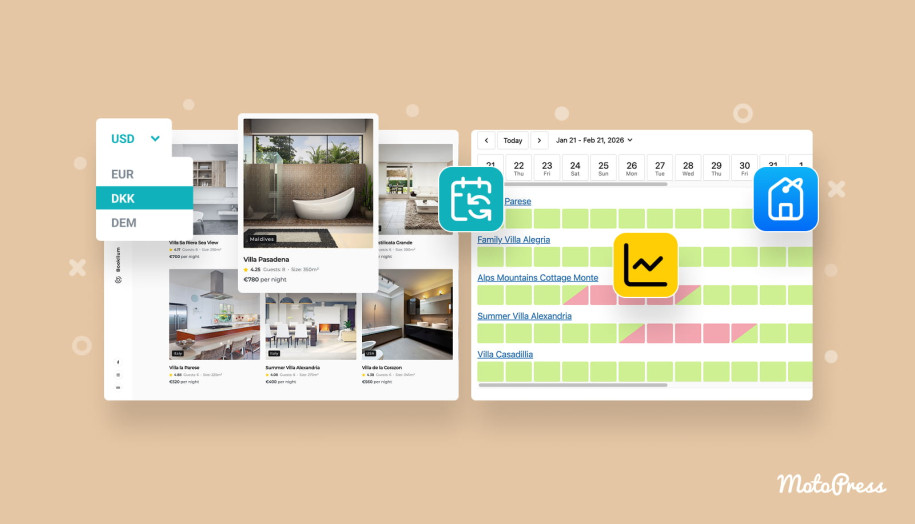
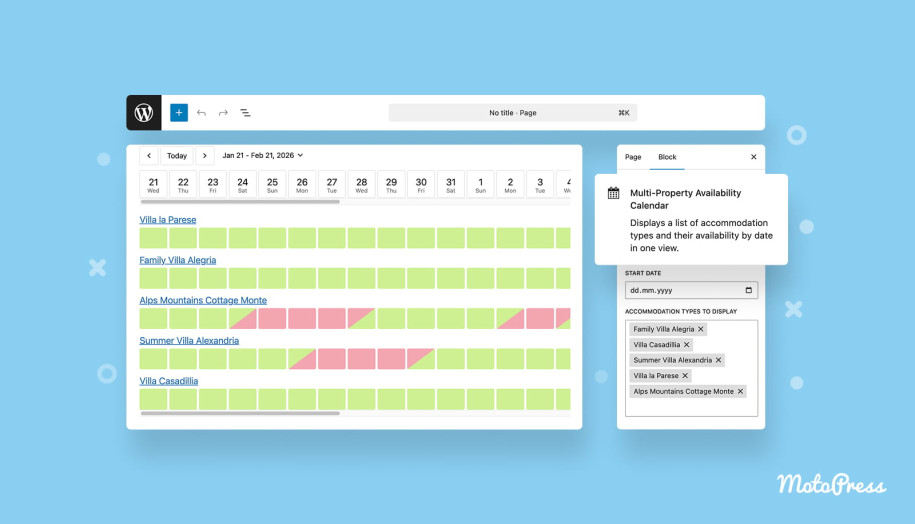
It’s not a calendar in a traditional sense but it looks pretty much close to it: dates appear across the top, properties are listed down the left, and voila – per-property availability status is shown in the grid.
Overall, the new feature gives your guests the simplest way to compare availability at a glance.
Also looking to display the availability of any chosen properties simultaneously on any site page? Let’s see how to do this.
How to Add the Multi-Property Availability View
At the moment, you can add this new view/calendar to any page in two ways: via shortcode or WordPress block. Then, you can select multiple IDs for one common availability calendar.
Let’s now take a closer look at these options.
Option 1: Using a shortcode
Go to Accommodation → Shortcodes, find Multi-Property Availability Calendar, and copy the shortcode. There you can also find all the parameters you can use.
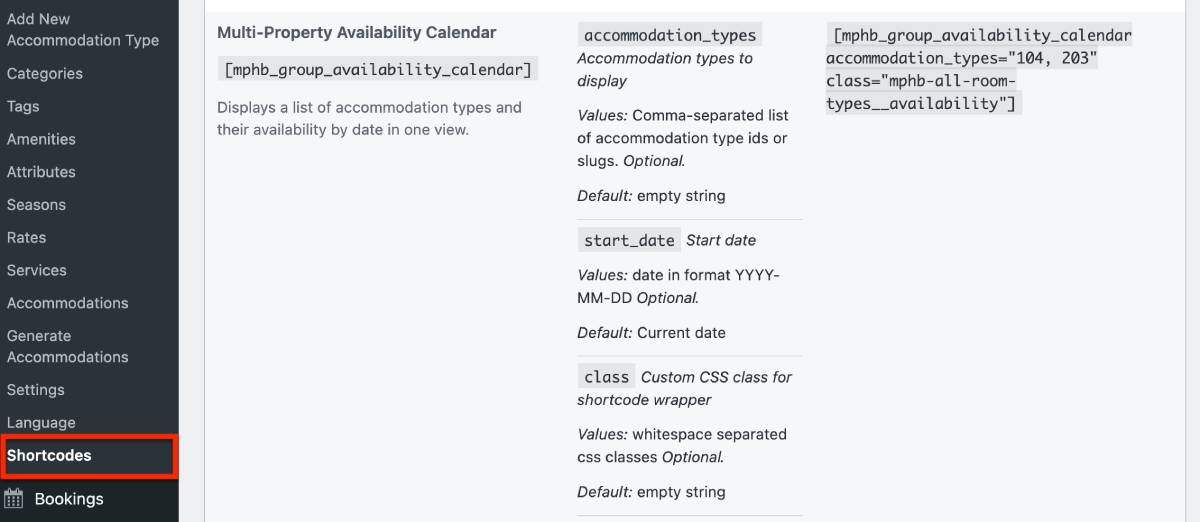
As you see, you can manually enter accommodation type IDs to control exactly which properties are shown. As usual, you can find Accommodation types IDs by going to Accommodation types > hovering over the needed one.
Option 2: Using a WordPress block
In the WordPress block editor:
- Click “+” to add a block.
- Search for Multi-Property Availability Calendar.
- Add it to the page and select accommodation types directly from the list.
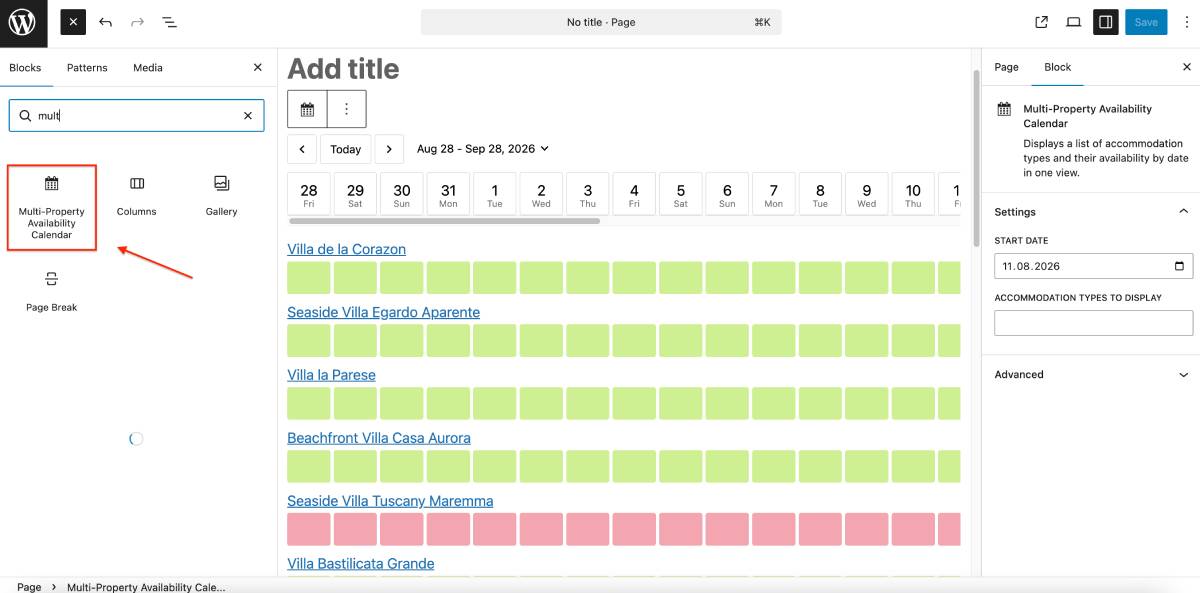
If you don’t select specific properties, all published accommodation types will be displayed by default.
Use block settings from the right to customize the start date to display and specific properties only:
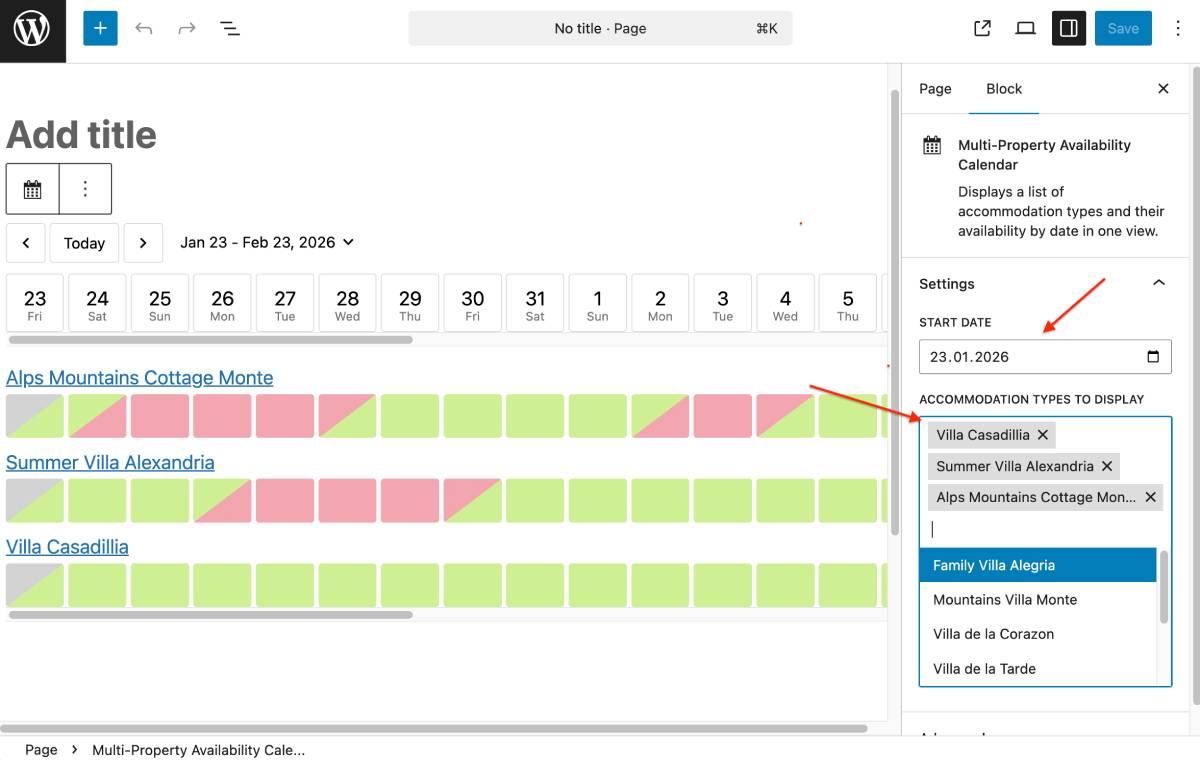
Multi-property calendar behavior & customization
So, how does it work for you and your website visitors?
– By default, the calendar starts from today’s date. However, you can set a custom start date in the block or shortcode settings (for example, to show only a future holiday period).
– The calendar always displays 31 days at a time, regardless of the start date. Let us know if you want a custom period selection!
– A horizontal scrollbar allows visitors to browse any dates within that period – this helps keep all those 31 days in compact view regardless of the hotel WordPress theme you use.
– A built-in date selector lets visitors jump to any date instantly. When a visitor selects a date, that date becomes the first visible day in the calendar.
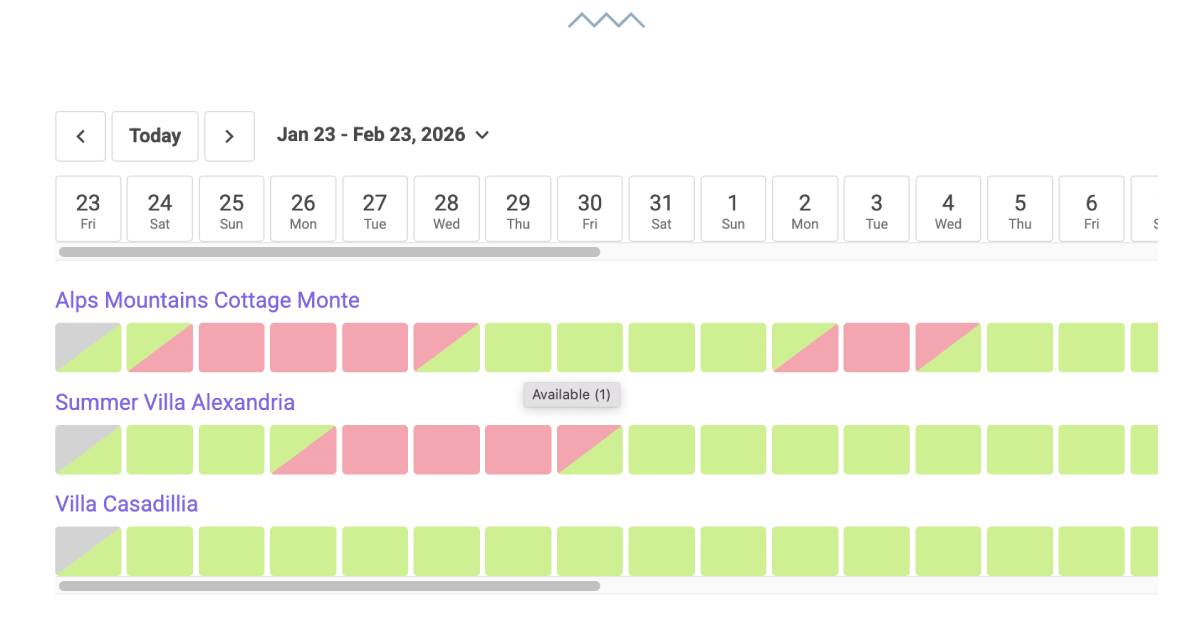
Once added, the calendar shows familiar color-coded statuses to site visitors:
- Available (green).
- Booked (red).
- Blocked (also red, these are dates that you blocked manually via booking rules).
- Past dates (displayed in grey).
On desktop devices, visitors can hover over a date to see more details. Since the view displays accommodation types, the hover tooltip also shows how many physical units are available for that date (which can be especially useful for hotels with many rooms of the same type).
Guests cannot book directly from this calendar. However:
- Property names are clickable.
- Clicking a property takes the guest to its individual property page.
- From there, they can view details and book as usual.
This is just the first version, when we’re trying to keep the calendar focused on comparison and discovery, but if you want the dates to be instantly bookable, let us know.
Also note that when a visitor selects dates, the URL updates dynamically, which means specific date views can be copied and shared further.
We’ve tested the new multi-property calendar for MotoPress with WPML, and it correctly displays the appropriate language version of the calendar.

Concluding: When is this feature especially useful?
The Multi-Property Availability View available from MotoPress Hotel Booking plugin version 5.3.0 is ideal for:
- Vacation rental or hotel sites with multiple similar properties.
- Property managers who want guests to compare options quickly.
- Seasonal or holiday pages showing availability for a specific period.
Now, your guests have a big-picture overview before choosing a property.
The new WordPress availability calendar overview is easy to add to your site with a WordPress block or shortcode, showcase it only for chosen properties, and decide which date must be displayed as a starting view date. It also nicely inherits styles (such as text colors, fonts, and spaces) from your WordPress theme.
We hope the new multi-property availability calendar helps site visitors compare availability more easily and make faster decisions.