
Divi 5 Is Genuinely Wild: Let’s Take a Look at It
Table of Contents
Divi 5 by Elegant Themes is built with a Gutenberg-like, more WordPress-native modular approach.
The official release of Divi 5 is scheduled for February 26th, which is coming up fast, so today we’re eager to take a look at the public beta version and test the waters.
Actually, according to Divi, 40% of their customers already start with Divi 5 instead of Divi 4.
“We started over and completely reinvented Divi, focusing on performance and advanced design systems. Divi 5 is fast, lean, and packed with modern features to lead the next generation of page builders.” Source
Moreover, many of the updates coming with Divi 5 are actually inspired by many Divi users’ requests. There can’t be a better reason to launch a new version!
Moreover, the migration to Divi 5 should be also pretty straightforward. Divi 5 Migrator comes built in:
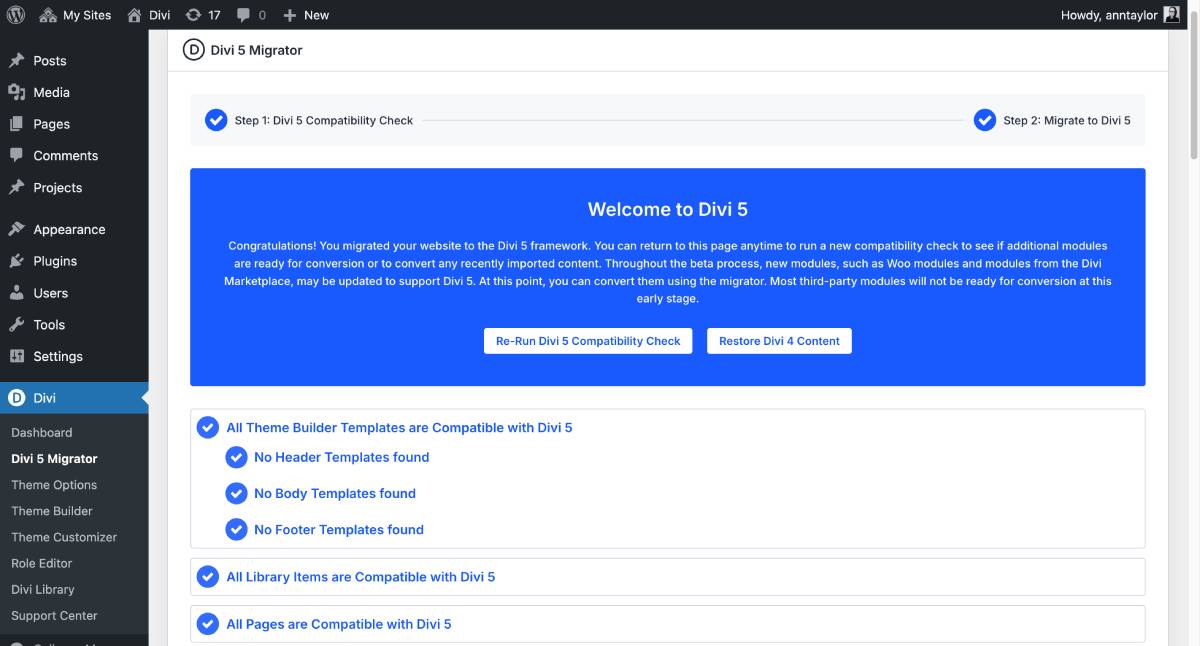
The Divi 5 Migrator System checks whether your website is compatible with Divi 5 and highlights key details to make the upgrade process smoother.
In 2025, Divi 5 was a pop star of Divi releases, taking the stage with major and significant updates.
It’s undergone tons of updates that brought new tools to life, including:
- UI/UX changes.
- Workflow differences.
- Performance.
Let’s now take a look at new styling controls, layout system, design capability, and the overall UI in our Divi 5 review.
What’s The Purpose of the Divi 5 Update?
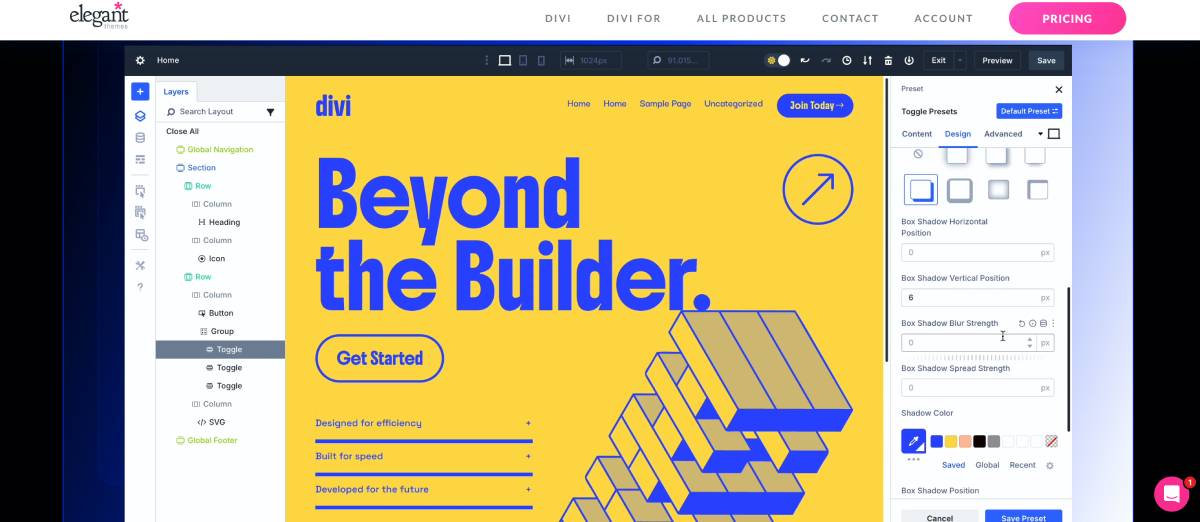
What problems was the old version struggling with? Does the ‘re-imagined’ version solve them?
Let’s be honest, Divi is cool, but sometimes you’ve had to make uncomfortable compromises with it.
Well, the new Divi is clearly not just for marketing purposes! Looks like it strategically and methodically addresses:
- Performance issues.
- Flexibility / design freedom.
- Ease of use for non-technical users.
- Better WordPress alignment (no shortcode-based frameworks).
So, this version is primarily about… everything!
It enables any site owner, designer, or agency to reach better website results by working faster, in better UX, and having more lightweight results.
If you haven’t been following updates from Divi or just want to get started with it for the first time, we’re reviewing these updates for you.
Let’s see how exactly they are trying to achieve this.
New layout systems & design capabilities in Divi 5
All the top WordPress page builders we know were born out of one problem: the lack of intuitive design systems in core WordPress. What are Divi’s design capabilities now? Do they outperform WordPress? Let’s see.
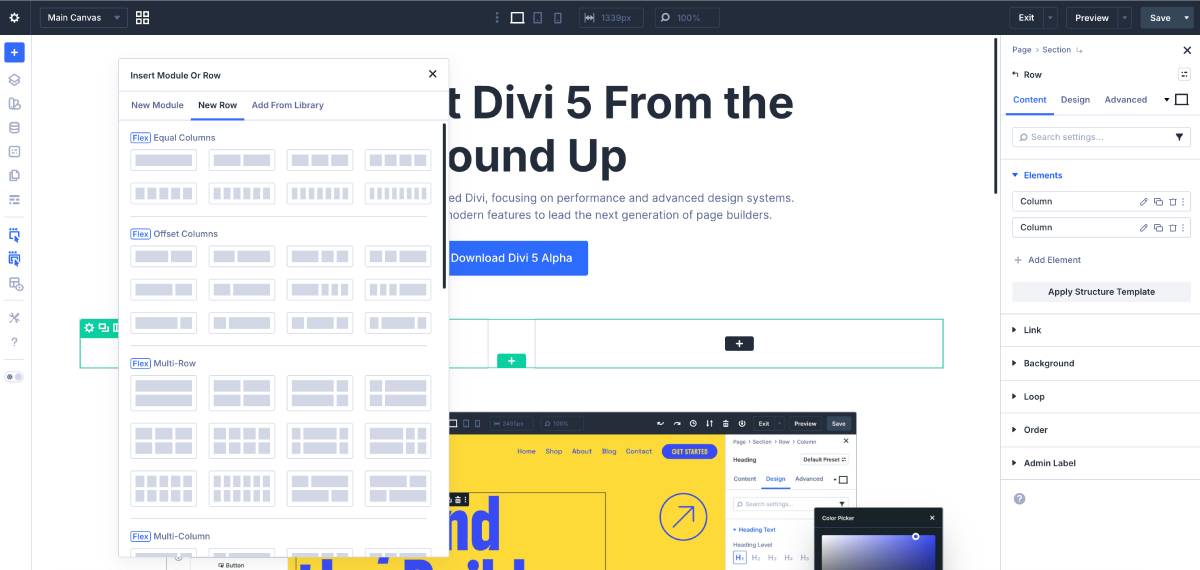
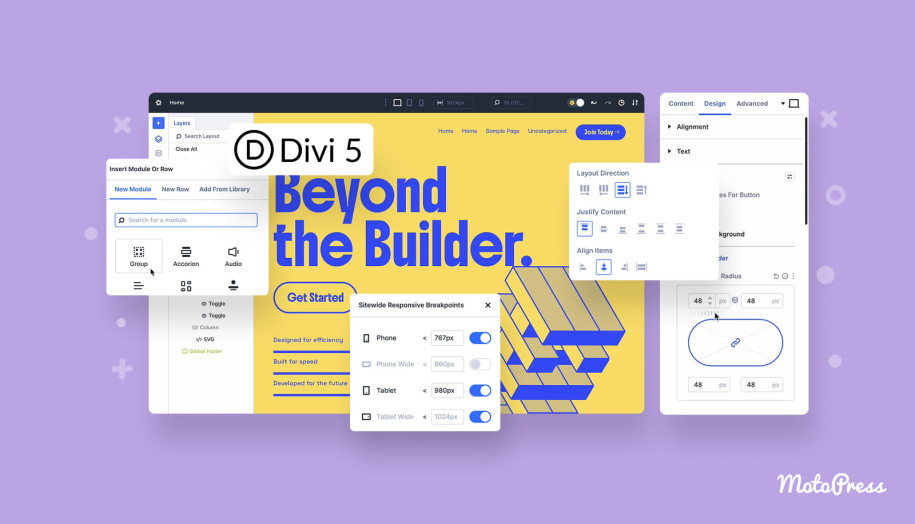
It’s one of the most crucial shifts – ‘Divi 5’s all-new layout system” as they call it. It now relies on using flexbox, nested rows, and module groups, which is promised to reduce CSS for improved performance.
New flexbox options let you manage layout direction, wrapping, spacing, order, and child positioning for any element, intuitively and natively, without hacks or extra code. You can also now easily add rows inside other rows, building any layout right within a section.
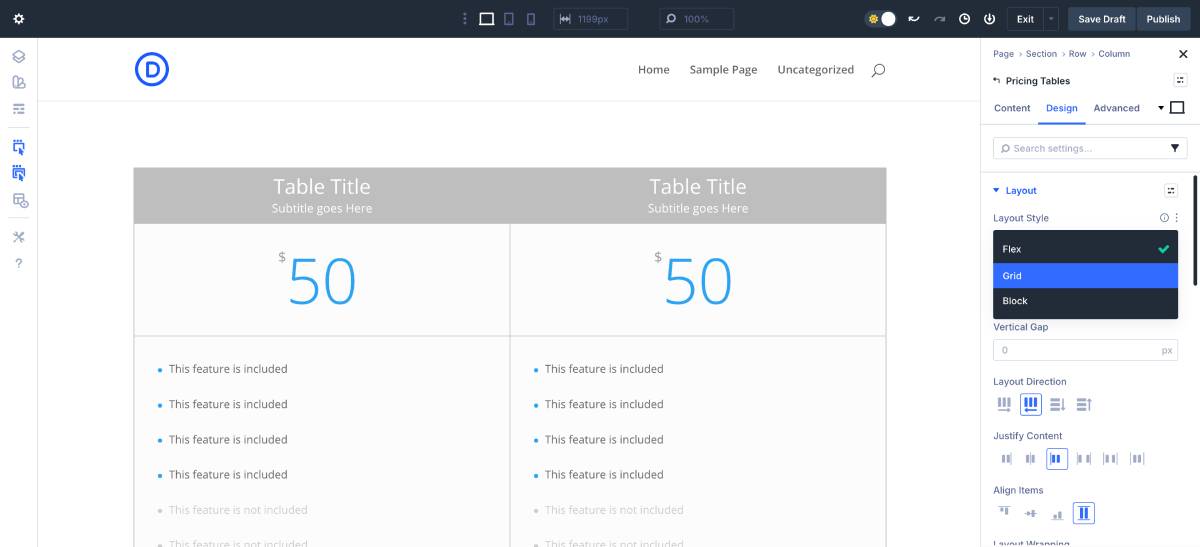
New Divi also makes it easier to assign different structures and column sizes to a row and adjust any flexbox setting for the needed device using breakpoints.
That means just this – less code or workarounds, and more lightweight layouts overall.
Nested modules & nested rows
Nested Modules in Divi 5 are a cool thing for building complex layouts, especially if you are designing multi-page sites. You can now place modules inside other modules with infinite nesting, turning every element into a flexible flex/grid container.
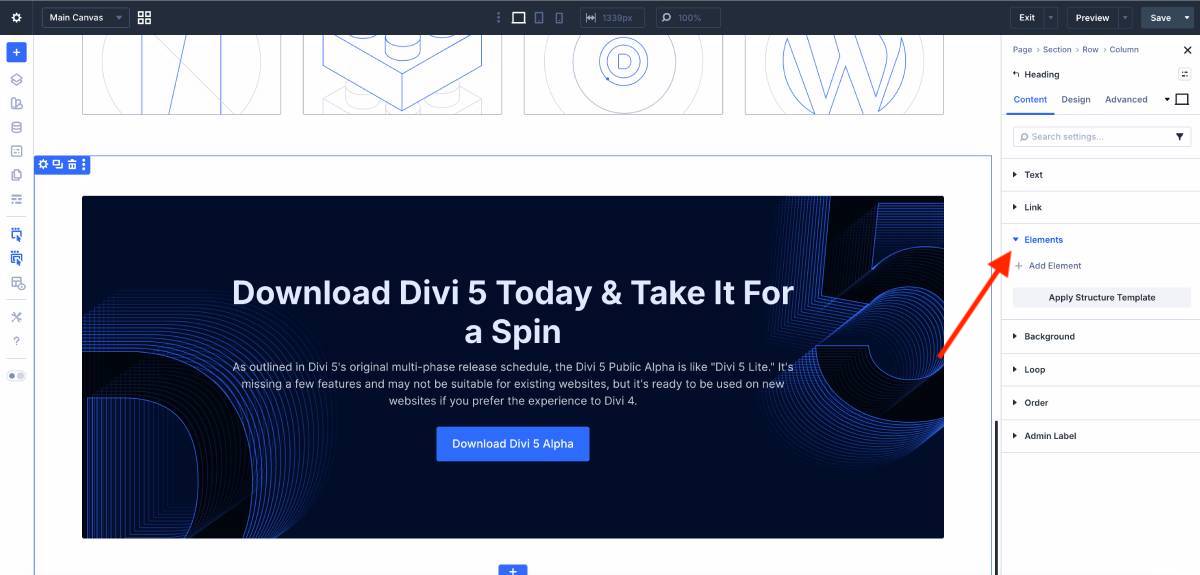
Compared to earlier versions, Divi is no longer limited by rigid row/column structures. Layout logic is unified, legacy grid options are replaced by modern flex/grid controls, and the UI makes nesting, dragging, and reorganizing elements faster and cleaner.
This should give you a more approachable feeling when building menus, tabs, sliders, grids, and dynamic layouts. Less time spent on workarounds, which is significant.
Advanced Divi users, designers, and developers who build custom UI components, dynamic menus, or content-heavy layouts – you are going to love it.
Canvased options
With Divi 5, they introduced a new Canvased option to solve the design complexity. You’re no longer limited to a single page canvas!
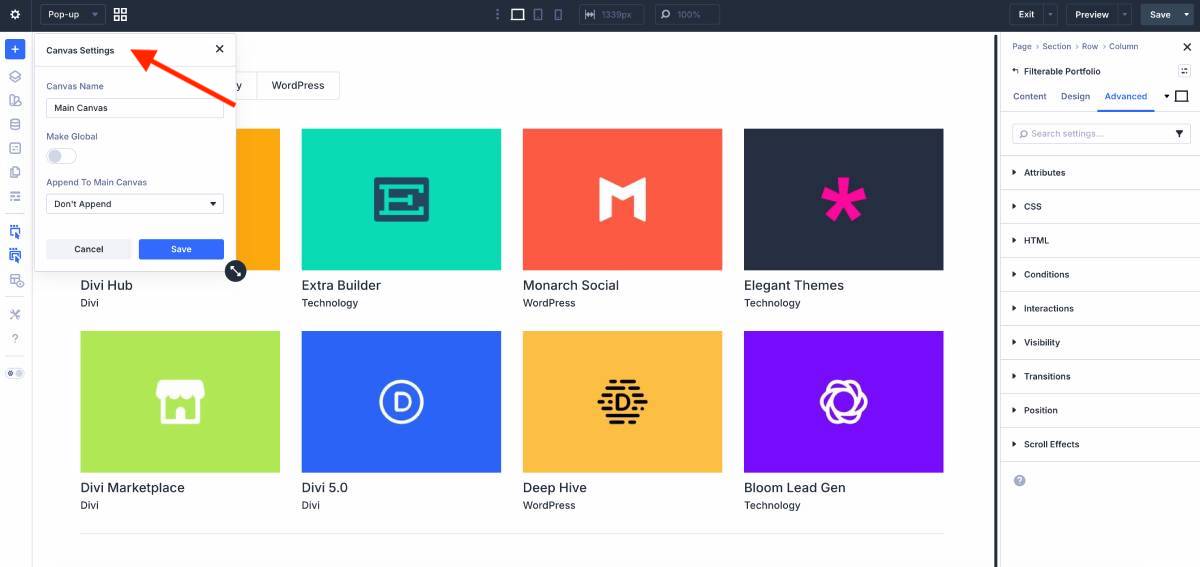
We bet this one is loved by developers and designers.
What’s this, by the way? Websites today rely heavily on off-canvas elements like mega menus, slide-ins, popups, modals, and interactive UI patterns. A single page canvas can become messy and overwhelming.
Canvases like this new one in Divi provide a clean structural separation to let you build and manage content separately from a page’s main layout.
You can use them staging design changes, experimenting with new ideas, and building off-canvas components like popups and interactive elements. You can create local canvases for individual pages or global canvases that work across your entire site, so that you can reuse your layouts.
Option group presets
Divi 5 promotes reliance on preset-based design calling it the most expected features for years.
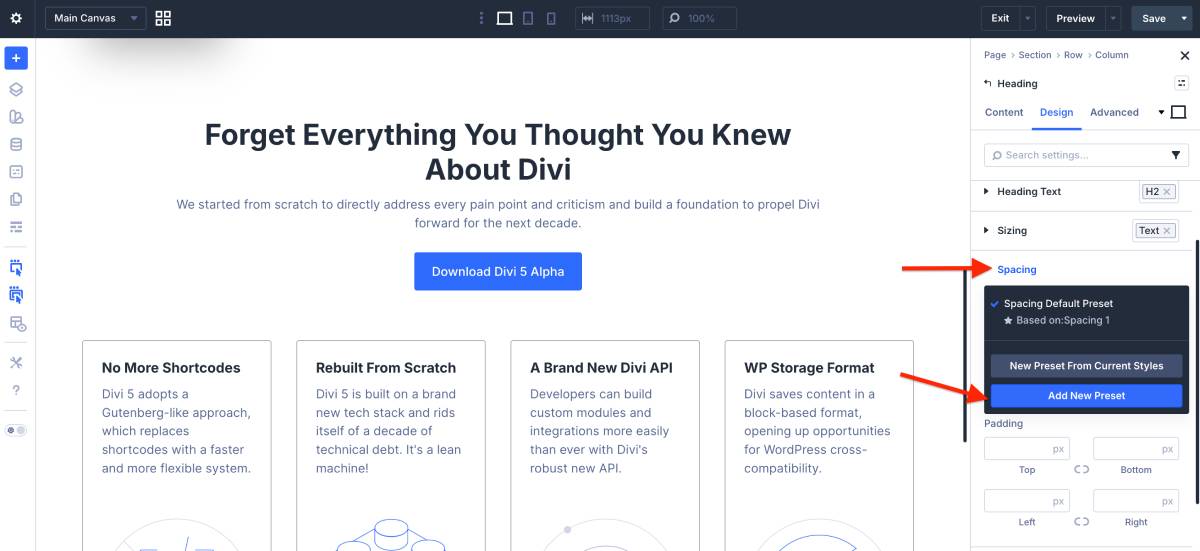
These are basically reusable styles that significantly speed up the process of building cohesive designs by re-using styles (not specific elements).
You could – and still can – create pre-sets for bigger design parts, such as columns, modules, or sections. But from Divi 5, you can also do that for individual design settings.
I think this is the coolest feature for a medium user: backgrounds, cards, headings, borders, and shadows become reusable building blocks. Default presets act as global base styles, similar to a powerful theme customizer. Far less manual updates, that is.
Global variables
Variables are those saved values you reuse across your site (usually applies for colors, fonts, sizes, text, etc.) Change the variable once, and everything using it updates automatically.
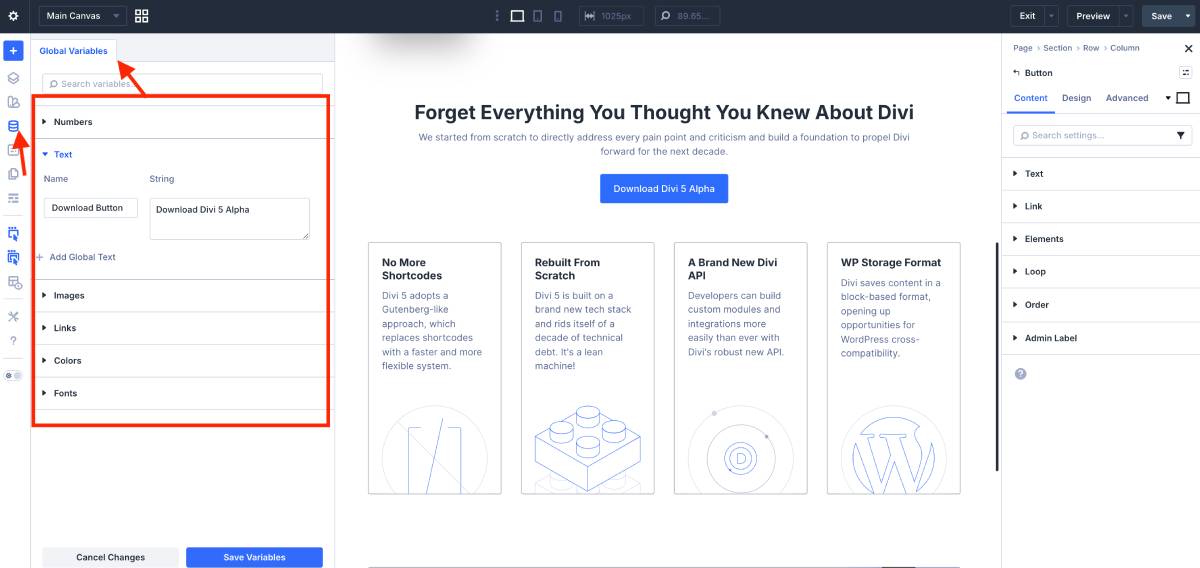
Now, Divi 5 turns almost everything into a variable and puts it all in one manager, so your list of variables becomes bigger! You can create and manage global variables for:
- Colors and color palette.
- fonts – all in one screen.
- numbers (spacing, border radius, text sizes, widths, line heights).
- Images (reuse and swap brand images site-wide).
- Text and URLs.
Colors
Divi 5 changes color management, making it very attractive for average users who don’t deal with design basics. No isolated and random color choices – now it’s a smart system of connected colors, which means you can change one color and have your entire site update automatically, keeping that desired color consistency.
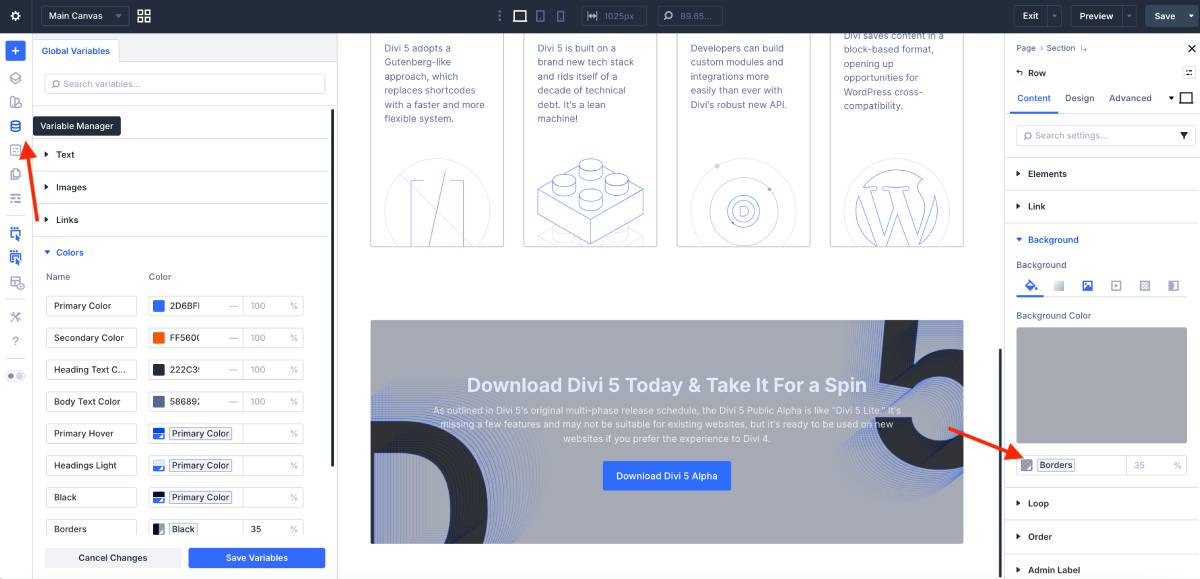
So, this is how your color system now works in Divi 5:
- All colors are defined as variables.
- One primary color drives the entire palette.
- Every other color is derived from it using HSL adjustments (lightness, saturation, opacity).
- Color relationships are preserved automatically.
Group container module
We’ve also tried the new grouped container module (something that should have existed long ago).
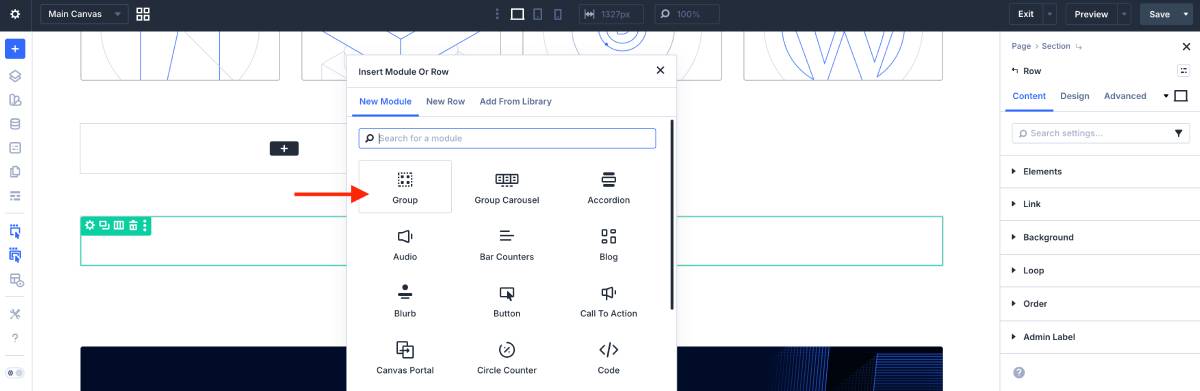
It allows you to bundle multiple modules into one container, so they behave like a single item. For example, build a service section with tables or price comparison. Then, you can move and reuse layout easily by dragging, duplicating, or copying an entire group instead of adjusting each module one by one.
Everything is managed in one Variable Manager – try it out, and it practically works on its own.
Built-in pop-ups, toggles, and trigger-based interactions
Divi is known for the ability to deliver attention-grabbing effects. Now it takes it even further.
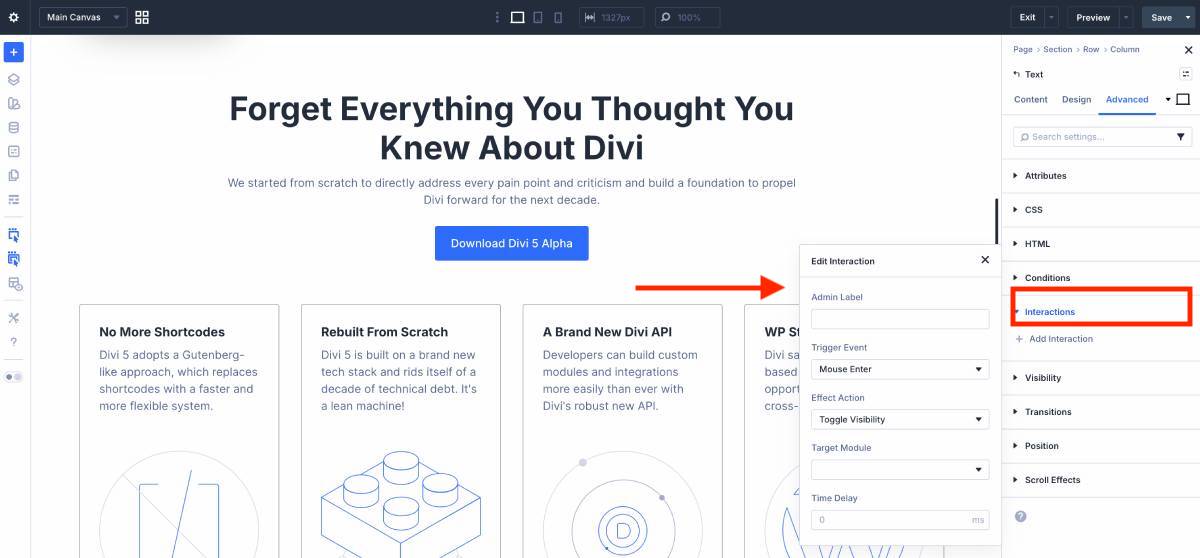
In the Advanced tab, you’ll find a new cool Interactions menu, which gives you access to creating things that quite often require an extra plugin in WordPress:
– Scroll-based and mouse-movement effects (create interactive hero sections or visual feedback without relying on video or heavy animations).
– Define what action starts an interaction (click, hover, enter viewport), what happens (visibility, preset, attribute change), and which element is affected.
– Scroll-to element actions (smoothly scroll the page to a specific element when an interaction is triggered).
Add a lot of nice movement to the site!
Divi AI tools
How good are Divi AI tools in Divi 5?
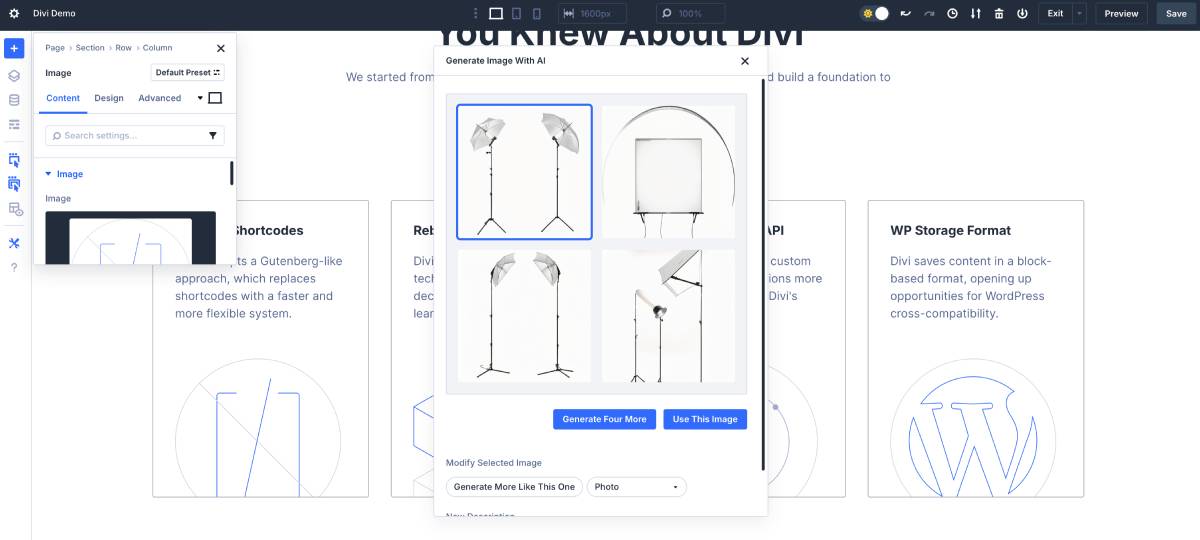
Believe it or not, it’s not just about text generation!
Divi AI can generate complete pages or even entire websites in minutes – think of layouts, text, images, and basic styling. This is probably one of the reasons why new Divi users jump on Divi 5 and skip Divi 4.
Their AI tools are perfect for everyday site update workflows: create headlines, page copy, blog posts, and refine existing text directly inside Divi’s text fields; generate custom images without stock photos, then edit, expand, and even automatically generate custom CSS tailored to Divi modules when default design controls aren’t enough. Phew!
I tend to see AI more as an optimization tool – summarizing, identifying patterns, you name it. That said, the creative side of AI, especially within the website-building workflow, can feel overwhelming and overengineered. Still, in Divi there are many things that work creatively out of the box. It’s something you should try for yourself.
Divi + MotoPress
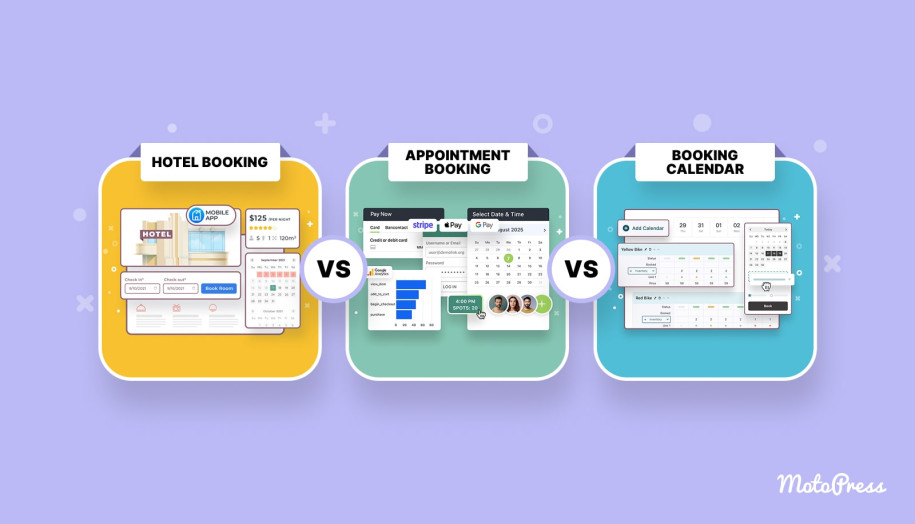
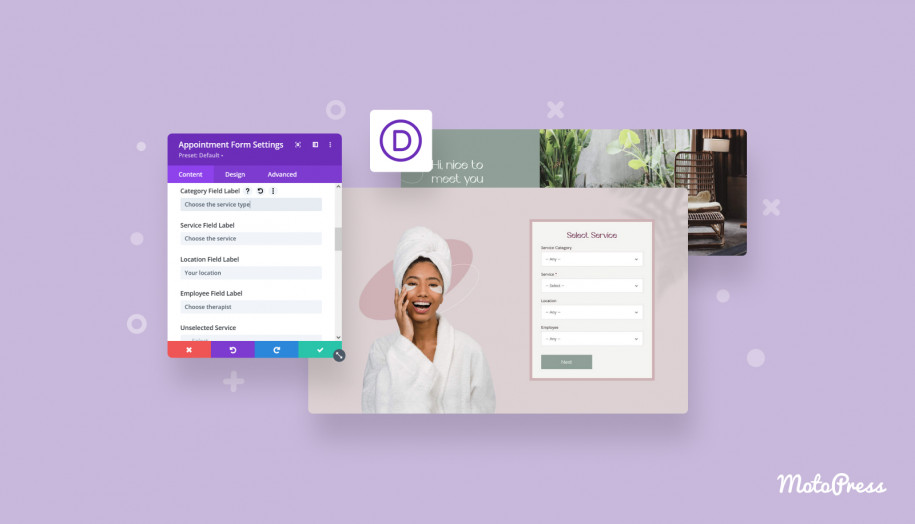
Can we recommend Divi for MotoPress users? Of course. So many of you already love using Divi that we created an official free integration: Divi + MotoPress Hotel Booking plugin. That’s why we’re happy to recommend Divi as a professional site-building tool for WordPress.
What does it do? Well, you can add and customize content generated by the MotoPress Hotel Booking plugin (booking forms, availability calendars, search forms, property listing) right inside Divi, with dedicated Hotel Booking modules.
At the moment, we’re still testing out the integration with Divi 5.
Concluding on Divi 5 Review: Should You Try It?
We haven’t covered each and every feature in this Divi 5 review, but we tried to understand the key things. What you’ll deal with is all-new Divi.
We’ve all seen many old, popular standbys among themes and plugins that have tons of positive reviews and a long history of development, loved and praised.
But not all are transparent or brave enough to address the technical debt under the hood, which can often derail progress.
Divi, on the other hand, doesn’t just refine and polish its old version, it delivers a fresh, intuitive, and powerful experience for current and future users, keeping up with the trends and clearly wanting to stay valuable to its fans.
Now, it’s a new framework that lets you create modern and elegant layouts in an easier way.
Moreover, in Divi 5, they added many must-have features that should have been there long ago. New essentials + truly advanced and intelligent innovations are what shape Divi 5, in my opinion.
You get a strong feeling that Divi 5 is all into the power of design, now lightweight.
Meanwhile, here are the Divi 5 improvements with true value that we loved:
- Divi 5 moves closer to a true component-based design system with nested modules, so it’s all a fundamental and strategic update. A nice shift from manual styling to system-driven design (the outcome – less rigid design, that is).
- Less time spent on workarounds (for example, when you use new flex layouts).
- Fewer extra plugins because Divi 5 has many more powerful features built-in (e.g. a pop-up builder).
- Multiple design fundamentals are now variables, helping you speed up the entire workflow with global design parts.
- Easily reusable styles for cohesive designs, e.g. create a background you need once and then apply it to a wider variety of content parts and types.
- Change the primary color and the whole site updates in seconds; all colors stay visually balanced keeping their relationships.
- Since Divi is pretty much oriented towards developers too (API, hooks and filters), the new design system will speed up development across the board.
- Thanks to backward compatibility in Divi 5, you can upgrade with confidence and continue working with legacy modules directly from the Add Module panel, with far fewer bugs.
- A faster site overall, which is also essential for SEO.
So… New Divi 5 lets you make fewer design mistakes yet with more creative freedom!
After our Divi 5 review, it’s on the safe side to say that everyone else wins from this update – beginners, designers, developers, agencies, everyone who wants to get started with a powerful design experience.
The best thing Divi could do was to launch a better version of itself, refined from the ground up. Well worth trying while waiting for a stable version!